 PluginStats
Deno installs statistics
By denoland · VS Code Marketplace · Programming Languages
A language server client for Deno.
Deno has 1,440,569 recorded installs on VS Code Marketplace.
It ranks #435 of 2,500 tracked VS Code Marketplace listings by installs.
It is rated 4.1 out of 5 from 51 ratings.
PluginStats has 3 daily observations since Oct 16, 2026; the latest is from Oct 18, 2026.
Rating: 4.06 / 5 from 51 ratings
About Deno
Deno for Visual Studio Code
This extension adds support for using Deno with Visual Studio Code, powered by the Deno language server.
⚠️ Important: You need to have a version of Deno CLI installed (v1.13.0 or later). The extension requires the executable and by default will use the environment path. You can explicitly set the path to the executable in Visual Studio Code Settings for deno.path.
Check here for instructions on how to install the Deno CLI.
Features
• Type checking for JavaScript and TypeScript, including quick fixes, hover cards, intellisense, and more. • Integrates with the version of the Deno CLI you have installed, ensuring there is alignment between your editor and the Deno CLI. • Resolution of modules in line with Deno CLI's module resolution strategy allows caching of remote modules in Deno CLI's cache. • Integration to Deno CLI's linting functionality, including inline diagnostics and hover cards. • Integration to Deno CLI's formatting functionality. • Allow specifying of import maps and TypeScript configuration files that are used with the Deno CLI. • Auto completion for imports. • Workspace folder configuration. • Testing Code Lens. • Provides Tasks for the Deno CLI.
Usage
1. Install the Deno CLI. 2. Install this extension. 3. Ensure deno is available in the environment path, or set its path via the deno.path setting in VSCode. 4. Open the VS Code command palette with Ctrl+Shift+P, and run the _Deno: Enable_ command.
We recognize that not every TypeScript/JavaScript project that you might work on in VSCode uses Deno — therefore, by default, this extension will only apply the Deno language server when the setting deno.enable is set to true. This can be done via editing the settings or using the command _Deno: Initialize Workspace Configuration_.
While you can enable Deno globally, you probably only want to do that if every JavaScript/TypeScript workspace you work on in VSCode is a Deno based one.
Commands
The extension provides several commands:
• _Deno: Cache_ - instructs Deno to fetch and cache all the dependencies of the current file open in the editor. This is similar to doing deno cache on the command line. Deno will not automatically fetch and cache remote dependencies.
ℹ️ If there are missing dependencies in a module, the extension will provide a quick fix to fetch and cache those dependencies, which invokes this command for you.
• _Deno: Enable_ - will enable Deno on the current workspace. Alternatively you can create a deno.json or deno.jsonc file at the root of your workspace. • _Deno: Language Server Status_ - displays a page of information about the status of the Deno Language Server. Useful when submitting a bug about the extension or the language server. • _Deno: Reload Import Registries Cache_ - reload any cached responses from the configured import registries. • _Deno: Welcome_ - displays the information document that appears when the extension is first installed.
Formatting
The extension provides formatting capabilities for JavaScript, TypeScript, JSX, TSX, JSON and markdown documents. When choosing to format a document or setting up a default formatter for these type of files, the extension should be listed as an option.
When configuring a formatter, you use the extension name, which in the case of this extension is denoland.vscode-deno. For example, to configure Deno to format your TypeScript files automatically on saving, you might set your settings.json in the workspace like this:
Or if you wanted to have Deno be your default formatter overall:
Troubleshoot: If you choose this option, ensure your user settings don't have any language-specific settings set for this. VSCode will add this automatically in some cases:
The formatter will respect the settings in your Deno configuration file, which can be explicitly set via deno.config or automatically detected in the workspace. You can find more information about formatter settings at Deno Tools - Formatter.
ℹ️ It does not currently provide format-on-paste or format-on-type capabilities.
Configuration
You can control the settings for this extension through your VS Code settings page. You can open the settings page using the Ctrl+, keyboard shortcut. The extension has the following configuration options:…
Description from the VS Code Marketplace listing.
- debuggers
- deno
- javascript
- javascriptreact
- json
- jsonc
- markdown
- typescript
- typescriptreact
Where Deno sits in the listing
Each band is one page of 20. Installs on a log scale. Placement is projected from installs, so it can differ from the marketplace's own sort order. Hover a dot to see the listing.


Charts
Images: 30d · 1y · all time · 1600×900 dark
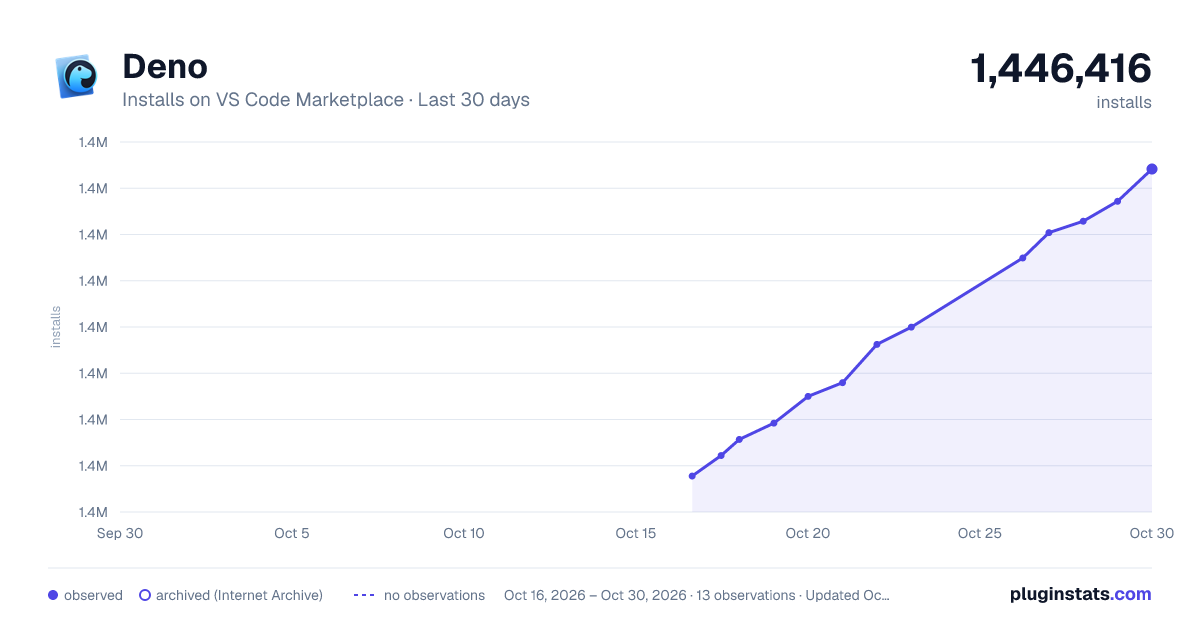
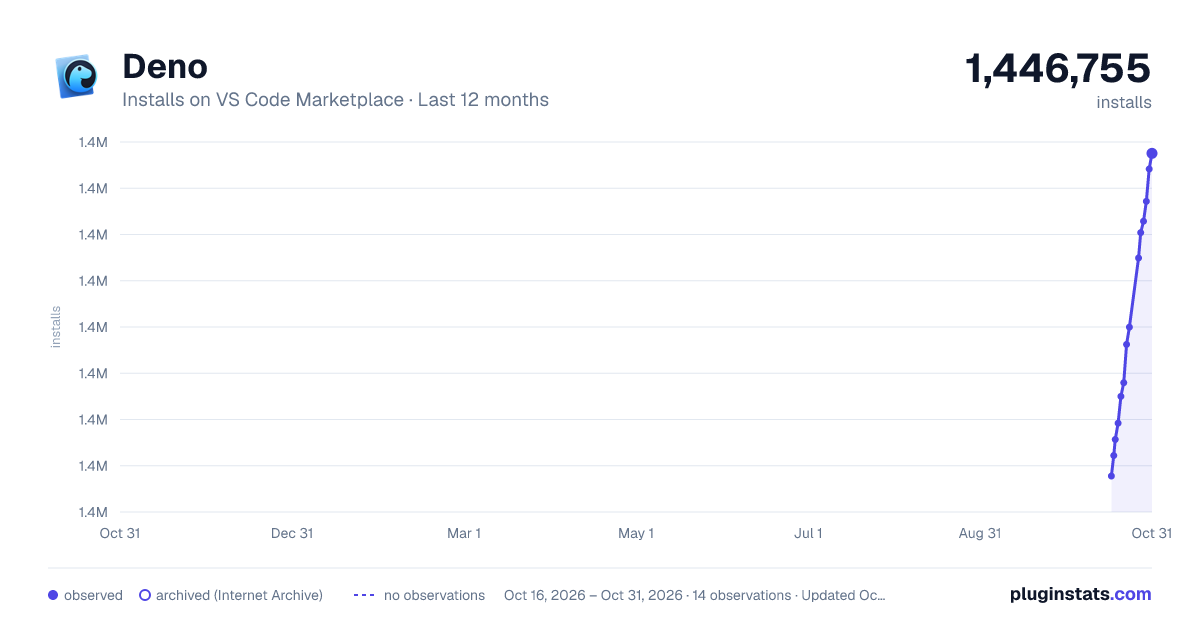
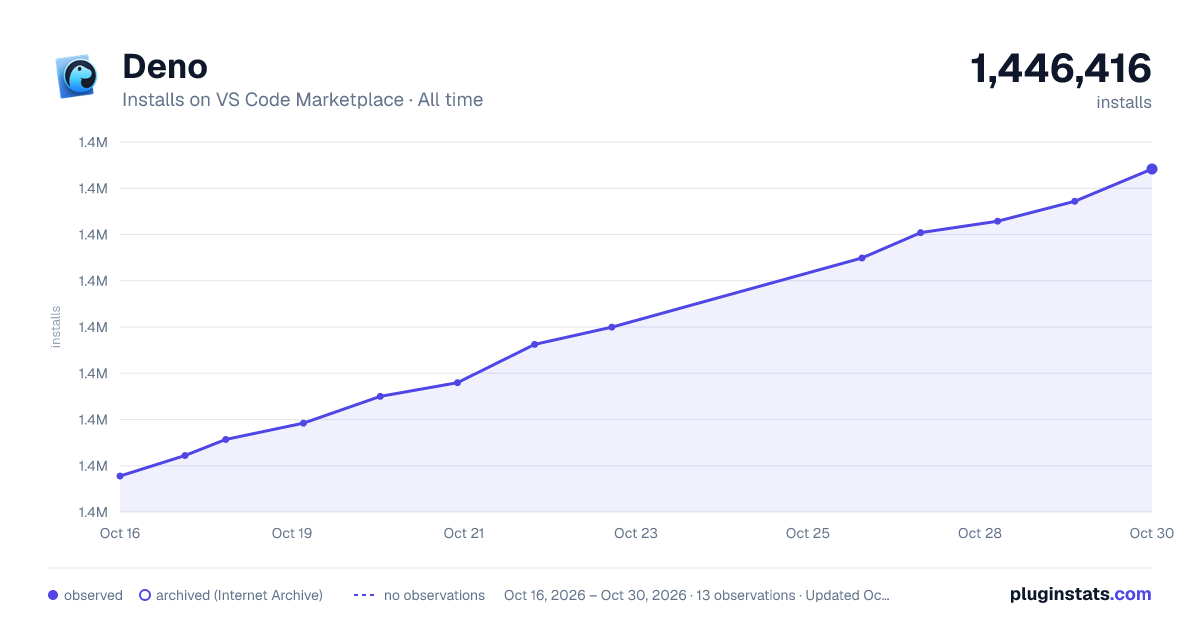

Adoption over time


7/30/90-day growth


Filled points are observed values; hollow points come from Internet Archive snapshots of the listing page. Dashed segments span periods with no observations — values between points are not interpolated.
Recent observations
Full history (3)Similar VS Code Marketplace Programming Languages plugins
Data source
Install counts, average rating, and rating counts come from the public Visual Studio Marketplace gallery API. Installs are cumulative and exclude updates.
Listing: https://marketplace.visualstudio.com/items?itemName=denoland.vscode-deno. First seen Oct 16, 2026; last successful collection Oct 18, 2026. See the methodology.