 PluginStats
Spring Boot Tools installs statistics
By VMware (4 listings) · VS Code Marketplace · Programming Languages
Provides validation and content assist for Spring Boot `application.properties`, `application.yml` properties files. As well as Boot-specific support for `.java` files.
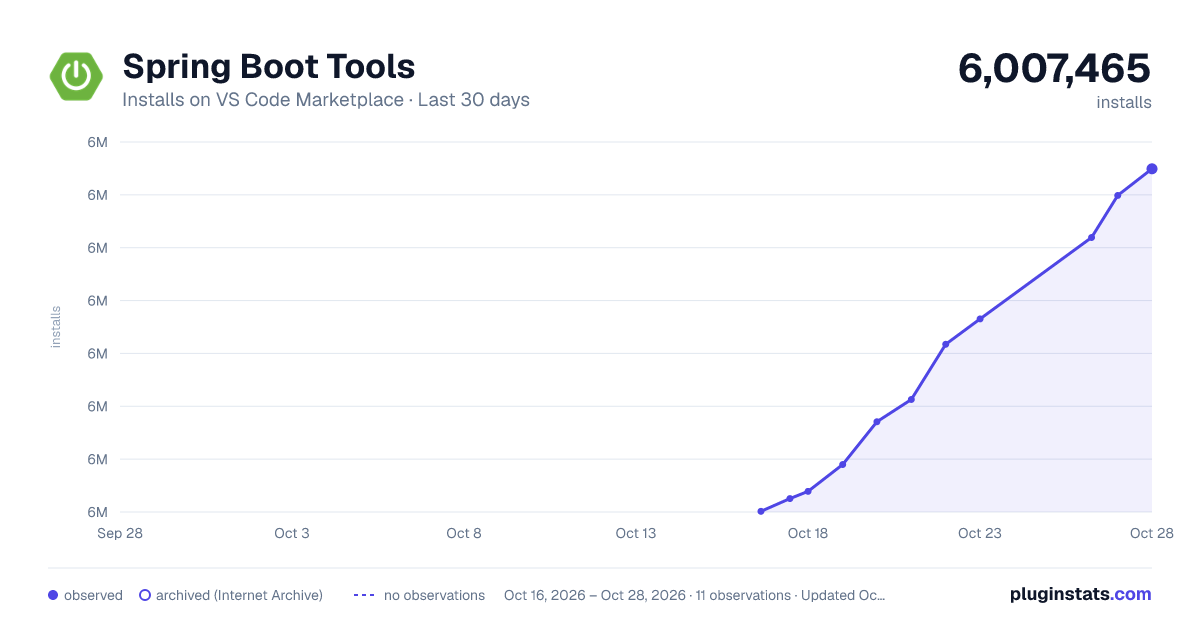
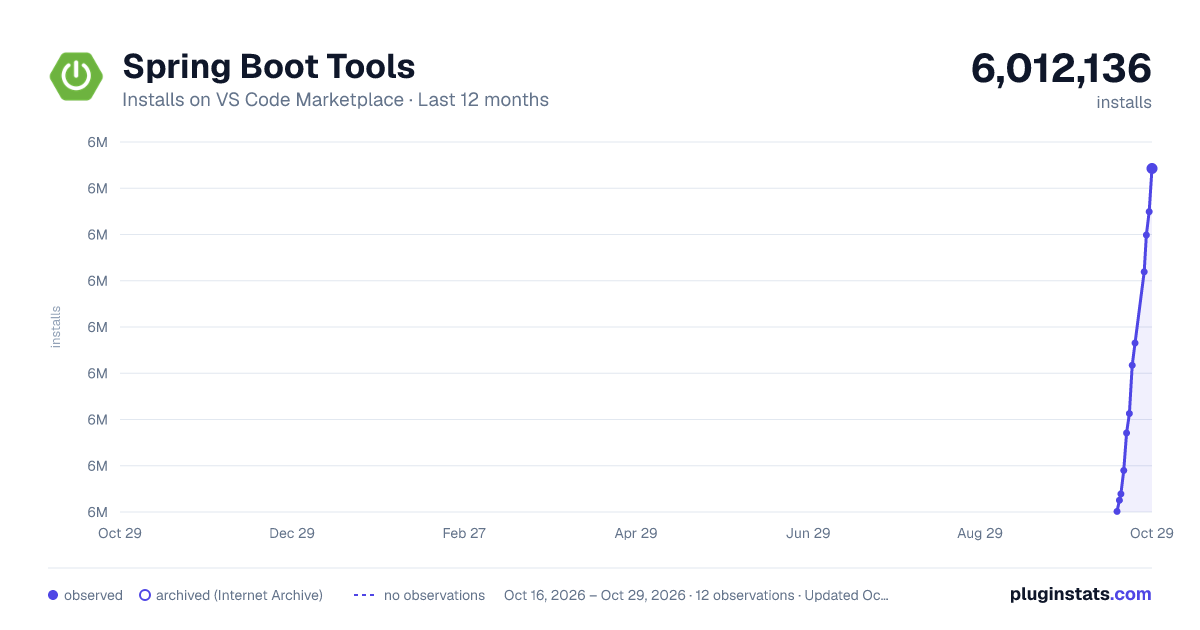
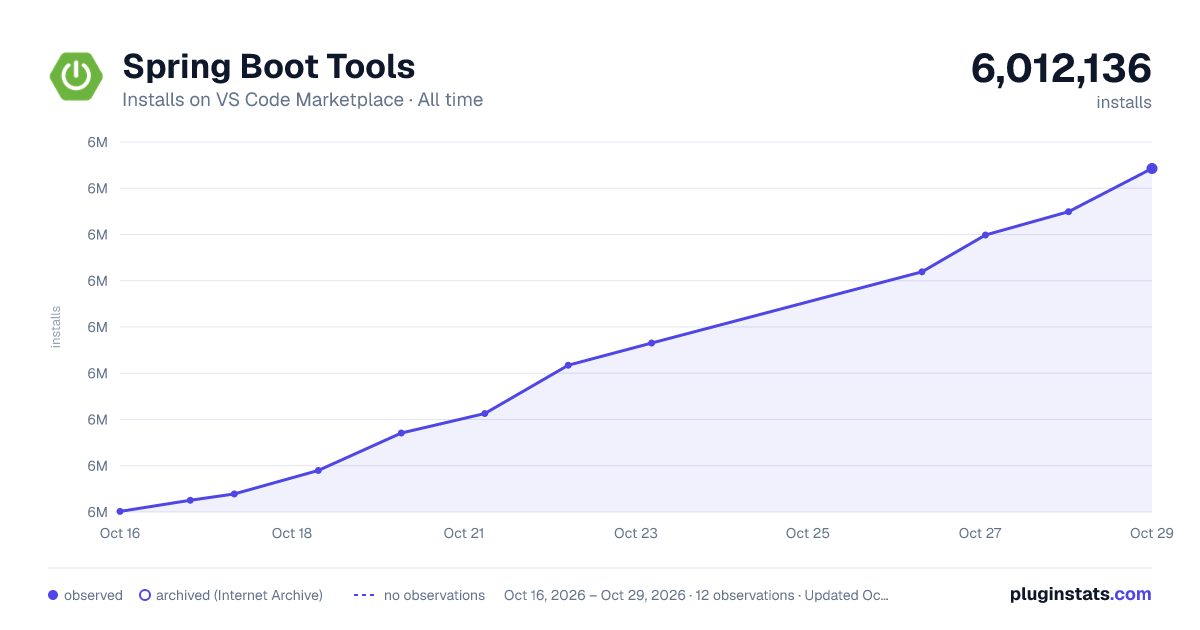
Spring Boot Tools has 5,976,952 recorded installs on VS Code Marketplace.
It ranks #159 of 2,500 tracked VS Code Marketplace listings by installs.
It is rated 5.0 out of 5 from 9 ratings.
PluginStats has 3 daily observations since Oct 16, 2026; the latest is from Oct 18, 2026.
Rating: 5.00 / 5 from 9 ratings
About Spring Boot Tools
VS Code Language Server for Spring Boot
VSCode extension and Language Server providing support for working with Spring Boot application.properties, application.yml and .java files.
Note: this extension requires a Java tooling extension to be installed (e.g. Language Support for Java™ by Red Hat or Java and Kotlin by IntelliJ IDEA). If none is found, you will be prompted to install one on activation.
Usage:
The extension will automatically activate when you edit files with the following name patterns:
• *.java => activates Spring Boot specific support editing .java files. • application*.properties => activates support for Spring Boot properties in .propertiesformat. • application*.yml => activates support for Spring Boot properties in .yml format.
You can also define your own patterns and map them to the language-ids spring-boot-properties or spring-boot-properties-yaml by defining files.associations in workspace settings. See vscode documentation for details.
Functionality for .java
Navigating the source code - Go to symbol in file/workspace
Easy navigation to Spring-specific elements of your source code.
![Go to Symbol in workspace][java-navigation]
Shortcuts
• Mac: Cmd-Shift-O (symbols in file), Cmd-T (symbols in workspace) • Linux/Windows: Ctrl-Shift-O (symbols in file), Ctrl-T (symbols in workspace)
Examples
• @/ shows all defined request mappings (mapped path, request method, source location) • @+ shows all defined beans (bean name, bean type, source location) • @> shows all functions (prototype implementation) • @ shows all Spring annotations in the code
Quick-access for running apps
Easy navigation to the provided request mappings of running apps.
![accessing running apps quickly][java-live-apps-quick-access]
Shortcuts
• Mac: Cmd-Shift-O (symbols in file), Cmd-T (symbols in workspace) • Linux/Windows: Ctrl-Shift-O (symbols in file), Ctrl-T (symbols in workspace)
Examples
• // shows all request mappings of all running Spring Boot apps and opens a browser for the selected endpoint
Live application information hovers
The Spring Tools can connect to running Spring processes to visualize internal information of those running Spring processes inline with your source code. This allows you to see, for example, which beans have bean created at runtime, how they are wired, and more.
The Spring Tools shows hints by highlighting sections of source code with a light green background. Hovering over the highlights with the mouse pointer, data from the running app is displayed in a popup.
For some types of information, STS 4 may also show a 'quick summary' as a codelens. Codelenses are only supported in Eclipse and Vscode at the moment, not in atom. For Eclipse this has to be enabled via *Preferences >> Language Servers >> Spring Language Servers >> Spring Boot Language Server*.
If there are multiple instances of the app running on your machine, the live data from all those instances will show up in the hover information.
![live data from running apps as hover on source code][java-live-hovers]
Examples
• @Profile: shows information about the active profiles on the running apps • @Component, @Bean, @Autowired: shows detailed information about the beans and their wiring from the live app • @ConditionalOn...: shows information about the conditions and their evaluation at runtime
Application Requirements for Spring Boot projects
Live information is scraped from running apps using JMX to connect to Spring Boot Actuator Endpoints. This means that spring-boot-actuator must be added as a dependency to your application and enabled. The easiest way to accomplish this is to add the spring-boot-starter-actuator dependency to your application's pom.xml or build.gradle as explained here.
Spring Boot 2.2 and beyond
⚠️ The JMX versions of the actuator endpoints (which the tooling uses under the hood to retrieve live data from the running applications) is not enabled by default anymore since Spring Boot 2.2. In order to allow Spring Tools to continue to visualize live data from the running applications, you need to start the boot app with -Dspring.jmx.enabled=true in order to activate the JMX endpoints.
Managing Live Data Connections
Press CTRL-SHIFT-P (or CMD-SHIFT-P on Mac) and select the command to "Manage Live Spring Boot Process Connections". A choice of actions to connect/refresh/disconnect to local processes found on your machine will then be presented.
Code templates
Write Spring code with templates, available via regular code completion.
Examples
• @GetMapping • @PostMapping • @PutMapping
Smart code completions
Additional code completions for Spring-specific annotations
![Smart code completion for boot properties][java-code-completion]
Examples
• @Value: code completion for Spring Boot property keys • @Scope: code completion for standard scope names
Functionality for .properties and .yml
This extension analyzes your project's classpath and parses and indexes any Spring Boot Properties Metadata it finds. Both Maven and Gradle projects are supported.
The data in the index is used to provide validation, code completions and information hovers while editing Spring Boot Properties in either .properties or .yml format.
Validation
![application-yaml-validation][yaml-validation] ![application-properties-validation][properties-validation]
Code Completions
![application-yaml-completions][yaml-completion]
![application-properties-completions][properties-completion]
Information Hovers
![application-yaml-hovers][yaml-hovers]
Issues and Feature Requests
Please report bugs, issues and feature requests on the Github STS4 issue tracker.
Releases:
Released versions of this extension can be installed directly from the vscode marketplace.…
Description from the VS Code Marketplace listing.
- application-properties
- application-yaml
- java
- java-properties
- JPAQueryProperties
- jpa-query-properties
- spring-boot
- SpringBootProperties
- spring-boot-properties
- SpringBootPropertiesYaml
- spring-boot-properties-yaml
- SpringFactories
- spring-factories
- xml
Where Spring Boot Tools sits in the listing
Each band is one page of 20. Installs on a log scale. Placement is projected from installs, so it can differ from the marketplace's own sort order. Hover a dot to see the listing.


Charts
Images: 30d · 1y · all time · 1600×900 dark

Adoption over time


7/30/90-day growth


Ranking history


Filled points are observed values; hollow points come from Internet Archive snapshots of the listing page. Dashed segments span periods with no observations — values between points are not interpolated.
Recent observations
Full history (3)Similar VS Code Marketplace Programming Languages plugins
Data source
Install counts, average rating, and rating counts come from the public Visual Studio Marketplace gallery API. Installs are cumulative and exclude updates.
Listing: https://marketplace.visualstudio.com/items?itemName=vmware.vscode-spring-boot. First seen Oct 16, 2026; last successful collection Oct 18, 2026. See the methodology.