 PluginStats
Jsonnet installs statistics
By Heptio · VS Code Marketplace · Programming Languages
Language support for Jsonnet
Jsonnet has 97,141 recorded installs on VS Code Marketplace.
It ranks #2407 of 2,500 tracked VS Code Marketplace listings by installs.
It is rated 2.4 out of 5 from 9 ratings.
PluginStats has 3 daily observations since Oct 16, 2026; the latest is from Oct 18, 2026.
Rating: 2.44 / 5 from 9 ratings
About Jsonnet
Jsonnet Support for Visual Studio Code
A simple bare-bones extension providing simple syntax highlighting for [Jsonnet][jsonnet] files (specifically, files with the .jsonnet and .libsonnet suffixes), as well as a Markdown-style preview pane that auto-updates every time you save.
![Jsonnet preview][jsonnet-demo]
Usage
Syntax highlighting works out of the box. Just open any .jsonnet or .libsonnet file, and it will magically work.
To enable the Jsonnet preview pane, it is necessary to install the Jsonnet command line tool (_e.g._, through brew install jsonnet). If you don't add the jsonnet executable to the PATH then you will need to customize jsonnet.executablePath in your settings.json, so that the extension knows where to find it.
After this, you can use the keybinding for jsonnet.previewToSide (by default this is shift+ctrl+i, or shift+cmd+i on macOS), and the preview pane will open as in the picture above.
Customization
This extension exposes the following settings, which can be customized in settings.json:
• jsonnet.executablePath: Tells the extension where to find the jsonnet executable, if it's not on the PATH. (NOTE: This setting is always necessary on Windows.) • jsonnet.libPaths: Additional paths to search for libraries when compiling Jsonnet code. • jsonnet.outputFormat: Preview output format: yaml or json (default is yaml). • jsonnet.extStrs: External strings to pass to jsonnet executable.
This extension exposes the following commands, which can be bound to keys:
• jsonnet.previewToSide: Compiles the Jsonnet file to JSON, places result in a "preview" window in the pane to the right of the active pane, or in the current pane if active window is pane 3 (since vscode only allows 3 panes). Default: bound to shift+ctrl+i (or shift+cmd+i on macOS). • jsonnet.previewToSide: Compiles the Jsonnet file to JSON, places result in a "preview" window in the current active pane. Default: no keybinding. • jsonnet.extStrs: An object of variable, value pairs. Allows you to customize the external variables passed to the jsonnet command line. It can be particularly useful to set this in a workspace configuration, so that you can set different variables on a per-project basis. • jsonnet.outputFormat: A choice of two string literals: `["json", "yaml"]`. This tells the extension what format you'd like the output to be (_i.e._, allows you to either output JSON or YAML).
Description from the VS Code Marketplace listing.
- jsonnet
- keybindings
Where Jsonnet sits in the listing
Each band is one page of 20. Installs on a log scale. Placement is projected from installs, so it can differ from the marketplace's own sort order. Hover a dot to see the listing.


Charts
Images: 30d · 1y · all time · 1600×900 dark
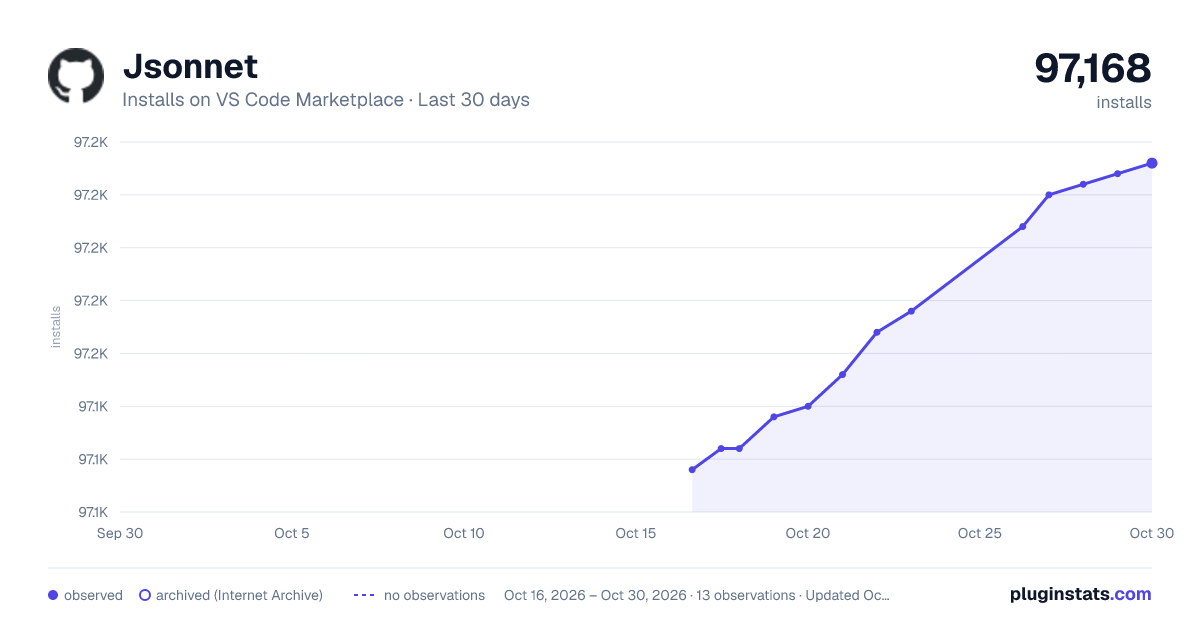
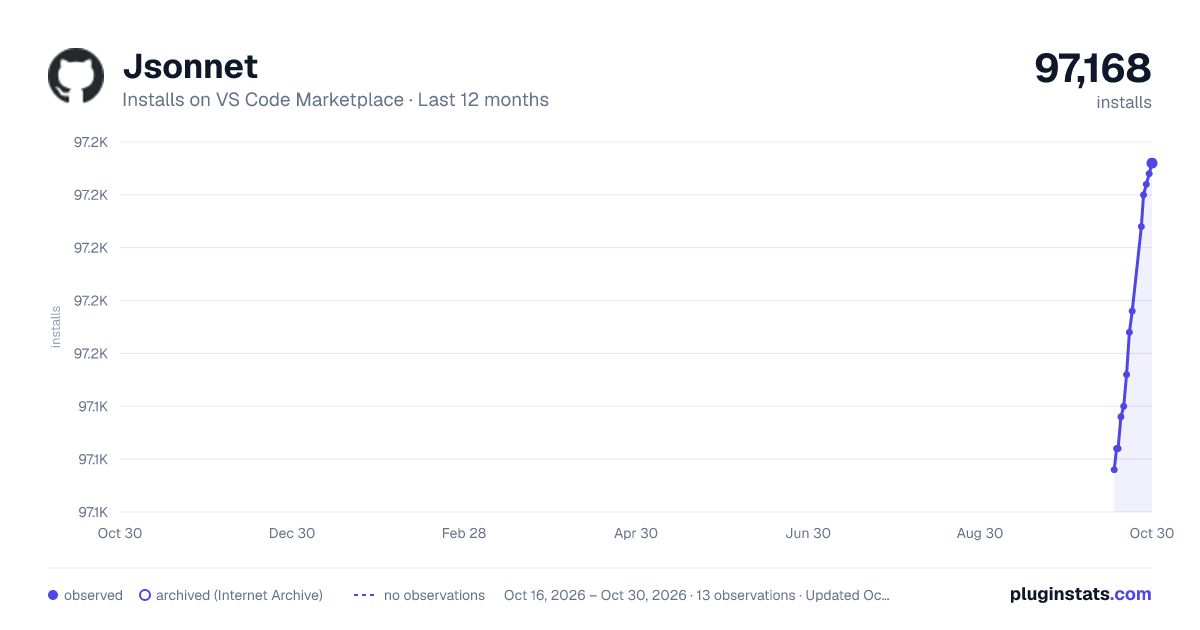
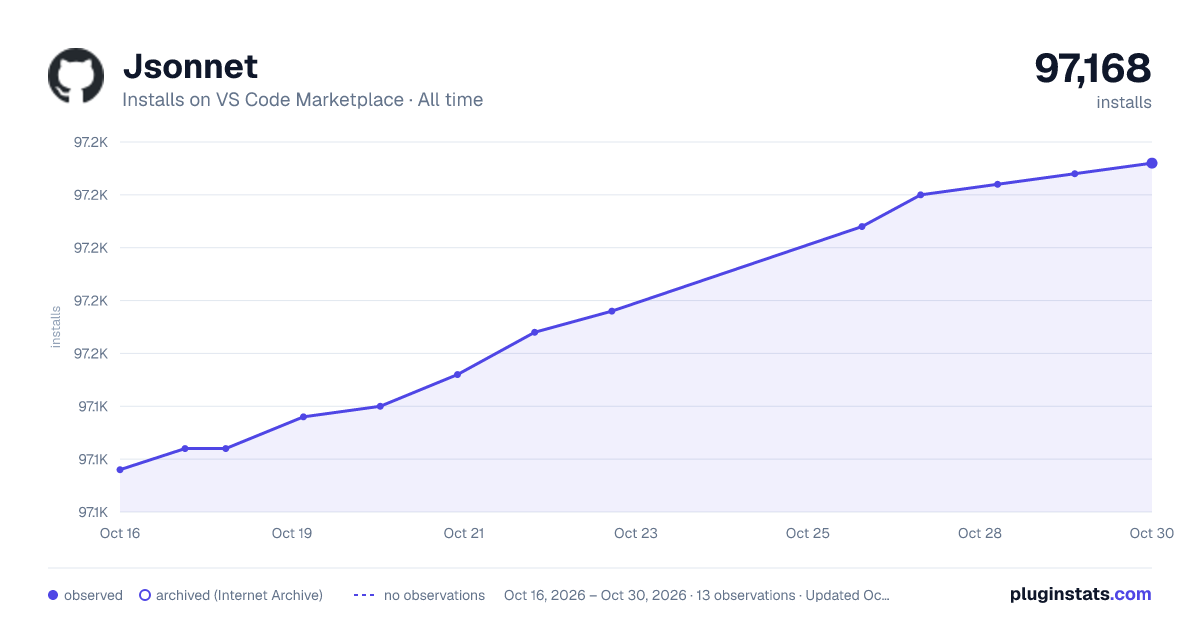

Adoption over time


7/30/90-day growth


Filled points are observed values; hollow points come from Internet Archive snapshots of the listing page. Dashed segments span periods with no observations — values between points are not interpolated.
Recent observations
Full history (3)Similar VS Code Marketplace Programming Languages plugins
Data source
Install counts, average rating, and rating counts come from the public Visual Studio Marketplace gallery API. Installs are cumulative and exclude updates.
Listing: https://marketplace.visualstudio.com/items?itemName=heptio.jsonnet. First seen Oct 16, 2026; last successful collection Oct 18, 2026. See the methodology.