 PluginStats
Custom UI Style installs statistics
By subframe7536 · VS Code Marketplace · Other
Custom ui css style in both editor and webview, unify global font family, setup background image
Custom UI Style has 113,916 recorded installs on VS Code Marketplace, ranking #2196 of 2,501 tracked listings.
Rating: 4.80 / 5 from 15 ratings
About Custom UI Style
Custom UI Style is a VSCode extension that allows you to customize the editor's appearance and behavior by injecting custom CSS and JavaScript. You can unify the global font family, set a background image, modify Electron BrowserWindow options, add your own custom styles and scripts, and even patch files in other VSCode extensions.
- Works with VSCode 1.120! (Tested on Windows and MacOS)
- Support Agents window
[!warning]
This extension works by modifying the VSCode's source css and js files.
❗CLAIM
Untested on Linux and VSCode forks (like Cursor, WindSurf, etc.), and I currently lack the energy to adapt them. If this extension causes issues in your editor, please consider using these more mature alternative extensions
Features
- Unify the global font family for the editor and webviews.
- Set a background image for the editor window.
- Apply custom stylesheets to both the editor and webviews.
- Configure Electron
BrowserWindowoptions. - Support for restarting VSCode to apply changes.
- Suppress the "Your Code installation is corrupt" message.
- Load external CSS and JavaScript files.
- Patch files in other extensions.
Usage
- Backup: When you first install the extension or after a VSCode update, you'll be prompted to create a backup of the original files. This is important for rollback.
- Configure: Add your customizations to your
settings.jsonfile. See the Example and Configurations sections for details. - Apply: Open the Command Palette (<kbd>Ctrl+Shift+P</kbd> or <kbd>Cmd+Shift+P</kbd>) and run
Custom UI Style: Reloadto apply your changes. - Rollback: To revert all changes and restore the original VSCode files, run
Custom UI Style: Rollbackfrom the Command Palette.
Example
Available CSS Variables:
--cus-mono: Target monospace font family--cus-sans: Target sans-serif font family
Deprecated variables:
--cus-monospace-font: Target monospace font family--cus-sans-font: Target sans-serif font family
{
  // Electron BrowserWindow options
  //  - https://www.electronjs.org/docs/latest/api/base-window
  //  - https://www.electronjs.org/docs/latest/api/browser-window
  "custom-ui-style.electron": {
    // Frameless window (no title bar, no MacOS traffic light buttons)
    //  - "A frameless window removes all chrome applied by the OS, including window controls"
    //  - https://www.electronjs.org/docs/latest/api/base-window#new-basewindowoptions
    //  - https://www.electronjs.org/docs/latest/tutorial/custom-window-styles#frameless-windows
    //  - https://www.electronjs.org/docs/latest/tutorial/custom-title-bar
    "frame": false,
    // Disable rounded corners (MacOS)
    //  - https://www.electronjs.org/docs/latest/api/base-window#new-basewindowoptions
    //  - "Whether frameless window should have rounded corners on MacOS"
    //  - "Setting this property to false will prevent the window from being fullscreenable"
    "roundedCorners": false,
  },
  "custom-ui-style.font.sansSerif": "Maple UI, -apple-system",
  "custom-ui-style.background.url": "file:///D:/image/ide-bg.jpg",
  "custom-ui-style.webview.monospaceSelector": [".codeblock", ".prism [class*='language-']"],
  // Custom stylesheet, support native nest selectors
  "custom-ui-style.stylesheet": {
    "kbd, .statusbar": {
      "font-family": "var(--cus-mono)",
    },
    ".chat-question-carousel-container code": {
      "font-family": "var(--cus-mono) !important",
    },
    "span:not([class*='dyn-rule'])+span[class*='dyn-rule']": {
      "border-top-left-radius": "3px",
      "border-bottom-left-radius": "3px",
    },
    "span[class*='dyn-rule']:has(+span[class*='dyn-rule']+span:not([class*='dyn-rule']))": {
      "border-top-right-radius": "3px",
      "border-bottom-right-radius": "3px",
    },
    ".cdr": {
      "border-radius": "3px",
    },
    ".monaco-findInput .monaco-inputbox": {
      "width": "calc(100% + 6px)",
    },
    ".monaco-workbench .activitybar .monaco-action-bar": {
      "& .action-label": {
        "font-size": "21px !important",
        "&::before": {
          "position": "absolute",
          "z-index": 2,
        },
        "&::after": {
          "content": "''",
          "width": "75%",
          "height": "75%",
          "position": "absolute",
          "border-radius": "6px",
        },
      },
      "& .action-item:hover .action-label": {
        "color": "var(--vscode-menu-selectionForeground) !important",
        "&::after": {
          "background-color": "var(--vscode-menu-selectionBackground)",
        },
      },
      "& .active-item-indicator:before": {
        "border": "none !important",
        "width": "3px !important",
        "height": "calc(100% - 12px) !important",
        "top": "6px !important",
        "border-radius": "4px",
      },
      "& .action-item.checked .active-item-indicator:before": {
        "background": "var(--vscode-activityBar-activeBorder)",
      },
    },
    ".basepanel .composite-bar-container .actions-container > .action-item": {
      "height": "24px",
      "padding": "0 8px !important",
      "border-radius": "4px",
      "align-items": "center",
      "justify-content": "center",
      "&.checked": {
        "background": "color-mix(in srgb, var(--vscode-foreground) 12%, transparent)",
      },
      "& .active-item-indicator:before": {
        "content": "none !important",
      },…
Description from the VS Code Marketplace listing.
- css
README badge
Show your rank in a README or on your website. The badge updates automatically.
Charts
Images: 30d · 1y · all time · 1600×900 dark
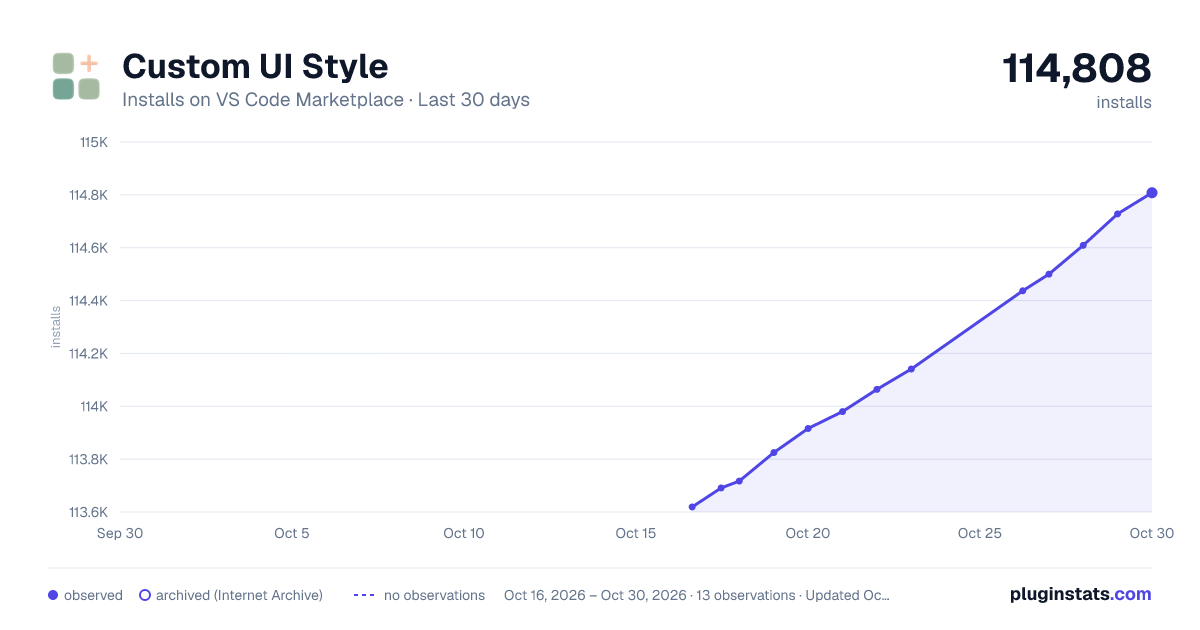
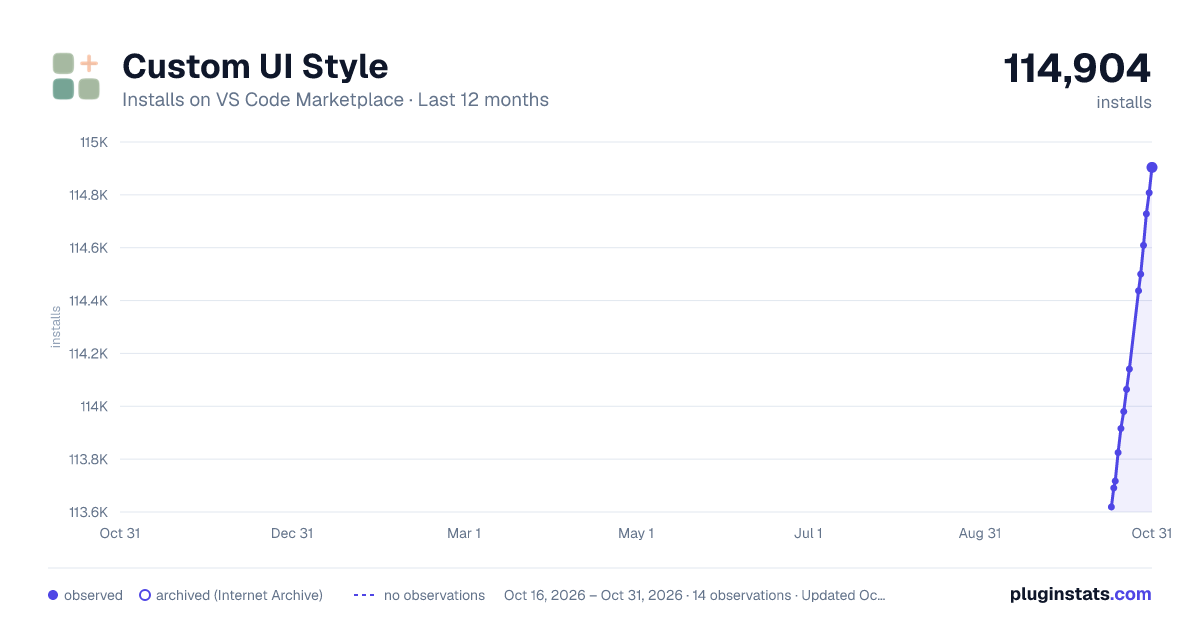
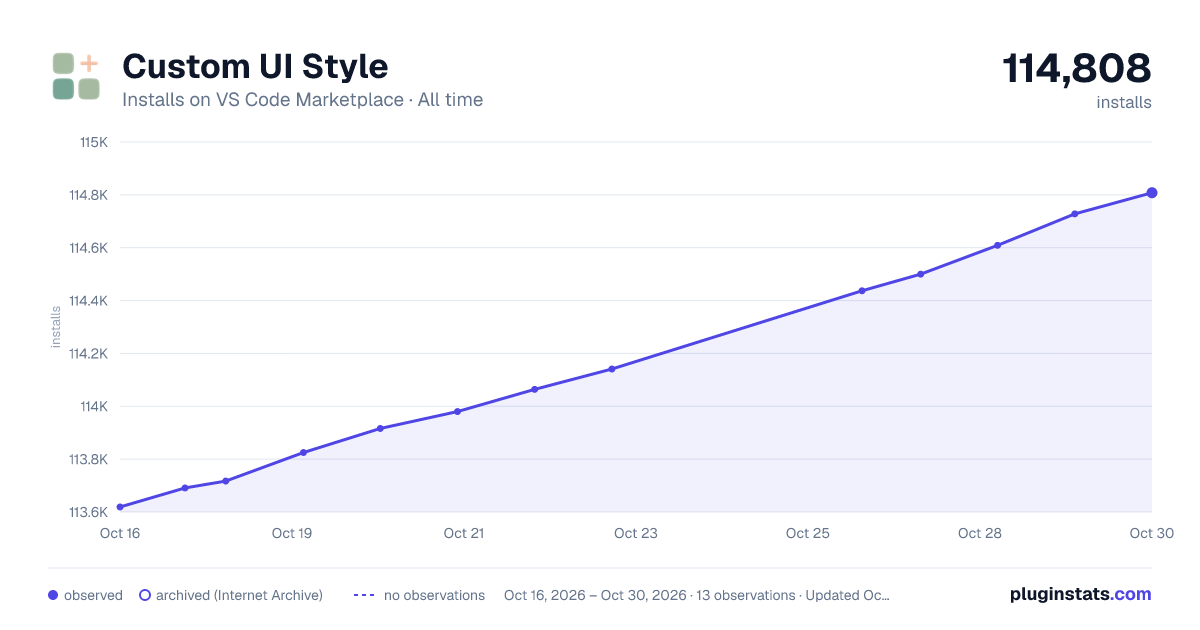

Adoption over time
7/30/90-day growth
Ranking history
Ratings over time
Listing placement
Listing placement
Filled points are observed values; hollow points come from Internet Archive snapshots of the listing page. Dashed segments span periods with no observations — values between points are not interpolated.
Each band is one page of 20. Installs on a linear scale. Placement is projected from installs, so it can differ from the marketplace's own sort order. Hover a dot to see the listing.
Recent observations
Full history (5)Similar VS Code Marketplace Other plugins
All 20 Custom UI Style alternativesData source
Install counts, average rating, and rating counts come from the public Visual Studio Marketplace gallery API. Installs are cumulative and exclude updates.
Listing: https://marketplace.visualstudio.com/items?itemName=subframe7536.custom-ui-style. First seen Oct 16, 2026; last successful collection Oct 20, 2026. See the methodology.