 PluginStats
AL Toolbox installs statistics
By Bart Permentier · VS Code Marketplace · Snippets
AL Language Regions and Snippets
AL Toolbox has 132,216 recorded installs on VS Code Marketplace, ranking #2011 of 2,501 tracked listings.
Rating: 5.00 / 5 from 5 ratings
About AL Toolbox
AL Toolbox for Visual Studio Code
Please visit https://www.altoolbox.com/ for more in depth information and AL Language tips and tricks.
Features
• Regions Pre AL Language 6.0 • Custom Region Colors • Snippets • Actions • Added Code Cop Warning
Quick Overview Features
• Custom Color of Regions • Quickfixes: Surround with CopyStr • Quickfixes: Pragma Warnings • Action: Create Region • Action: Renumber AL Objects • Action: Change Object Prefix • Action: Create Related Tables • Action: Open Related Tables • Action: Copy Fields Related Tables • Action: Init Git Ignore • Action: Generate SetLoadFields • Region Functionality for PRE AL Language 6.0 • Settings • Known Issues
Custom Color of Regions
You can change the color in UserSettings
Quickfixes: Surround with CopyStr
Automatic fix for AL(AA0139)
Pragma Warnings
Every warning/information line will now show a CodeAction to surround with Pragma to ignore it. So that warnings that you can do nothing about can be ignored easily. • Example: • Click the Lightbulb: • Result:
Some variants on the above Pragma CodeAction were added as well: • Surround ### with Pragma & add TODO tag (with comment) • Surround ### with Pragma (in all documents)
Action: Create Region
• ALTB: Create regions for all AL functions and triggers | Running this command will generate Regions around all Functions that don't have regions yet. • ALTB: Create regions for all AL dataitems and columns | Running this command will generate Regions around all Dataitems and Columns in a report. • ALTB: Create regions for all AL functions, triggers, dataitems, and columns | Combination of the previous 2.
Action: Renumber AL Objects
• ALTB: Renumber AL Objects | This function will renumber your objects based on the number ranges in the App.json • Objects will be numbered in ascending order stating with the lowest number in first available range. The ranges are taken from idRange(s) in the app.json file. • Extension objects will be added to the 80,000-89,999 range if 80,000 is in the available ranges. If not the same is done as for the other objects. • ALTB: Renumber fields | Renumbers field numbers in the active editor • ALTB: Renumber all fields | Renumbers fields in all tables and table extensions objects (in all workspace folders).
Action: Change Object Prefix
• ALTB: Change Object Prefix | This function will ask you what the new prefix should be and rename all your objects and the settings.json.
Action: Create Related Tables
This will create a set of tableextensions that should have the same fields so that there is no issue when standard code issues a TransferFields().
Action: Open Related Tables
• ALTB: Open Related Tables/Pages | This function will open the related tables/pages for the object you are working on, so you can easily copy paste fields between the related tables of Sales Header for example.
Action: Copy Fields Related Tables
• ALTB: Copy fields to related tables | This will copy al fields from the current table to all related tables. If there are conflicts you will get a popup that allows you to navigate to them:
Action: Init Git Ignore
• ALTB: init .gitignore | Creates the following .gitignore in the current workspace folder or appends the missing lines to the existing .gitignore
Action: Generate SetLoadFields
ALTB: Generate SetLoadFields | Creates SetLoadFields or adds missing fields to SetLoadFields for a record. • Looks for a record at the current mouse position. • Only works for local records. • For each Get, Find, FindFirst, ... a SetLoadFields function is generated the line before it, unless it already exists. • All used fields are added. Assignment is not seen as usage.
Region Functionality for PRE AL Language 6.0
Either //#Region or the default #Region can be used with this extension. The snippets/actions will adjust automatically according to the runtime you are using. #Region will now be colored like //#Region; you can change the colors in the User Setup
Settings…
Description from the VS Code Marketplace listing.
- AL
- Dynamics 365 Business Central
- Dynamics NAV
README badge
Show your rank in a README or on your website. The badge updates automatically.
Charts
Images: 30d · 1y · all time · 1600×900 dark
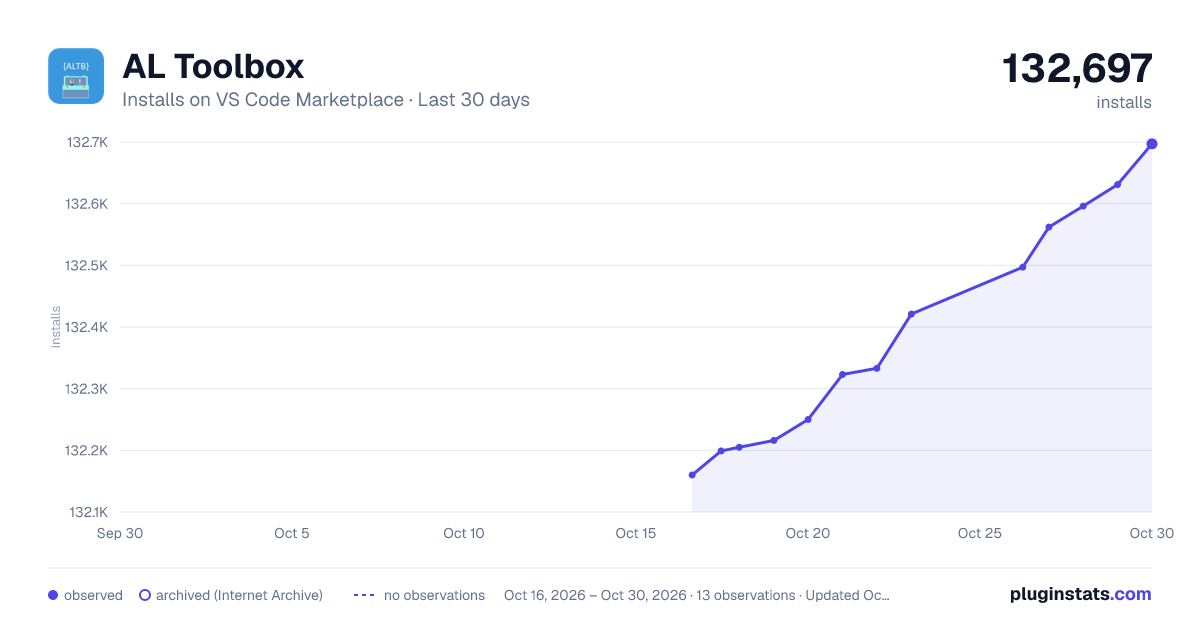
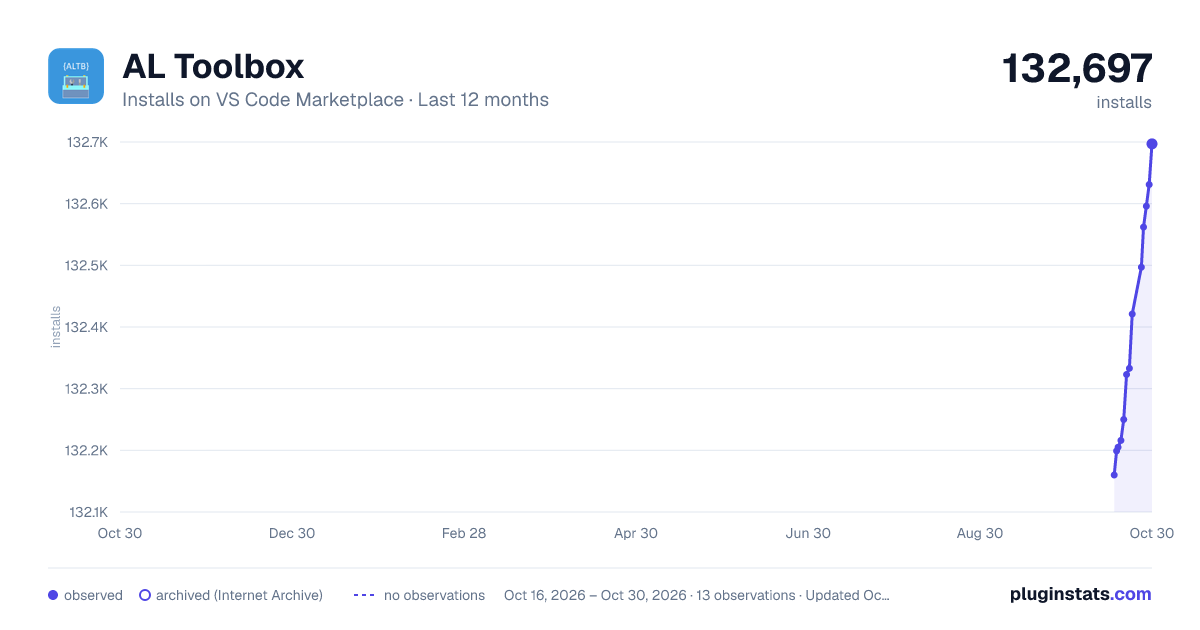
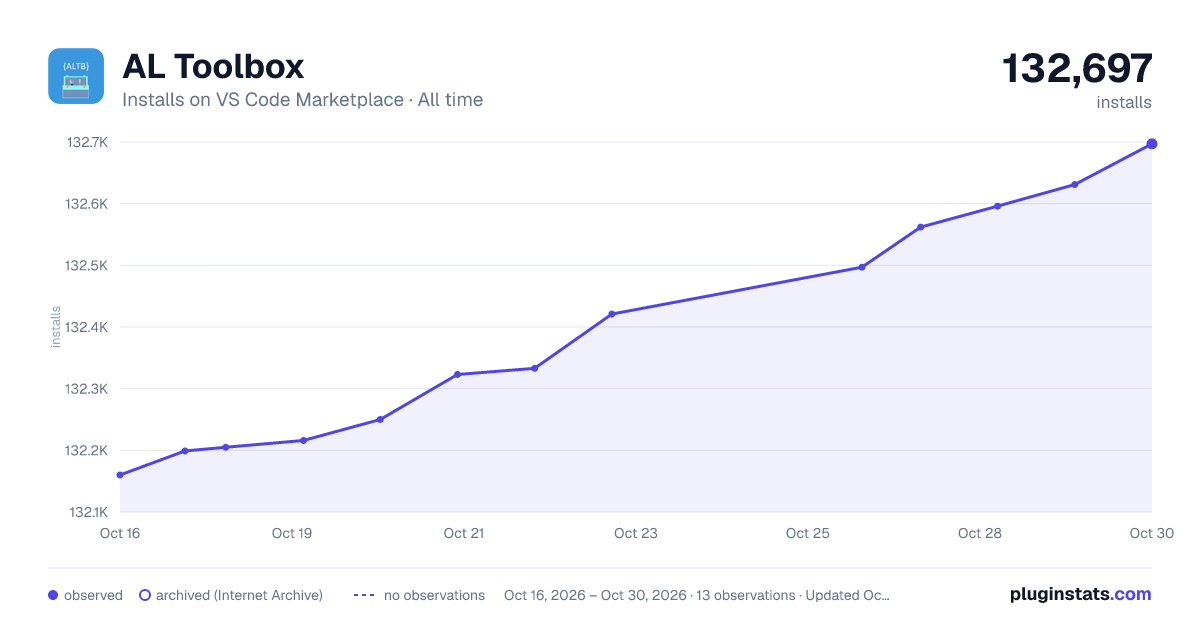

Adoption over time
7/30/90-day growth
Ranking history
Ratings over time
Listing placement
Listing placement
Filled points are observed values; hollow points come from Internet Archive snapshots of the listing page. Dashed segments span periods with no observations — values between points are not interpolated.
Each band is one page of 20. Installs on a linear scale. Placement is projected from installs, so it can differ from the marketplace's own sort order. Hover a dot to see the listing.
Recent observations
Full history (4)Similar VS Code Marketplace Snippets plugins
All 20 AL Toolbox alternativesData source
Install counts, average rating, and rating counts come from the public Visual Studio Marketplace gallery API. Installs are cumulative and exclude updates.
Listing: https://marketplace.visualstudio.com/items?itemName=BartPermentier.al-toolbox. First seen Oct 16, 2026; last successful collection Oct 19, 2026. See the methodology.