 PluginStats
Commit Message Editor installs statistics
By Adam Bender · VS Code Marketplace · Other
Edit commit messages in a convenient way.
Commit Message Editor has 352,025 recorded installs on VS Code Marketplace.
It ranks #1045 of 2,500 tracked VS Code Marketplace listings by installs.
It is rated 5.0 out of 5 from 10 ratings.
PluginStats has 3 daily observations since Oct 16, 2026; the latest is from Oct 18, 2026.
Rating: 5.00 / 5 from 10 ratings
About Commit Message Editor
Commit Message Editor
Edit commit messages in a convenient way.
Highlighs
• Commit messages can be editable in a customizable form. This helps you to use a standardized format. • Portable configuration to share settings with teammates. • A huge textarea on a dedicated tab. • Clean look, thanks to Vscode Webview Elements
The factory settings follows the Conventional Commits specification.
More screenshots
• Configuration editor • Regular textarea • Monospace textarea
Customizing the commit message form
The easiest way to customizing the commit message form is to use the Configuration Editor. To open the configuration editor, choose the Commit Message Editor: Open Settings Page command from the Command Palette, or click on the gear icon in the top right corner of the Commit Message Editor tab. Here, you can export the current configuration or import another one. The loaded configuration can be saved to the user or the workspace settings.
A JSON schema is created for the portable configuration file format. This means, you can use the VSCode toolset to edit the configuration file manually. Just create a new JSON file with this content and start to edit:
Structure of the portable configuration file
configVersion
Currently: "1". It might change in the future.
staticTemplate
Template for the text view, an array of strings. Every item in the array is a single line.
dynamicTemplate
Template for the form view, an array of strings. Every item in the array is a single line. Form fields (see the next section) can be referenced in the the template with the {token_name} format.
tokens
An array of token objects. It defines the form fields. The table below shows the structure of a token object:
| Name | Type | Description | Valid for |
| label | string | The label of the form item. | all | | name | string | The token name in the template. | all | | value | string | The value of the boolean token when it is true | boolean | | type | enum | The type of the token. Valid values are: text: displayed as a text input boolean: displayed as a checkbox enum: displayed as a dropdown selector | all | | description | string | A longer text under the form item | all | | prefix | string | Text before the value. It will only be applied if the value is not empty | all | | suffix | string | Text after the value. It will only be applied if the value is not empty | all | | multiline | boolean | Multiline text input | text | | monospace | boolean | Use the monospace editor in the multiline mode | text | | lines | number | Textarea initial height in lines | text | | maxLines | number | Textarea maximum height in lines | text | | maxLength | number | Maximum length of the value | text | | maxLineLength | number | The position of the vertical ruler when the monospace editor is used | text | | multiple | boolean | Multiple options | enum | | separator | string | Separator character when multiple options were selected | enum | | combobox | boolean | Is the selector filterable or not | enum | | options | array | Available options | enum | | options[_{n}_].label | string | The value of the option | enum | | options[_{n}_].description | string | A longer description for the option | enum |
Sample configs
• Default • Gitmojis • Gitmojis - With Simplifed Chinese descriptions
You can customize the Gitmoji config with the scripts/gitmoji-config.js script
Description from the VS Code Marketplace listing.
- commit
- conventional
- git
- semantic
- vcs
Where Commit Message Editor sits in the listing
Each band is one page of 20. Installs on a log scale. Placement is projected from installs, so it can differ from the marketplace's own sort order. Hover a dot to see the listing.


Charts
Images: 30d · 1y · all time · 1600×900 dark
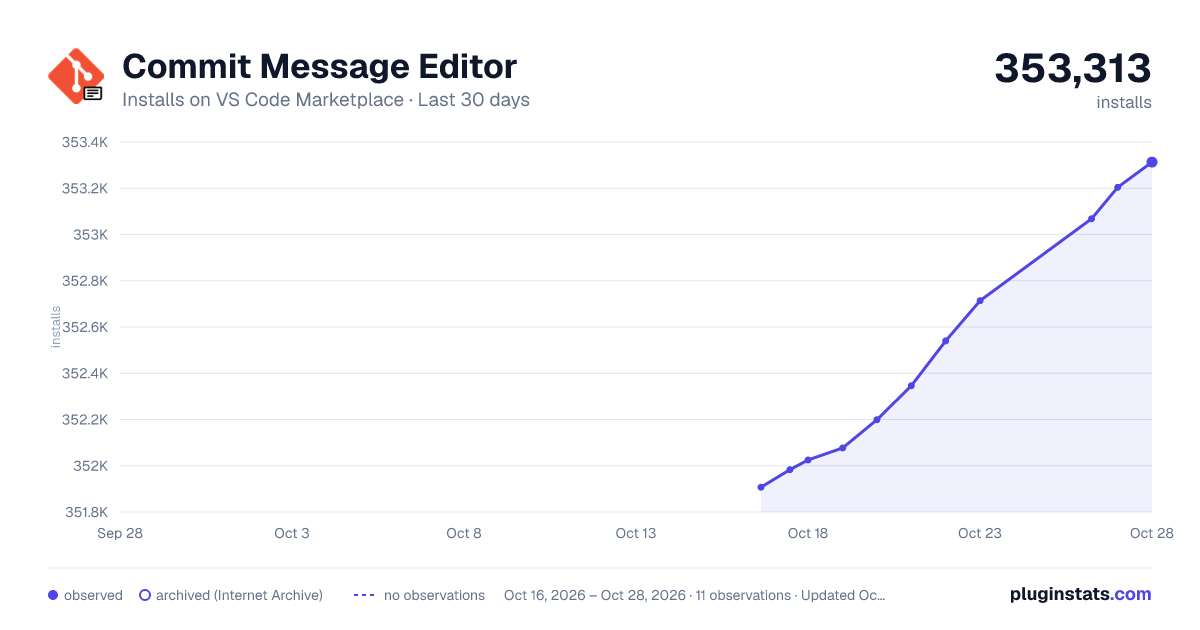
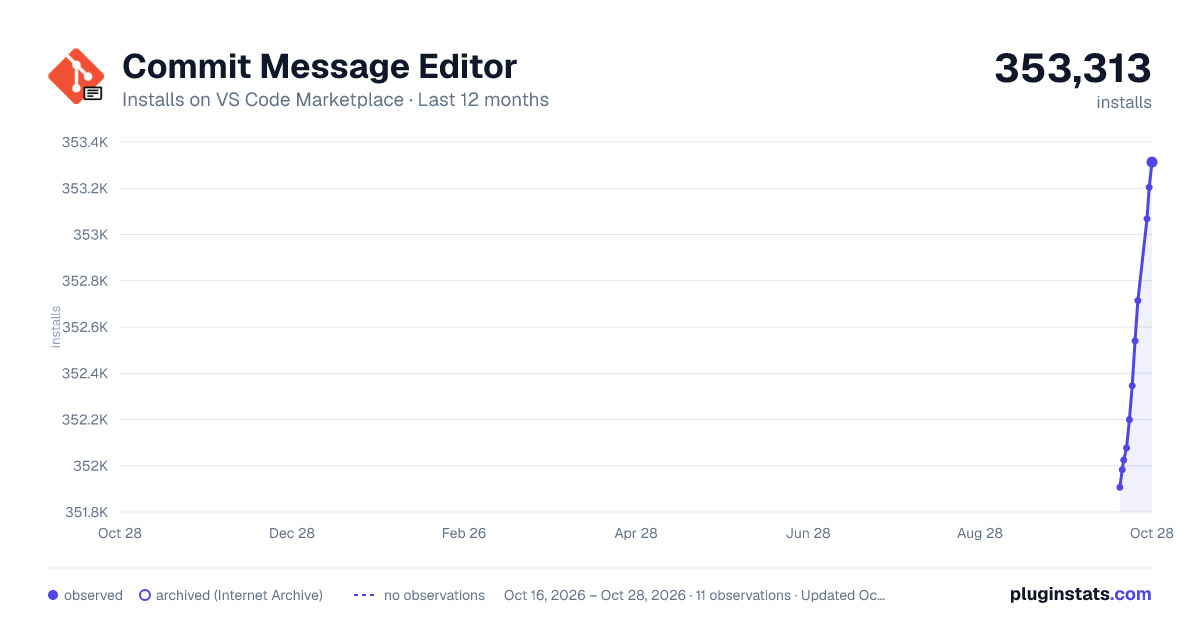
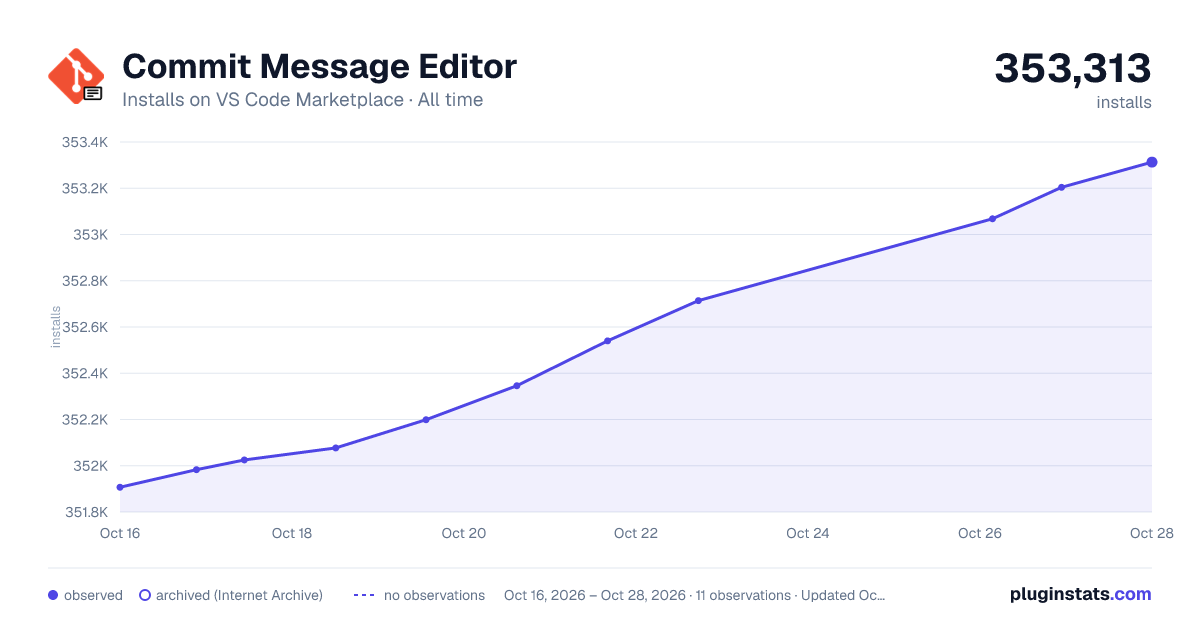

Adoption over time


7/30/90-day growth


Ranking history


Filled points are observed values; hollow points come from Internet Archive snapshots of the listing page. Dashed segments span periods with no observations — values between points are not interpolated.
Recent observations
Full history (3)Similar VS Code Marketplace Other plugins
Data source
Install counts, average rating, and rating counts come from the public Visual Studio Marketplace gallery API. Installs are cumulative and exclude updates.
Listing: https://marketplace.visualstudio.com/items?itemName=adam-bender.commit-message-editor. First seen Oct 16, 2026; last successful collection Oct 18, 2026. See the methodology.