 PluginStats
Prettier - Code formatter (Rust) installs statistics
By jinxdash · VS Code Marketplace · Formatters
Prettier Rust is a code formatter that autocorrects bad syntax
Prettier - Code formatter (Rust) has 130,597 recorded installs on VS Code Marketplace, ranking #2021 of 2,501 tracked listings.
Rating: 4.33 / 5 from 6 ratings
About Prettier - Code formatter (Rust)
Prettier Rust
The massively popular Prettier code formatter, now with Rust support!
This extension is a standalone bundle of Prettier + Prettier Plugin Rust.
Why Prettier?
What usually happens once people start using Prettier is that they realize how much time and mental energy they actually spend formatting their code. No matter how incomplete or broken the code you're working on is, with the Prettier Editor Extension you can always just press the Format Document key binding and *poof*, the code snaps right into place.
• Beautiful, uniform and consistent — Prettier is strongly opinionated, with no style options. • There when you need it the most — Prettier can format code that won't compile (e.g. missing annotations) • Speed up the day-to-day — Prettier auto-fixes common syntax errors (e.g. missing semicolons, blocks, parentheses)
input > formatted
Formatting succeeds and fixes 7 syntax errors.
Configuration
https://prettier.io/docs/en/configuration
Alternative config using TOML
How to ignore things
• Add // prettier-ignore or #[rustfmt::skip] above it • Add #![rustfmt::skip] inside blocks or files • Create a .prettierignore file to glob-match files, like .gitignore
How are macros formatted?
• Curlies !{} format like blocks, ![] and !() like comma-separated expressions • Formatting inside macro invocations is more conservative, since macros can be token-sensitive • Popular/built-in macros with original syntax rules get custom formatting (e.g. matches!, if_chains!...) [Not implemented yet] • Macro Declarations are only partially formatted (the transformed part isn't yet, but could be in the future) • Macros that can't be formatted are silently ignored
Are nightly features supported?
Yes! Prettier Rust formats most nightly features. Support depends on jinx-rust.
Project integration
• ### Command line
Requires NodeJS
• Install prettier and prettier-plugin-rust globally • Use the prettier CLI to format rust files. E.g. run: • ### NodeJS package
Requires NodeJS
• Install prettier and prettier-plugin-rust in the project • Link to the plugin's location in your prettier config: • Use the prettier CLI to format rust files. E.g. run: • ### Rust crate
No crate yet. Above options are available in the meantime.
Q&A
• ### Why would I use this and not the established cargo fmt ?
It's all about the Editor Integration — Having the ability to format your code while you work on it really makes for a great developer experience, and autocompletion for Rust's strict syntax is such a massive time save. Once you've tried the extension there really is no coming back.
All-in-all the difference in code style is minimal, so adopting Prettier Rust won't drastically change your codebase. The real downside is the harsher integration with the Rust ecosystem, but it'll get better eventually.
Point by point:
• the extension streamlines your work in the editor • it can format code that won't compile (e.g. code with missing type annotations) • it autocorrects syntax errors (e.g. missing semicolons, blocks, parentheses...) • it is strongly opinionated with no style options, so code is uniform across projects. • it produces more readable code in some cases (e.g. condition chains, compound expressions, patterns) • it supports everything out-of-the-box (e.g. nightly features, macros) • it consistently prints code in the same way, whereas Rustfmt preserves arbitrary style at places • it can be used for other languages (e.g. markdown, html, typescript, java, python, ruby) • it formats language embeds. So rust code blocks in non-rust files (e.g. markdown), and supported languages in rust doc comments. [NOTE: the latter is not yet implemented] • ### Why not just add those features to rustfmt instead?
Unfortunately Rustfmt cannot implement those features by design.
Rustfmt parses code with rustc. Rustc is strict and unforgiving as it always assumes code is at its "final version", thus every slight deviation from the accepted syntax crashes the parser. There's also that rustc has many lint-like checks within the parser. The intention is to save work for the compiler down the line, unfortunately it also means that rustc sometimes fails to parse syntactically correct code.
Prettier Rust however is based on jinx-rust. Jinx-rust is built specifically for Rust tooling. Hence it's designed to tolerate a wide range of syntax errors, supports missing nodes and sometimes even infers user intent (e.g. Javascript's !==)
Jinx-rust has a little plaidoyer in its readme arguing for Rust Tooling not to use the official rustc parser here.
• ### When exactly does Prettier Rust change code syntax?
The Prettier Rust syntax autocorrection feature is intended to be an adaptation of how Prettier Typescript autocorrects javascript code with missing semicolons.
You can effectively think of Prettier Rust syntax autocorrection as auto-applying the Rust compiler's suggested syntax fixes automatically (e.g. "semicolon missing here", "parenthesize this" or "add a block around that")
Otherwise if your codebase compiles, then Prettier Rust is just a formatter like any other. It won't change the syntax of valid rust code. Moreover, it doesn't reorganize imports, split comments or combine attributes.
• ### This is an "opinionated formatter". But it's brand new! How reliable are those opinions?
Rest assured, Prettier Rust actually does not take style decisions on its own. Prettier Rust is essentially a 1:1 adaptation of Prettier Typescript, hence the opinions it implements have been battle tested and agreed-upon by millions and millions of users already.
Description from the VS Code Marketplace listing.
- formatter
- prettier
- rs
- rust
README badge
Show your rank in a README or on your website. The badge updates automatically.
Charts
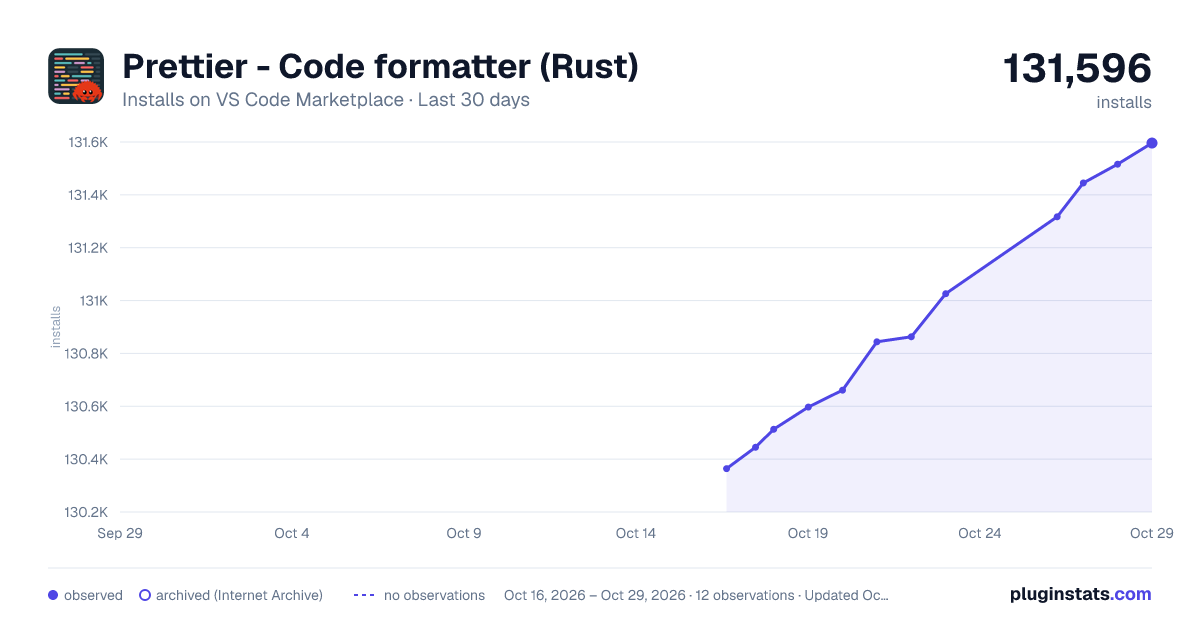
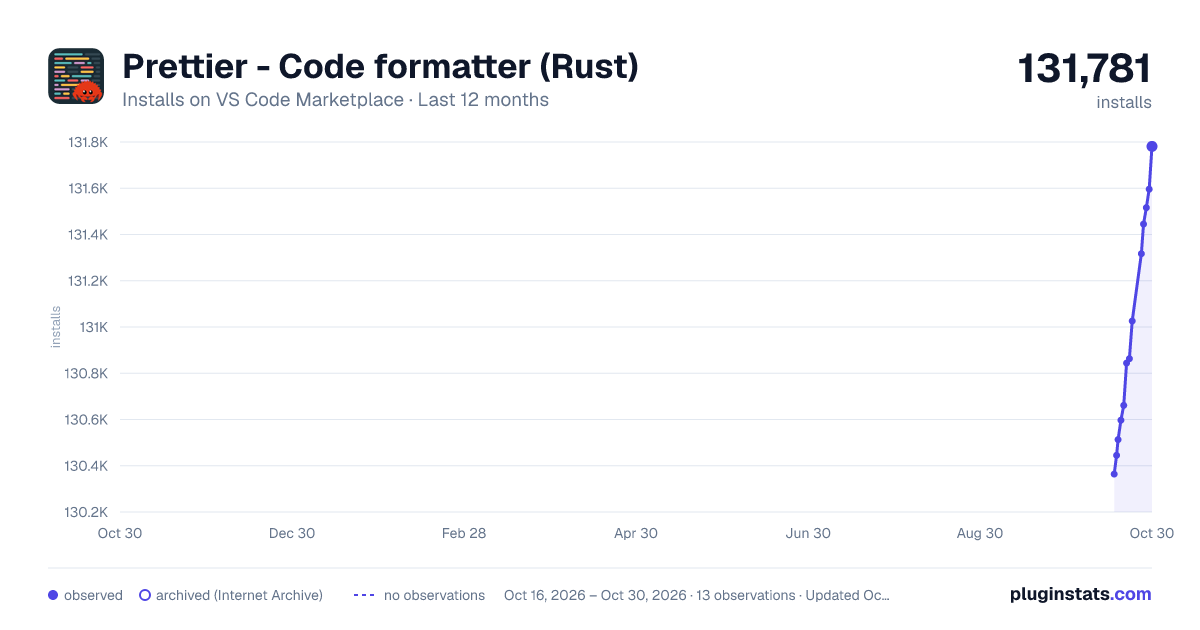
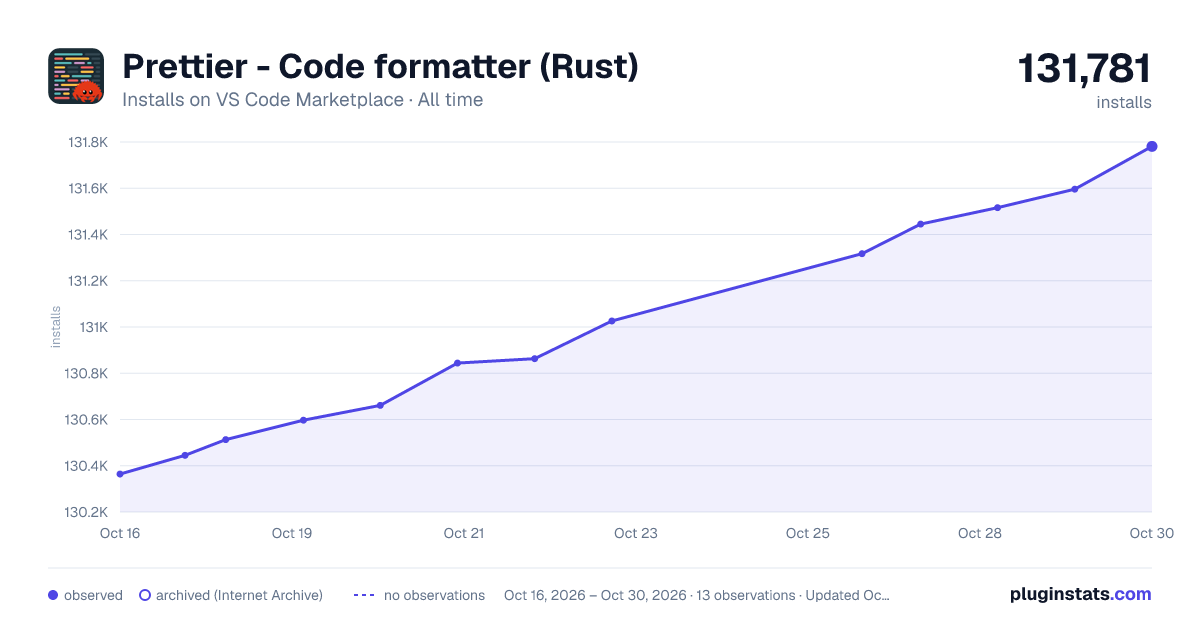
Images: 30d · 1y · all time · 1600×900 dark

Adoption over time
7/30/90-day growth
Ranking history
Ratings over time
Listing placement
Listing placement
Filled points are observed values; hollow points come from Internet Archive snapshots of the listing page. Dashed segments span periods with no observations — values between points are not interpolated.
Each band is one page of 20. Installs on a linear scale. Placement is projected from installs, so it can differ from the marketplace's own sort order. Hover a dot to see the listing.
Recent observations
Full history (4)Similar VS Code Marketplace Formatters plugins
All 20 Prettier - Code formatter (Rust) alternativesData source
Install counts, average rating, and rating counts come from the public Visual Studio Marketplace gallery API. Installs are cumulative and exclude updates.
Listing: https://marketplace.visualstudio.com/items?itemName=jinxdash.prettier-rust. First seen Oct 16, 2026; last successful collection Oct 19, 2026. See the methodology.