 PluginStats
Statusbar Text installs statistics
By Marcelo XP · VS Code Marketplace · Debuggers
A custom Status Bar text to your vscode
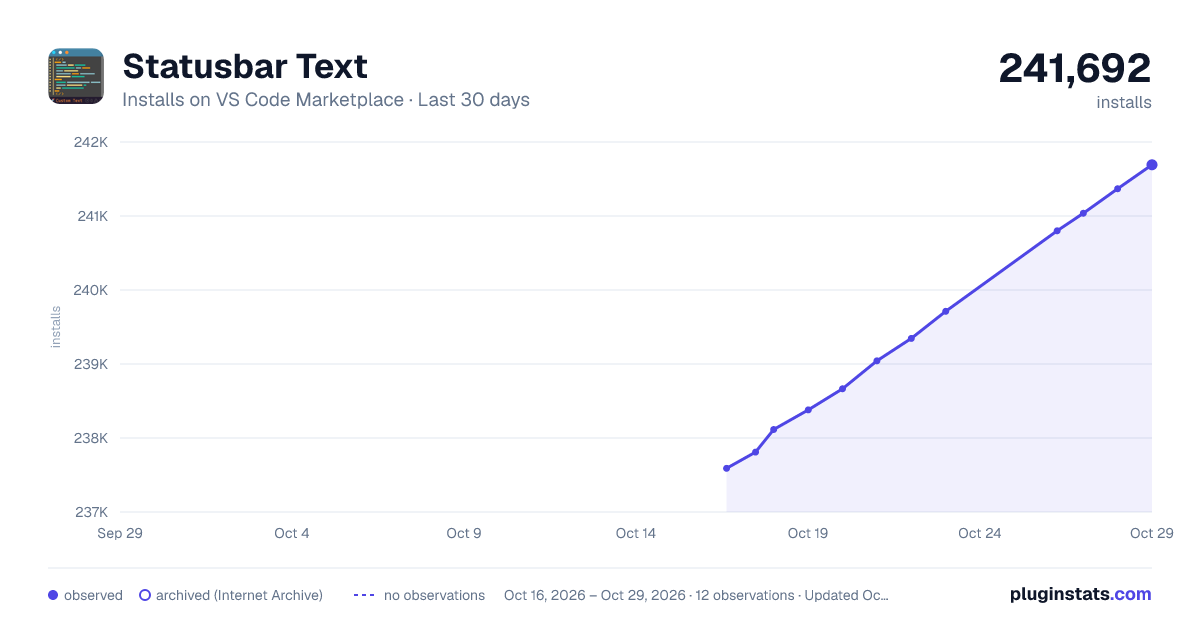
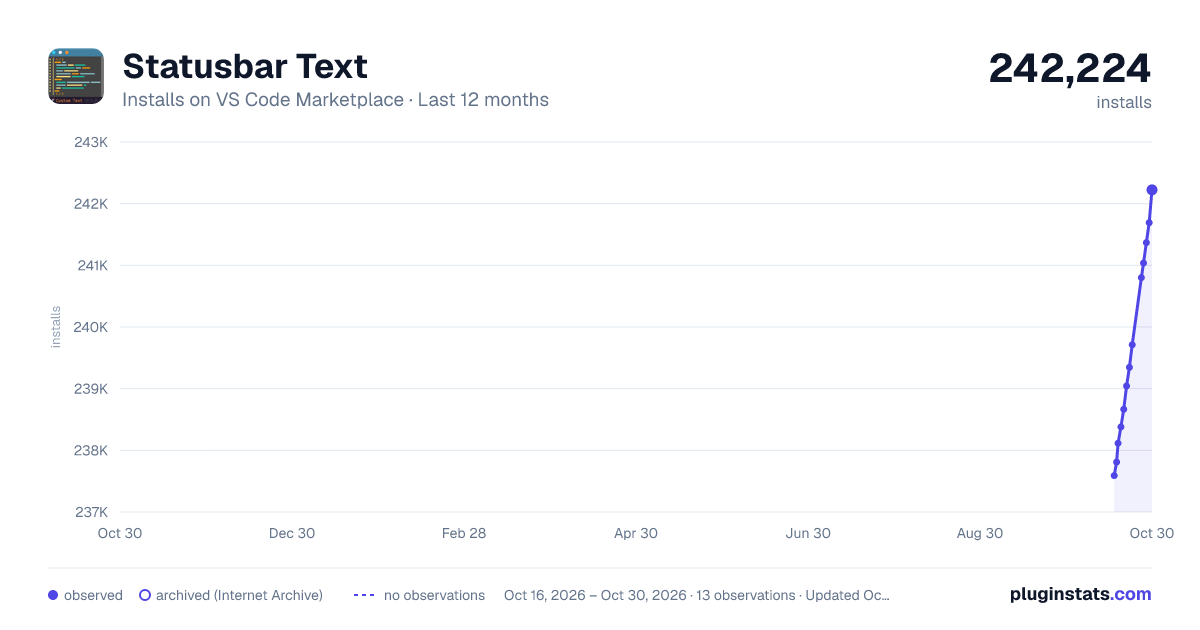
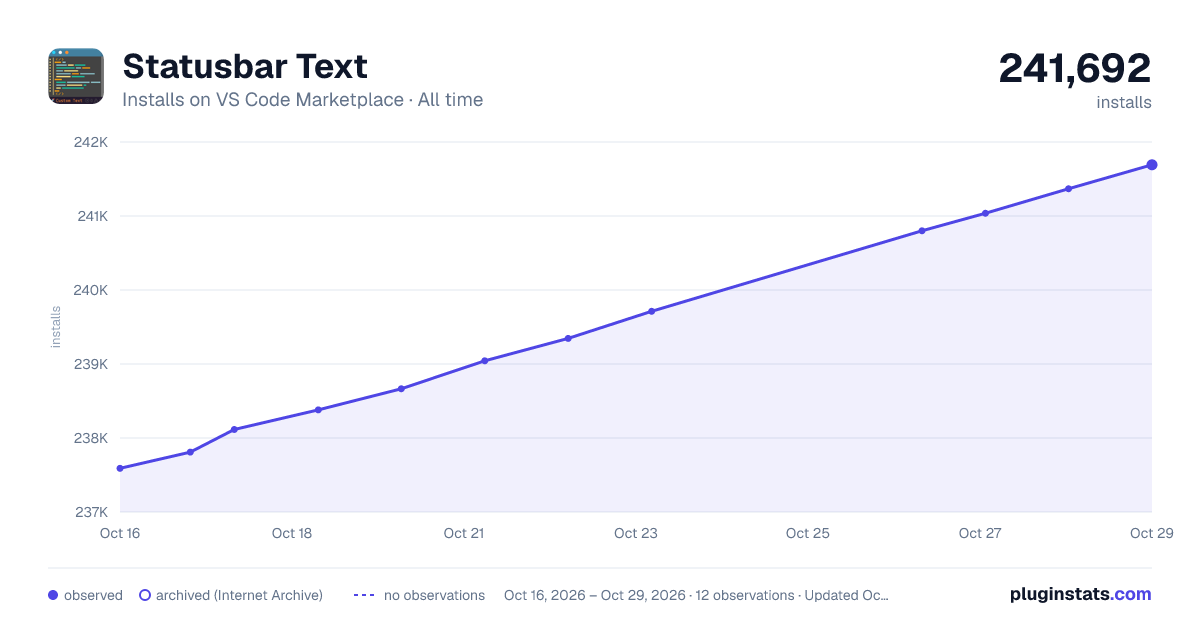
Statusbar Text has 238,380 recorded installs on VS Code Marketplace.
It ranks #1341 of 2,501 tracked VS Code Marketplace listings by installs.
It is rated 5.0 out of 5 from 1 ratings.
PluginStats has 4 daily observations since Oct 16, 2026; the latest is from Oct 19, 2026.
Rating: 5.00 / 5 from 1 ratings
About Statusbar Text
StatusBarText Extension for VSCode
A simple Visual Studio Code extension that displays custom text in the status bar based on your configuration.
Features
• Customizable Text: Configure the text (including icons) displayed in the status bar. • Activation Control: Easily enable or disable the status bar item via settings or commands. • Global and Workspace Scopes: Configure the status bar text globally or for specific workspaces. • Interactive Text Configuration: Use commands or click the status bar item to set the text interactively, with the current text pre-filled for easy editing.
Installation
1. Open Visual Studio Code. 2. Go to the Extensions view by clicking on the Extensions icon in the Activity Bar on the side of the window. 3. Search for StatusBarText. 4. Click Install to install the extension.
Configuration
You can configure the extension by adding the following settings to your .vscode/settings.json file in your project (local configuration) or to your global VSCode settings:
Settings
• statusbartext.active: (Boolean) Determines whether the status bar item is visible. Set to true to show the status bar item, or false to hide it. • statusbartext.text: (String) The text to display in the status bar. You can include emojis or any text you want directly in this property.
Commands
The extension provides the following commands to manage the status bar text interactively:
• StatusBarText: Activate (Global): Activates the status bar text globally. • StatusBarText: Deactivate (Global): Deactivates the status bar text globally. • StatusBarText: Activate (Workspace): Activates the status bar text for the current workspace. • StatusBarText: Deactivate (Workspace): Deactivates the status bar text for the current workspace. • StatusBarText: Set Text (Global): Opens an input box to set the status bar text globally, pre-filled with the current text. • StatusBarText: Set Text (Workspace): Opens an input box to set the status bar text for the current workspace, pre-filled with the current text. • Clicking the Status Bar Item: Click the status bar text to open a dialog where you can choose the scope (Global or Workspace) and edit the current text, which is pre-filled in the input box.
To use the commands, open the Command Palette (Ctrl+Shift+P or Cmd+Shift+P on macOS) and type the command name. Alternatively, click the status bar item to set the text directly.
Example
To show "🚀 Custom Text" in the status bar, use the following configuration:
If you want to hide the status bar item, set active to false:
Alternatively, you can use the commands or click the status bar item to interactively set the text and activation status.
License
This project is licensed under the MIT License. See the LICENSE file for details.
Description from the VS Code Marketplace listing.
Where Statusbar Text sits in the listing
Each band is one page of 20. Installs on a log scale. Placement is projected from installs, so it can differ from the marketplace's own sort order. Hover a dot to see the listing.


Charts
Images: 30d · 1y · all time · 1600×900 dark

Adoption over time


7/30/90-day growth


Ranking history


Filled points are observed values; hollow points come from Internet Archive snapshots of the listing page. Dashed segments span periods with no observations — values between points are not interpolated.
Recent observations
Full history (4)Similar VS Code Marketplace Debuggers plugins
Data source
Install counts, average rating, and rating counts come from the public Visual Studio Marketplace gallery API. Installs are cumulative and exclude updates.
Listing: https://marketplace.visualstudio.com/items?itemName=Marceloxp.statusbartext. First seen Oct 16, 2026; last successful collection Oct 19, 2026. See the methodology.