 PluginStats
Atomize (Atom One Dark theme) installs statistics
By Emmanuel Roussel · VS Code Marketplace · Themes
A detailed and accurate Atom One Dark Theme
Atomize (Atom One Dark theme) has 133,600 recorded installs on VS Code Marketplace, ranking #1999 of 2,501 tracked listings.
Rating: 5.00 / 5 from 10 ratings
About Atomize (Atom One Dark theme)
Atomize

A detailed and accurate Atom One Dark theme
<img src="https://raw.githubusercontent.com/emroussel/atomize/main/images/screenshot.png" alt="Screenshot of VS Code with Atomize" />To get the icons in the screenshot above and an experience closer to Atom, check out my Atom Icons theme.
Note that if you want the same syntax highlighting as Atom One Dark, you will need to turn off semantic highlighting in your VS Code settings:
"editor.semanticHighlighting.enabled": false
Contribution
I have mostly used this theme with JavaScript and other web technologies.
If you'd like me to add support for other languages, or notice a bug/discrepancy with Atom's One Dark theme, feel free to open an issue or pull request on this repo.
When contributing changes, make sure that there is an example of those changes in a file in /demo. Files in that folder are used for manually testing syntax highlighting changes. It's not meant to be functional code (although it should be syntaxically correct) but instead to showcase different code patterns of languages supported by this theme. To make sure changes don't break existing highlighting, open and glance at these files in VS Code.
Motivation
I've always loved the UI and UX of Atom, but prefer the speed and reliability of VS Code. After looking for a while, I couldn't find any VS Code theme that accurately replicated Atom One Dark's interface and syntax highlighting, so I made this one.
Next steps
Here are some settings I use to make VS Code more minimalistic, so that I can focus on what's important. It also makes the experience more similar to Atom.
{
  "breadcrumbs.enabled": false,
  "editor.cursorBlinking": "blink",
  "editor.folding": false,
  "editor.hideCursorInOverviewRuler": true,
  "editor.minimap.enabled": false,
  "editor.occurrencesHighlight": false,
  "editor.renderIndentGuides": false,
  "editor.roundedSelection": false,
  "editor.selectionHighlight": false,
  "editor.scrollBeyondLastLine": false,
  "explorer.decorations.colors": false,
  "explorer.openEditors.visible": 0,
  "window.zoomLevel": 0,
  "workbench.activityBar.visible": false,
  "workbench.editor.showIcons": false,
  "workbench.startupEditor": "none",
  "workbench.tree.renderIndentGuides": "none"
}
Note: This will hide the activity bar, so you will need to memorize a few shortcuts (they will be different if you changed the defaults):
- Show explorer: ⇧+ ⌘ + E
- Show search: ⇧+ ⌘ + F
- Show extensions: ⇧+ ⌘ + X
I also use Subtle Match Brackets instead of the default bracket matcher to get a better experience:
{
  "editor.matchBrackets": "never",
  "subtleBrackets.style": {
    "borderWidth": "1px",
    "borderColor": "#528BFF"
  }
}
And if you would like keyword highlighting in comments, I use TODO Highlight with these settings to get Atom's colors:
{
  "todohighlight.keywords": [
    {
      "text": "TODO:",
      "color": "#C678DD",
      "backgroundColor": "transparent"
    },
    {
      "text": "NOTE:",
      "color": "#C678DD",
      "backgroundColor": "transparent"
    },
    {
      "text": "FIXME:",
      "color": "#C678DD",
      "backgroundColor": "transparent"
    }
  ]
}
Credits
This theme is heavily inspired from Atom's One Dark Syntax theme.
License
MIT
Description from the VS Code Marketplace listing.
- atom
- color
- color-theme
- dark
- one dark
- theme
README badge
Show your rank in a README or on your website. The badge updates automatically.
Charts
Images: 30d · 1y · all time · 1600×900 dark
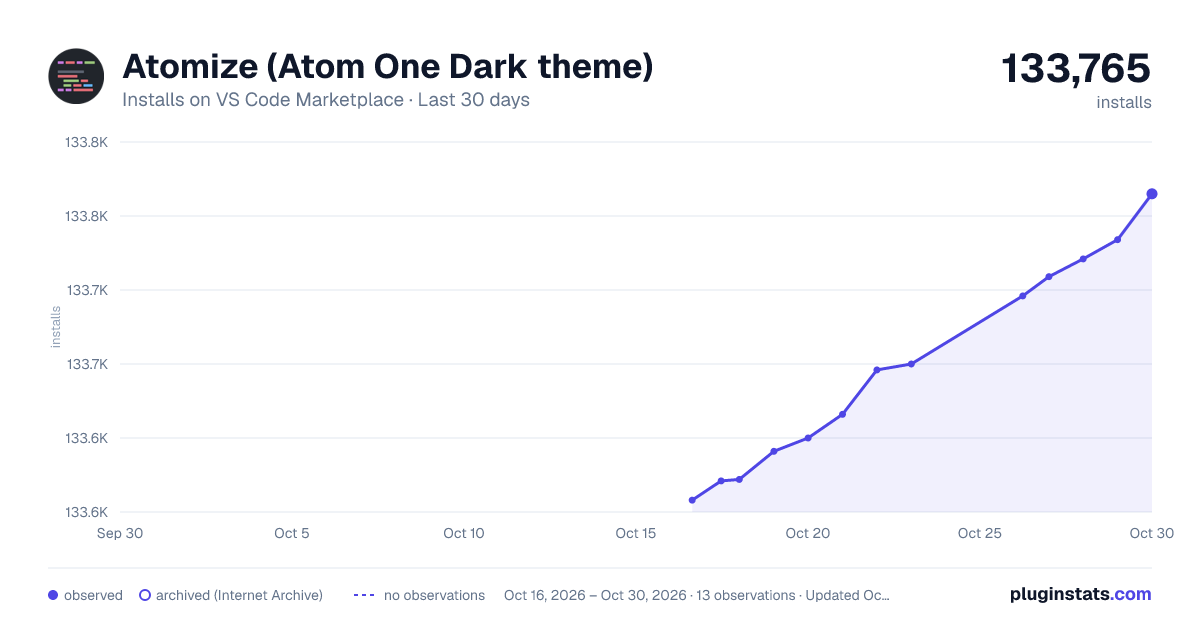
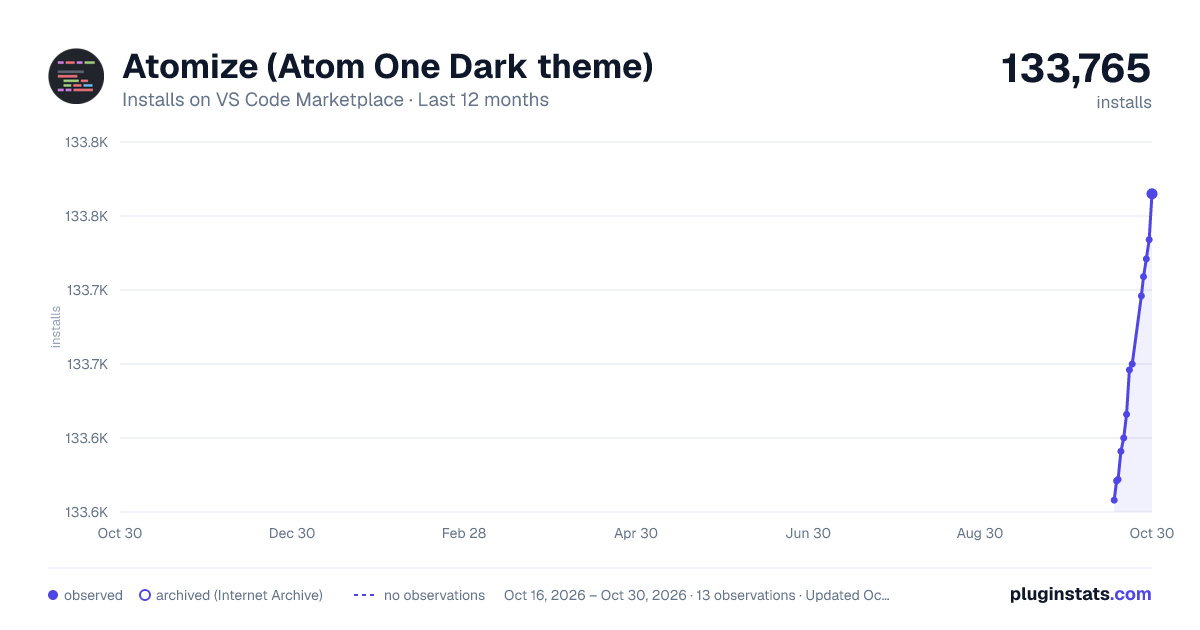
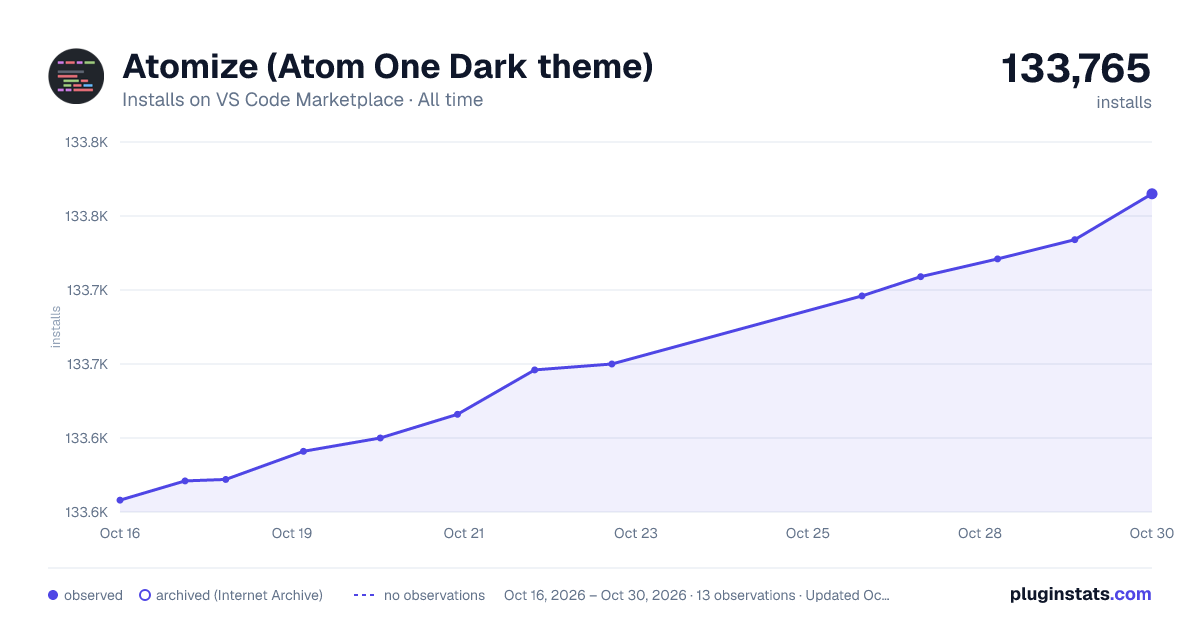

Adoption over time
7/30/90-day growth
Ranking history
Ratings over time
Listing placement
Listing placement
Filled points are observed values; hollow points come from Internet Archive snapshots of the listing page. Dashed segments span periods with no observations — values between points are not interpolated.
Each band is one page of 20. Installs on a linear scale. Placement is projected from installs, so it can differ from the marketplace's own sort order. Hover a dot to see the listing.
Recent observations
Full history (5)Similar VS Code Marketplace Themes plugins
All 20 Atomize (Atom One Dark theme) alternativesData source
Install counts, average rating, and rating counts come from the public Visual Studio Marketplace gallery API. Installs are cumulative and exclude updates.
Listing: https://marketplace.visualstudio.com/items?itemName=emroussel.atomize-atom-one-dark-theme. First seen Oct 16, 2026; last successful collection Oct 20, 2026. See the methodology.