 PluginStats
TortoiseSVN installs statistics
By fantasytyx · VS Code Marketplace · Other
tortoise-svn is a simple extension for VSCode to use TortoiseSVN.
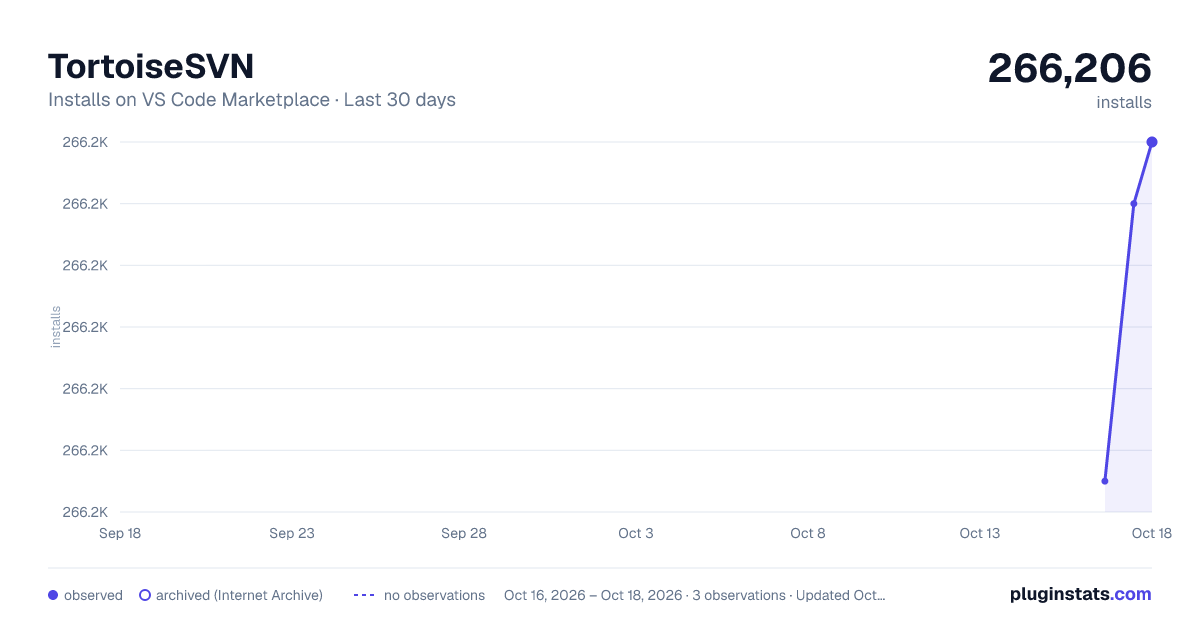
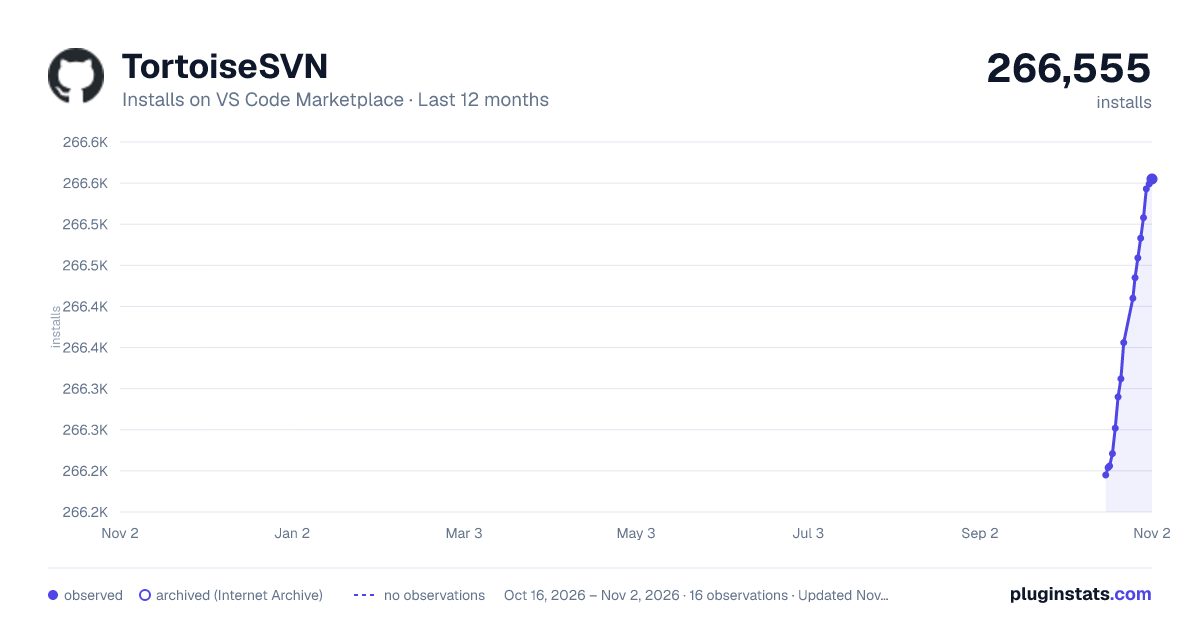
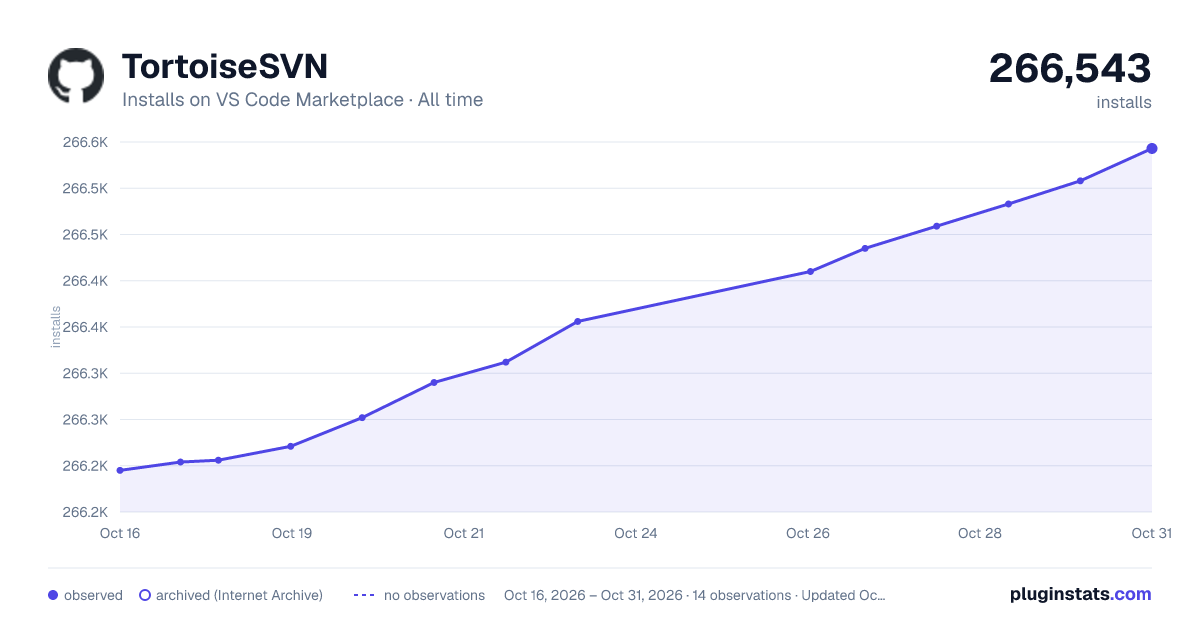
TortoiseSVN has 266,206 recorded installs on VS Code Marketplace.
It ranks #1247 of 2,500 tracked VS Code Marketplace listings by installs.
It is rated 4.6 out of 5 from 9 ratings.
PluginStats has 3 daily observations since Oct 16, 2026; the latest is from Oct 18, 2026.
Rating: 4.56 / 5 from 9 ratings
About TortoiseSVN
#README
tortoise-svn is a simple extension for VSCode to use TortoiseSVN.
Features
tortoise-svn provides commands to open TortoiseSVN window for update, commit, log, revert, cleanup, add, diff, blame, lock and unlock. tortoise-svn provides dropdown to select TortoiseSVN action. Alternatively, you can select target file/directory first, then select the action.
Requirements
It runs only on Windows and needs the TortoiseSVN and TortoiseSVN command line tools.
If TortoiseSVN is not installed at C:\\Program Files\\TortoiseSVN\\bin\\TortoiseProc.exe, please specify the correct path by setting property TortoiseSVN.tortoiseSVNProcExePath in user settings.json.
Commands
For the workspace rootPath
• Workspace: SVN Update : open TortoiseSVN update window • Workspace: SVN Commit : open TortoiseSVN commit window • Workspace: SVN Log : open TortoiseSVN log window • Workspace: SVN Revert : open TortoiseSVN revert window • Workspace: SVN Cleanup : open TortoiseSVN cleanup window • Workspace: SVN Add : open TortoiseSVN add window • Workspace: SVN Diff : open TortoiseSVN diff window • Workspace: SVN Lock : open TortoiseSVN lock window • Workspace: SVN Unlock : open TortoiseSVN unlock window
For the active file which open in text editor and has focus
• File: SVN Update : open TortoiseSVN update window • File: SVN Commit : open TortoiseSVN commit window • File: SVN Log : open TortoiseSVN log window • File: SVN Revert : open TortoiseSVN revert window • File: SVN Cleanup : open TortoiseSVN cleanup window • File: SVN Add : open TortoiseSVN add window • File: SVN Blame : open TortoiseSVN Blame window • File: SVN Diff : open TortoiseSVN diff window • File: SVN Lock : open TortoiseSVN lock window • File: SVN Unlock : open TortoiseSVN unlock window
Others
• SVN ... (Select Action) : show a dropdown to select TortoiseSVN action to execute. • Apply to the active file when trigger this command by use explorer context menu. • Apply to the select file/directory when trigger this command by use explorer context menu. • Apply to the workspace when trigger this command by use command panel(F1/ctrl+shift+p). • SVN ... (Select Path) : show a dropdown to select target directory or file, then show a new dropdown to select TortoiseSVN action to execute.
Keybindings
• alt+s u : "Workspace: SVN Update" • alt+s c : "Workspace: SVN Commit" • alt+s l : "Workspace: SVN Log" • alt+s r : "Workspace: SVN Revert" • alt+s d : "Workspace: SVN Diff" • alt+s m : "SVN ... (Select Path)"
Extension Settings
This extension contributes the following settings:
• TortoiseSVN.autoCloseUpdateDialog : enable/disable auto close dialog when no errors, conflicts and merges. • TortoiseSVN.tortoiseSVNProcExePath : specify the correct TortoiseProc.exe path. Need restar VSCode. • TortoiseSVN.showPath.exclude : specify glob pattern to exclude files and folders. exclude will disable when specify a empty array.
Change Log
Version 0.1.1
• when user don't set TortoiseSVN.tortoiseSVNProcExePath, get the TortoiseProc.exe path from registry • postpone check TortoiseProc.exe path until command execution
Version 0.0.7
• fix can't revert unsaved changes • remove unused package minimatch • optimize activationEvents in package.json
Version 0.0.6
• check TortoiseProc.exe path. If it is invaild will show a hint
Version 0.0.5
• select path: support setting glob pattern to exclude files • select path: improve performance
Version 0.0.4
• apply command to the select file/directory on explorer by use context menu item SVN ... (Select Action) • add new commands for the active file which open in text editor and has focus • remove blame command when target is directory • modify command name and command title, such as tortoise-svn... --> SVN ... (Select Path) • remove menu tortoise-svn log in workspace from explorer/context and editor/context • improve keybindings configuration • some bug fixed
Version 0.0.3
• add command tortoise-svn... which can select TortoiseSVN action and target dir or file • add menu tortoise-svn... to explorer/context and editor/context • add keybindings alt+s m: tortoise-svn...
Version 0.0.2
• add more menu
Version 0.0.1
• Initial release
Links
Change log
Source on GitHub
MIT
Enjoy!
Description from the VS Code Marketplace listing.
- keybindings
Where TortoiseSVN sits in the listing
Each band is one page of 20. Installs on a log scale. Placement is projected from installs, so it can differ from the marketplace's own sort order. Hover a dot to see the listing.


Charts
Images: 30d · 1y · all time · 1600×900 dark

Adoption over time


7/30/90-day growth


Ranking history


Filled points are observed values; hollow points come from Internet Archive snapshots of the listing page. Dashed segments span periods with no observations — values between points are not interpolated.
Recent observations
Full history (3)Similar VS Code Marketplace Other plugins
Data source
Install counts, average rating, and rating counts come from the public Visual Studio Marketplace gallery API. Installs are cumulative and exclude updates.
Listing: https://marketplace.visualstudio.com/items?itemName=fantasytyx.tortoise-svn. First seen Oct 16, 2026; last successful collection Oct 18, 2026. See the methodology.