 PluginStats
Format Files installs statistics
By jbockle · VS Code Marketplace · Formatters
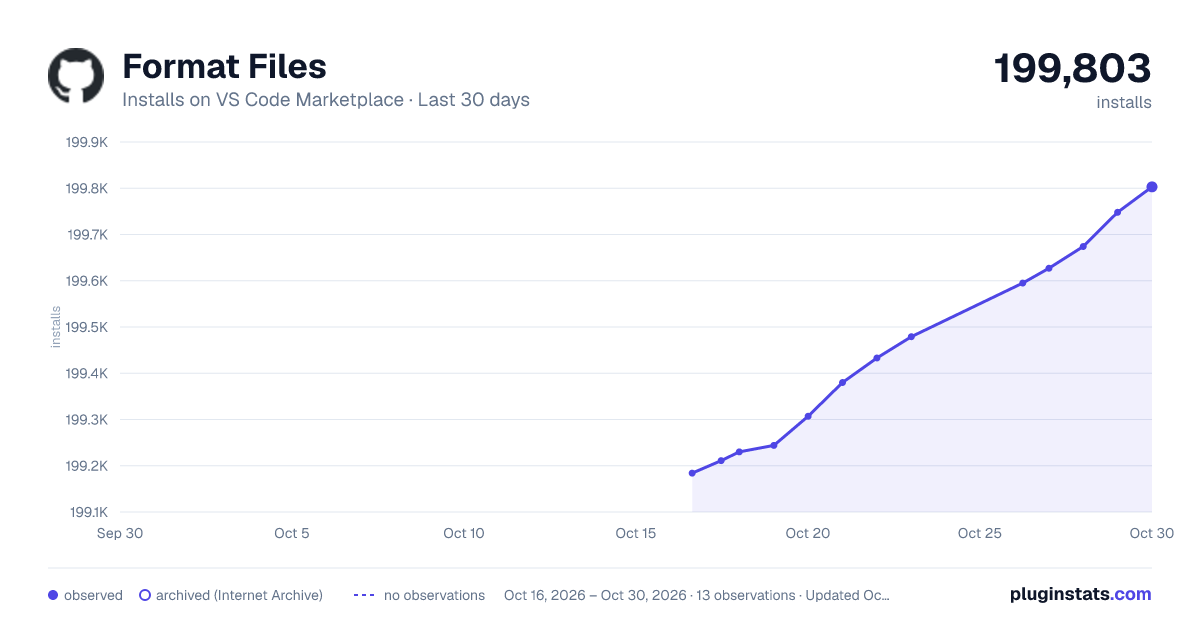
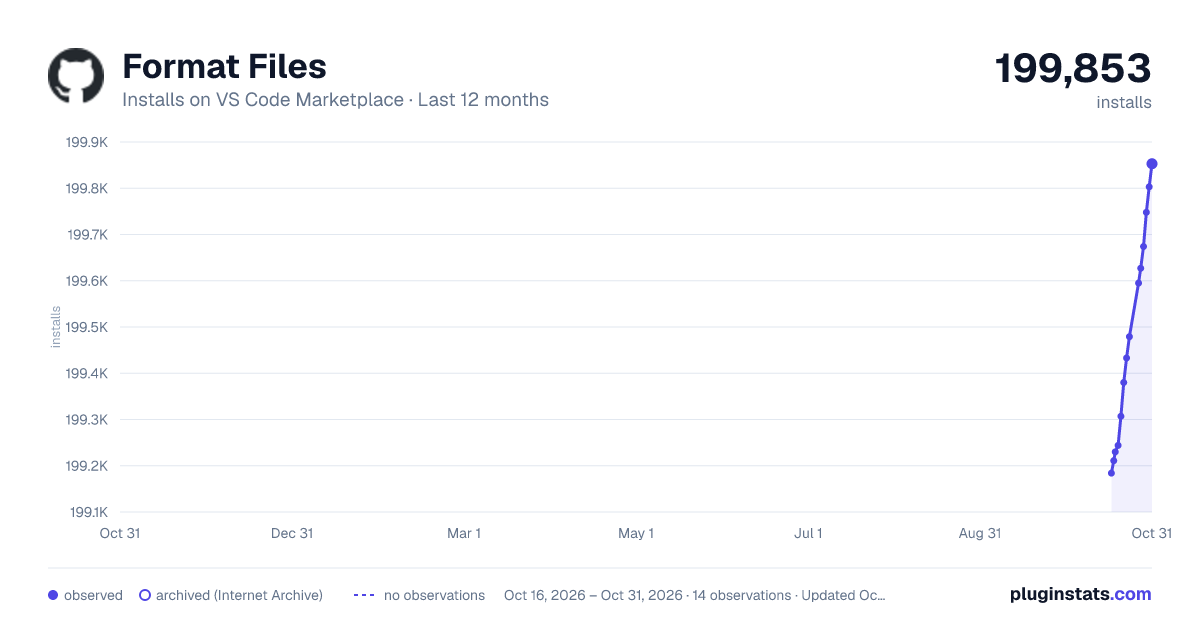
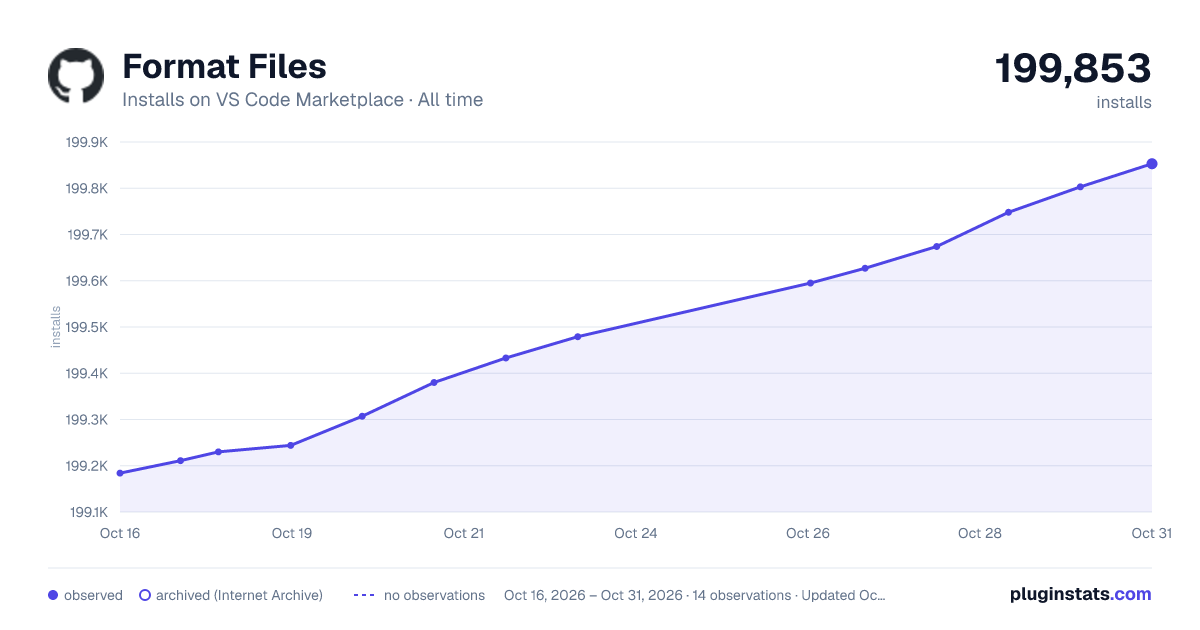
Format Files has 199,230 recorded installs on VS Code Marketplace.
It ranks #1515 of 2,500 tracked VS Code Marketplace listings by installs.
It is rated 4.7 out of 5 from 27 ratings.
PluginStats has 3 daily observations since Oct 16, 2026; the latest is from Oct 18, 2026.
Rating: 4.70 / 5 from 27 ratings
About Format Files
Format Files README
Format Files on VS Code Marketplace
Formats all files in the current workspace/selected folder/glob. Due to the limitations in VSCode API, this opens each file, runs formatting command, saves the file (other save actions are started as well, to support features such as tslint.autoFixOnSave on typescript files), then closes it. The time to complete depends on the number of files and how large the files are.
Usage
• Open command pallette (Ctrl+Shift+P) & enter "Start Format Files: Workspace" • Uses default exclude options • Keybindable to 'formatFiles.start.workspaces' command • Open command pallette (Ctrl+Shift+P) & enter "Start Format Files: From Glob" • Prompts for a user defined glob pattern • Prompts to use default exclude options or none • Keybindable to 'formatFiles.start.fromGlob' command • Right click a folder and select "Start Format Files: This Folder" • Uses default exclude options
Will prompt to confirms to start formatting, check *Format Files* in Output pane for list of files that will be formatted
A progress bar will appear on bottom right to indicate it's status
Options
• formatFiles.excludedFolders: [ *default*: [ "node_modules", ".vscode", ".git", "dist", ".chrome"] ] list of folder names to exclude, relative to the workspace root • formatFiles.extensionsToInclude: [ *default*: '\*' ] comma delimited list of extensions to include, i.e. "ts,js,cp,cs", if this is not specified all extensions are included • formatFiles.excludePattern: [ *default*: unset] GlobPattern of paths to exclude. • formatFiles.inheritWorkspaceExcludedFiles: [ *default*: true ] Specifies that workspace globs specified in files.exclude that are true will be included in exclude glob • formatFiles.runOrganizeImports: [ *default*: true ] Additionally organize all imports when formatting files (Uses the built-in 'Organize Imports' command, which is supported by some languages) • formatFiles.useGitIgnore: [ *default*: true ] If the workspace folder is a git repository, skips files that git ignores
Requirements
Each extension needs a formatter installed for it to work, or else the VSCode formatter will display an error that it does not have a formatter for the given extension.
Some recommended formatters: • Beautify - Javascript,JSON,CSS,Sass,HTML • C# FixFormat - C# • Clang Format - C,C++,Java,JavaScript,Objective-C,Objective-C++,Protobuf • Prettier - Javascript,TypeScript,CSS • EditorConfig - *\**
Known Issues
• If your code actions on save are not run on some of your files, it may be due to VS Code's editor.codeActionsOnSaveTimeout setting. If a file is large or the save code action should take longer than that configured setting, the action will be aborted. This does not affect formatters, only code actions on save. The default value is 750ms, adjust it to your liking.
Contributing/Enhancement requests
Please open an issue if you would like to contribute or request an enhancement
Description from the VS Code Marketplace listing.
Where Format Files sits in the listing
Each band is one page of 20. Installs on a log scale. Placement is projected from installs, so it can differ from the marketplace's own sort order. Hover a dot to see the listing.


Charts
Images: 30d · 1y · all time · 1600×900 dark

Adoption over time


7/30/90-day growth


Ranking history


Filled points are observed values; hollow points come from Internet Archive snapshots of the listing page. Dashed segments span periods with no observations — values between points are not interpolated.
Recent observations
Full history (3)Similar VS Code Marketplace Formatters plugins
Data source
Install counts, average rating, and rating counts come from the public Visual Studio Marketplace gallery API. Installs are cumulative and exclude updates.
Listing: https://marketplace.visualstudio.com/items?itemName=jbockle.jbockle-format-files. First seen Oct 16, 2026; last successful collection Oct 18, 2026. See the methodology.