 PluginStats
Angular Extension Pack installs statistics
By Loiane Groner (3 listings) · VS Code Marketplace · Extension Packs
Some of the most popular (and some I find very useful) Angular extensions.
Angular Extension Pack has 503,260 recorded installs on VS Code Marketplace, ranking #845 of 2,501 tracked listings.
Rating: 5.00 / 5 from 27 ratings
About Angular Extension Pack
Visual Studio Code Angular Extension Pack
This extension pack packages some of the most popular (and some I find very useful) VS Code Angular extensions.
These are all the extensions I also recommend using for my free Angular training in Portuguese.
Extensions Included
Angular + Angular Material + NgRX + RxJS Code Snippets
-
Angular Snippets - Angular with TypeScript snippets.
-
Angular Material 2, Flex layout 1, Covalent 1 & Material icon snippets - Angular Material and Angular FlexBox component snippets.
Testing
- Vitest - Run, debug, and watch Vitest tests in Visual Studio Code
Template Productivity
-
Angular Language Service - provides a rich editing experience for Angular templates, very useful when working on Angular HTML template.
-
Auto Rename Tag - Auto rename paired HTML/XML tag.
-
Auto Close Tag - Automatically add HTML/XML close tag, same as Visual Studio IDE or Sublime Text.
-
Arrr - a tool to refactor components from HTML templates
Productivity
-
Auto Import - Automatically finds, parses and provides code actions and code completion for all available imports (altough VSCode has auto import funcionatlity, this plugin is a great complement).
-
Paste JSON as Code - Convert a JSON from clipboard to TypeScript interfaces.
-
Prettier - JavaScript formatter - format your Javascript / Typescript / CSS - specially for Angular, I recommend adding the following config in you users setting for VsCode. Recommended settings:
"prettier.singleQuote": true(this helps when using auto import extension or the VSCode auto import functionality)."prettier.tabWidth": 2(angular lint uses 2 spaces as default indentation). With this setting, you can continue using tabs if it is your preference"prettier.useTabs": false(same as above)
-
Path Intellisense - VSCode has a very good auto import capability, but sometime you still need to import some files manually, and this extension helps a lot in these cases.
-
Move TS - this is a great extension to help you refactor and re-organize some files and components in the project. It automatically fixes the imports on the file (or component folder) that is being moved and also files that are importing the component you are moving. To use it: right-click on a file or folder in the Project Explorer pane and select 'Move TypeScript'.
-
Angular Schematics - this extension allows you to launch Angular schematics (CLI commands) from files Explorer (right-click) or Command Palette.
-
Angular-cli - This extension eases the use of the Angular cli in Visual Studio Code.
Code Analysis
Workbench
- EditorConfig for VS Code - EditorConfig Support for Visual Studio Code (must have plugin for VSCode)
Other extensions recommended, but not included in this package
-
angular2-inline - support for inline HTML and CSS in angular components. I don't use inline templates, but this is a helpful extension in case you use inline HTML or CSS.
-
vscode-icons - my favorite collection of icons for VSCode projects!
-
Git History (git log) - allows you to view git history with graph and details
-
snippet-creator - helps you creating code snippets (saves snippets in the User Snippets in VSCode)
Happy Coding!
Description from the VS Code Marketplace listing.
- Angular
- Angular 14
- Angular 15
- Angular 16
- Angular 17
- Angular 18
- Angular 19
- Angular 20
- Angular 21
- javascript
- TypeScript
README badge
Show your rank in a README or on your website. The badge updates automatically.
Charts
Images: 30d · 1y · all time · 1600×900 dark
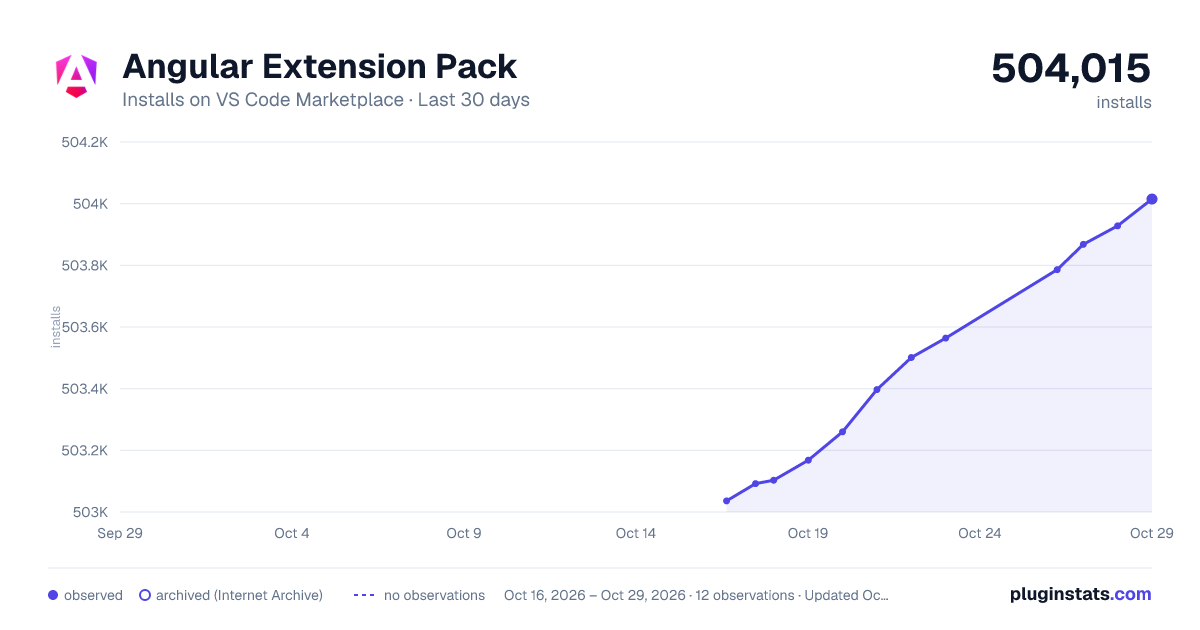
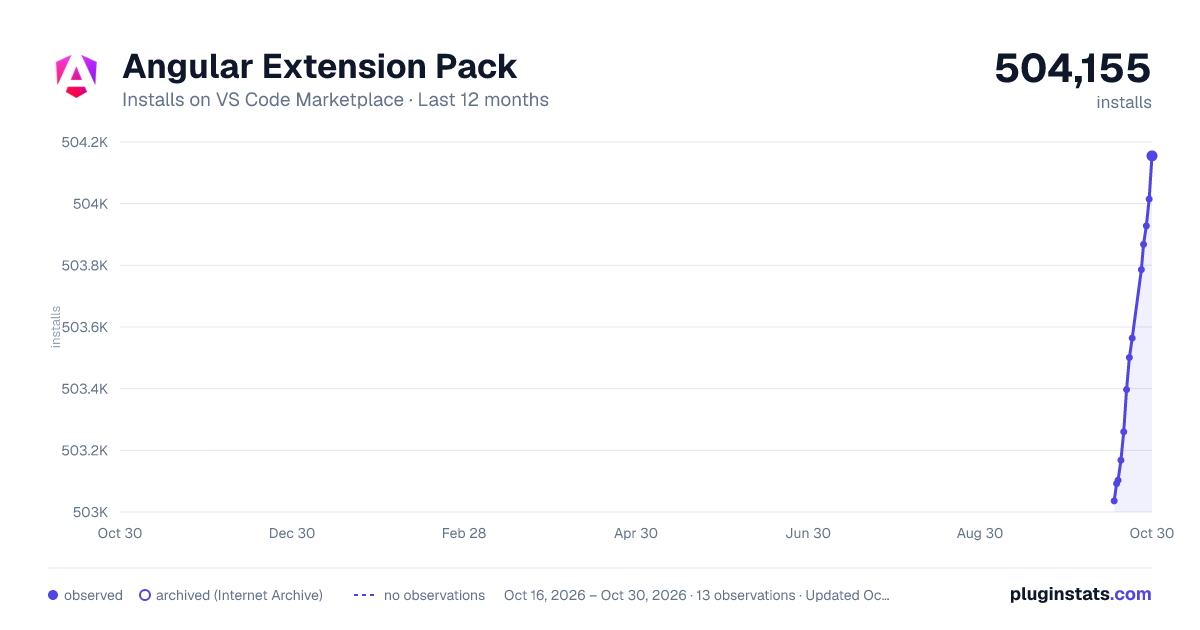
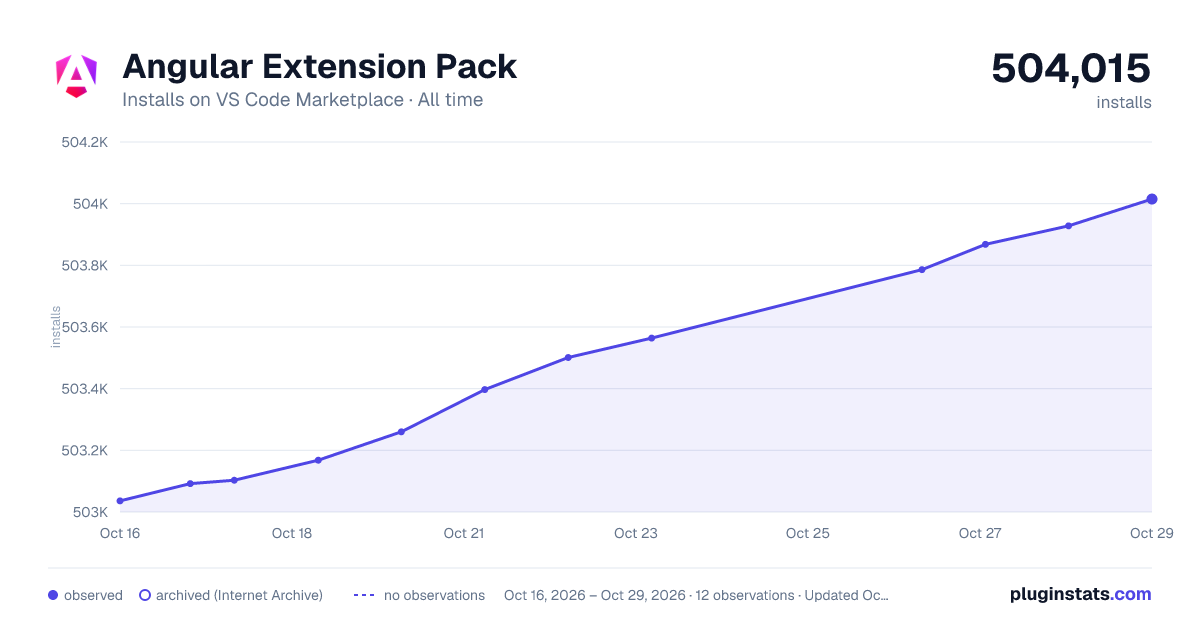

Adoption over time
7/30/90-day growth
Ranking history
Ratings over time
Listing placement
Listing placement
Filled points are observed values; hollow points come from Internet Archive snapshots of the listing page. Dashed segments span periods with no observations — values between points are not interpolated.
Each band is one page of 20. Installs on a linear scale. Placement is projected from installs, so it can differ from the marketplace's own sort order. Hover a dot to see the listing.
Recent observations
Full history (5)Similar VS Code Marketplace Extension Packs plugins
All 20 Angular Extension Pack alternativesData source
Install counts, average rating, and rating counts come from the public Visual Studio Marketplace gallery API. Installs are cumulative and exclude updates.
Listing: https://marketplace.visualstudio.com/items?itemName=loiane.angular-extension-pack. First seen Oct 16, 2026; last successful collection Oct 20, 2026. See the methodology.