 PluginStats
C# Tools for Godot installs statistics
By Ignacio Roldán Etcheverry · VS Code Marketplace · Debuggers
Debugger and utilities for working with Godot C# projects
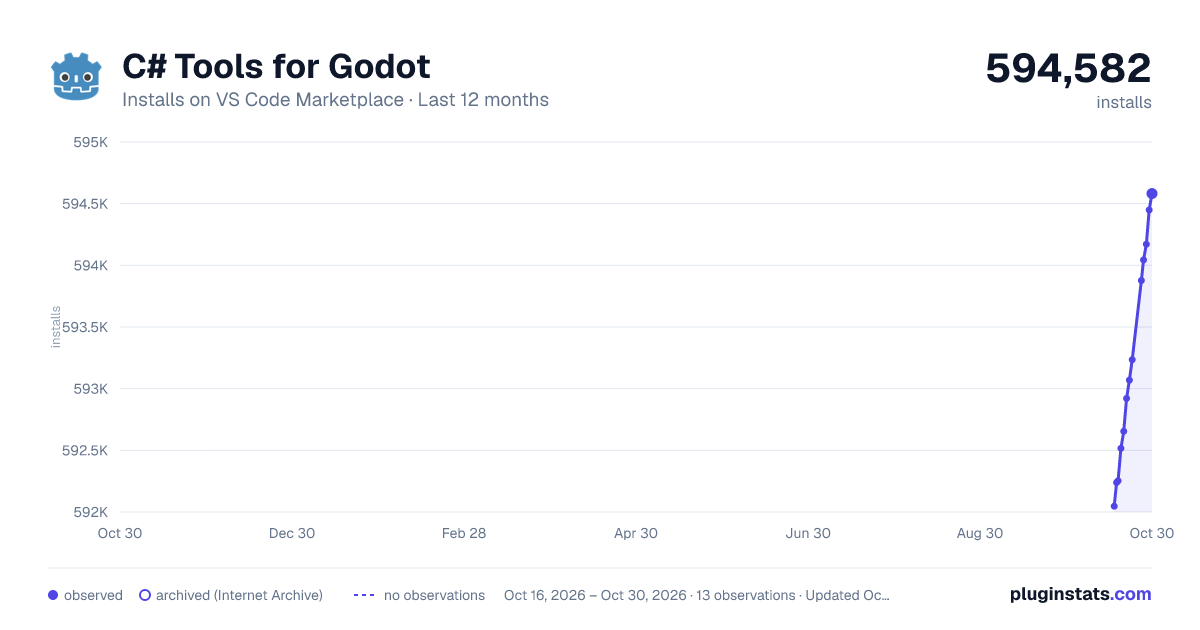
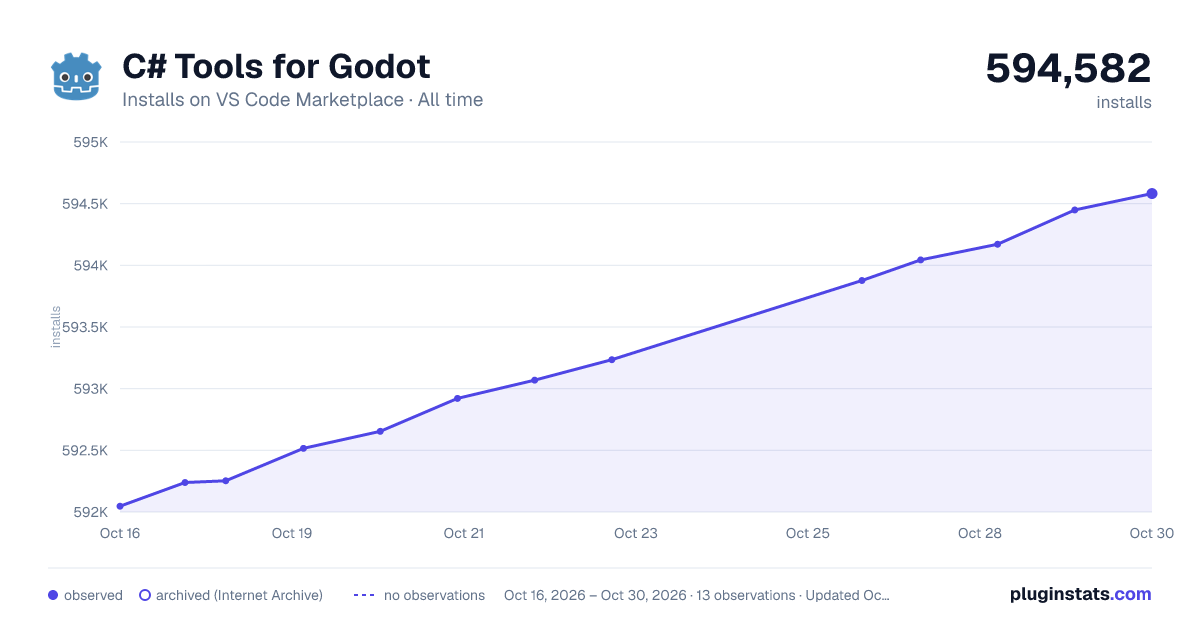
C# Tools for Godot has 592,253 recorded installs on VS Code Marketplace.
It ranks #773 of 2,500 tracked VS Code Marketplace listings by installs.
It is rated 4.2 out of 5 from 15 ratings.
PluginStats has 3 daily observations since Oct 16, 2026; the latest is from Oct 18, 2026.
Rating: 4.20 / 5 from 15 ratings
About C# Tools for Godot
C# Tools for Godot
Debugger and utilities for working with Godot C# projects in VSCode.
Requirements
Godot 3.2.2 or greater. Older versions of Godot are not supported.
Features
• Debugging. • Launch a game directly in the Godot editor from VSCode. • Additional code completion for Node paths, Input actions, Resource paths, Scene paths and Signal names.
NOTES: • A running Godot instance must be editing the project in order for Play in Editor and the code completion to work. • Node path suggestions are provided from the currently edited scene in the Godot editor. • Currently Signal suggestions are only provided using the information from the project build results, not from the information in the edited document. This will change in the future.
VSCode installation and configuration
Install via extensions marketplace by searching for neikeq.godot-csharp-vscode.
Multiple Project setup
If the current workspace contains multiple Godot projects, the extension will prompt you to select the one you want to use with the extension on opening the workspace in VSCode. The selected project can be changed anytime from the status bar or using the Select Project command.
• Option 1. Using the status bar: • Click on the Godot project status bar item.\ • Select the Godot project you want to use. • Option 2. Using the Select Project command: • Open the Command Palette (Ctrl + P). • Select C# Godot: Select Project.\ • Select the Godot project you want to use.
Setup debugging
To debug a Godot project you have to create the debugger launch configurations. It can be created from the Debug panel or by using the Generate Assets for Build and Debug command.
• Option 1. Using the Generate Assets for Build and Debug command: • Open the Command Palette (Ctrl + P). • Select C# Godot: Generate Assets for Build and Debug.\ • If debugger configurations already exist, you will be prompted if you want to override them. • It will have generated the launch.json and tasks.json files in the .vscode directory.\ See the debugger launch configurations, some configurations may require more setup. • Option 2. From the Debug panel: • If debugger configurations already exist, remove them or use the Generate Assets for Build and Debug command to override them. • Click on create a launch.json file.\ • Select C# Godot.\ • It will have generated the launch.json and tasks.json files in the .vscode directory.\ See the debugger launch configurations, some configurations may require more setup.
Additional Launch configuration
The Launch debugger configurations requires additional setup. The _"executable"_ property must be set to a path that points to the Godot executable that will be launched. By default, the extension tries to automatically populate this property with the path to the running Godot instance but if there isn't one it needs to be set manually:
You can also set the godot.csharp.executablePath setting to the path that points to the Godot executable that will always be used when generating the debugger configurations so you won't have to set it manually everytime.
The generated debugger configuration will also create a tasks.json that contains a build task for building the project from VSCode which is used by the Launch configuration in order to build the project before launching (this is configured in the _"preLaunchTask"_ property of the configuration and can be removed).
The build task uses the Godot executable to build the the C# project (this is configured in the _"command"_ property and must be configured like the _"executable"_ property of the Launch configuration if the extension could not find the right path). The build task can be modified to execute the dotnet command directly instead or modify the Godot CLI arguments.
Debugger launch configurations
By default the extension creates the following launch configurations:
• Play in Editor\ Launches the game in the Godot editor for debugging in VSCode.\ For this option to work, a running Godot instance must be editing the project. • Launch\ Launches the game with a Godot executable for debugging in VSCode.\ This option requires the value of the _"executable"_ property to be set to a path that points to the Godot executable that will be launched.\ The godot.csharp.executablePath setting can be configured to automatically populate the executable property with its value, if not configured it will be populated with the path to the running Godot instance if there is one, otherwise it will have to be populated manually. See additional Launch configuration. • Launch (Select Scene)\ Launches the game with a Godot executable for debugging in VSCode, allowing the user to select which scene to run on every execution.\ This option works just like the Launch option and also requires the value of the _"executable"_ property to be set. See additional Launch configuration. • Attach\ Attaches to a running Godot instance that was configured to listen for a debugger connection.
Screenshots
Description from the VS Code Marketplace listing.
- c#
- debuggers
Where C# Tools for Godot sits in the listing
Each band is one page of 20. Installs on a log scale. Placement is projected from installs, so it can differ from the marketplace's own sort order. Hover a dot to see the listing.


Charts
Images: 30d · 1y · all time · 1600×900 dark


Adoption over time


7/30/90-day growth


Ranking history


Filled points are observed values; hollow points come from Internet Archive snapshots of the listing page. Dashed segments span periods with no observations — values between points are not interpolated.
Recent observations
Full history (3)Similar VS Code Marketplace Debuggers plugins
Data source
Install counts, average rating, and rating counts come from the public Visual Studio Marketplace gallery API. Installs are cumulative and exclude updates.
Listing: https://marketplace.visualstudio.com/items?itemName=neikeq.godot-csharp-vscode. First seen Oct 16, 2026; last successful collection Oct 18, 2026. See the methodology.