 PluginStats
Azure Load Testing installs statistics
By Microsoft (224 listings) · VS Code Marketplace · Azure
An extension to create and run load tests using Azure Load Testing.
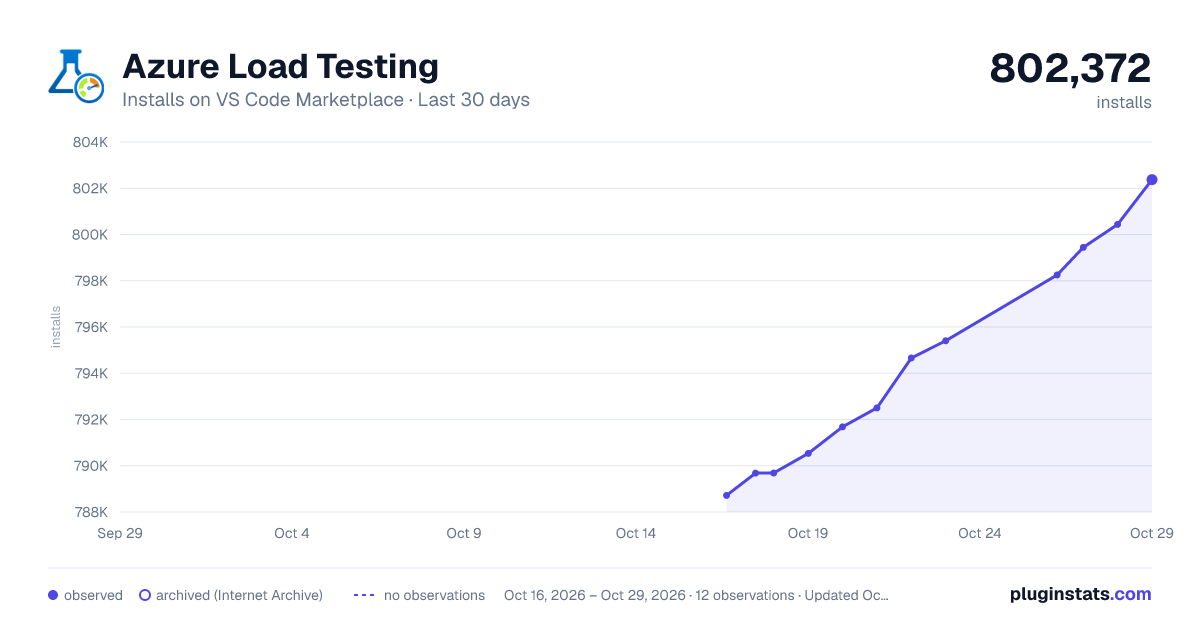
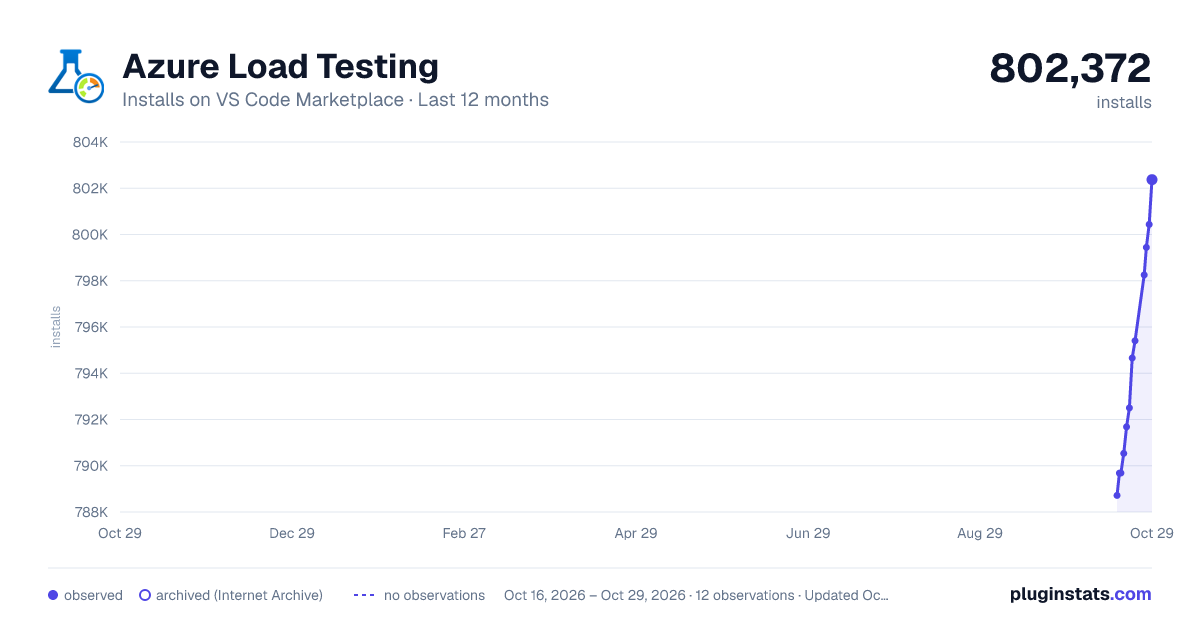
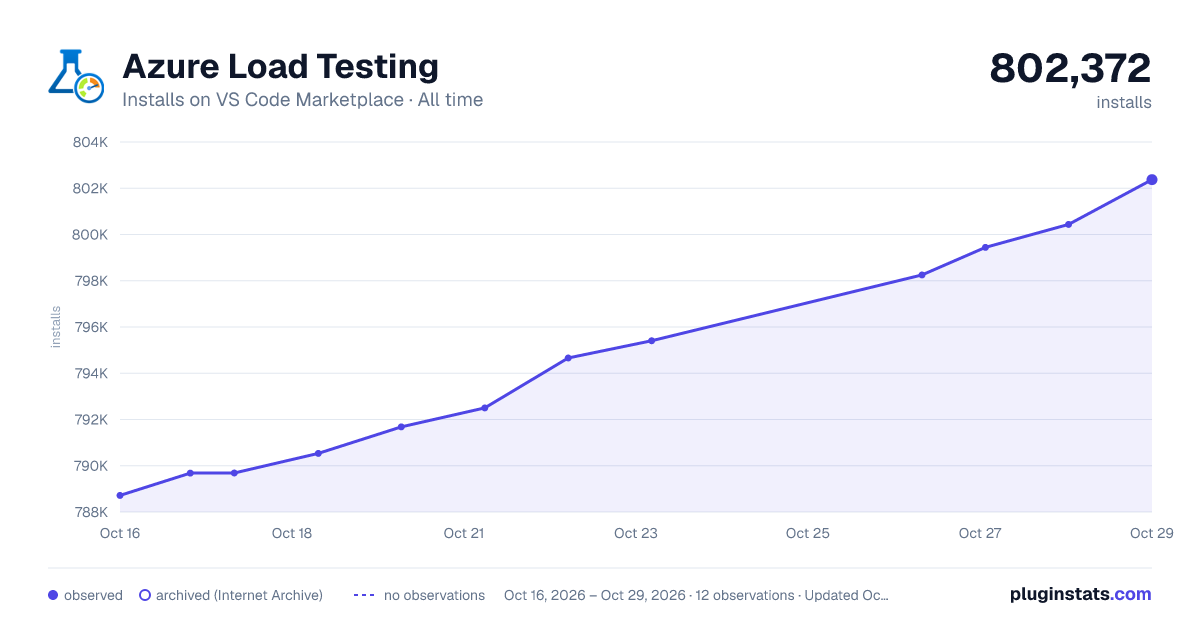
Azure Load Testing has 790,534 recorded installs on VS Code Marketplace.
It ranks #623 of 2,501 tracked VS Code Marketplace listings by installs.
It is rated 5.0 out of 5 from 3 ratings.
PluginStats has 4 daily observations since Oct 16, 2026; the latest is from Oct 19, 2026.
Rating: 5.00 / 5 from 3 ratings
About Azure Load Testing
Azure Load Testing for Visual Studio Code
The Azure Load Testing extension makes it easy to create and run Locust or JMeter based load tests using GitHub Copilot—all within VS Code. Iterate locally, then scale effortlessly in Azure. Whether you're new to Locust or a performance testing expert, this extension streamlines test creation, iteration, and scaling in the cloud.
New! The VS Code extension now supports JMeter, in addition to the existing support for Locust.
Get Started with Agent Mode
Load Test an Endpoint
Open the Copilot Chat window and ensure Agent Mode is enabled.
Then type a prompt like:
Run a load test in Azure for https://example.com
Copilot Agent will use multiple MCP tools provided by the Azure Load Testing extension to: 1. Create a load test script. 2. Help you select or create an Azure Load Testing resource (you'll be prompted to sign in and pick an Azure subscription). 3. Run the load test in Azure. • A load.config.yaml file is created for easy reuse. • If your app is hosted in Azure, you'll be prompted to enable optional server-side metrics for deeper test insights.
Once the load test starts, you can view detailed results and live metrics in the Azure portal.
Fetch Insights and Implement Suggestions with Copilot
Azure Load Testing now generates AI-driven insights for each test run. These insights and recommendations can be retrieved directly in VS Code.
After your test completes, try prompting Copilot:
Fetch insights from my Azure load test run
Copilot will summarize key findings and may suggest optimizations. You can then ask Copilot to help implement any recommended changes.
Tip: To retrieve insights from a previous run, prompt:
Fetch insights from another test run
VS Code will display a list of past test runs to choose from.
Create Realistic Load Tests from HTTP files or API Collections
The extension supports generating load test scripts from a variety of inputs—including HTTP files, Postman collections, and Insomnia collections. This enables Copilot to build rich test scenarios with real API calls, request data, and auth details.
From an HTTP file
If you have a file named myrequests.http in your VS Code workspace, try:
Create a load test script based on the http file myrequests.http
From a Postman Collection
For a file like myapi.postman_collection.json:
Create a load test script based on the Postman collection myapi.postman_collection.json
From an Insomnia Collection
For a file like myapi.insomnia_collection.json:
Create a load test script based on the Insomnia collection myapi.insomnia_collection.json
From a URL
Don't have any files? You can still start with a simple input:
Create a load test script for the endpoint https://example.com
Get Started with Ask Mode
This tutorial guides you through generating, refining, and executing realistic load tests.
By the end, you'll have a fully functional load test script generated from a Postman collection, Insomnia collection, or .http file, enhanced with Copilot-powered improvements, and ready to scale in Azure Load Testing.
Prerequisites
Before you begin, make sure you have the following:
1. Azure Load Testing extension for VS Code – Download and install it here. 2. GitHub Copilot – Set up Copilot in VS Code to generate and refine test scripts. *Tip: If you don’t have a subscription, you can activate a free trial.* 3. Python & Locust – Required to run and validate your Locust based test scripts locally from VS Code. Install Locust here.* 4. JMeter - Required to run and validate your JMeter based test scripts locally from VS Code. Install JMeter here.* 4. An Azure account – Needed to run load tests at scale in Azure Load Testing. If you don’t have an account, sign up for free.
Tip: VS Code's GitHub Copilot Chat offers multiple AI models. You can switch models using the model picker in the chat input field. If you're unsure which one to use, we recommend GPT-4o.
*Note: You do not need to install these dependencies if you plan to run your load test directly in Azure Load Testing.
Open the Walkthrough
To get started, open the command palette in VS Code and run: Load Testing: Open Walkthrough. This walkthrough provides the key entry points of the extension.
You can also access the features directly from the command palette by using the Load Testing prefix. Some commonly used commands include: • Load Testing: Create load test • Load Testing: Run load test (local) • Load Testing: Run load test (Azure Load Testing)
Generate a Load Script with Copilot
You can generate a Load script based on Locust or JMeter from any existing Postman collection, Insomnia collection, or .http file. If the file contains multiple requests, Copilot will attempt to sequence them into a cohesive scenario.
1. Click the Create a Load Test button in the walkthrough, or run Load Testing: Create load test from the command palette.
1. You can choose the source to auto-generate a Load test script: • Selecting a Postman collection, Insomnia collection, or .http file lets Copilot extract multiple API operations, request data, and authentication details—creating a more complete and realistic load test. • Choosing Single URL allows you to enter a single endpoint URL, generating a simple script you can customize or expand.
1. For this walkthrough, you can select Try Sample: Pet Shop API, which uses the petstore-sample.http file to generate a sample Load test script.
1. Copilot will analyze the selected file and generate a Locust or JMeter based load test script, automatically: • Sequencing API requests to simulate real-world usage. • Handling authentication securely.
1. Once the script is generated, the Copilot Chat window will suggest additional setup steps, such as defining environment variables. • If Copilot suggests environment variables, create a .env file in your project and add the recommended values.
Customize the Load Test Script…
Description from the VS Code Marketplace listing.
- azure
- chat-participant
- jmeter
- language-model-tools
- load testing
- locust
- stress testing
- testing
- tools
Where Azure Load Testing sits in the listing
Each band is one page of 20. Installs on a log scale. Placement is projected from installs, so it can differ from the marketplace's own sort order. Hover a dot to see the listing.


Charts
Images: 30d · 1y · all time · 1600×900 dark

Adoption over time


7/30/90-day growth


Ranking history


Filled points are observed values; hollow points come from Internet Archive snapshots of the listing page. Dashed segments span periods with no observations — values between points are not interpolated.
Recent observations
Full history (4)Similar VS Code Marketplace Azure plugins
Data source
Install counts, average rating, and rating counts come from the public Visual Studio Marketplace gallery API. Installs are cumulative and exclude updates.
Listing: https://marketplace.visualstudio.com/items?itemName=ms-azure-load-testing.microsoft-testing. First seen Oct 16, 2026; last successful collection Oct 19, 2026. See the methodology.