 PluginStats
PHP Debug installs statistics
By Xdebug (2 listings) · VS Code Marketplace · Debuggers
Debug support for PHP with Xdebug
PHP Debug has 15,744,040 recorded installs on VS Code Marketplace.
It ranks #68 of 2,500 tracked VS Code Marketplace listings by installs.
It is rated 4.1 out of 5 from 141 ratings.
PluginStats has 3 daily observations since Oct 16, 2026; the latest is from Oct 18, 2026.
Rating: 4.11 / 5 from 141 ratings
About PHP Debug
PHP Debug Adapter for Visual Studio Code
Sponsor PHP Debug Adapter for Visual Studio Code
If you find this extension useful, if it helps you solve your problems and if you appreciate the support given here, consider sponsoring our work.
Installation
Install the extension: Press F1, type ext install php-debug.
This extension is a debug adapter between VS Code and Xdebug by Derick Rethans. Xdebug is a PHP extension (a .so file on Linux and a .dll on Windows) that needs to be installed on your server.
1. Install Xdebug _I highly recommend you make a simple test.php file, put a phpinfo(); statement in there, then copy the output and paste it into the Xdebug installation wizard. It will analyze it and give you tailored installation instructions for your environment._ In short:
• On Windows: Download the appropriate precompiled DLL for your PHP version, architecture (64/32 Bit), thread safety (TS/NTS) and Visual Studio compiler version and place it in your PHP extension folder. • On Linux: Either download the source code as a tarball or clone it with git, then compile it. Or see if your distribution already offers prebuilt packages.
2. Configure PHP to use Xdebug by adding zend_extension=path/to/xdebug to your php.ini. The path of your php.ini is shown in your phpinfo() output under "Loaded Configuration File".
3. Enable remote debugging in your php.ini:
For Xdebug v3.x.x:
For Xdebug v2.x.x:
There are other ways to tell Xdebug to connect to a remote debugger, like cookies, query parameters or browser extensions. I recommend remote_autostart (Xdebug v2)/start_with_request (Xdebug v3) because it "just works". There are also a variety of other options, like the port, please see the Xdebug documentation on remote debugging for more information. Please note that the default Xdebug port changed between Xdebug v2 to v3 from 9000 to 9003.
4. If you are doing web development, don't forget to restart your webserver to reload the settings.
5. Verify your installation by checking your phpinfo() output for an Xdebug section.
VS Code Configuration
In your project, go to the debugger and hit the little gear icon and choose _PHP_. A new launch configuration will be created for you with three configurations:
• Listen for Xdebug This setting will simply start listening on the specified port (by default 9003) for Xdebug. If you configured Xdebug like recommended above, every time you make a request with a browser to your webserver or launch a CLI script Xdebug will connect and you can stop on breakpoints, exceptions etc. • Launch currently open script This setting is an example of CLI debugging. It will launch the currently opened script as a CLI, show all stdout/stderr output in the debug console and end the debug session once the script exits. • Launch Built-in web server This configuration starts the PHP built-in web server on a random port and opens the browser with the serverReadyAction directive. The port is random (localhost:0) but can be changed to a desired fixed port (ex: localhost:8080). If a router script is needed, add it with program directive. Additional PHP/Xdebug directives trigger debugging on every page load.
There are also configurations for Xdebug v2 (Legacy) installations.
More general information on debugging with VS Code can be found on https://code.visualstudio.com/docs/editor/debugging.
_Note:_ You can even debug a script without launch.json. If no folder is open, and the VS Code status bar is purple, pressing F5 will start the open script with Xdebug3 specific parameters. If the php executable is not in path, you can provide it with the setting php.debug.executablePath. For debugging to work, Xdebug must still be correctly installed.
Supported launch.json settings:…
Description from the VS Code Marketplace listing.
- debug
- debuggers
- keybindings
- php
- xdebug
Where PHP Debug sits in the listing
Each band is one page of 20. Installs on a log scale. Placement is projected from installs, so it can differ from the marketplace's own sort order. Hover a dot to see the listing.


Charts
Images: 30d · 1y · all time · 1600×900 dark
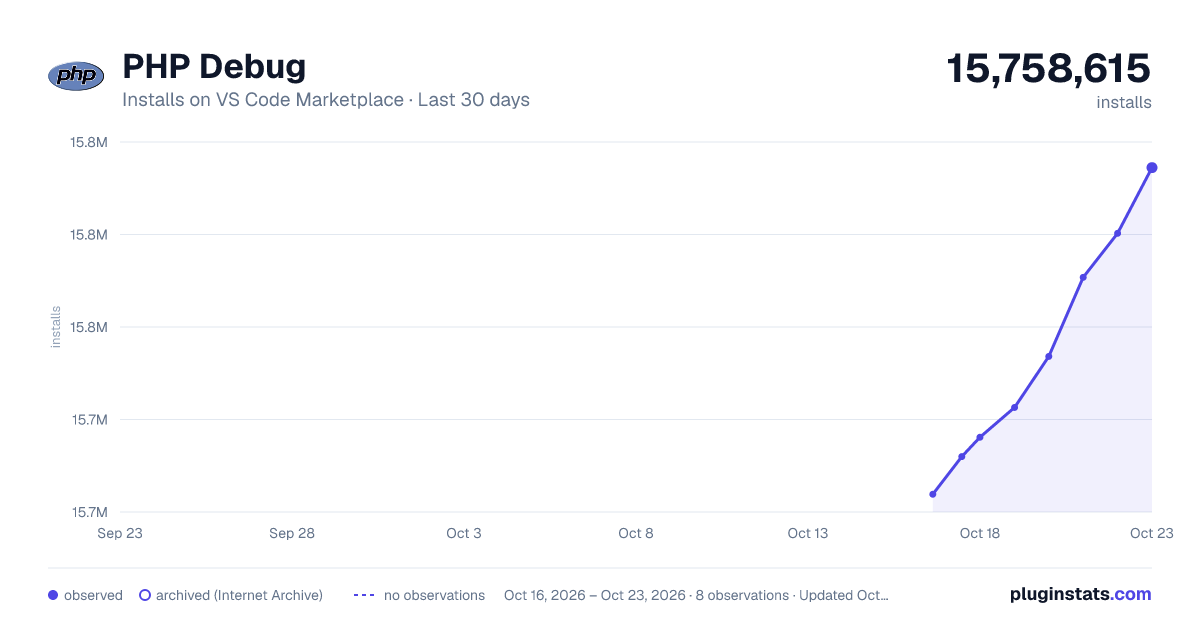
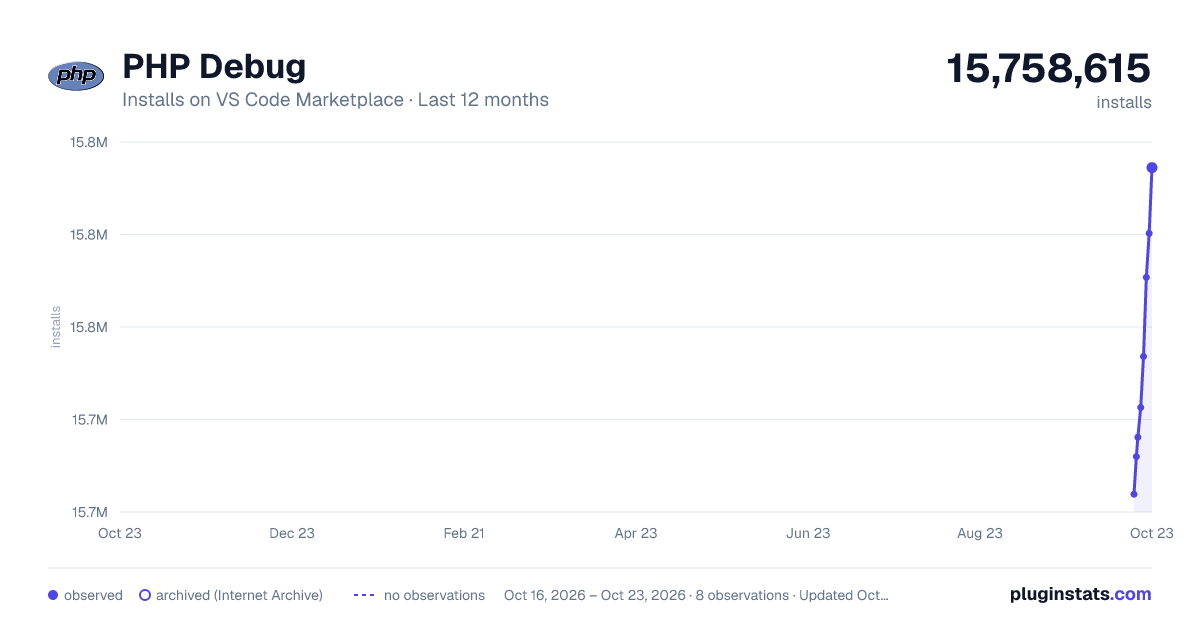
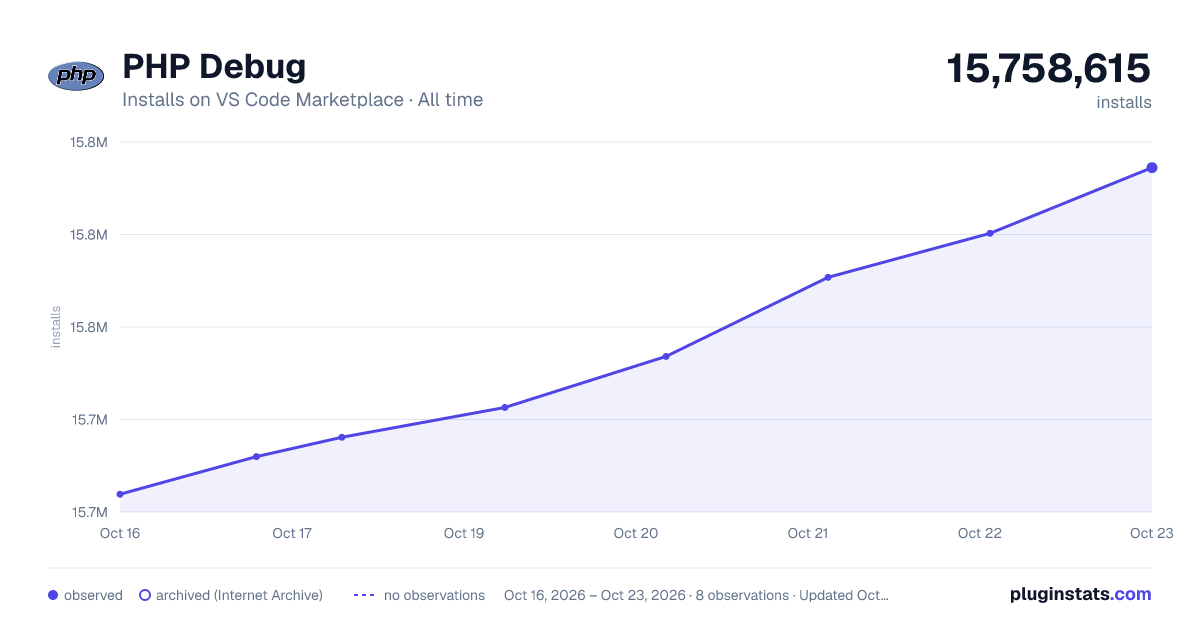

Adoption over time


7/30/90-day growth


Filled points are observed values; hollow points come from Internet Archive snapshots of the listing page. Dashed segments span periods with no observations — values between points are not interpolated.
Recent observations
Full history (3)Similar VS Code Marketplace Debuggers plugins
Data source
Install counts, average rating, and rating counts come from the public Visual Studio Marketplace gallery API. Installs are cumulative and exclude updates.
Listing: https://marketplace.visualstudio.com/items?itemName=xdebug.php-debug. First seen Oct 16, 2026; last successful collection Oct 18, 2026. See the methodology.