 PluginStats
NAB AL Tools installs statistics
By NAB Solutions AB · VS Code Marketplace · Programming Languages
Development and translation management tool for AL language and Microsoft Dynamics 365 Business Central extensions.
NAB AL Tools has 110,360 recorded installs on VS Code Marketplace.
It ranks #2237 of 2,500 tracked VS Code Marketplace listings by installs.
It is rated 5.0 out of 5 from 12 ratings.
PluginStats has 3 daily observations since Oct 16, 2026; the latest is from Oct 18, 2026.
Rating: 5.00 / 5 from 12 ratings
About NAB AL Tools
NAB AL Tools
NAB AL Tools is a comprehensive development and translation management extension for AL language and Microsoft Dynamics 365 Business Central. This powerful toolkit streamlines your AL development workflow with advanced XLIFF translation management, automated documentation generation, AI-powered language model integration, and much more.
NAB Solutions and SmartApps
NAB AL Tools is developed and maintained by the people at NAB Solutions, a Microsoft Dynamics 365 consulting and development firm, and SmartApps, an AppSource application provider. We've open-sourced this extension to contribute to the Business Central development community and welcome external contributions that help improve and expand its capabilities.
Key Highlights
🌐 Professional Translation Management - Complete XLIFF workflow with base app matching and state management 📚 Automated Documentation - Generate external and tooltip documentation from your AL code 🤖 AI Language Model Integration - Built-in tools for AI-assisted translation workflows ⚡ Productivity Features - Code snippets, hover providers, keyboard shortcuts, and project templates 🔧 Development Tools - Permission set generation, object renumbering, and debugging utilities
Table of Contents
Features
• XLIFF Tools • NAB: Refresh XLF files from g.xlf • NAB: Match translations from external XLF file • NAB: Find next untranslated text (Ctrl+Alt+U) • NAB: Find untranslated texts • NAB: Find multiple targets in XLF files • NAB: Find translated texts of current line • NAB: Find source of current Translation Unit ("F12" in xlf files) • NAB: Sort XLF files as g.xlf • NAB: Update g.xlf • NAB: Update all XLF files • NAB: Copy \ to \ • NAB: Copy all \ to untranslated \ • NAB: Download Base App Translation files • NAB: Match Translations From Base Application • NAB: Create translation XLF for new language • NAB: Create XLF with selected Source Language • NAB: Import Translations by Id • Show translations on hover • NAB-XLF-Translator Agent • Language Model Tools • buildAlPackage • refreshXlf • getTextsToTranslate • getTranslatedTextsMap • getTranslatedTextsByState • saveTranslatedTexts • createLanguageXlf • getTextsByKeyword • getGlossaryTerms • openFile • MCP Server • Documentation • NAB: Generate External Documentation • NAB: Generate ToolTip Documentation • Command Line Interface • Other Features • NAB: Edit Xliff Document • Suppress diagnostics with pragma (Code Actions) • NAB: Export Translations to .csv • NAB: Export Translations to .csv (Select columns and filter) • NAB: Create PermissionSet for all objects • NAB: Import Translations from .csv • NAB: Convert to PermissionSet object • NAB: Renumber AL objects • NAB: Create AL Project from Template • NAB: Report Issue • Snippets
Requirements
Extension Settings
Contributing
Limitations
Features
XLIFF Tools
The workflow for working with these XLIFF tools are
1. Write your code 1. Build your app, so that the g.xlf file gets updated 1. Execute "NAB: Refresh XLF files from g.xlf" from the Command Palette 1. Execute "NAB: Find next untranslated text" from the Command Palette and handle the untranslated/modified translation until you've handled them all
NAB: Refresh XLF files from g.xlf
Iterates the g.xlf file and updates all language xlf files. The default behavior is to insert the tags mentioned below. If the setting NAB.UseTargetStates == true the state attribute of is modified instead.
• The xlf files gets the same ordering as g.xlf • Translations marked as translate=no gets removed • Modified translations gets prefixed with [NAB: REVIEW] or . • New translations with the same source language as g.xlf gets copied to target, but prefixed with [NAB: REVIEW] or . • New translations with other source language than g.xlf is replaced with [NAB: NOT TRANSLATED] or • If the setting NAB.MatchTranslation is enabled and a not translated text is found, it tries to match the source texts to find if this text has been translated before. Read more in the NAB.MatchTranslation setting. • If a translation tag ([NAB: NOT TRANSLATED], [NAB: REVIEW] and [NAB: SUGGESTION]) is added, there is also an added note that explains why this is done. The note can be identified by the "from" attribute that is set to "NAB AL Tools". If this note exists when the NAB: Refresh XLF files from g.xlf is executed again and the translation tag is removed, this note will be removed. • If the setting NAB.UseTargetStates is enabled this note is added as well. The note is then removed when the target state attribute is set to "translated".
_Please create an issue if you have an opinion of how the target states should be used or if you wish to see more functionality that improves the workflow when working with translation tools._
NAB: Match translations from external XLF file
Works similar as NAB: Refresh XLF files from g.xlf, but you will first need to select another xlf file to use for matching (read more about matching in the NAB.MatchTranslation setting documentation).
• Only xlf files with the same target language as the selected xlf file will be modified.
NAB: Find next untranslated text (Ctrl+Alt+U)
Quickly navigates to the next translation that needs attention. This feature helps you efficiently work through all translations that require review or completion.
When NAB.UseTargetStates is set to false (default):
• The command searches for and selects the next occurrence of [NAB: NOT TRANSLATED], [NAB: REVIEW], or [NAB: SUGGESTION] tags • For [NAB: NOT TRANSLATED] tags: Replace the tag with your translation • For [NAB: REVIEW] tags: Review and update the translation as needed, then remove the tag • For [NAB: SUGGESTION] tags: Review the suggested translation (added by source matching), update if needed, then remove the tag
When NAB.UseTargetStates is set to true:…
Description from the VS Code Marketplace listing.
- AL
- Dynamics 365 Business Central
- Dynamics NAV
- ERP
- json
- keybindings
- language-model-tools
- multi-root ready
- snippet
- tools
- XLF
- XLIFF
Where NAB AL Tools sits in the listing
Each band is one page of 20. Installs on a log scale. Placement is projected from installs, so it can differ from the marketplace's own sort order. Hover a dot to see the listing.


Charts
Images: 30d · 1y · all time · 1600×900 dark
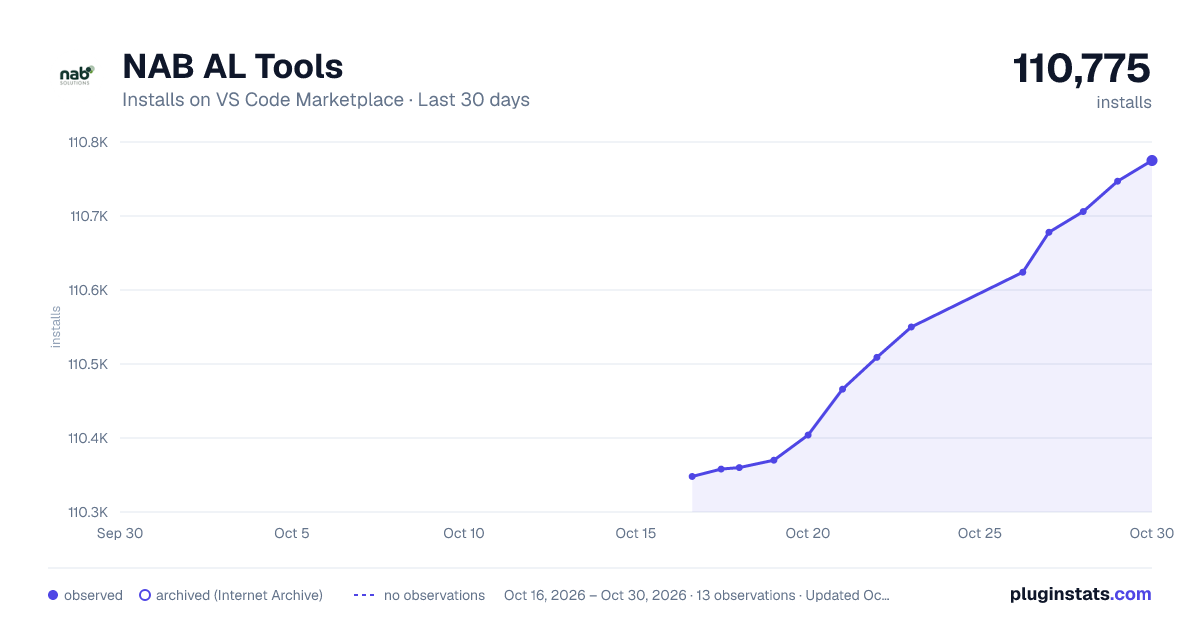
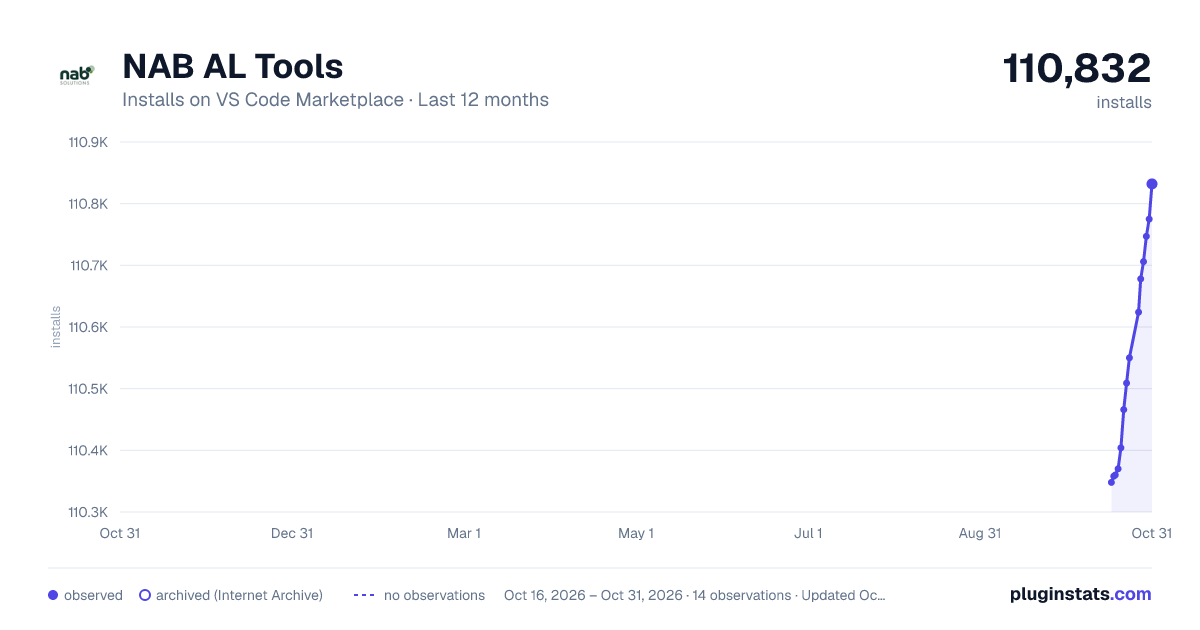
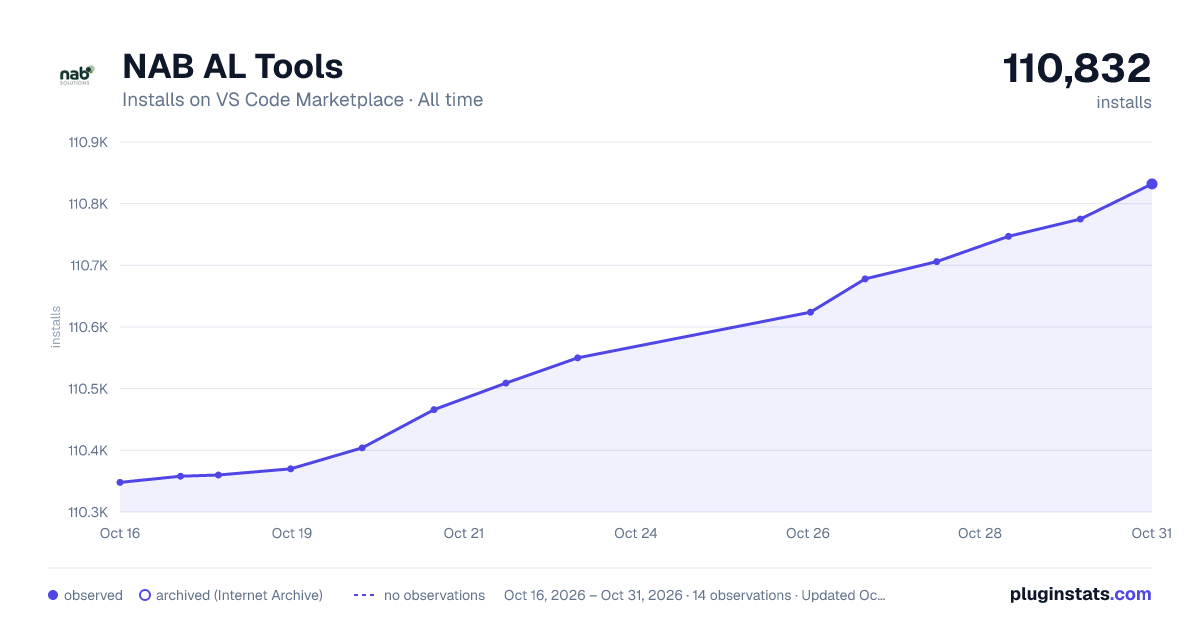

Adoption over time


7/30/90-day growth


Ranking history


Filled points are observed values; hollow points come from Internet Archive snapshots of the listing page. Dashed segments span periods with no observations — values between points are not interpolated.
Recent observations
Full history (3)Similar VS Code Marketplace Programming Languages plugins
Data source
Install counts, average rating, and rating counts come from the public Visual Studio Marketplace gallery API. Installs are cumulative and exclude updates.
Listing: https://marketplace.visualstudio.com/items?itemName=nabsolutions.nab-al-tools. First seen Oct 16, 2026; last successful collection Oct 18, 2026. See the methodology.