 PluginStats
Markdown PDF has 4,229,836 recorded installs on VS Code Marketplace.
It ranks #199 of 2,501 tracked VS Code Marketplace listings by installs.
It is rated 4.3 out of 5 from 131 ratings.
PluginStats has 4 daily observations since Oct 16, 2026; the latest is from Oct 19, 2026.
Rating: 4.35 / 5 from 131 ratings
About Markdown PDF
Markdown PDF
This VS Code extension converts Markdown files to pdf, html, png or jpeg files.
Japanese README
Table of Contents
• What's New • Breaking Changes • Features • Chromium • Usage • Extension Settings • Options • FAQ • Known Issues • Change Log • License • Sponsor • Special thanks
What's New
Highlights of new features and improvements since v2. See Breaking Changes for changes that may affect existing behavior.
2.2.0
• Improve error notifications with actionable hints and a Show Details button (details) • Add detailed logging to the new Markdown PDF output channel (details) • Add Markdown PDF: Output Diagnostics command for bug reports (details)
2.1.0
• Add PlantUML fenced code block support (details) • Add math rendering via KaTeX (details) • Auto-download latest Chrome Stable (details)
Breaking Changes
Changes since v2 that may affect existing behavior. See the FAQ section for details.
2.2.0
• With markdown-pdf.sanitize: "gfm" (default) or "gfm-allow-style", block-level , , and elements are now removed together with their content, instead of being escaped and left as visible text in the output. A notification reports what was removed during an export. • Details: Why is my raw HTML being escaped or removed?
2.1.0
• Security hardening: To mitigate XSS-like risk (#411), raw HTML in Markdown is now sanitized by default following the GFM Disallowed Raw HTML extension. Tags such as , , , and on* / javascript: attributes are stripped from Markdown body content. The behavior is controlled by the new markdown-pdf.sanitize setting. • Details: Why is my raw HTML being escaped or removed?
2.0.0
• Heading IDs now follow GitHub-compatible VS Code slug generation. Existing internal anchors in your documents may change. • Details: Why did my heading anchors change? • Highlight.js upgraded from v9 to v11. Some highlight style names have been renamed or removed. • Details: Why did my syntax highlight style stop working? • Front matter parsing is now stricter. Some previously accepted formats may be rejected. • Details: Why is my front matter no longer parsed? • Chromium is resolved from an installed Chrome/Edge browser first, or auto-downloaded on first use. • Details: How is the Chromium browser selected? / Where is Chromium downloaded?
Features
Markdown PDF adds the following authoring features on top of the default Markdown renderer when converting to PDF, HTML, PNG, or JPEG.
List
| Category | Feature | Description | Example |
| Basic syntax extensions | Syntax highlighting | Code block highlighting via highlight.js | mermaid | | | Math | LaTeX math via KaTeX | $E = mc^2$ |
Basic syntax extensions
Checkbox
Render - [ ] / - [x] task-list items as disabled checkboxes, mirroring GitHub's task list rendering. Useful for status reports and checklists that should stay visible in the exported output.
Markdown
Preview
Heading IDs
Headings receive GitHub-compatible anchor IDs automatically, so internal links such as Section resolve the same way they do on GitHub. ASCII headings are lowercased with spaces replaced by hyphens; non-ASCII headings keep their original characters.
| Heading | Generated ID |
| # My Heading | #my-heading | | # API Reference | #api-reference | | # 日本語見出し | #日本語見出し |
See also: Why did my heading anchors change? in the FAQ.
Content composition
Container
Admonition-like blocks via markdown-it-container. The identifier after ::: becomes the block's CSS class, so you can style warnings, tips, and notes by pairing it with markdown-pdf.styles.
Markdown
Stylesheet (for example markdown-pdf.css)
Settings
Preview
See also: markdown-pdf.styles.
Include
Embed the content of another Markdown file inline using :alternate-text. If a referenced fragment cannot be read (missing file, permission error, etc.), the extension reports the error at the include site and continues exporting the rest of the document.
Given the following directory layout (where README.md is the document being exported):
Markdown
Preview
See also: markdown-pdf.markdown-it-include.enable.
Diagrams & math
PlantUML
Render UML diagrams via PlantUML using markdown-it-plantuml. Two equivalent syntaxes are supported; both produce the same tag and share the markdown-pdf.plantumlServer setting.
Fenced code block
A plantuml `
@startuml Bob -[#red]> Alice : hello Alice -[#0000FF]->Bob : ok @enduml mermaid stateDiagram [*] --> First state First { [*] --> second second --> [*] } ` javascript "markdown-pdf.type": [ "pdf", "html", "png", "jpeg" ], javascript "markdown-pdf.convertOnSaveExclude": [ "^work", "work.md$", "work|test", "[0-9][0-9][0-9][0-9]-work", "work\\test" // All '\' need to be written as '\\' (Windows) ], javascript "markdown-pdf.outputDirectory": "C:\\work\\output", javascript "markdown-pdf.outputDirectory": "output", javascript "markdown-pdf.outputDirectory": "~/output", javascript "markdown-pdf.styles": [ "C:\\Users\\\\Documents\\markdown-pdf.css", "/home//settings/markdown-pdf.css", ], javascript "markdown-pdf.styles": [ "markdown-pdf.css", ], javascript "markdown-pdf.styles": [ "~/.config/Code/User/markdown-pdf.css" ], javascript "markdown-pdf.styles": [ "https://xxx/markdown-pdf.css" ], javascript "markdown-pdf.highlightStyle": "github.css", javascript "markdown-pdf.executablePath": "C:\\Program Files (x86)\\Google\\Chrome\\Application\\chrome.exe" javascript "markdown-pdf.chromium.autoDownload": true javascript "markdown-pdf.scale": 1 javascript "markdown-pdf.headerTemplate": "", javascript "markdown-pdf.footerTemplate": "", javascript "markdown-pdf.headerTemplate": "
%%ISO-DATE%%
", javascript "markdown-pdf.headerTemplate": "
", javascript "markdown-pdf.footerTemplate": " /…
Description from the VS Code Marketplace listing.
- export
- markdown
- mermaid
- multi-root ready
- PlantUML
Where Markdown PDF sits in the listing
Each band is one page of 20. Installs on a log scale. Placement is projected from installs, so it can differ from the marketplace's own sort order. Hover a dot to see the listing.


Charts
Images: 30d · 1y · all time · 1600×900 dark
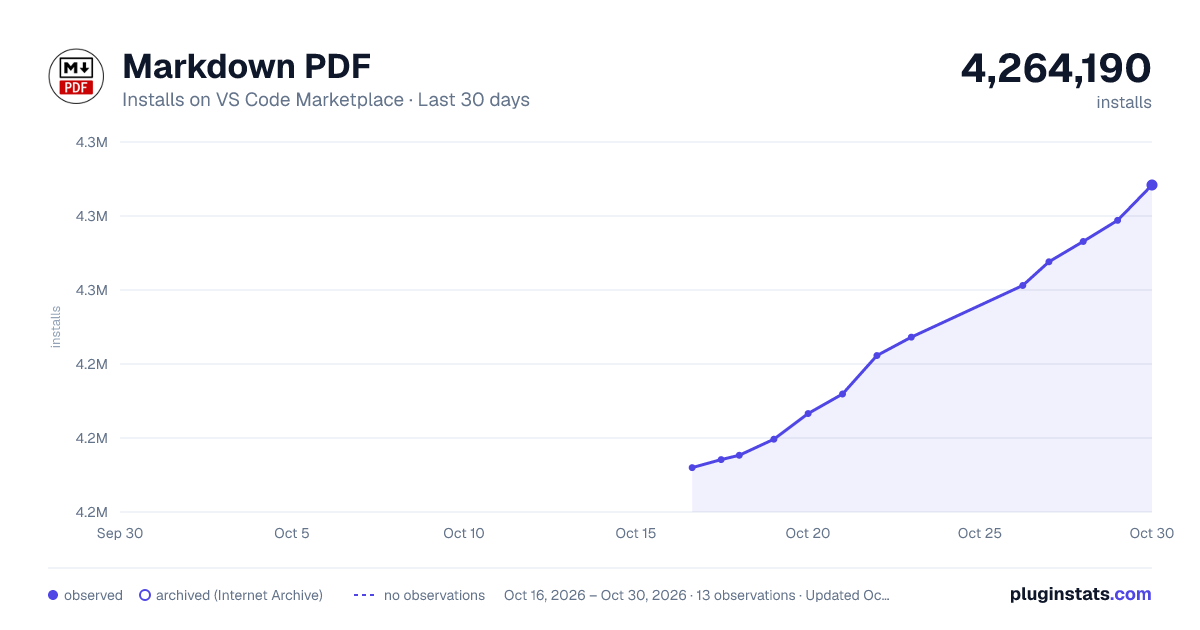
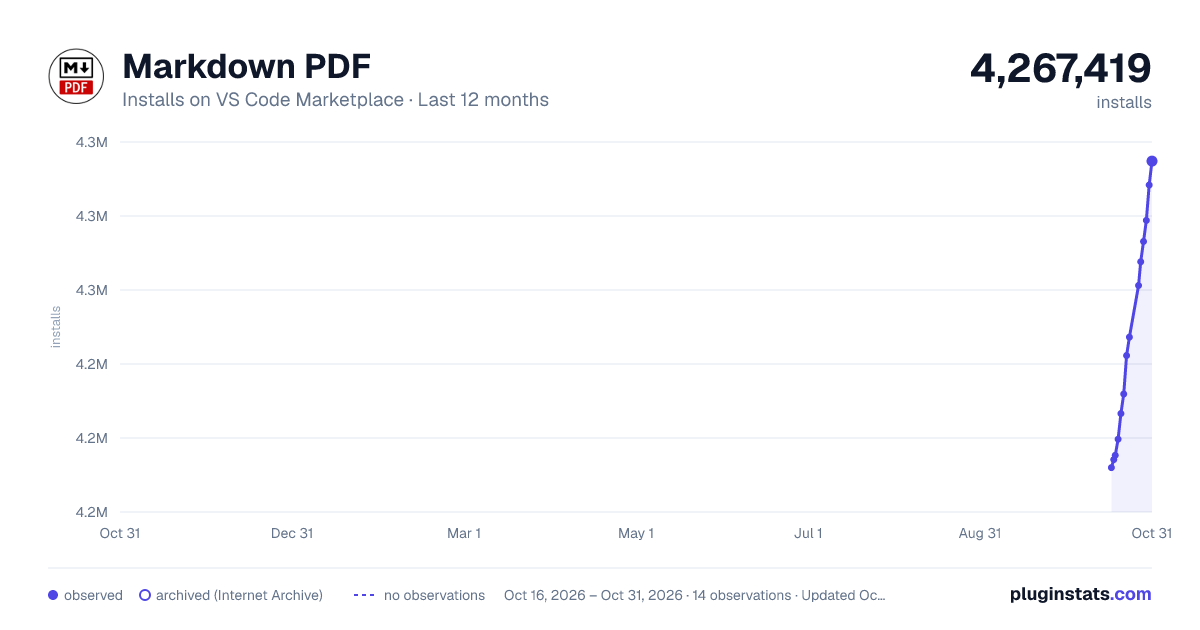
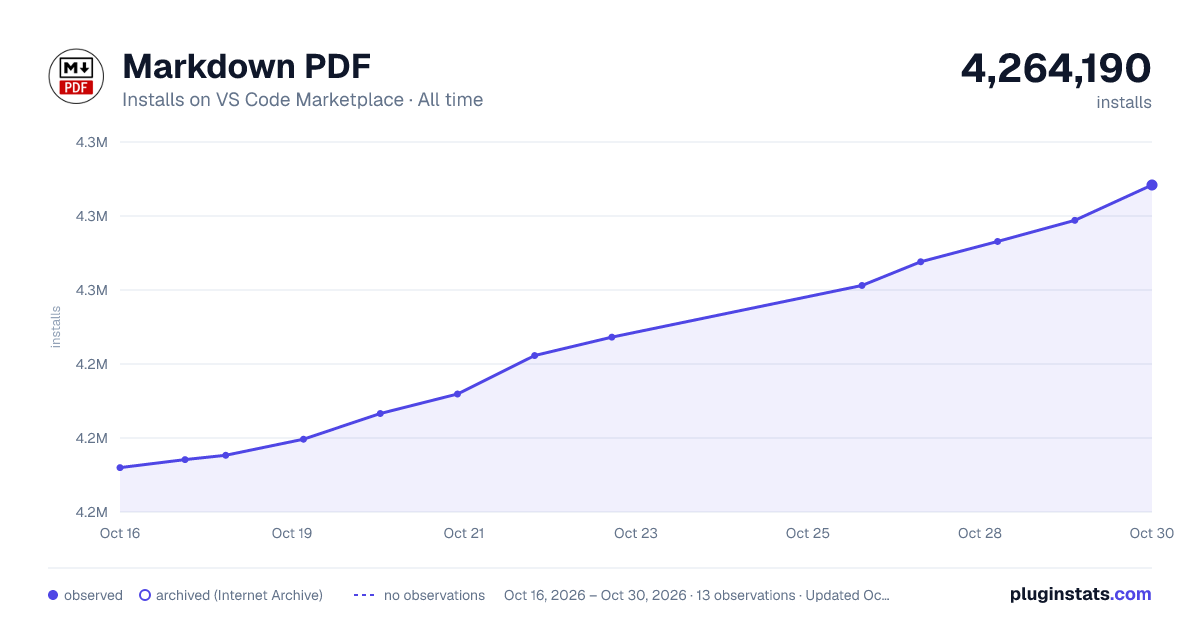

Adoption over time


7/30/90-day growth


Ranking history


Filled points are observed values; hollow points come from Internet Archive snapshots of the listing page. Dashed segments span periods with no observations — values between points are not interpolated.
Recent observations
Full history (4)Similar VS Code Marketplace Other plugins
Data source
Install counts, average rating, and rating counts come from the public Visual Studio Marketplace gallery API. Installs are cumulative and exclude updates.
Listing: https://marketplace.visualstudio.com/items?itemName=yzane.markdown-pdf. First seen Oct 16, 2026; last successful collection Oct 19, 2026. See the methodology.