 PluginStats
Filter Line installs statistics
By everettjf (2 listings) · VS Code Marketplace · Formatters
Filter line by strings or regular expressions
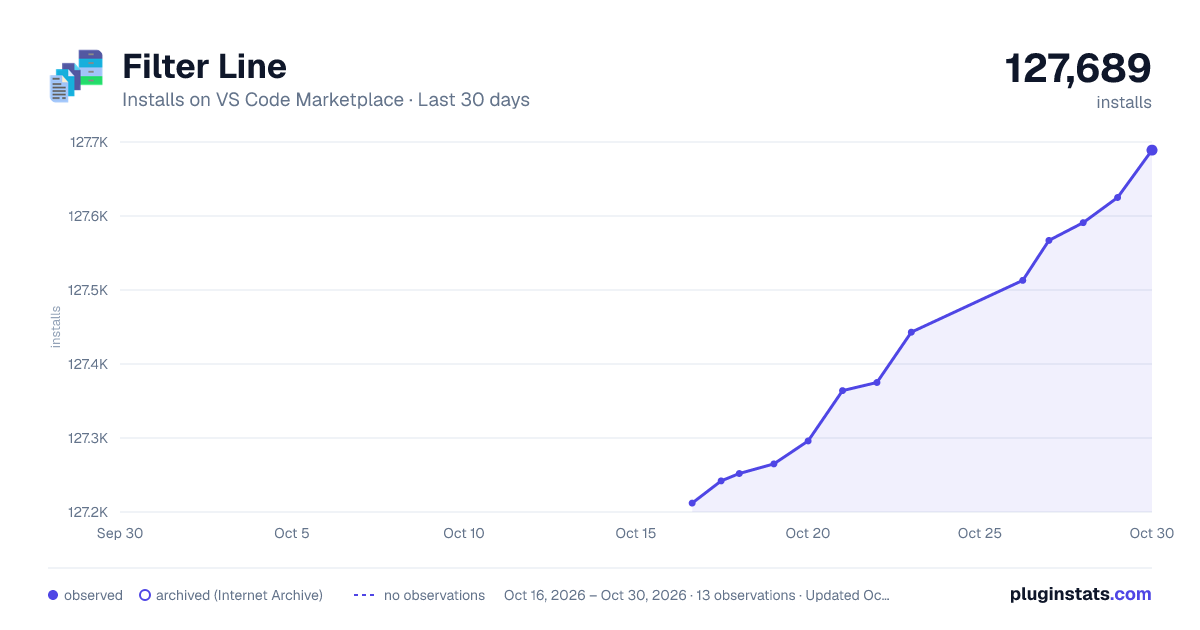
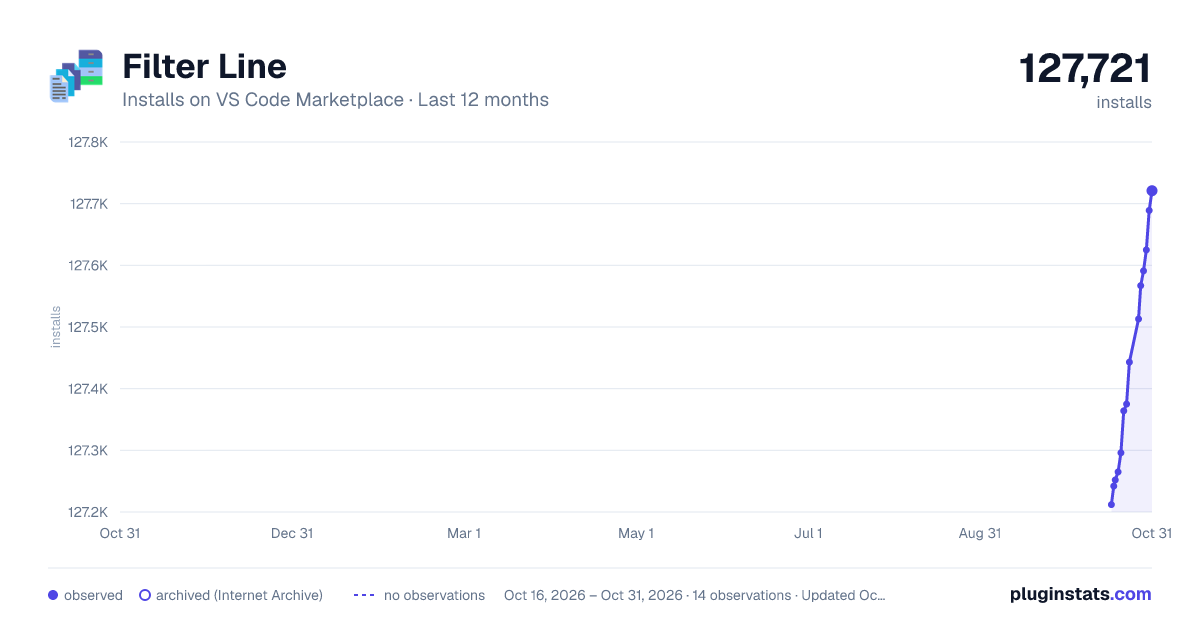
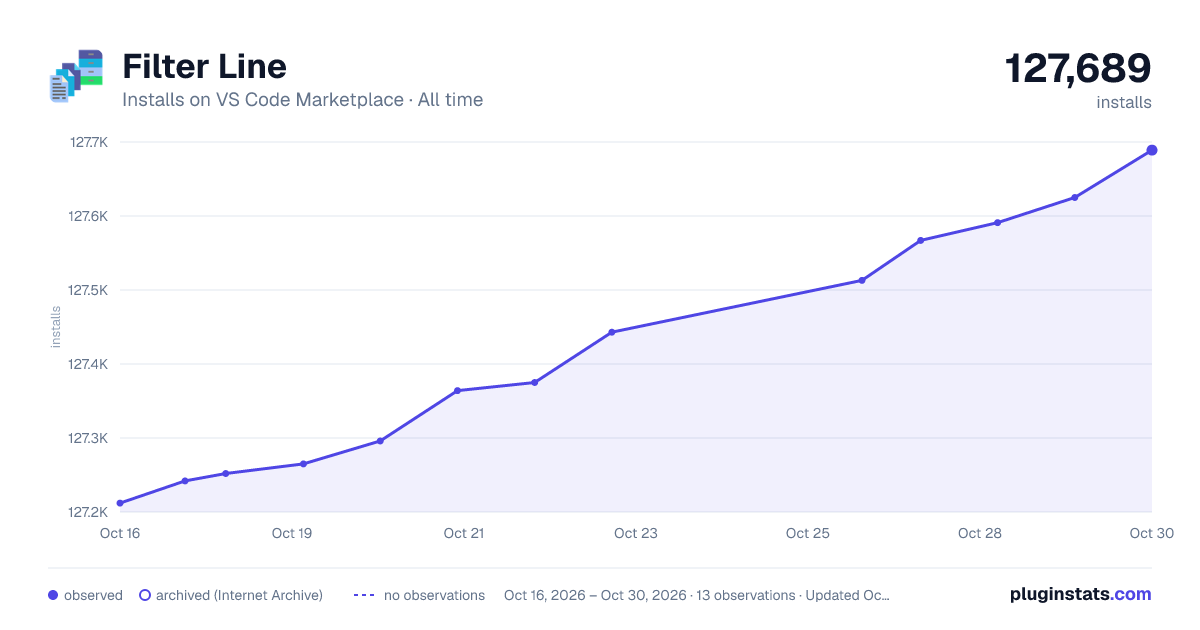
Filter Line has 127,265 recorded installs on VS Code Marketplace.
It ranks #2055 of 2,501 tracked VS Code Marketplace listings by installs.
It is rated 3.6 out of 5 from 23 ratings.
PluginStats has 4 daily observations since Oct 16, 2026; the latest is from Oct 19, 2026.
Rating: 3.61 / 5 from 23 ratings
About Filter Line
Filter Line
Filter logs and text by literal strings, regular expressions, or reusable rules. Preview matches as you type, keep surrounding context, and jump from a result back to its original line. All processing stays on your extension host.
Requires VS Code 1.96 or newer. No runtime npm dependencies.
What's new in 3.0
• Live preview: see sample matches while typing, with text/regex, case and inverse controls. • Context lines: retain surrounding lines and merge overlapping ranges without duplicates. • Filter what you see: work with unsaved documents, Untitled editors or selected lines. • Large-file processing: choose a file directly, stream results to disk and cancel running filters. • Reusable rules: save personal presets or share named include/exclude rules with your workspace. • Source navigation: jump from a filtered result back to the original line. • Safe output: create a new result without overwriting the source or earlier results.
Installation
The published extension is available on the VS Code Marketplace. The 3.0 changes documented here are available in this repository; the local build has not yet been published to Marketplace.
To try this version, run npm ci and npm run package, then choose Extensions: Install from VSIX… in VS Code and select filter-line-3.0.0.vsix. See development and verification for prerequisites.
Quick start
1. Open a document, or paste text into an Untitled editor. Unsaved changes are supported. 2. Optionally select the lines to filter. The primary selection is expanded to whole lines; an end position at column zero excludes that ending line. 3. Run Filter Line By Input String or Filter Line By Input Regex. 4. Type a pattern. The picker shows matching counts and up to 30 preview lines. Use the toolbar buttons to switch text/regex, case sensitivity, inverse matching, and context lines before/after matches. 5. Press Enter to filter. Esc closes the picker without starting another prompt.
Small results open in a new Untitled document with the source language. Save it using VS Code's normal Save / Save As commands. Results larger than 8 MiB are saved to a new file; an Open Result action lets you choose whether to load them. The completion status reports matched, scanned, and output line counts.
Preview scans at most 256 KiB of disk input or 256 Ki JavaScript characters from an editor buffer, and at most 5,000 lines. Counts explicitly say sample only when truncated. Preview lines are shortened to 300 characters; full filtering retains complete lines. Changing the pattern cancels the previous preview. Long-running regexes execute in a worker and can be cancelled.
Files, context and navigation
• Filter Line: Choose File selects a file without opening it first. This replaces the old empty filterline placeholder workaround. • Explorer and editor context menus filter the selected target. An already-open target uses its current buffer, including unsaved edits. • Context windows merge without duplicating lines. Match counts exclude context-only lines. • Filter Line: Go to Source Line jumps from the result cursor to its original line. Navigation is available while the result remains open in this session. Editing the result or changing/closing the source buffer invalidates its mapping; filter again to refresh it. • Filter Line: Clear History clears the locally stored pattern history. Reused patterns move to the front. Legacy history is imported automatically.
Disk output never replaces the source or a previous result. For app.log, saved results are named app.log.filterline.log, then app.log.filterline.1.log, etc. Filtering an existing result creates another new result. Output is fully written before publication. Publication uses a temporary sibling and an exclusive hard link, so the destination filesystem must support hard links. Cancelled or failed runs remove their temporary output.
Performance
Disk filtering streams input and output instead of loading the entire file into memory. Matching runs in a cancellable worker, and previews use a bounded sample. Line splitting and context handling avoid repeated scans of growing buffers or already-emitted lines.
Measured locally on macOS arm64 with Node.js v23.11.0, before and after the latest performance improvements to the 3.0 implementation:
| Workload | Before | After |
| 256 MiB file, all lines match | 2.658 s | 1.819 s | | 64 MiB file, dense matches with 1,000 preceding context lines | 5.531 s | 0.494 s | | 16 MiB input containing 8 MiB individual lines | 3.453 s | 0.074 s |
These are single-run measurements, not timing guarantees. Normal streaming cases used about 86 MiB process RSS, including the worker. The 256 MiB all-match case used approximately the same memory as the 64 MiB case.
npm run test:performance checks 11 workloads for output correctness, memory, throughput, preview latency and scaling regressions. The CI workflow includes this suite with enforced budgets. See performance results and guardrails for reproducible commands, raw reports, thresholds and measurement limitations.
Presets and workspace configuration
After a successful text/regex filter, run Filter Line: Save Last Filter as Preset. Give it a unique name, then use Filter Line: Use Saved Preset in any workspace. These presets, including case, inverse and context settings, are stored locally.
For shared project rules, create .vscode/filterline.json in the target file's workspace and run Filter Line By Config File. JSON completion and validation are provided automatically. Multiple workspace folders use their own configurations.
combined uses literal strings by default; regex: true enables regular expressions. Empty include matches all lines; any matching exclude removes a line. match controls whether any or all include rules are required. Matching is case-sensitive unless caseSensitive is false. before and after accept integers from 0 to 1000.
Existing configuration types remain supported:
| Type | Behavior |…
Description from the VS Code Marketplace listing.
- json
Where Filter Line sits in the listing
Each band is one page of 20. Installs on a log scale. Placement is projected from installs, so it can differ from the marketplace's own sort order. Hover a dot to see the listing.


Charts
Images: 30d · 1y · all time · 1600×900 dark

Adoption over time


7/30/90-day growth


Ranking history


Filled points are observed values; hollow points come from Internet Archive snapshots of the listing page. Dashed segments span periods with no observations — values between points are not interpolated.
Recent observations
Full history (4)Similar VS Code Marketplace Formatters plugins
Data source
Install counts, average rating, and rating counts come from the public Visual Studio Marketplace gallery API. Installs are cumulative and exclude updates.
Listing: https://marketplace.visualstudio.com/items?itemName=everettjf.filter-line. First seen Oct 16, 2026; last successful collection Oct 19, 2026. See the methodology.