 PluginStats
Playwright Test Runner installs statistics
By sakamoto66 · VS Code Marketplace · Testing
Simple way to run or debug a single (or multiple) tests from context-menu
Playwright Test Runner has 109,477 recorded installs on VS Code Marketplace.
It ranks #2243 of 2,500 tracked VS Code Marketplace listings by installs.
It is rated 5.0 out of 5 from 2 ratings.
PluginStats has 3 daily observations since Oct 16, 2026; the latest is from Oct 18, 2026.
Rating: 5.00 / 5 from 2 ratings
About Playwright Test Runner
Playwright Test Runner
Running or debugging a specific test or test-suite by playwright.
VisualStudio Marketplace
Features
Simple way to run or debug a specific test *As it is possible in IntelliJ / Webstorm*
Run, Debug and Inspect your Playwright from
• Context-Menu • CodeLens • Command Palette [ strg(ctrl) + shift + p ]
Supports
• Run playwright test • Debug playwright test • Inspect playwrigt test • Show Playwright Test Report By json format • Genrate Playwright Test Code
Extension Settings
Playwright Test Runner will work out of the box, with a valid Jest config. If you have a custom setup use the following options to configure Playwright Test Runner:
Variable
sample : /workspace/packages/sample/tests/test.spec.js
| Variable | Description | sample |
|${workspaceRoot}|the path of the project opened in vscode.| /workspace | |${packageRoot}|the path of directory with package.json.| /workspace/packages/sample | |${currentFile}|the current file | /workspace/packages/sample/tests/test.spec.js | |${fileBasename}|the current file name with ext.| test.spec.js | |${fileBasenameNoExtension}|the current file name without ext.| test.spec | |${fileExtname}|the current file name with ext.| .js | |${fileDirname}|the current file name with ext.| /workspace/packages/sample/tests |
Extension Settings for playwright
| Command | Description |
| playwrightrunner.playwrightCommand | Define an alternative playwright command (e.g. npx playwright) | | playwrightrunner.playwrightConfigPath | Playwright config path (relative to ${packageRoot} e.g. playwright.config.ts) | | playwrightrunner.playwrightRunOptions | Add CLI Options to the playwright Command (e.g. --headed) | | playwrightrunner.playwrightRunProject | Specify the project to run Test (e.g. chromium) | | playwrightrunner.playwrightDebugProject | Specify the project to run Debug (e.g. chromium) | | playwrightrunner.playwrightInspectProject | Specify the project to run inspector (e.g. chromium) | | playwrightrunner.playwrightEnvironmentVariables | Add Environment Variables (e.g. NODE_ENV=product) |
Extension Settings for common
| Command | Description |
| playwrightrunner.disableCodeLens | Disable CodeLens feature | | playwrightrunner.codeLensSelector | CodeLens will be shown on files matching this pattern (default **/*.{test,spec}.{js,jsx,ts,tsx}) | | playwrightrunner.projectPath | Absolute path to project directory (e.g. /home/me/project/sub-folder) | | playwrightrunner.changeDirectoryToWorkspaceRoot | Changes directory to workspace root before executing the test |
Shortcuts
click File -> Preferences -> Keyboard Shortcuts -> "{}" (top right) the json config file will open add this:
Want to start contributing features?
Some open topics get you started
Show Playwright Test Report
You can check the reporter (json) output by Playwright.
• step 1 create playwright.config • step 2 Run playwright • step 3 show playwright test report
Genearete Playwright Test Code
You can generate Playright test code.
• step 1 select "Generate Playwright Test Code" from right menu on explorer. • step 2 please input filename to generate playwright test code. • step 3 open browser and inspect • step 4 close browser and genrate test code.
Description from the VS Code Marketplace listing.
Where Playwright Test Runner sits in the listing
Each band is one page of 20. Installs on a log scale. Placement is projected from installs, so it can differ from the marketplace's own sort order. Hover a dot to see the listing.


Charts
Images: 30d · 1y · all time · 1600×900 dark

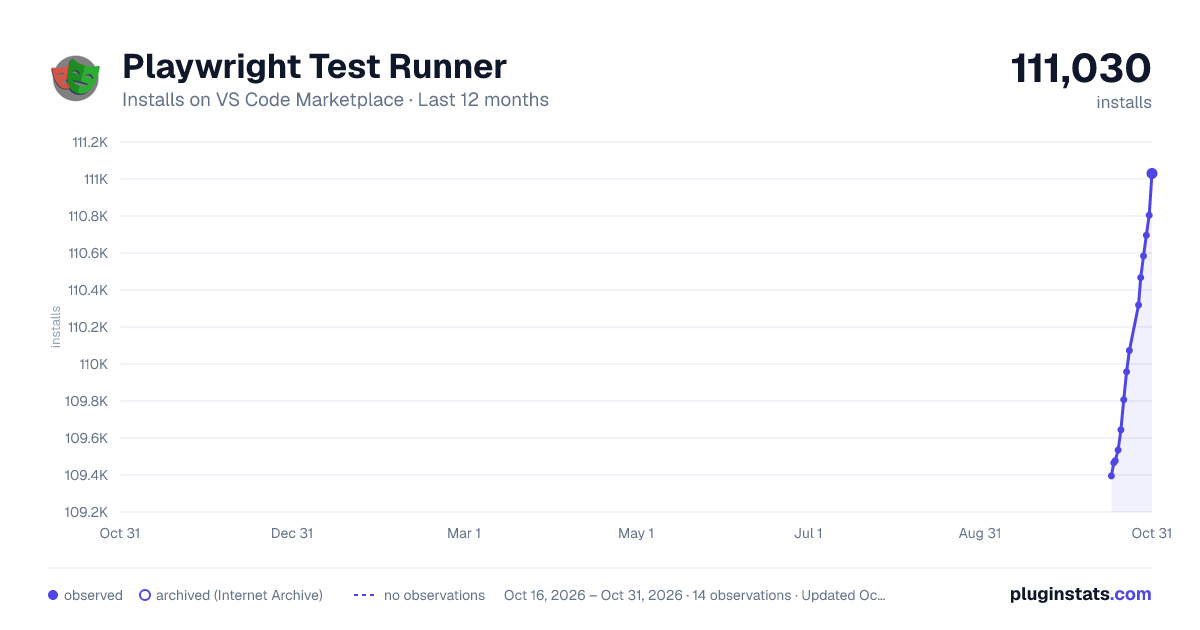
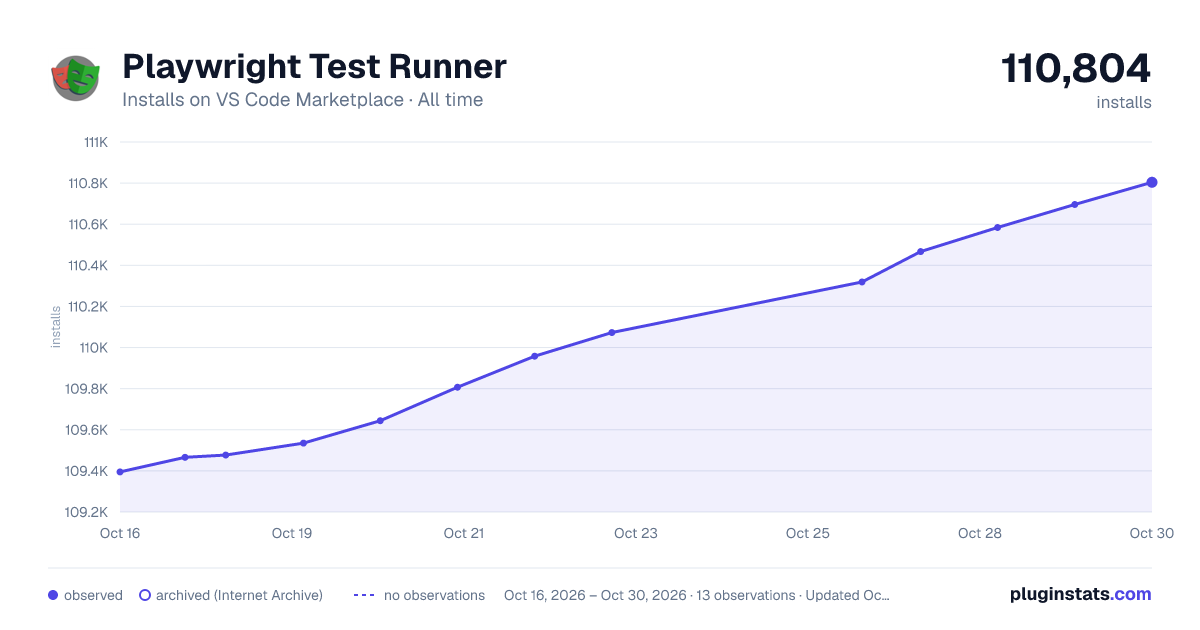

Adoption over time


7/30/90-day growth


Ranking history


Filled points are observed values; hollow points come from Internet Archive snapshots of the listing page. Dashed segments span periods with no observations — values between points are not interpolated.
Recent observations
Full history (3)Similar VS Code Marketplace Testing plugins
Data source
Install counts, average rating, and rating counts come from the public Visual Studio Marketplace gallery API. Installs are cumulative and exclude updates.
Listing: https://marketplace.visualstudio.com/items?itemName=sakamoto66.vscode-playwright-test-runner. First seen Oct 16, 2026; last successful collection Oct 18, 2026. See the methodology.