 PluginStats
Pascal installs statistics
By Alessandro Fragnani (8 listings) · VS Code Marketplace · Programming Languages
Pascal language support for Visual Studio Code
Pascal has 487,581 recorded installs on VS Code Marketplace.
It ranks #858 of 2,501 tracked VS Code Marketplace listings by installs.
It is rated 4.4 out of 5 from 15 ratings.
PluginStats has 4 daily observations since Oct 16, 2026; the latest is from Oct 19, 2026.
Rating: 4.40 / 5 from 15 ratings
About Pascal
What's new in Pascal 10.1
• Adds New File templates support • Adds Codespaces support • Adds more FreePascal Keywords • Published to Open VSX • Improves Syntax Highlighting support for FreePascal and Oxygene • Adds Web support • Adds Getting Started / Walkthrough
Support
Pascal is an open source extension created for Visual Studio Code. While being free and open source, if you find it useful, please consider supporting it
Pascal
It adds support for the Pascal language and its dialects like Delphi and FreePascal.
Here are some of the features that Pascal provides:
• Syntax highlighting for files, forms and projects • A huge set of Snippets • Source code navigation
Features
Coding with style
Syntax Highlighting
Pascal supports full syntax highlighting for Delphi and FreePascal
Snippets
Almost 40 snippets are available
Format Code
Check out Pascal Formatter documentation.
Code Navigation
Navigate to any language element (methods, attributes, classes, interfaces, and so on) inside Pascal files. It supports native VS Code commands like:
• Go to Symbol • Go to Definition • Peek Definition • Find All References
It uses GNU Global, a source code tagging system, which means that it has some limitations if you compare with an AST parsing.
Installing and Configuring GNU Global
You have to install 4 tools:
• GNU Global 6.5 or higher (http://www.gnu.org/software/global/global.html) • Exuberant Tags 5.5 or higher (http://ctags.sourceforge.net/) • Python 2.7 or higher (https://www.python.org/) • Python Pygments (via pip install Pygments)
Instructions (for Windows)
1. Download the installers and install
2. Update your %PATH% Environment Variable (_System_)
Let's say you extract GNU Global and CTags in C:\gnu folder. The two new entries in %PATH% should be: • GNU Global: C:\gnu\glo653wb\bin • Exuberant Tags: C:\gnu\ctags58\ctags58
Also make sure Python is in %PATH%
3. Create 2 new Environment Variables (_System_)
GNU Global uses CTags + Python Pygments as plugin in order to recognizes Pascal source code, so you have to configure them. • GTAGSCONF: C:\gnu\glo653wb\share\gtags\gtags.conf • GTAGSLABEL: pygments
Instructions (for Linux)
1. Install the tools using apt
2. Add GTAGSCONF AND GTAGSLABEL environment variables
Since there is no default gtags.conf file o Linux, you must copy it from a Windows setup/installer and put at /etc/gtags.conf
Thanks to @trey-k for sharing the instructions in this comment
Available commands
Code Navigation
To enable Code Navigation, the extension depends on GNU Global and Exuberant Tags and for that, you must run gtags on the Root folder, so the tags are created. In order to make life easier, two commands where added:
• Pascal: Generate Tags: Use this to _create_ or _reset_ the tags in the current project. You just have to do it once. • Pascal: Update Tags: Use this to _update_ the tags for current project. You should use this command to _update the references_ when any source code is updated.
Available Settings
Controls how the code navigation should work. Specially useful if you work with huge projects
• workspace: Full featured code navigation • file: Limited to Go to Symbol in File command • Controls if the extension should automatically generate tags in projects opened for the first time
For huge projects, its recommended to use:
Task Build
Use this Task Examples, so you can:
• Compile Delphi and FreePascal projects: • Navigate to _Errors/Warnings/Hints_, using the native _View / Errors and Warnings_ command
Building Tasks
If you want to build tasks _(Task: Run Task Build)_ you can use the snippets below.
Delphi
Update two tags:
• DCC32.EXE_PATH: The compiler location • YOUR_DELPHI_PROJECT.DPR: The project being built.
FreePascal
Update two tags:
• FPC_BIN_PATH: The full compiler location. If its PATH is already in _Environment Variables_, simply use FPC_BIN filename • YOUR_FREEPASCAL_PROJECT_OR_FILE: The project/file being built.
Contributors
Special thanks to the people that have contributed to the project:
• jamalkamaladdin - az translations see PR) • trey-k - Instructions for Linux install see Comment • Robert Roland (@robdaemon) - Missing keywords from FreePascal (see PR) • Midas (Wither) (@TheWitheredStriker) - Missing keywords from FreePascal and Oxygene (see PR) and (see PR) • creativelaides (@creativelaides) - Task upgrade (see PR) • space (@SpaceEEC) - Fixed parentesis in snippet (see PR) • AnsonYeung (@AnsonYeung) - Fixed autocomplete in snippet (see PR) • AnsonYeung (@AnsonYeung) - Added .lpr file extension support (see PR) • Jonathan Carter (@lostintangent) - Support Live Share (see PR) • Jan T. Sott (@idleberg) - Fixed escape in snippet (see PR) • Wade Anderson (@waderyan) - Updated marketplace category (see PR)
Also thanks to everyone who helped opening issues with ideas and bug reports.
License
MIT © Alessandro Fragnani
Description from the VS Code Marketplace listing.
- delphi
- freepascal
- lazarus
- multi-root ready
- pascal
- snippet
Where Pascal sits in the listing
Each band is one page of 20. Installs on a log scale. Placement is projected from installs, so it can differ from the marketplace's own sort order. Hover a dot to see the listing.


Charts
Images: 30d · 1y · all time · 1600×900 dark
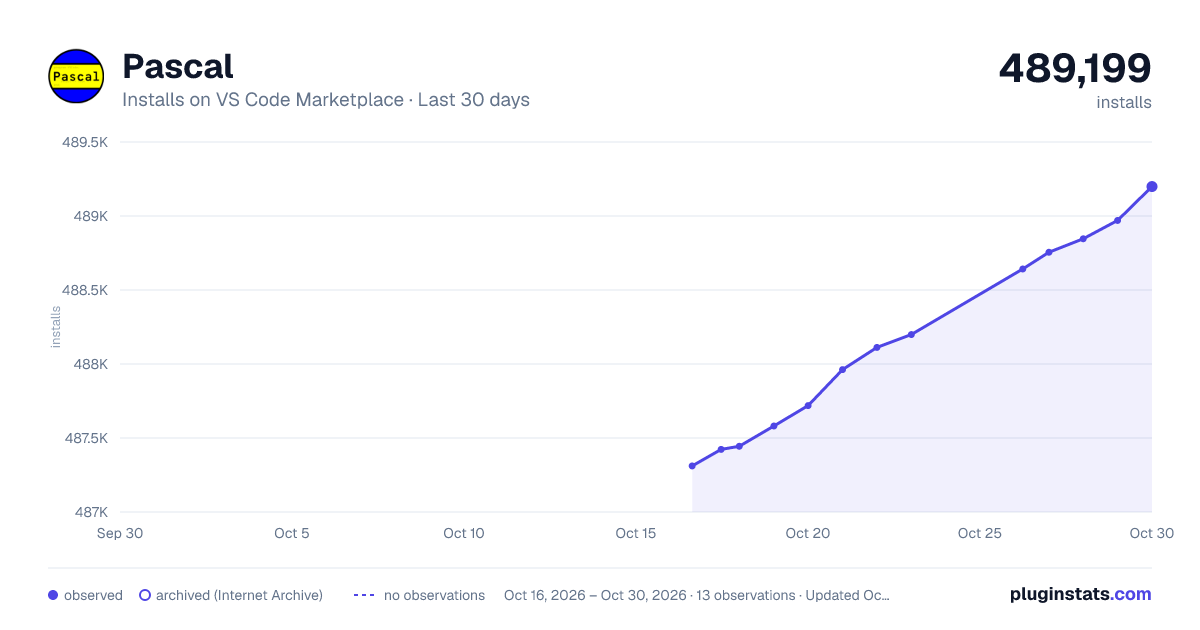
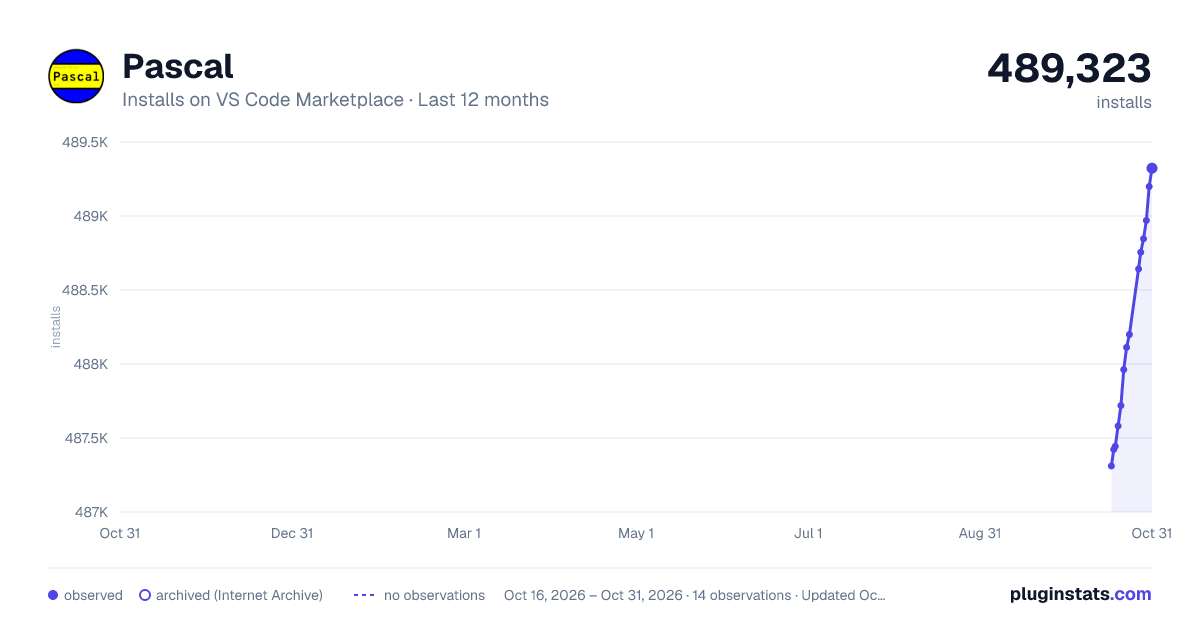
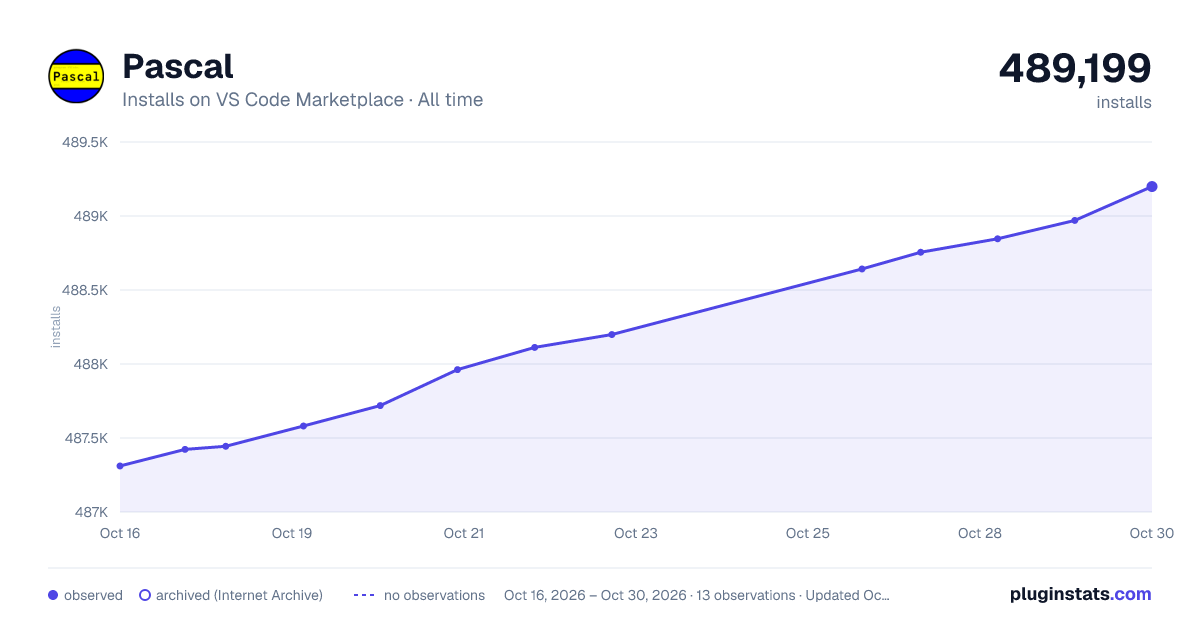

Adoption over time


7/30/90-day growth


Filled points are observed values; hollow points come from Internet Archive snapshots of the listing page. Dashed segments span periods with no observations — values between points are not interpolated.
Recent observations
Full history (4)Similar VS Code Marketplace Programming Languages plugins
Data source
Install counts, average rating, and rating counts come from the public Visual Studio Marketplace gallery API. Installs are cumulative and exclude updates.
Listing: https://marketplace.visualstudio.com/items?itemName=alefragnani.pascal. First seen Oct 16, 2026; last successful collection Oct 19, 2026. See the methodology.