 PluginStats
Android installs statistics
By adelphes · VS Code Marketplace · Debuggers
Android debugging support for VS Code
Android has 602,738 recorded installs on VS Code Marketplace.
It ranks #759 of 2,500 tracked VS Code Marketplace listings by installs.
It is rated 2.5 out of 5 from 4 ratings.
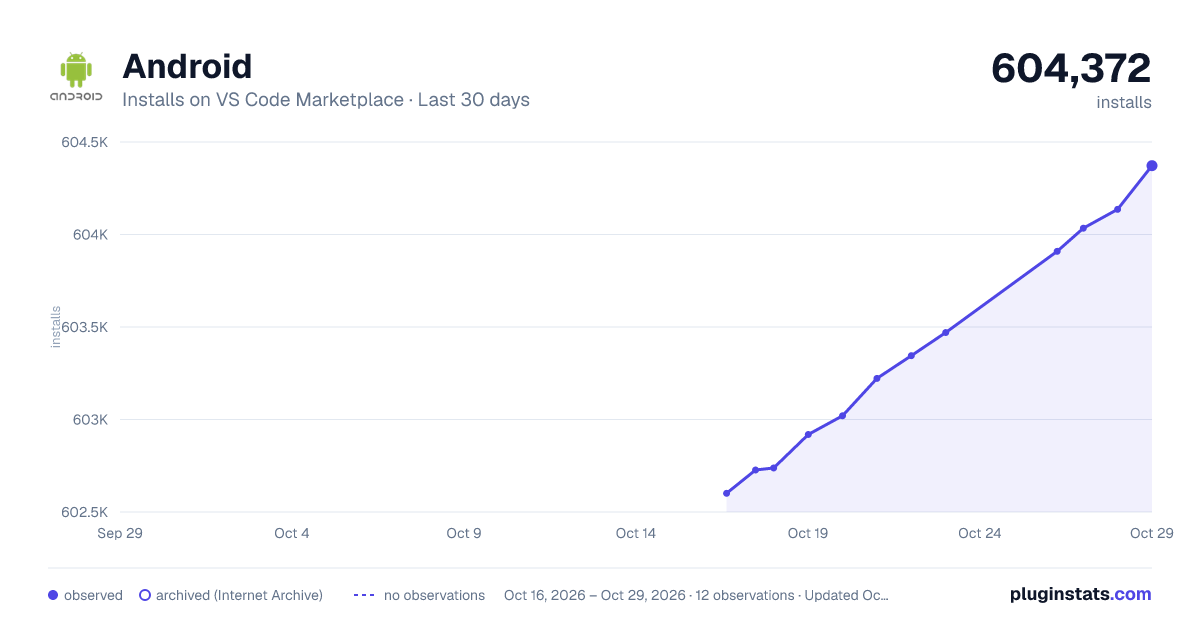
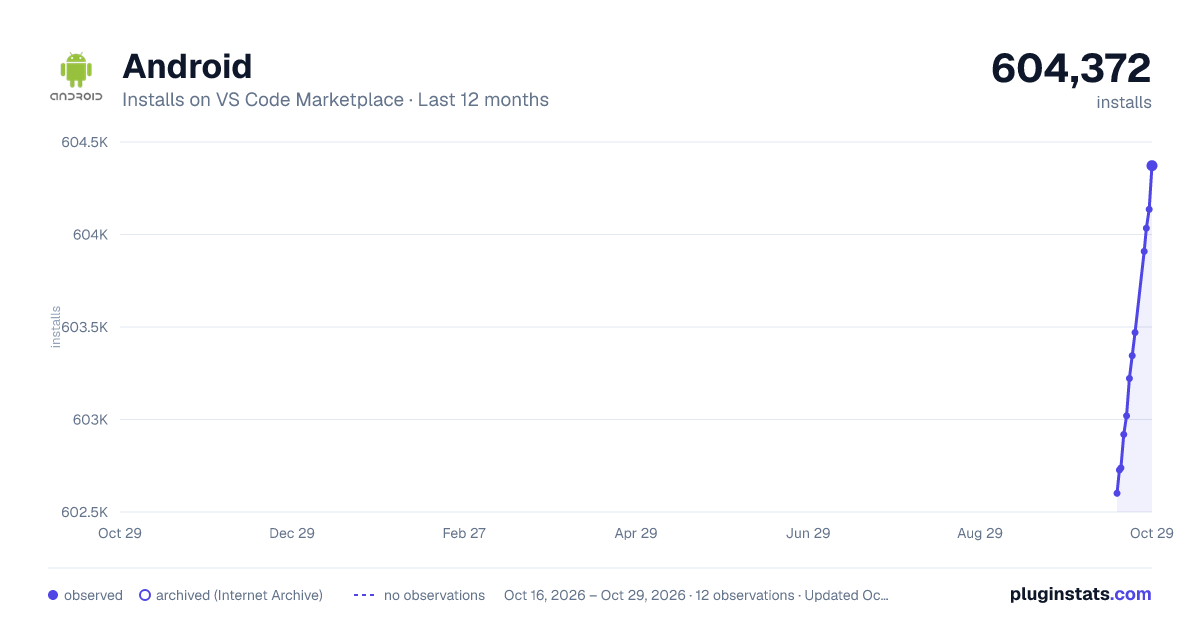
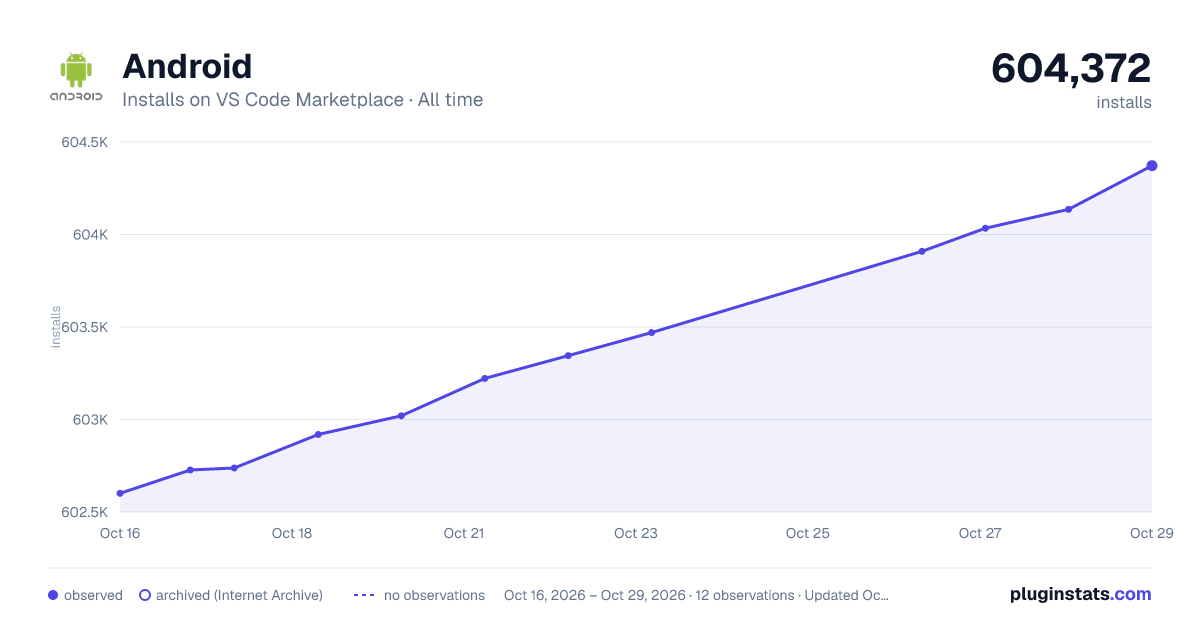
PluginStats has 3 daily observations since Oct 16, 2026; the latest is from Oct 18, 2026.
Rating: 2.50 / 5 from 4 ratings
About Android
Android for VS Code
This is a preview version of the Android for VS Code Extension. The extension allows developers to install, launch and debug Android Apps from within the VS Code environment.
What's New
• Java Intellisense for Android is now in beta.
Features
• Line by line code stepping • Breakpoints • Variable inspection and modification • Logcat viewing [ Command Palette -> Android: View Logcat ] • Break on exceptions • Step through Android sources
Requirements
You must have Android SDK Platform Tools installed. This extension communicates with your device via the ADB (Android Debug Bridge) interface. You are not required to have Android Studio installed - if you have Android Studio installed, make sure there are no active instances of it when using this extension or you may run into problems with ADB.
Limitations
• This is a preview version so expect the unexpected. Please log any issues you find on GitHub. • This extension will not build your app. If you use gradle (or Android Studio), you can build your app from the command-line using ./gradlew assembleDebug or configure a VSCode Build Task to run the command (see below). You must use gradle or some other build procedure to create your APK. Once built, the extension can deploy and launch your app, allowing you to debug it in the normal way. See the section below on how to configure a VSCode Task to automatically build your app before launching a debug session. • Some debugger options are yet to be implemented. You cannot set conditional breakpoints and watch expressions must be simple variables. • If you require a must-have feature that isn't there yet, let us know on GitHub.
Extension Settings
This extension allows you to debug your App by creating a new Android configuration in launch.json. The following settings are used to configure the debugger:
Building your app automatically
This extension will not build your App. If you would like to run a build each time a debug session is started, you can add a preLaunchTask option to your launch.json configuration which invokes a build task.
.vscode/launch.json
Add a preLaunchTask item to the launch configuration:
Add a new task to run the build command:
.vscode/tasks.json
Java Intellisense
Support for Java Intellisense is currently in beta, so any feedback is appreciated.
To use Java intellisense, make sure the option is enabled in Settings (Extensions > Android > Enable Java language support for Android) and press ctrl/cmd-space when editing a Java source file.
You can read more about using code-completion on the VSCode website and how to configure code-completion to suit your Android project in the wiki.
Expression evaluation
Format specifiers can be appended to watch and repl expressions to change how the evaluated result is displayed. The specifiers work with the same syntax used in Visual Studio. See https://docs.microsoft.com/en-us/visualstudio/debugger/format-specifiers-in-cpp for examples.
You can also apply the specifiers to object and array instances to format fields and elements:
Note: Format specifiers for floating point values (e/g) and string encoding conversions (s8/su/s32) are not supported.
Powered by coffee
The Android Developer Extension is a completely free, fully open-source project. If you've found the extension useful, you can support it by buying me a coffee.
If you use ApplePay or Google Pay, you can scan the code with your phone camera:
Every coffee makes a difference, so thanks for adding your support.
Questions / Problems
If you run into any problems, tell us on GitHub or contact me on Twitter.
Description from the VS Code Marketplace listing.
- debuggers
- java
Where Android sits in the listing
Each band is one page of 20. Installs on a log scale. Placement is projected from installs, so it can differ from the marketplace's own sort order. Hover a dot to see the listing.


Charts
Images: 30d · 1y · all time · 1600×900 dark

Adoption over time


7/30/90-day growth


Filled points are observed values; hollow points come from Internet Archive snapshots of the listing page. Dashed segments span periods with no observations — values between points are not interpolated.
Recent observations
Full history (3)Similar VS Code Marketplace Debuggers plugins
Data source
Install counts, average rating, and rating counts come from the public Visual Studio Marketplace gallery API. Installs are cumulative and exclude updates.
Listing: https://marketplace.visualstudio.com/items?itemName=adelphes.android-dev-ext. First seen Oct 16, 2026; last successful collection Oct 18, 2026. See the methodology.