 PluginStats
PHP Mess Detector installs statistics
By Ecodes.io · VS Code Marketplace · Linters
VSCode plugin for PHP Mess Detector
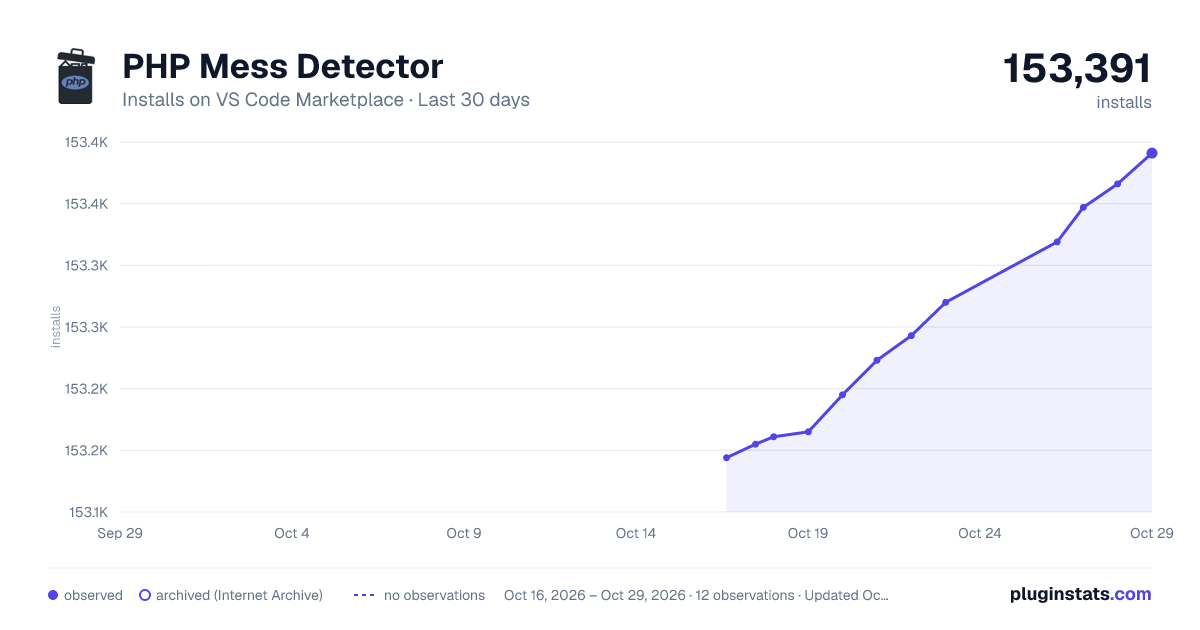
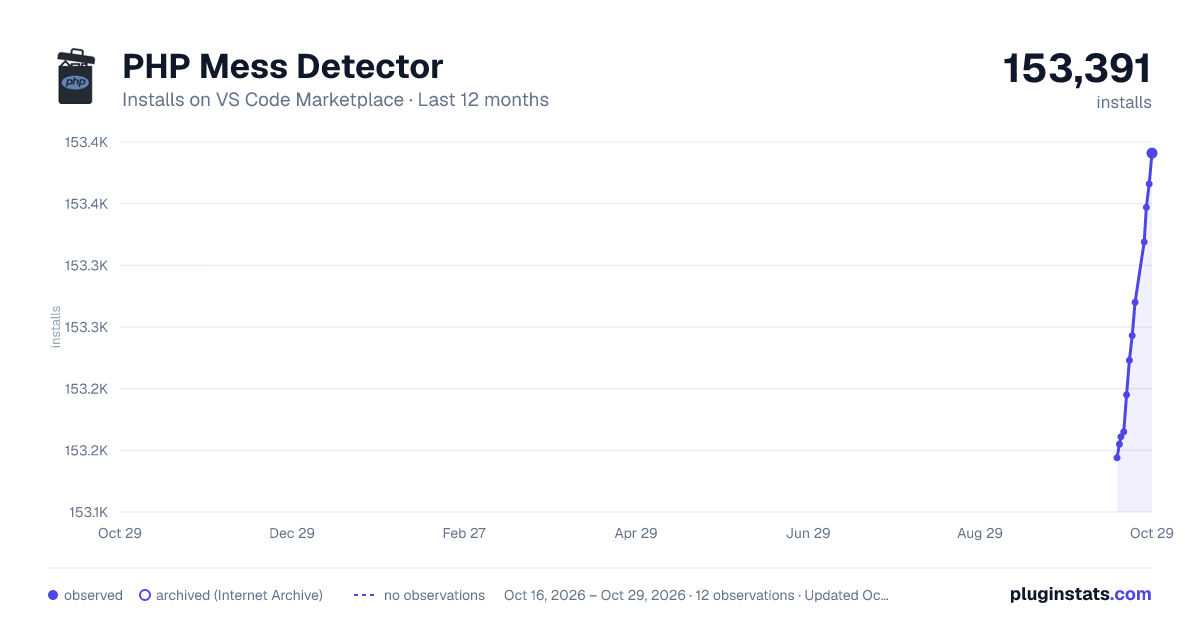
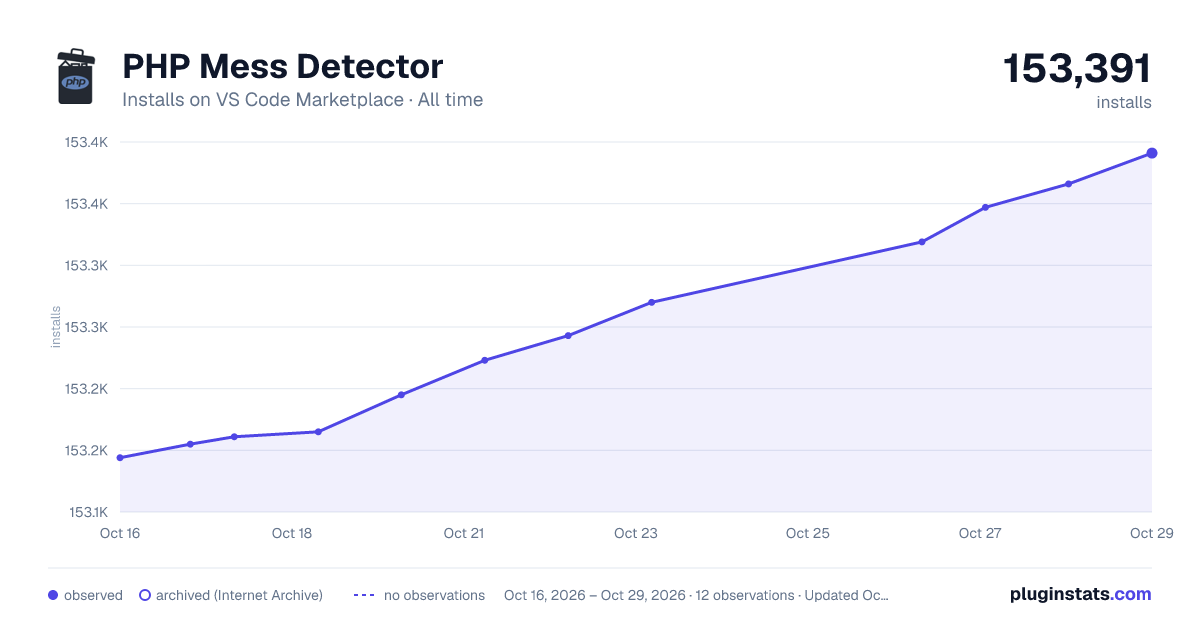
PHP Mess Detector has 153,161 recorded installs on VS Code Marketplace.
It ranks #1833 of 2,500 tracked VS Code Marketplace listings by installs.
It is rated 5.0 out of 5 from 7 ratings.
PluginStats has 3 daily observations since Oct 16, 2026; the latest is from Oct 18, 2026.
Rating: 5.00 / 5 from 7 ratings
About PHP Mess Detector
VSCode PHP Mess Detector
Features
• Analyze your PHP source code on save with PHP mess detector • No additional setup required if PHP is installed on your system • Customize which PHPMD rules are used • Supports custom PHPMD ruleset files
Installation
To install the extension: Press F1, type ext install vscode-phpmd
Using the built-in PHPMD PHAR
To use the built-in PHP mess detector you need to have PHP in your PATH. To test, open a shell or command window and type php -v, this should return "PHP x.x.x ...". If PHP is in your PATH you can directly use this extension, no further setup is required.
Using a custom PHPMD PHAR or executable
If you want to customize the default PHP mess detector command, e.g. you have PHP mess detector globally installed through composer or have PHP available on a different location, you can customize the command with the command setting.
Configuration
The following configuration options are available:
phpmd.command:
Customize the PHP mess detector command. If left empty the built-in PHPMD PHAR archive will be executed and PHP needs to be available on your PATH. If you want to use a different PHPMD PHAR you can customize the command here.
Examples:
To use PHPMD installed globally with composer on a windows machine set this setting to:
Or to use your own PHPMD PHAR on a custom location:
*Security fix in version 1.3.0:* *Before version 1.3.0 it was possible to set phpmd.command through workspace settings. This unfortunately opened possibilities for a remote code execution attack. As such, since version 1.3.0, this setting is disabled at workspace level to address this issue. I do understand though that some users used this workspace setting in their day to day work therefore it is still possible to override the phpmd.command setting through workspace settings via the phpmd.unsafeCommand setting. This setting is disabled by default, use at your own risk, see the explanation at the phpmd.unsafeCommandEnabled setting.*
phpmd.unsafeCommand:
Customize the PHP mess detector command from workspace settings. This setting is ignored by default if phpmd.unsafeCommandEnabled is not set to true.
*Warning:* Please be aware that using this setting opens a possibility for a remote code execution attack. See the explanation at the phpmd.unsafeCommandEnabled setting.
phpmd.unsafeCommandEnabled:
Enable customizing the PHP mess detector command from workspace settings. Default is false. This setting can't be set in workspace settings.
*Warning:* Please be aware that enabling this setting opens a possibility for a remote code execution attack. When opening a folder from an untrusted source, the opened folder could have a .vscode folder with a settings.json file defining the phpmd.unsafeCommand setting. The command configured there will be executed as soon as a php file is opened in the workspace. The author of the untrusted code could execute any command on your system through this setting, resulting in your system possibly being compromised. Use at your own risk.
phpmd.rules:
Customize the PHPMD ruleset files used. This option can also take the path to a custom PHPMD ruleset file. Use VS Code's workspace settings to control the rules or ruleset files per workspace. When setting a path to a ruleset file, and the path starts with "~/" this will be replaced with the OS homedir. The string "${workspaceFolder}" in a path to a ruleset file will be replaced with an absolute path to the folder in the workspace which relates to the file that is being validated. Refer to PHPMD's documentation for more information on the ruleset parameter.
Examples:
To use only the cleancode ruleset and skip all the others:
Pass a comma seperated list of rulesets:
Pass the path to a ruleset file:
Pass the path to a ruleset file located in the home directory:
Pass the path to a ruleset file located in the workspace folder:
phpmd.verbose:
Turn verbose logging on or off. All log entries can be viewed VS Code's output panel. Generally this can be turned off (default) unless you need to troubleshoot problems.
Examples:
To enable verbose logging:
System requirements
• PHP_Depend >= 2.0.0 • PHP >= 5.3.9 • PHP XML extension
Troubleshooting
• Turn on verbose logging through settings and check output • Ask a question on gitter • Found a bug? file an issue (include the logs)
Contributing
If you found a bug or can help with adding a new feature to this extension you can submit any code through a pull request. The requirements for a pull request to be accepted are:
• Add unit tests for all new code (code coverage must not drop) • Add JSDoc comments to all "things" • Make sure there are no TSLint violations (see tslint.json)
Before contributing also make sure you are familiar with VSCode's language server development
Install all dependencies with yarn
History
See client/CHANGELOG.md
Acknowledgements
• The people behind PHPMD • The Microsoft VSCode team for VSCode and vscode-languageserver-node. • Quentin Dreyer for his OS homedir replacement solution (https://github.com/qkdreyer) • Shane Smith for his spelling fixes (https://github.com/shane-smith) • Ryotek for reporting the phpmd.command security issue (https://twitter.com/ryotkak)
Description from the VS Code Marketplace listing.
- diagnostics
- linter
- mess detector
- php
- phpmd
Where PHP Mess Detector sits in the listing
Each band is one page of 20. Installs on a log scale. Placement is projected from installs, so it can differ from the marketplace's own sort order. Hover a dot to see the listing.


Charts
Images: 30d · 1y · all time · 1600×900 dark

Adoption over time


7/30/90-day growth


Ranking history


Filled points are observed values; hollow points come from Internet Archive snapshots of the listing page. Dashed segments span periods with no observations — values between points are not interpolated.
Recent observations
Full history (3)Similar VS Code Marketplace Linters plugins
Data source
Install counts, average rating, and rating counts come from the public Visual Studio Marketplace gallery API. Installs are cumulative and exclude updates.
Listing: https://marketplace.visualstudio.com/items?itemName=ecodes.vscode-phpmd. First seen Oct 16, 2026; last successful collection Oct 18, 2026. See the methodology.