 PluginStats
Spell Right installs statistics
By Bartosz Antosik · VS Code Marketplace · Other
Multilingual, Offline and Lightweight Spellchecker
Spell Right has 575,676 recorded installs on VS Code Marketplace.
It ranks #785 of 2,500 tracked VS Code Marketplace listings by installs.
It is rated 4.0 out of 5 from 91 ratings.
PluginStats has 3 daily observations since Oct 16, 2026; the latest is from Oct 18, 2026.
Rating: 4.05 / 5 from 91 ratings
About Spell Right
Multilingual, Offline and Lightweight Spellchecker for Visual Studio Code
Features
• Spells plain text/markdown/LaTeX documents, comments/strings parts of most source code (C++, C, Python, JavaScript, Batch, ..., D, Julia etc.) documents and text/comment nodes on XML/HTML class documents. • Supports every language that can be used with either of the below mentioned native spelling engines (e.g. all languages that are available in Microsoft Office, see here, multiple languages in Windows Single Language editions, like here etc.) • Supports use of multiple workspace plaintext file dictionaries which may be used for specialized vocabularies like medical terms, trademark names etc. • Spelling documents' syntactic elements e.g. comments/strings in different languages (e.g. strings spelled in English and comments spelled in French). • Spelling of multiple languages in one document either by selecting more than one language for spelling or using In-Document commands to switch between languages. • Case sensitive which means that it will distinguish between *english* and *English*, *french* and *French* and which is critical in some western languages like e.g. German. • Spells, among others, short words, abbreviations, contractions (*I*, *I'm*, *I'll*, *i.e.*, *doesn't*, *etc.*) and parenthetical plurals (*word(s)*, *process(es)*, etc.) • Spells CamelCase, snake_case and digit2inside compound phrases respecting Unicode capital/small letters distinction (e.g.: *SuperŚlimak* is spelled as *Super* *Ślimak*) and capital letter adhesion (e.g.: *HTMLTest* is spelled as *HTML* *Test*). • Unobtrusive GUI/command interface for switching spelling dictionary (language) and turning spelling ON/OFF for particular document class. • In-Document commands allow to switch spelling ON or OFF despite global settings and change spelling language multiple times within the document. • Small memory & CPU usage footprint - uses offline, OS native spell checking backends: Windows Spell Checking API (windows 8/10), NSSpellChecker (macOS) and Hunspell (Linux, Windows 7). • Extension uses background processing (on idle) and differential edit notifications to minimize area spelled during editing only to lines touched by changes.
Installation
Search for *Spell Right* from the extension installer within VSCode or execute below line in the command palette (F1 or Ctrl+Shift+P):
Spell Right requires spelling back-end which is different for various platforms. Please read carefully the section below on how to provide dictionaries for Spell Right to work properly.
If you have any problem with installation or you see that Spell Right does not work with some type of document please read carefully the lengthy README file below and if nothing seems to be related to the problems you face post an issue here.
Dictionaries
Windows 8+
On Microsoft Windows from version 8 on Spell Right uses system spelling API. Follow system guidelines, like here or here, on how to install additional system spelling dictionaries.
macOS
On macOS Spell Right uses system spelling API.
Linux and Windows 7
On Linux/ and Windows 7 Spell Right uses built in *Hunspell* spell checker library. To use it a pair of Dictionary (\*.dic) and Affixes (\*.aff) files with UTF-8 encoding have to be downloaded (remember to download RAW files) e.g. from here (multiple languages), here (Portuguese) or here (French) and placed in Dictionaries subfolder of VSCode's user global configuration directory, located at:
• Windows: %APPDATA%\Code\Dictionaries\ • Linux: $HOME/.config/Code/Dictionaries/
Dictionaries subfolder does not exists there by default and has to be created manually.
In case you run *Insiders* edition of VSCode then Code part of the path has to be changed to Code - Insiders appropriately.
Spell Right cannot automatically match the dictionary name with system locale settings when using *Hunspell* dictionaries hence at first run dictionary has to be selected manually (e.g from status bar).
On most Linux distributions system-wide dictionaries can be reused (for now only UTF-8 encoded dictionaries are supported, verify SET line in \*.aff file) by soft linking the system folder e.g.:
The location may vary among distributions (e.g.: on Fedora Linux it is /usr/share/myspell etc.) It also has been suggested that some flavors of Linux require that the dictionary name should not contain spaces and/or parentheses.
Dictionaries from the folder will be listed in the language selection list and used for spelling documents. Because *Hunspell* engine is slower in serving suggestions to misspelled words it may be useful to set spellright.suggestionsInHints to false which will speed spelling up and suggestions will still be available in context menu called upon action for the suggestion.
WSL/Remote/GitHub Repositories
While editing WSL/Remote/GitHub files (Remote SSH/Remote-WSL) SpellRight should use host dictionaries so all the above should apply.
User Dictionaries
Spell Right stores words considered as spelled correctly and not existing in the main spelling engine (a.k.a. ignored words) in plaintext dictionary files. All the extension's commands add words to two main files, user and workspace dictionaries, both contained in spellright.dict files, one located in user settings folder and the other in workspace settings folder (.vscode). Besides these there can be any number of *.dict files in workspace settings folder e.g. dictionaries containing specialized vocabularies like medical terms, trademark names etc. User dictionary is always used and workspace dictionaries are used in the context of opened folder. All provided dictionaries are used in conjunction.
Symbols in Source Code Documents…
Description from the VS Code Marketplace listing.
- checker
- multi-language
- offline
- spell
- spellchecker
Where Spell Right sits in the listing
Each band is one page of 20. Installs on a log scale. Placement is projected from installs, so it can differ from the marketplace's own sort order. Hover a dot to see the listing.


Charts
Images: 30d · 1y · all time · 1600×900 dark
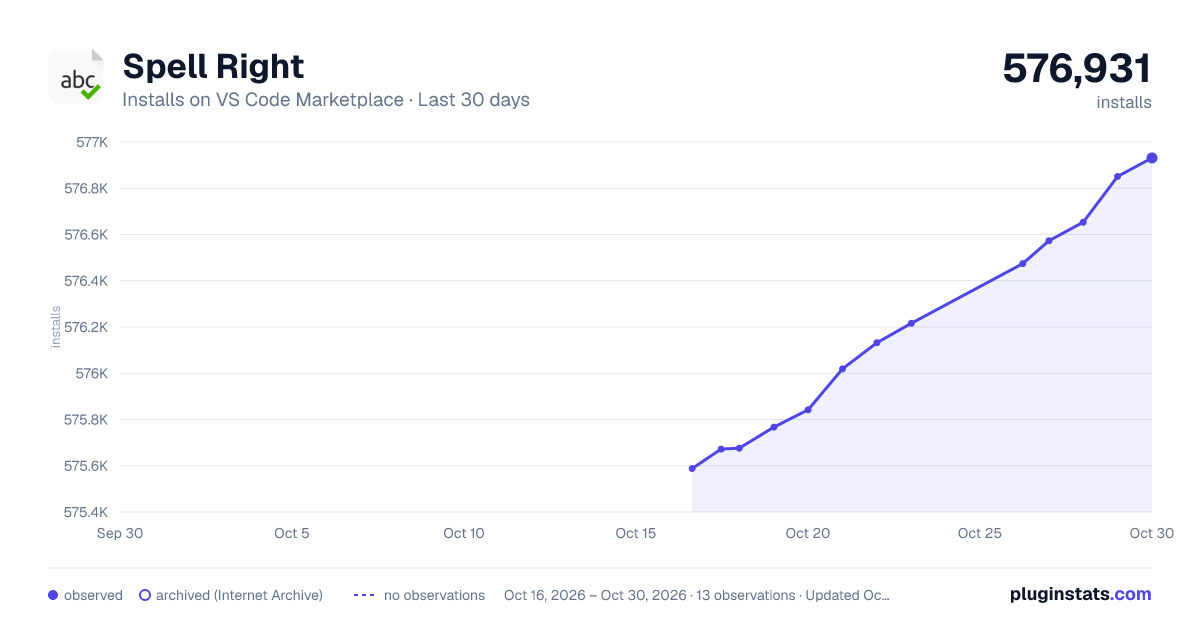
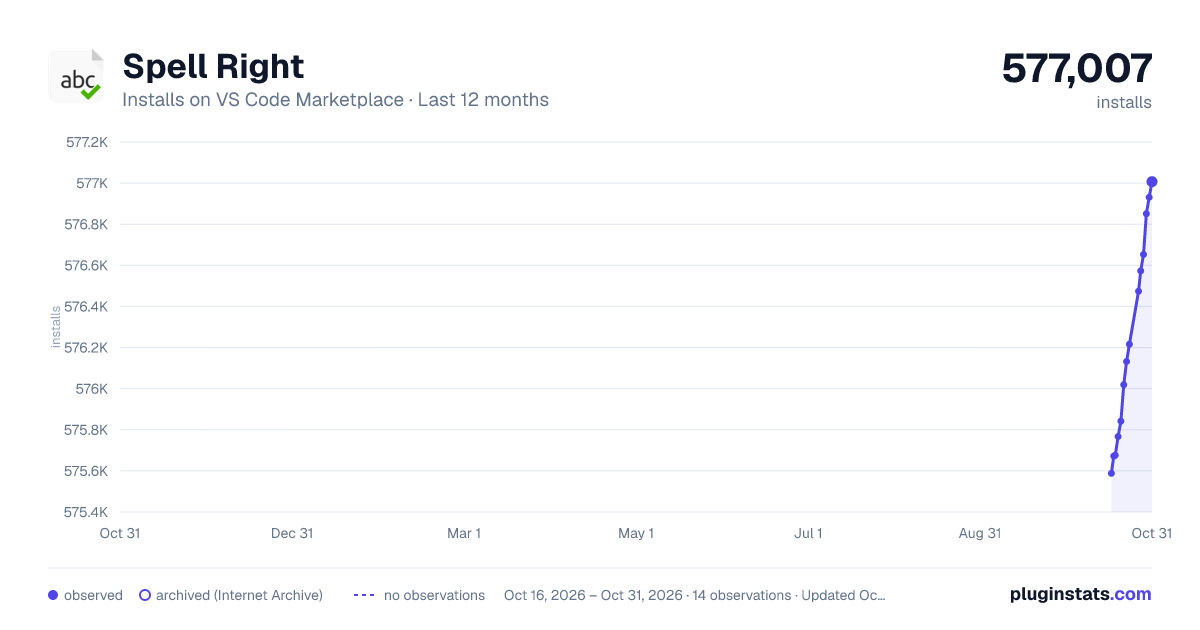
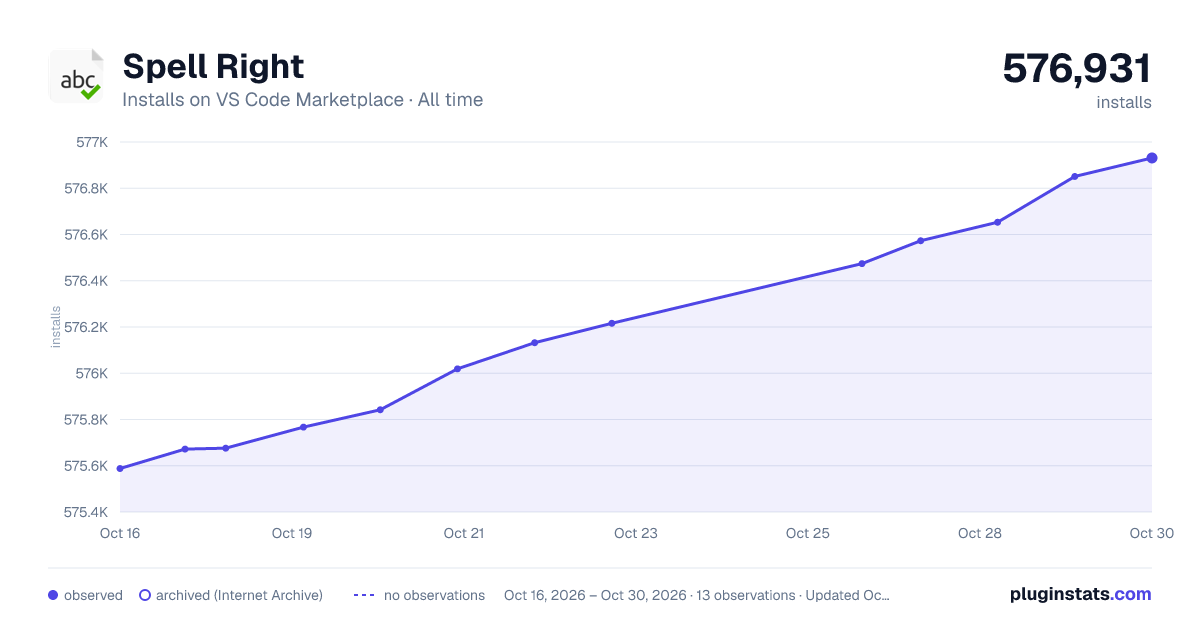

Adoption over time


7/30/90-day growth


Ranking history


Filled points are observed values; hollow points come from Internet Archive snapshots of the listing page. Dashed segments span periods with no observations — values between points are not interpolated.
Recent observations
Full history (3)Similar VS Code Marketplace Other plugins
Data source
Install counts, average rating, and rating counts come from the public Visual Studio Marketplace gallery API. Installs are cumulative and exclude updates.
Listing: https://marketplace.visualstudio.com/items?itemName=ban.spellright. First seen Oct 16, 2026; last successful collection Oct 18, 2026. See the methodology.