 PluginStats
HTML Preview installs statistics
By Analytic Signal Limited (4 listings) · VS Code Marketplace · Other
Preview Hyper Text Markup Language (.html) and Scalable Vector Graphics (.svg) files in VSCode
HTML Preview has 149,386 recorded installs on VS Code Marketplace.
It ranks #1859 of 2,500 tracked VS Code Marketplace listings by installs.
It is rated 3.4 out of 5 from 10 ratings.
PluginStats has 3 daily observations since Oct 16, 2026; the latest is from Oct 18, 2026.
Rating: 3.40 / 5 from 10 ratings
About HTML Preview
HTML Preview in VSCode
Simple preview for HTML (.html) or Scalable Vector Graphics (.svg) files in VSCode. The main use case for data science is to preview interactive statistical graphics created using Plotly in Python notebooks and exported to (.html) or (.svg) files.
The Plotly HTML graphics files are not static images, but preserve interactive features and allow users to make their own explorations of the data. The extension allows you to preview the graphics files directly inside VSCode, which means you don't loose focus by leaving the environment to open the graphics in a browser, and allows you to organise your graphics along with your notebooks inside the VSCode editor.
*HTML Preview of interactive map of global seismicity, volcanism, and plate boundaries created using Plotly.*
Usage
Click
To preview a file:
• Click on a (.html) or (.svg) file
A preview of the file contents should now be shown in an editor.
Open to the Side
To preview a file in a new editor (if other editors are already open):
• Right-click on a file with (.html) or (.svg) extension and choose *Open to the Side*
A preview of the file contents should now be shown in a new editor.
Open With...
To choose how to view a HTML file:
• Right-click on a file with (.html) extension and choose *Open With...* • A list of available options appears in the Command Palette, choose one of the options:
*Text Editor* is the built-in VSCode editor for text files. Choose this option to view and edit the raw HTML code.
*HTML Preview* is the viewer provided by this extension. Choose this option to preview the HTML.
Using an external browser
To open a (.html) or (.svg) file in an external browser, locate the file of interest in the Explorer, *right-click* and choose *Reveal in Finder* (macOS). From there, double-click to open the file in a browser. However, using the preview extension provides a cleaner user experience.
Description from the VS Code Marketplace listing.
- data science
- html
- svg
Where HTML Preview sits in the listing
Each band is one page of 20. Installs on a log scale. Placement is projected from installs, so it can differ from the marketplace's own sort order. Hover a dot to see the listing.


Charts
Images: 30d · 1y · all time · 1600×900 dark
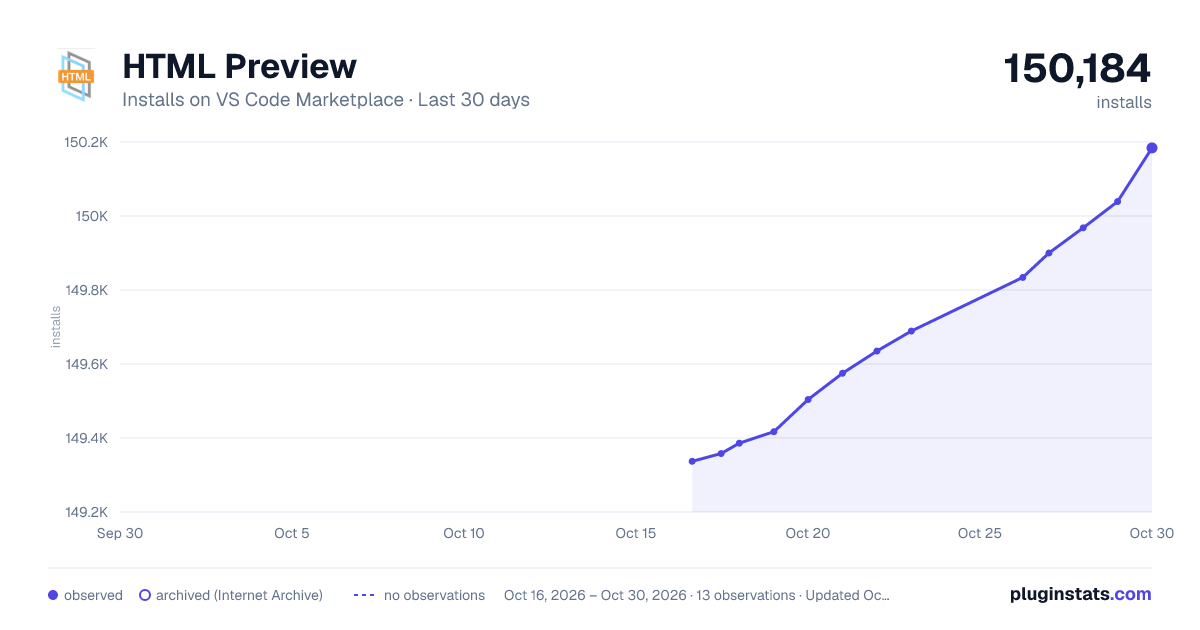
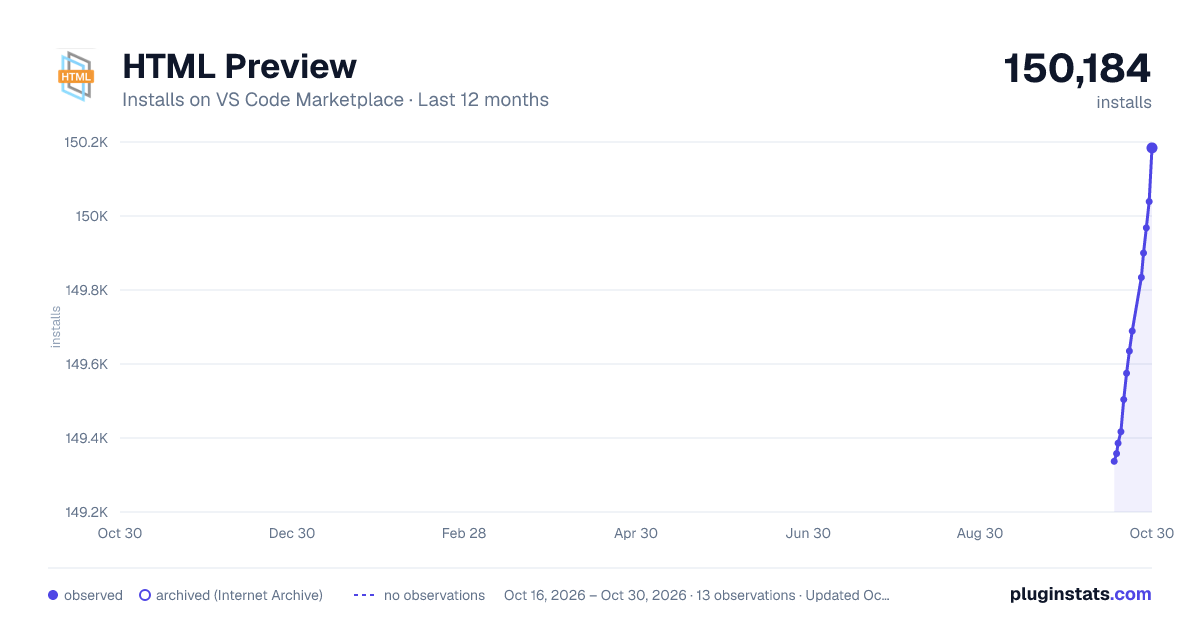
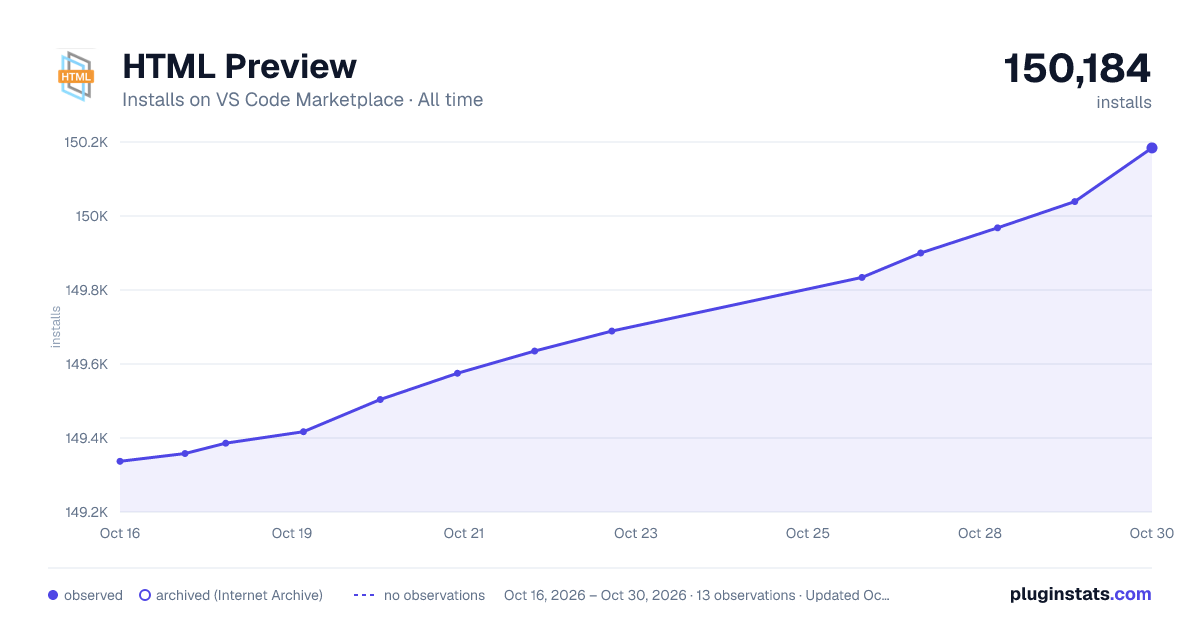

Adoption over time


7/30/90-day growth


Ranking history


Filled points are observed values; hollow points come from Internet Archive snapshots of the listing page. Dashed segments span periods with no observations — values between points are not interpolated.
Recent observations
Full history (3)Similar VS Code Marketplace Other plugins
Data source
Install counts, average rating, and rating counts come from the public Visual Studio Marketplace gallery API. Installs are cumulative and exclude updates.
Listing: https://marketplace.visualstudio.com/items?itemName=analytic-signal.preview-html. First seen Oct 16, 2026; last successful collection Oct 18, 2026. See the methodology.