 PluginStats
Bicep installs statistics
By Microsoft (223 listings) · VS Code Marketplace · Programming Languages
Bicep language support for Visual Studio Code
Bicep has 1,711,891 recorded installs on VS Code Marketplace.
It ranks #382 of 2,500 tracked VS Code Marketplace listings by installs.
It is rated 5.0 out of 5 from 27 ratings.
PluginStats has 3 daily observations since Oct 16, 2026; the latest is from Oct 18, 2026.
Rating: 4.96 / 5 from 27 ratings
About Bicep
Key features of the Bicep VS Code extension
The Bicep VS Code extension is capable of many of the features you would expect out of other language tooling. Here is a comprehensive list of the features that are currently implemented.
Validation
The bicep compiler validates that your code is authored correctly. We always validate the syntax of each file and whenever possible also validate the return types of all expressions (functions, resource bodies, parameters, outputs, etc.). Depending on the type of validation, you will see either a warning in yellow which will successfully compile with bicep build or you will see an error in red which will fail to compile either. Bicep is more restrictive than ARM Templates, so certain behaviors in ARM Templates that you have used may not be supported and result in an error in bicep. For example, we no longer allow math functions like add() because we support the + operator.
See Bicep Type System for more information about Bicep data types and the type validation rules.
Intellisense
Bicep provides intellisense for the core language and extends to support type definitions for all resource types in Azure.
Dot-property access
Type . for any object to view and autocomplete its properties. Works on any param or var of type object, and any resource or module properties (e.g. myModule.outputs.).
Resource property names & property values
Bicep knows the allowed properties and values for any resource or module declaration.
List all available resource types
Easily explore all available resource types and api versions for a given type. You can type partial fragments of the type and bicep will narrow the list down accordingly.
Other intellisense and completions
• Keyword declarations. On an empty line you will get completions for all keywords (param, var, resource, etc.) • param and output types (i.e. param myParam ) • target scopes (i.e. targetScope = )
Snippets
Bicep has a small set of snippets for core language keywords (param, var, resource, module, output). The snippets are contextual, so they should only show up in the places they are valid. All of the ARM Template resource snippets available in the ARM Tools VS Code extension are available as bicep resource snippets.
Code navigation
The bicep language service supports document symbols, which help power a broad set of code navigation features.
Go to definition, peek definition
Find all references, peek references
Outline view and breadcrumb view
Highlights
When your cursor is on or in a particular symbol, bicep will highlight other uses of that symbol. The color of the highlight is different for declarations of a symbol as opposed to accessing a symbol.
Hovers
Refactoring
Rename symbol
You can rename any symbol such as a param or resource and bicep will intelligently rename all the uses of that symbol
Formatting
• Default keybinding is alt + shift + f on Windows, option + shift + f on macOS • You can also format via the VS Code UI. View -> Command palette... then type format document • Bicep will set the following default settings for .bicep files when installed:
You can change the default settings in the following places (sorted by precedence in ascending order):
• VSCode global user settings • VSCode workspace settings • .editorconfig files (requires EditorConfig for VSCode extension to be installed)
Quick fixes
For small issues like misspelled symbols or incorrect casing, bicep will offer a "Quick fix" to fix it for you.
Commands
Insert Resource
Use the "Insert Resource" command to quickly import a resource from Azure into a Bicep file.
Description from the VS Code Marketplace listing.
- ARM Template
- Azure
- Azure Resource Manager
- Bicep
- BicepParameters
- BicepParams
- bicep-params
- json
- jsonc
- keybindings
- snippet
Where Bicep sits in the listing
Each band is one page of 20. Installs on a log scale. Placement is projected from installs, so it can differ from the marketplace's own sort order. Hover a dot to see the listing.


Charts
Images: 30d · 1y · all time · 1600×900 dark
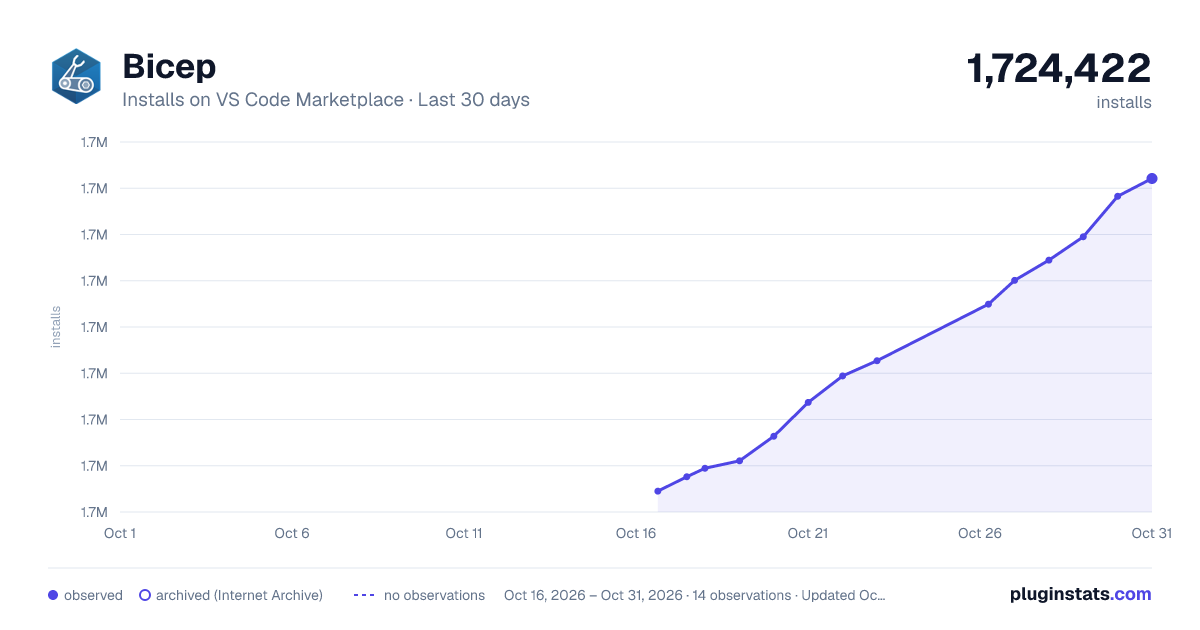
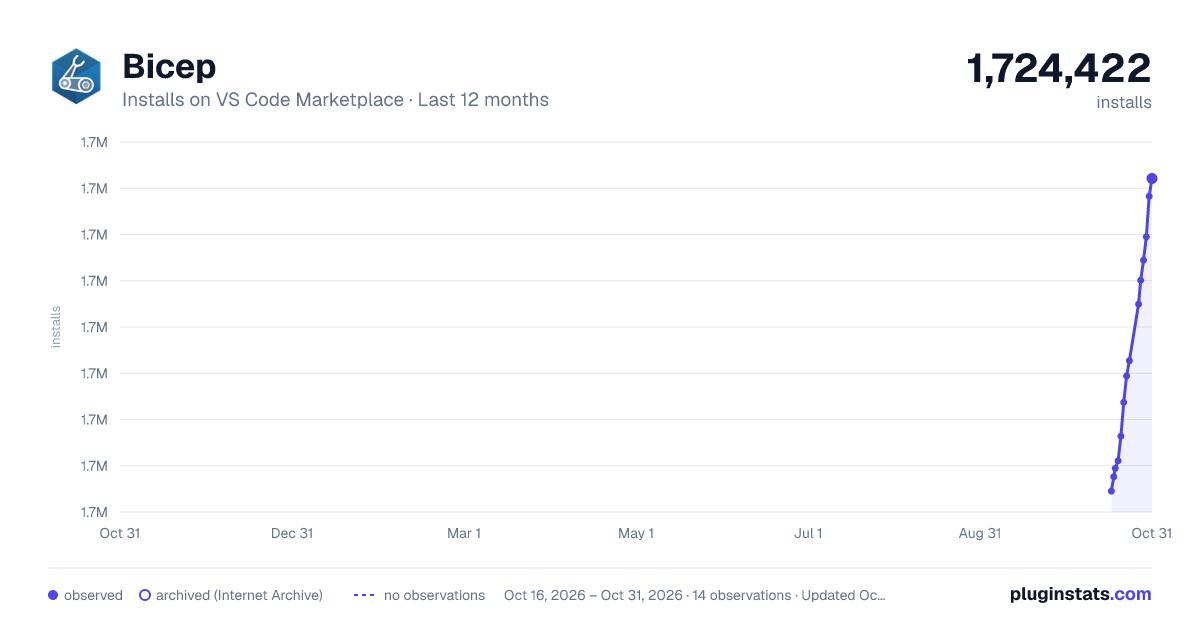
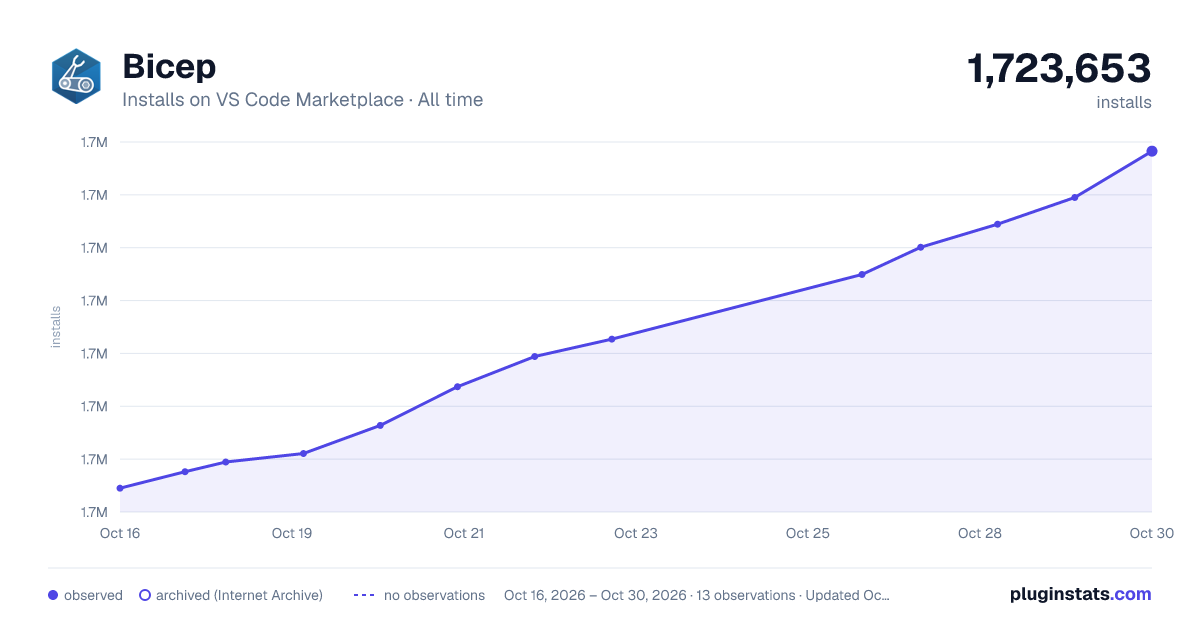

Adoption over time


7/30/90-day growth


Filled points are observed values; hollow points come from Internet Archive snapshots of the listing page. Dashed segments span periods with no observations — values between points are not interpolated.
Recent observations
Full history (3)Similar VS Code Marketplace Programming Languages plugins
Data source
Install counts, average rating, and rating counts come from the public Visual Studio Marketplace gallery API. Installs are cumulative and exclude updates.
Listing: https://marketplace.visualstudio.com/items?itemName=ms-azuretools.vscode-bicep. First seen Oct 16, 2026; last successful collection Oct 18, 2026. See the methodology.