 PluginStats
solidity installs statistics
By Juan Blanco · VS Code Marketplace · Programming Languages
Ethereum Solidity Language for Visual Studio Code
solidity has 1,839,006 recorded installs on VS Code Marketplace.
It ranks #367 of 2,501 tracked VS Code Marketplace listings by installs.
It is rated 4.4 out of 5 from 26 ratings.
PluginStats has 4 daily observations since Oct 16, 2026; the latest is from Oct 19, 2026.
Rating: 4.42 / 5 from 26 ratings
About solidity
Solidity support for Visual Studio code
NOTE: BE CAREFUL WITH EXTENSIONS IMPERSONATIONS, CHECK THE PUBLISHING HISTORY. VSCODE MARKETPLACE 10 YEARS OPENVSX 5 YEARS.
Solidity is the language used in Ethereum to create smart contracts, this extension provides:
• Syntax highlighting • Snippets • Compilation of the current contract (Press F1 Solidity : Compile Current Solidity Contract), or F5 • Compilation of all the contracts (Press F1 Solidity : Compile all Solidity Contracts), or Ctrl + F5 or Cmd + F5 • Code completion for all contracts / libraries in the current file and all referenced imports • Goto definition • Find all references in project • Hover information • Code actions / quick fixes (change compiler, format address, add sdpx license.. ) • Mono repo support (identifies the project by finding the files: remappings.txt, foundry.toml, brownie-config.yaml, truffle-config.js, hardhat.config.js, hardhat.config.ts) • Default project structure (solidity files needs to be in the src/ directory, and libraries in the lib/ directory). Libraries will follow the same structure. • Compilation supporting EIP82 (dappfile and dependency packages) • Support for different solidity versions (Remote and local) • Download source code and Abi from Etherscan • Code generation using Nethereum, it includes currently the default template for Nethereum service, dtos generation. (Open 'contractName.json' after compilation from the bin folder. Press F1 and press Solidity: Code generate from compilation output..) Auto generation of Nethereum files on compilation • Linting using Solhint or Ethlint
It is also available as a standalone LSP:
Instructions
Using a different version of the solidity compiler
Sometimes you may want to use a different compiler than the one provided. You can find all the different versions in the solc-bin repository https://binaries.soliditylang.org/, using the context menu within the extension, or included in the extension github repository Solidity versions.
Currently we support four ways supported to use a different version of the solidity compiler. Remote, Local, NodeModule and Embedded
You can change the compiler, in your user settings or workspace settings.
Remote download
When selecting remote download the compiler gets downloaded from the solc-bin repository.
You will need to change the following user setting, with the version required, for example 'latest' or 'v0.8.18+commit.87f61d96', for your workspace user setting (current project) or global user setting (all projects)
You can simply change this setting using the context menu:
Using a code action
If your code is targetting a specific version for solidity, and see the issue highlighted you can also trigger the menu directly from the import.
Using a Local file
If you want to keep a compiler version locally, you can download the compiler from https://binaries.soliditylang.org/ and change your user settings to use this.
The simplest way to download a compiler is to use the context menu, this will download your desired version at the root of the project and configure your workspace accordingly.
Npm / node installation
Another option, is to use the solc npm package in your project, if this is enabled it will try to find the compiler in your configured node_modules at root.
You can install solc using npm at the root of your project as follows.
The default module package is "solc", but you may want to use other node module containing a compiler, this can be configured in the settings:
Compiling a specific contract using a different compiler than the default one.
There might be scenarios, that you want to use a different compiler for a specific file, using one of the other configured compilers.
ERC, ERC drafts and Smart contracts snippets / reference
It is pretty hard sometimes to find interfaces or information about an EIP (ERC) or specific libraries to simply get started working with Solidity. The solidity extension now includes ERC approved and most drafts (wip) to help get you started.
Just type and select the erc example or interface you want.
Smart contract project interfaces
In a similar to way to ERCs and as we work towards to more interoperable smart contracts, being able to quickly examine those interfaces that you want to integrate is a time saver.
The current release includes the interfaces for Uniswap V2 (to get started), just type to list them all.
Note: If an ERC or your project is not included, please create a pull request. Note: Only established projets will be included.
Compiler optimization
Optimize for how many times you intend to run the code. Lower values will optimize more for initial deployment cost, higher values will optimize more for high-frequency usage. The default value is 200.
Project structure and Remappings
Mono repo support
Mono repo support enables having different projects in the same workspace as opposed to different open workspaces in the same window.
To provide mono repo support, idenfify the project by finding one of the files used by different tools, for example remappings.txt, foundry.toml, brownie-config.yaml, truffle-config.js, hardhat.config.js. Solidity does not have a standard project file yet, or many not have it ever, so this is the best solution.
The settings enable Mono repo support by default, but if wanted can be disabled.
Dependencies for both "Node_modules" and "Lib" (Default)
If you're using a library like @openzeppelin/contracts, the OpenZeppelin Contracts will be found in your node_modules folder, or you might be using a library like Solmate and you might put it in your lib folder. So the user settings will be the following, assuming your solidity project is at root.
This is the default now, so you don't need to set it.
If you have a deeper structure, like
Your user settings configuration will need to represent the full structure:
Dappsys (old ERC)…
Description from the VS Code Marketplace listing.
- blockchain
- compiler
- ethereum
- json
- keybindings
- nethereum
- snippet
- solhint
- solidity
- solidity-markdown-injection
- solium
Where solidity sits in the listing
Each band is one page of 20. Installs on a log scale. Placement is projected from installs, so it can differ from the marketplace's own sort order. Hover a dot to see the listing.


Charts
Images: 30d · 1y · all time · 1600×900 dark
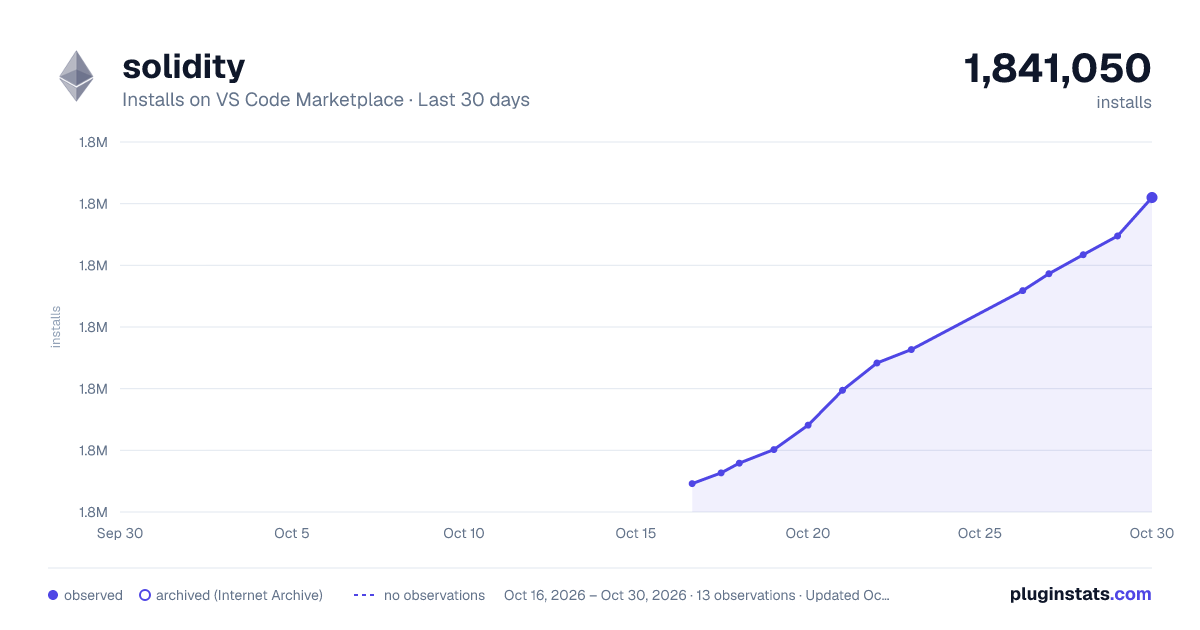
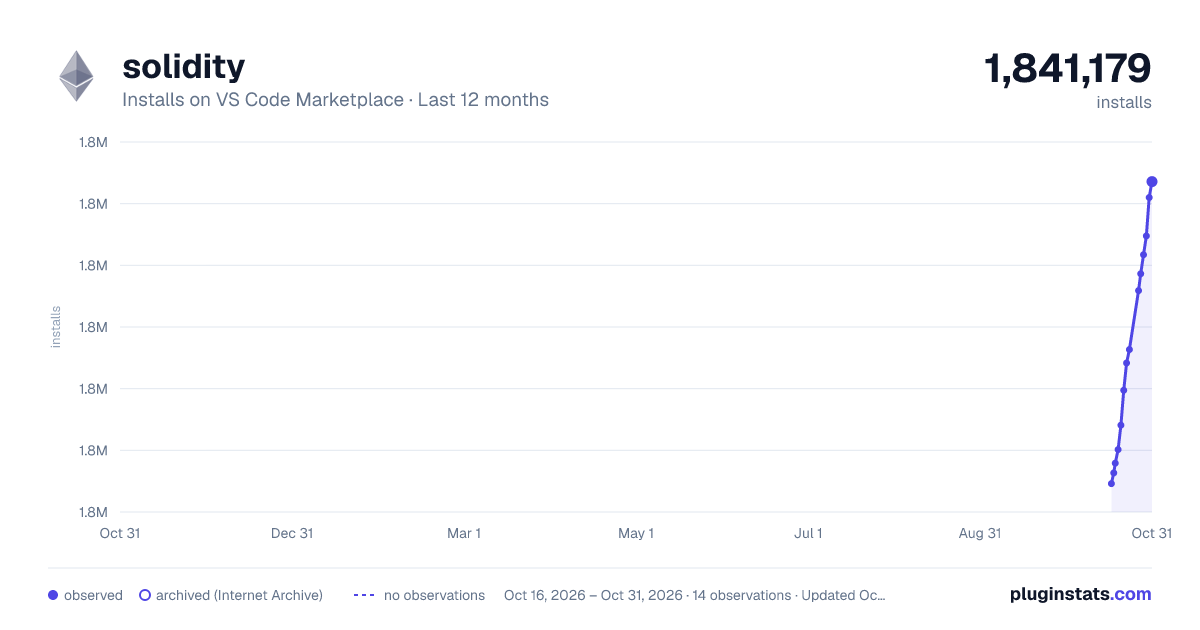
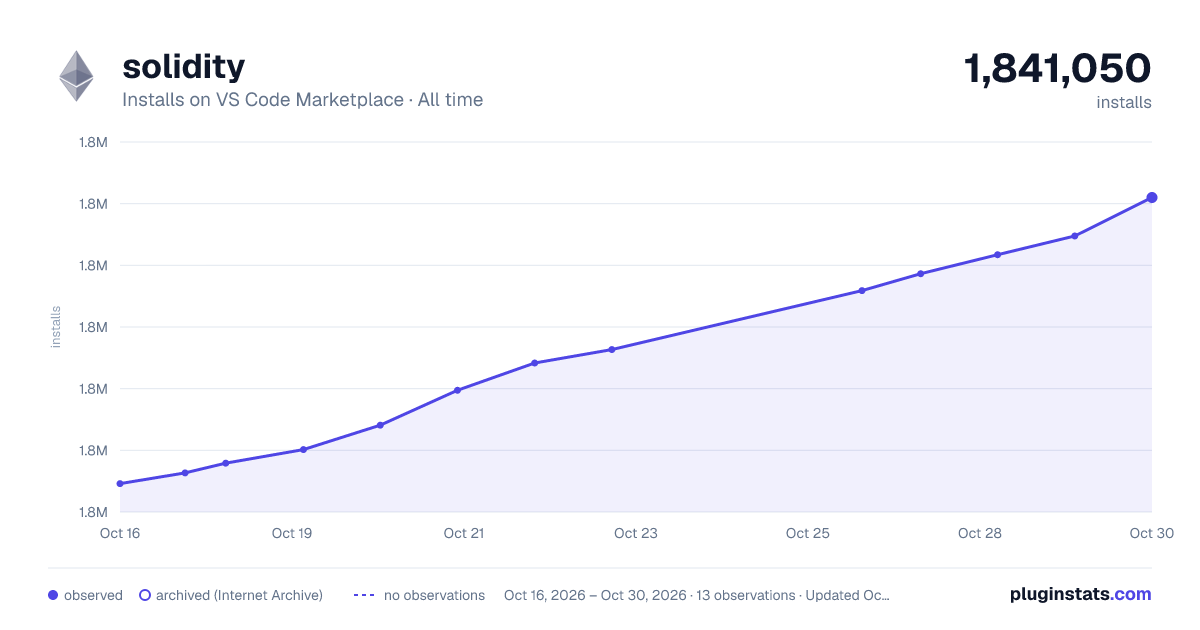

Adoption over time


7/30/90-day growth


Filled points are observed values; hollow points come from Internet Archive snapshots of the listing page. Dashed segments span periods with no observations — values between points are not interpolated.
Recent observations
Full history (4)Similar VS Code Marketplace Programming Languages plugins
Data source
Install counts, average rating, and rating counts come from the public Visual Studio Marketplace gallery API. Installs are cumulative and exclude updates.
Listing: https://marketplace.visualstudio.com/items?itemName=JuanBlanco.solidity. First seen Oct 16, 2026; last successful collection Oct 19, 2026. See the methodology.