 PluginStats
sqlfluff installs statistics
By SQLFluff · VS Code Marketplace · Other
A linter and auto-formatter for SQLfluff, a popular linting tool for SQL and dbt.
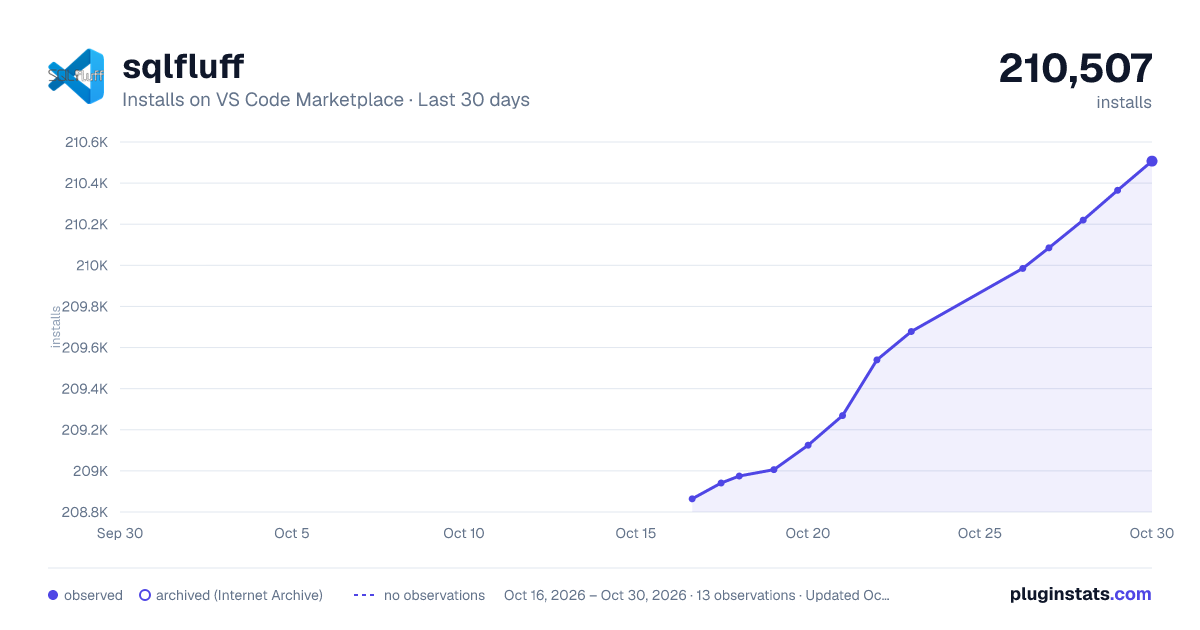
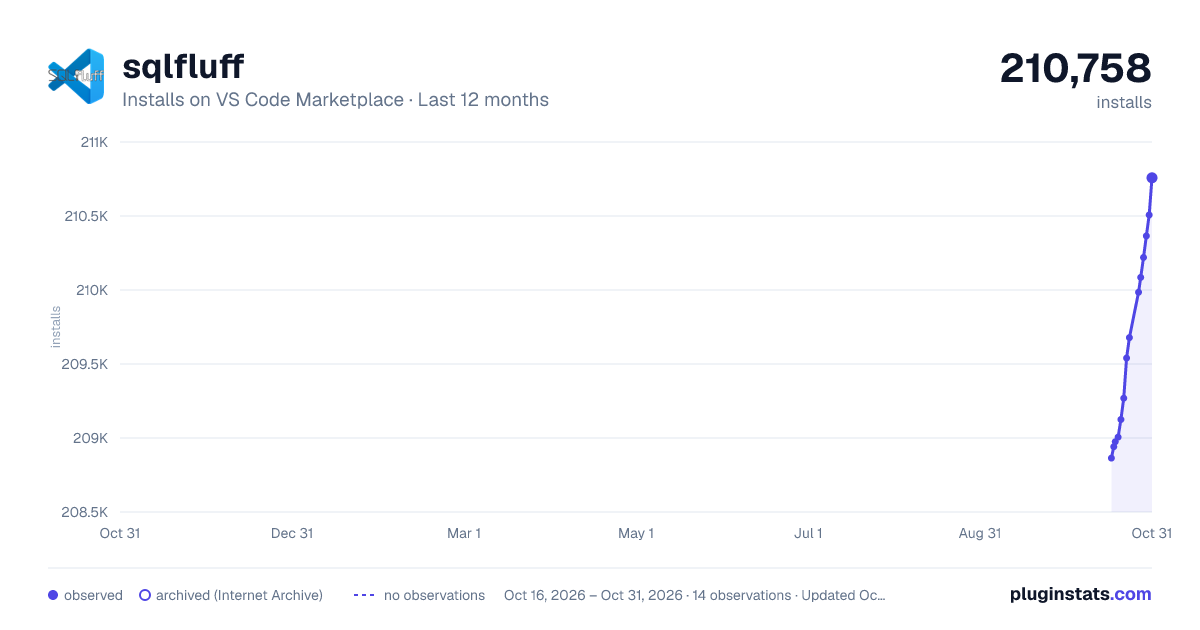
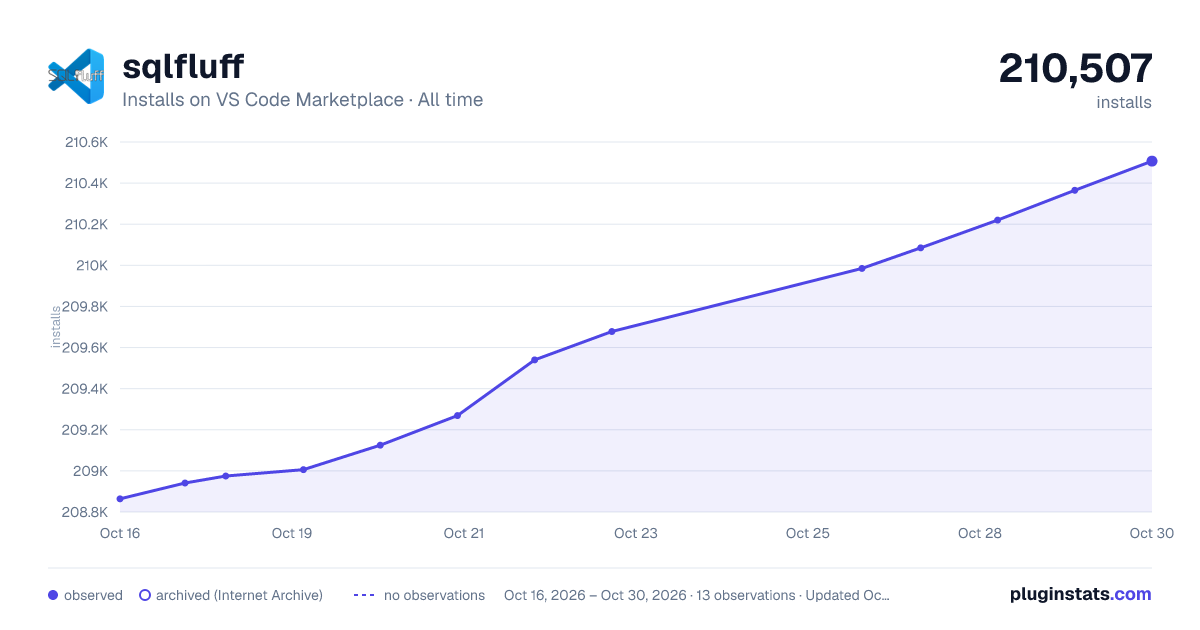
sqlfluff has 209,006 recorded installs on VS Code Marketplace.
It ranks #1457 of 2,501 tracked VS Code Marketplace listings by installs.
It is rated 3.7 out of 5 from 12 ratings.
PluginStats has 4 daily observations since Oct 16, 2026; the latest is from Oct 19, 2026.
Rating: 3.67 / 5 from 12 ratings
About sqlfluff
Sponsor
Hosted VS Code, dbt-core, SqlFluff, and Airflow, find out more at Datacoves.com.
vscode-sqlfluff
A linter and auto-formatter for SQLFluff, a popular linting tool for SQL and dbt.
You can run Format Document to fix the linting violations. You cannot run Format Selection. Please note that not all linting violations are automatically fixable.
Configuration
The extension expects sqlfluff to be installed and already added to the path. If it is installed but cannot be found, add the path to your preferences as seen below. Find the path by typing which sqlfluff into your terminal.
Edit your VS Code settings.json file manually or through the user interface.
If you want to manually update the settings.json file, open the VS Code command palette and type in settings.json. Select Preferences: Open Settings. Then, you can add any of the following configuration options to settings.json.
DBT Configuration
DBT setup requires these settings to lint and format the document.
Format file
By default you will be able use SQLFluff fix your file by formatting. Same as calling sqlfluff fix
Show Documentation
Hovering over a problem with reveal a popup explaining the problem and giving a link to the documentation.
For SQLFluff versions after v2.0.0 this link will take you to the rule documentation.
For SQLFLuff versions before v2.0.0 this link will take you to the top of the documentation page.
VSCode Variables
The executablePath and config settings can use some VSCode variables. This is achieved by using the format ${variableName} in the settings. Here are a few useful ones.
• fileWorkspaceFolder: the path of the workspace folder containing the file opened in VS Code • workspaceFolder: the path of the first workspace folder opened in VS Code • workspaceFolderBasename: the last portion of the path of the folder opened in VS Code • fileDirname: the current opened file's dirname
And here are a few that are probably useless.
• file: the current opened file • relativeFile: the current opened file relative to workspaceFolder • fileBasename: the last portion of the path to the file • fileBasenameNoExtension: the last portion of the path to the file with no extension • fileExtname: the current opened file's extension • lineNumber: the current selected line number in the active file • selectedText: the current selected text in the active file • execPath: the path to the running VS Code executable
Running into Problems?
Open the command palette and run the SQLFluff Debug Extension command
Check the output channel to see the SQLFluff commands this extension is running
If that doesn't help narrow down your problem, you can open an issue at https://github.com/sqlfluff/vscode-sqlfluff/issues
Open-VSX
open-vsx.org/extension/sqlfluff/vscode-sqlfluff
Credits / Links
• dorzey • VSCode's Extensions Samples • VSCode's Testing Documentation
License
The MIT License (MIT). Please see the license file for more information.
Description from the VS Code Marketplace listing.
- dbt
- jinja-sql
- linters
- postgres
- snowflake-sql
- sql
- sql-bigquery
- sqlfluff
Where sqlfluff sits in the listing
Each band is one page of 20. Installs on a log scale. Placement is projected from installs, so it can differ from the marketplace's own sort order. Hover a dot to see the listing.


Charts
Images: 30d · 1y · all time · 1600×900 dark

Adoption over time


7/30/90-day growth


Filled points are observed values; hollow points come from Internet Archive snapshots of the listing page. Dashed segments span periods with no observations — values between points are not interpolated.
Recent observations
Full history (4)Similar VS Code Marketplace Other plugins
Data source
Install counts, average rating, and rating counts come from the public Visual Studio Marketplace gallery API. Installs are cumulative and exclude updates.
Listing: https://marketplace.visualstudio.com/items?itemName=sqlfluff.vscode-sqlfluff. First seen Oct 16, 2026; last successful collection Oct 19, 2026. See the methodology.