 PluginStats
Foam installs statistics
By Foam · VS Code Marketplace · Other
VS Code + Markdown + Wikilinks for your note taking and knowledge base
Foam has 282,361 recorded installs on VS Code Marketplace.
It ranks #1201 of 2,500 tracked VS Code Marketplace listings by installs.
It is rated 5.0 out of 5 from 43 ratings.
PluginStats has 3 daily observations since Oct 16, 2026; the latest is from Oct 18, 2026.
Rating: 5.00 / 5 from 43 ratings
About Foam
Foam for VSCode
Foam is a note-taking tool that lives within VS Code, which means you can pair it with your favorite extensions for a great editing experience.
Foam is open source, and allows you to create a local first, markdown based, personal knowledge base. You can also use it to publish your notes.
Foam is also meant to be extensible, so you can integrate with its internals to customize your knowledge base.
Features
Graph Visualization
See how your notes are connected via a graph with the Foam: Show Graph command.
Foam Queries
Embed dynamic, auto-updating lists, tables, and counts of notes directly in the Markdown preview using foam-query and foam-query-js code blocks. See the Foam Queries documentation for the full reference.
Block IDs
Link or embed specific paragraphs, list items, headings, and blockquotes within a note using [[note#^blockid]] syntax. Add a ^id marker to any block element, then reference it from anywhere in your knowledge base.
Note embed
Embed the content from other notes. Embed entire notes, sections or even just blocks.
Link Autocompletion
Foam helps you create the connections between your notes, and your placeholders as well.
Sync links on file rename
Foam updates the links to renamed files, so your notes stay consistent.
Unique identifiers across directories
Foam supports files with the same name in multiple directories. It will use the minimum identifier required, and even report and help you fix existing ambiguous wikilinks.
Link Preview and Navigation
Go to definition, Peek References
See where a note is being referenced in your knowledge base.
Navigation in Preview
Navigate your rendered notes in the VS Code preview panel.
Support for sections
Foam supports autocompletion, navigation, embedding and diagnostics for note sections. Just use the standard wiki syntax of [[resource#Section Title]].
Link Alias
Foam supports link aliasing, so you can have a [[wikilink]], or a [[wikilink|alias]].
Templates
Use custom templates to have avoid repetitve work on your notes.
Backlinks Panel
Quickly check which notes are referencing the currently active note. See for each occurrence the context in which it lives, as well as a preview of the note.
Tag Explorer Panel
Tag your notes and navigate them with the Tag Explorer. Foam also supports hierarchical tags.
Orphans and Placeholder Panels
Orphans are note that have no inbound nor outbound links. Placeholders are dangling links, or notes without content. Keep them under control, and your knowledge base in better state, by using this panel.
Syntax highlight
Foam highlights wikilinks and placeholder differently, to help you visualize your knowledge base.
Daily note
Create a journal with daily notes.
Generate references for your wikilinks
Create markdown references for [[wikilinks]], to use your notes in a non-Foam workspace. With references you can also make your notes navigable both in GitHub UI as well as GitHub Pages.
Commands
• Explore your knowledge base with the Foam: Open Random Note command • Access your daily note with the Foam: Open Daily Note command • Create a new note with the Foam: Create New Note command • This becomes very powerful when combined with note templates and the Foam: Create New Note from Template command • See your workspace as a connected graph with the Foam: Show Graph command • And many more
Recipes
People use Foam in different ways for different use cases, check out the recipes page for inspiration!
Getting started
Already using Obsidian? An Obsidian vault is usually already a Foam workspace — see Coming from Obsidian.
You really, _really_, really should read Foam documentation, but if you can't be bothered, this is how to get started:
1. Create a GitHub repository from foam-template. If you want to keep your thoughts to yourself, remember to set the repository private. 2. Clone the repository and open it in VS Code. 3. When prompted to install recommended extensions, click Install all (or Show Recommendations if you want to review and install them one by one).
This will also install Foam, but if you already have it installed, that's ok, just make sure you're up to date on the latest version.
Known Issues
See the issues on our GitHub repo ;)
Release Notes
See the CHANGELOG.
Description from the VS Code Marketplace listing.
- keybindings
Where Foam sits in the listing
Each band is one page of 20. Installs on a log scale. Placement is projected from installs, so it can differ from the marketplace's own sort order. Hover a dot to see the listing.


Charts
Images: 30d · 1y · all time · 1600×900 dark
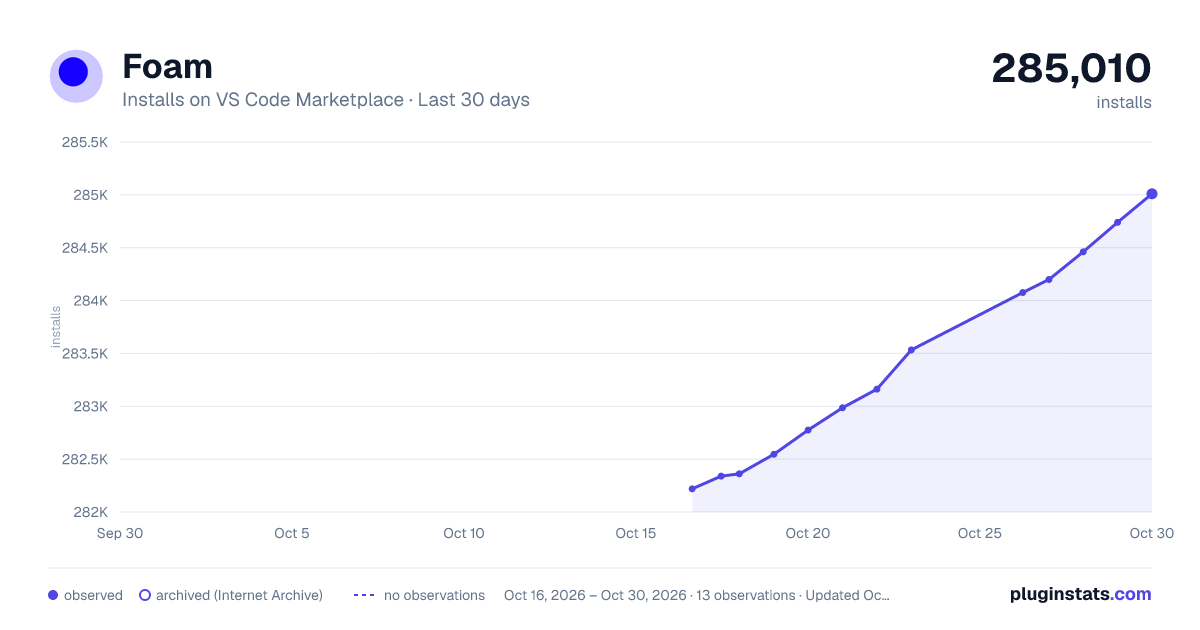
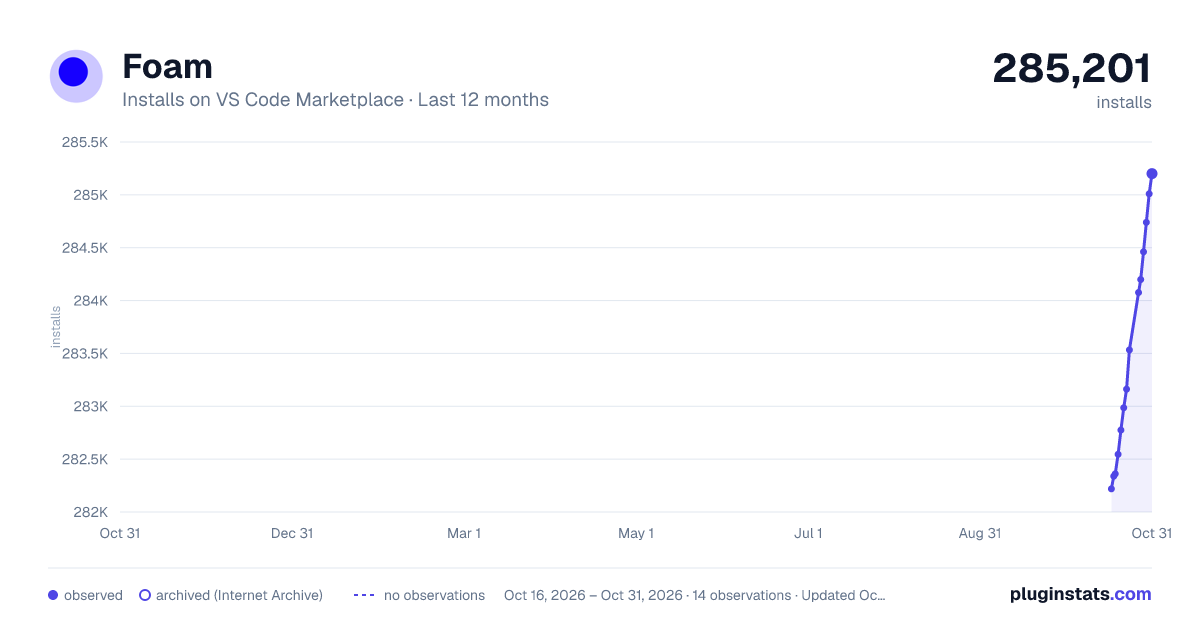
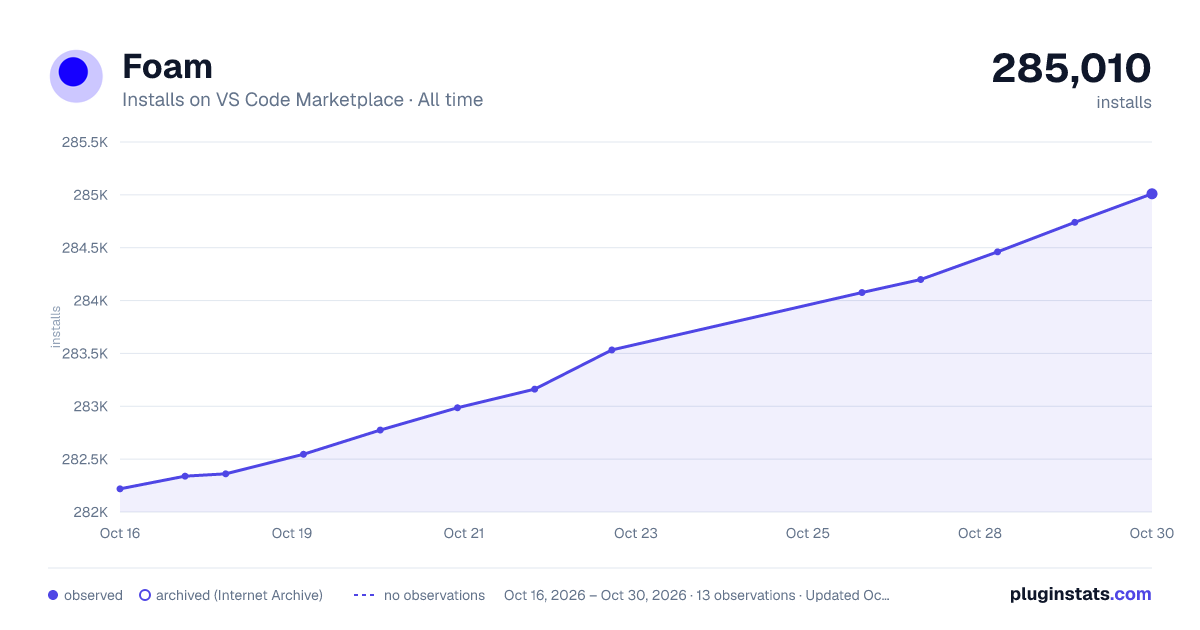

Adoption over time


7/30/90-day growth


Filled points are observed values; hollow points come from Internet Archive snapshots of the listing page. Dashed segments span periods with no observations — values between points are not interpolated.
Recent observations
Full history (3)Similar VS Code Marketplace Other plugins
Data source
Install counts, average rating, and rating counts come from the public Visual Studio Marketplace gallery API. Installs are cumulative and exclude updates.
Listing: https://marketplace.visualstudio.com/items?itemName=foam.foam-vscode. First seen Oct 16, 2026; last successful collection Oct 18, 2026. See the methodology.