 PluginStats
Ruby Debug installs statistics
By Castwide (2 listings) · VS Code Marketplace · Debuggers
A Ruby debugger that uses the Debug Adapter Protocol.
Ruby Debug has 98,888 recorded installs on VS Code Marketplace.
It ranks #2376 of 2,500 tracked VS Code Marketplace listings by installs.
It is rated 5.0 out of 5 from 3 ratings.
PluginStats has 3 daily observations since Oct 16, 2026; the latest is from Oct 18, 2026.
Rating: 5.00 / 5 from 3 ratings
About Ruby Debug
Ruby Debug
A native Ruby debugger using the Debug Adapter Protocol.
*This extension is still in early development. Please report bugs at https://github.com/castwide/vscode-ruby-debug.*
Features
• Standard, conditional, and hitcount breakpoints (with readapt >= 0.8.0) • Local and global variable data • Next, step in, step out • Pause while running • Evaluate expressions in debug console • Individual thread control • Traversable stack traces • Remote workspace support
Requirements
Ruby Debug requires the readapt gem. Install it from the command line:
Or add it to your project's Gemfile:
Readapt requires Ruby >= 2.2.
Usage
If you're not familiar with VS Code's debugger, see the debugger documentation for more information.
Quick Start
1. Open a Ruby project folder in VS Code. 2. Go to the Debug view from the Activity bar. 3. Click the Play button at the top of the Debug view (or use the F5 keyboard shortcut). (If you don't have a launch configuration in the current workspace, the extension will debug the active file.)
Workspace Configurations
Click the dropdown at the top of the Debug view and click "Add Configuration."
The simplest configuration is "Launch." It will start the debugger with a Ruby file in your workspace. The default behavior is to prompt the user for a file. You can set the program option to a specific file instead; e.g., "program": "${workspaceFolder}/path/to/your/file.rb".
Debugging External Programs
The debugger can also launch external Ruby executables. The debug configuration snippets include an example for debugging RSpec.
Using Bundler
Launch configurations include a useBundler option. If it's true, the debugger will start with bundle exec readapt serve before launching the program.
Note that readapt must be included in your Gemfile for useBundler to work.
Example Configurations
The following snippets demonstrate some common launch configurations you can add to launch.json.
Debug Active File
Debug Active RSpec File
Debug Rails
Note: If useBundler is true, make sure the readapt gem is included in your Gemfile, e.g.:
Description from the VS Code Marketplace listing.
- debug adapter protocol
- debuggers
- ruby
Where Ruby Debug sits in the listing
Each band is one page of 20. Installs on a log scale. Placement is projected from installs, so it can differ from the marketplace's own sort order. Hover a dot to see the listing.


Charts
Images: 30d · 1y · all time · 1600×900 dark
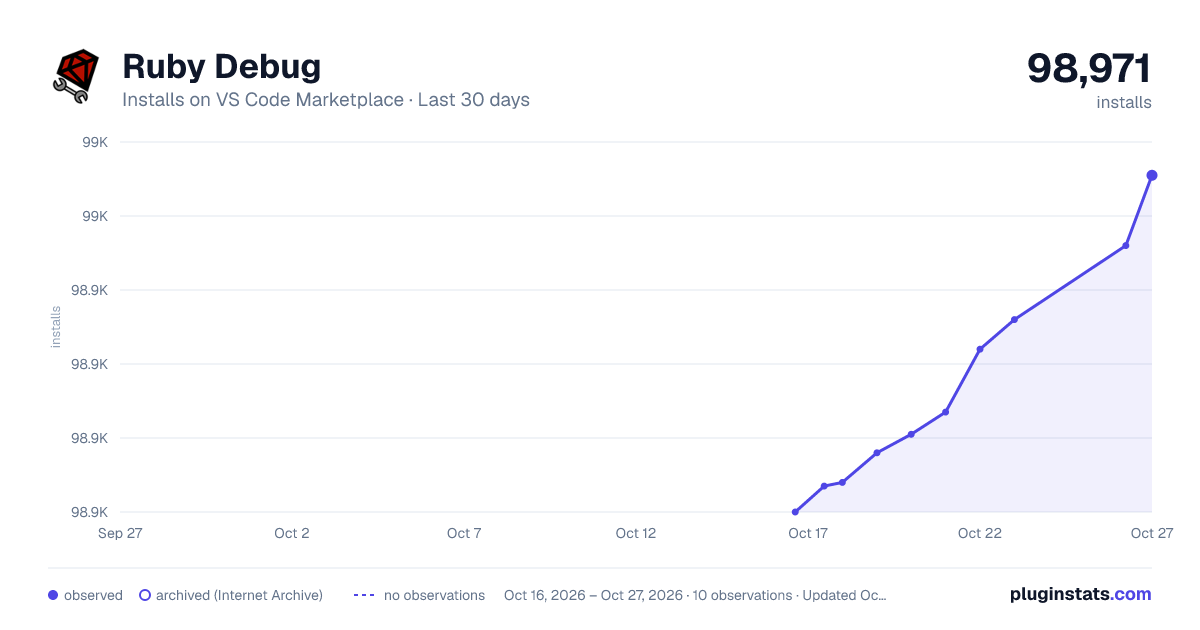
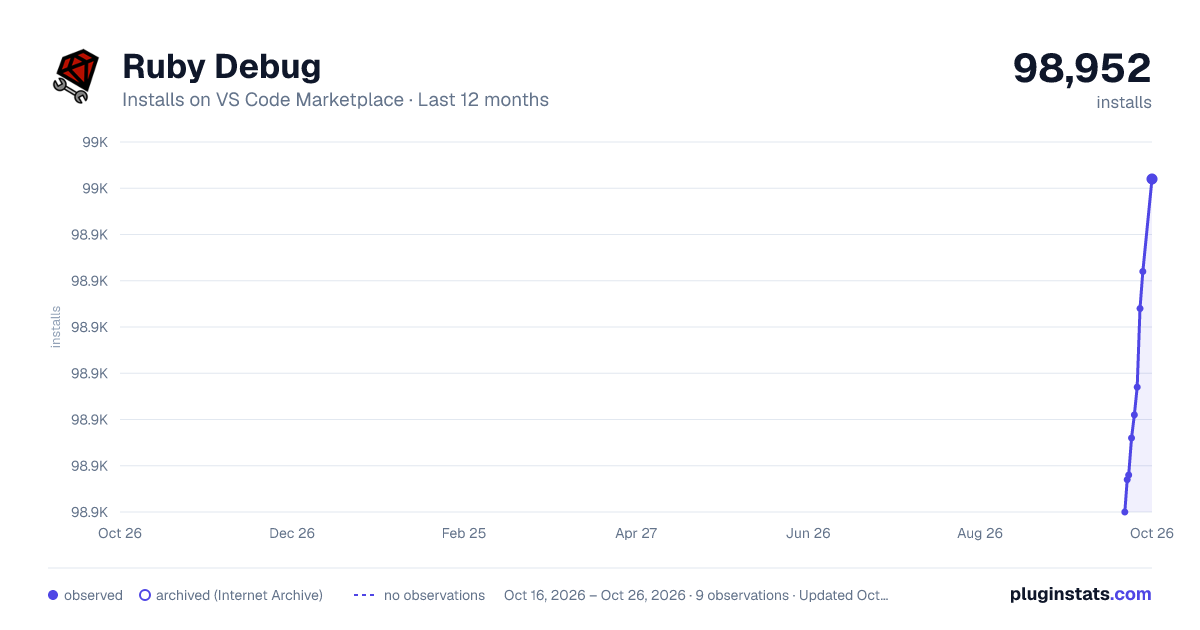
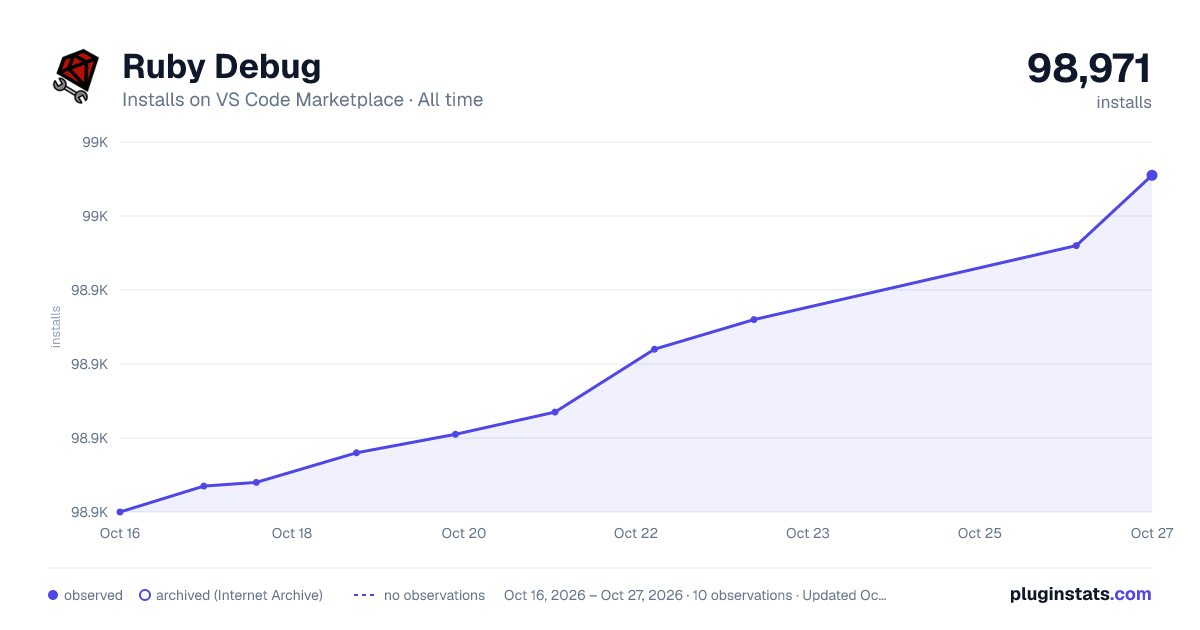

Adoption over time


7/30/90-day growth


Ranking history


Filled points are observed values; hollow points come from Internet Archive snapshots of the listing page. Dashed segments span periods with no observations — values between points are not interpolated.
Recent observations
Full history (3)Similar VS Code Marketplace Debuggers plugins
Data source
Install counts, average rating, and rating counts come from the public Visual Studio Marketplace gallery API. Installs are cumulative and exclude updates.
Listing: https://marketplace.visualstudio.com/items?itemName=castwide.ruby-debug. First seen Oct 16, 2026; last successful collection Oct 18, 2026. See the methodology.