 PluginStats
XState VSCode installs statistics
By Stately · VS Code Marketplace · Snippets
Visual editing, autocomplete and typegen for XState
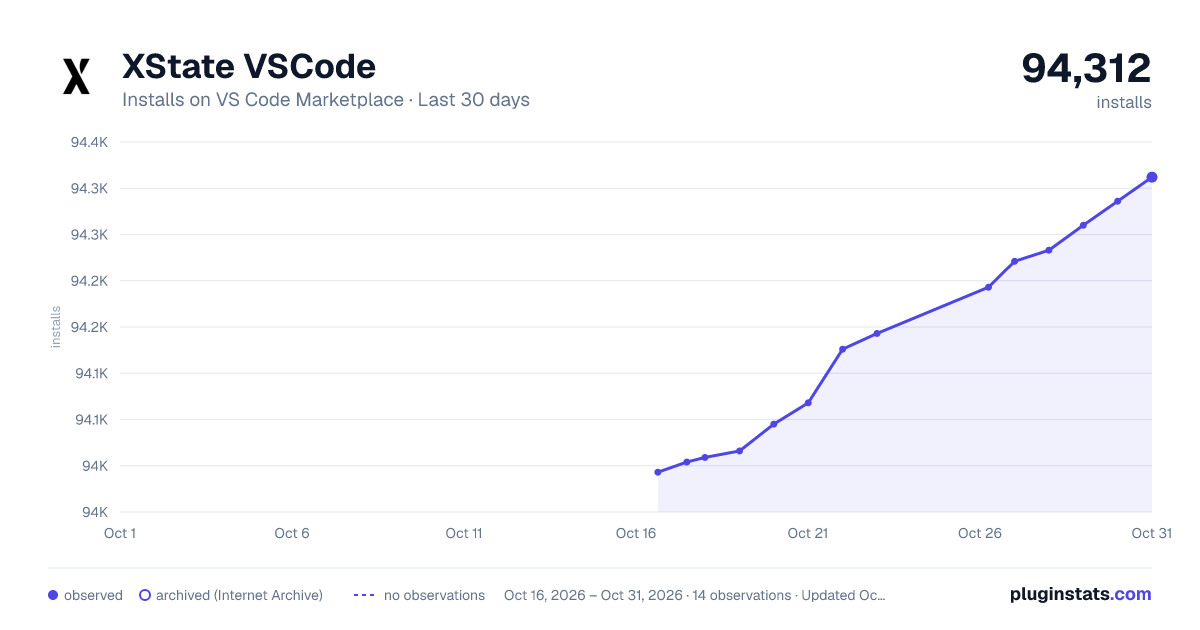
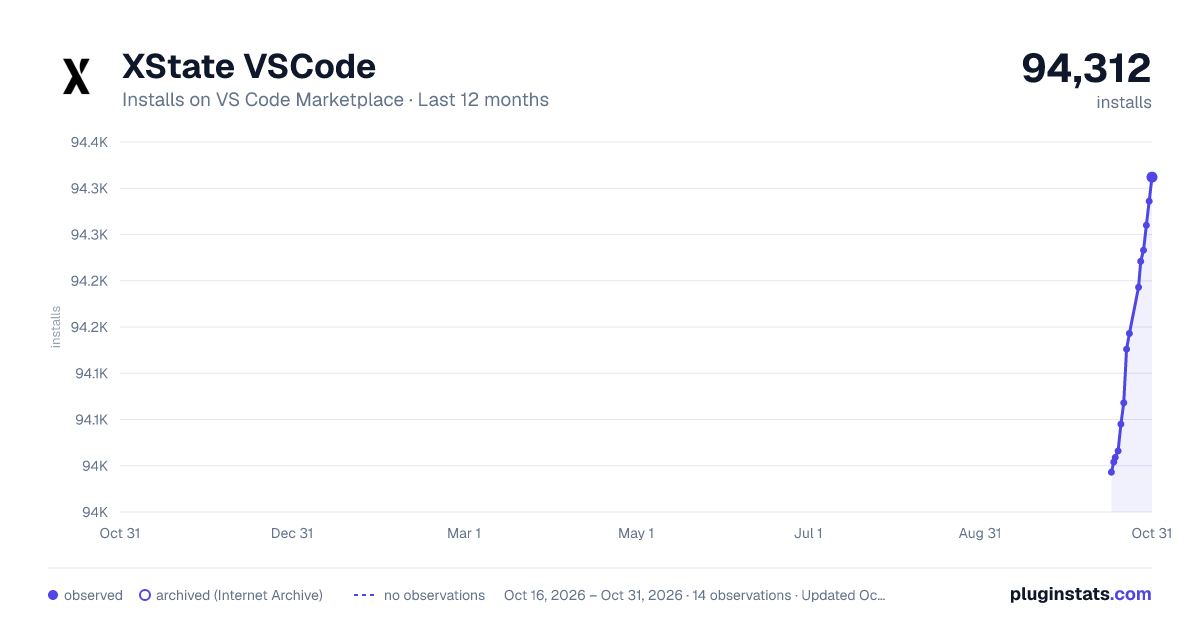
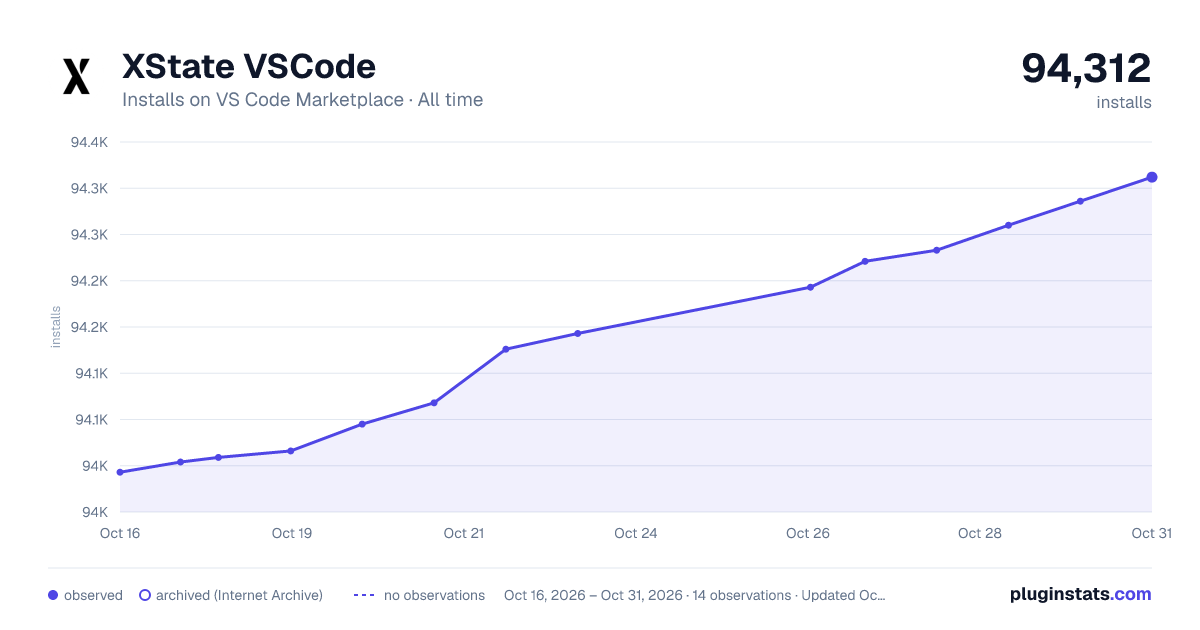
XState VSCode has 94,009 recorded installs on VS Code Marketplace.
It ranks #2460 of 2,500 tracked VS Code Marketplace listings by installs.
It is rated 4.8 out of 5 from 18 ratings.
PluginStats has 3 daily observations since Oct 16, 2026; the latest is from Oct 18, 2026.
Rating: 4.78 / 5 from 18 ratings
About XState VSCode
XState VSCode enhances the XState development experience by providing VSCode users with features like visual editing, autocomplete, typegen and linting.
Quickstart
1. Install via the Visual Studio Code Marketplace → 2. Once installed, you can run XState: Open Visual Editor from the command palette to open any machine at your cursor's location. 3. If you have code lens enabled (this can be enabled using editor.codeLens setting), you'll also see 'Open Visual Editor' floating above each createMachine call.
Features
Visually edit machines
Edit any XState machine with drag-and-drop using the Stately Visual editor.
Autocomplete
Intelligent suggestions for transition targets and initial states.
Linting
Highlights errors and potential bugs in your XState machine definitions.
Jump to definition
Navigate around machines easily with jump to definition on targets, actions, guards, services and more.
Snippets (BETA)
As an experimental feature, we include a snippet with this extension, xsm, which is short for XStateMachine. Using this snippet, you can get a working machine you can edit using the visual editor in seconds.
You will get an untyped machine if you type xsm and expand in a js or jsx file.
https://user-images.githubusercontent.com/167574/171016896-455d7772-cbbd-4b4c-8d77-f96f98383e03.mp4
In a ts or tsx file you will get a machine using typegen:
https://user-images.githubusercontent.com/167574/171017059-d997a158-c307-4c95-8f66-46210835a56a.mp4
In vue files you'll get both options.
Hints and Tips
Ignoring machines
If you'd like to ignore linting/autocomplete on a machine, add a // xstate-ignore-next-line comment on the line above it:
Nesting typegen files
If you're using typegen, you can nest the files in VSCode.
We try to detect if you want to have your typegen files nested. This is set to true by default but can be disabled using the prompt we show in VSCode or by setting xstate.nestTypegenFiles to false.
If you choose to enable file nesting using the prompt, we will set the file nesting feature in VSCode to true and add a pattern to nest the generated files.
If you choose not to enable it, we will set xstate.nestTypegenFiles to false and won't ask again.
You can read about this in more detail in our blog post: Nesting XState typegen files.
Refactors
Click the lightbulb when hovering an named action, guard or service in a machine to see available refactors.
Description from the VS Code Marketplace listing.
- autocomplete
- javascript
- javascriptreact
- snippet
- typescript
- typescriptreact
- visualize
- vscode
- xstate
Where XState VSCode sits in the listing
Each band is one page of 20. Installs on a log scale. Placement is projected from installs, so it can differ from the marketplace's own sort order. Hover a dot to see the listing.


Charts
Images: 30d · 1y · all time · 1600×900 dark

Adoption over time


7/30/90-day growth


Ranking history


Filled points are observed values; hollow points come from Internet Archive snapshots of the listing page. Dashed segments span periods with no observations — values between points are not interpolated.
Recent observations
Full history (3)Similar VS Code Marketplace Snippets plugins
Data source
Install counts, average rating, and rating counts come from the public Visual Studio Marketplace gallery API. Installs are cumulative and exclude updates.
Listing: https://marketplace.visualstudio.com/items?itemName=statelyai.stately-vscode. First seen Oct 16, 2026; last successful collection Oct 18, 2026. See the methodology.