 PluginStats
VSMarketplace Badges installs statistics
By KamaoKat (2 listings) · VS Code Marketplace · Programming Languages
Insert version, installs and rating badges for VSMarketplace extensions easily to your HTML or Markdown pages.
VSMarketplace Badges has 192,179 recorded installs on VS Code Marketplace.
It ranks #1562 of 2,500 tracked VS Code Marketplace listings by installs.
It is rated 5.0 out of 5 from 2 ratings.
PluginStats has 3 daily observations since Oct 16, 2026; the latest is from Oct 18, 2026.
Rating: 5.00 / 5 from 2 ratings
About VSMarketplace Badges
VSMarketplace Badges
Insert version, installs and rating badges for VSMarketplace extensions easily to your HTML or Markdown pages.
将VSMarketplace扩展的版本、安装量和评分等徽章轻松插入到您的HTML或Markdown页面。
Homepage/主页: https://www.xuangeaha.xyz/
Repository/仓库: https://github.com/Xuangeaha/VSMarketplace-Badges
Issues/问题: https://github.com/Xuangeaha/VSMarketplace-Badges/issues
Changelog/更新日志: https://marketplace.visualstudio.com/items/XuangeAha.vsmarketplace-badges/changelog
License/许可证: https://marketplace.visualstudio.com/items/XuangeAha.vsmarketplace-badges/license
Download/下载: https://marketplace.visualstudio.com/items?itemName=XuangeAha.vsmarketplace-badges
Copyright (c) 2023-2026 KamaoKat(卡猫kat,XuangeAha(轩哥啊哈OvO))
How To Use 使用方法
You can choose:
1. Type badge in the file of supported languages above. 在所支持语言文件中键入 badge。 2. Select the badge you want to insert and press Tab to insert badge. 选择你想插入的徽章后按下 Tab 以插入徽章。 3. Type in your publisher name and entension name in the format of publishername.entensionname. 以 publishername.entensionname 的格式键入发布者名和扩展名。 4. Press Tab and finish. 按下 Tab 后完成。
or:
1. Right click to show context menu. 右键显示上下文菜单。 2. Select Insert VSMarketplace Badges to insert vsmarketplace badges. 选择 Insert VSMarketplace Badges 以插入徽章。 3. Type in your publisher name and entension name in the format of publishername.entensionname. 以 publishername.entensionname 的格式键入发布者名和扩展名。 4. Press Tab and finish. 按下 Tab 后完成。
Language Supports 语言支持
HTML
Markdown
Badge List 徽章列表
| Badge Title/徽章标题 | Prefix/前缀 | URL/地址 | Discription/描述 |
| Version | badge-ver | https://vsmarketplacebadges.dev/version/*.svg | VSBadges Version | | Version Short | badge-ver-s | https://vsmarketplacebadges.dev/version-short/*.svg | VSBadges Version Short | | Installs | badge-instl | https://vsmarketplacebadges.dev/installs/*.svg | VSBadges Installs | | Installs Short | badge-instl-s | https://vsmarketplacebadges.dev/installs-short/*.svg | VSBadges Installs Short | | Downloads | badge-dld | https://vsmarketplacebadges.dev/downloads/*.svg | VSBadges Downloads | | Downloads Short | badge-dld-s | https://vsmarketplacebadges.dev/downloadsversi-short/*.svg | VSBadges Downloads Short | | Rating | badge-rate | https://vsmarketplacebadges.dev/rating/*.svg | VSBadges Rating | | Rating Short | badge-rate-s | https://vsmarketplacebadges.dev/rating-short/*.svg | VSBadges Rating Short | | Rating Star | badge-rate-st | https://vsmarketplacebadges.dev/rating-star/*.svg | VSBadges Rating Star | | TrendingDaily | badge-trd | https://vsmarketplacebadges.dev/trending-daily/*.svg | VSBadges TrendingDaily | | TrendingWeekly | badge-trw | https://vsmarketplacebadges.dev/trending-weekly/*.svg | VSBadges TrendingWeekly | | TrendingMonthly | badge-trm | https://vsmarketplacebadges.dev/trending-monthly/*.svg | VSBadges TrendingMonthly |
Enjoy!
Description from the VS Code Marketplace listing.
- .gitignore
- all
- asset
- assets
- badge
- badges
- branch
- branches
- c
- c#
- c++
- cheatsheet
- clone
- code
- coding
- codings
- css
- debug
- debugger
- debuggers
Where VSMarketplace Badges sits in the listing
Each band is one page of 20. Installs on a log scale. Placement is projected from installs, so it can differ from the marketplace's own sort order. Hover a dot to see the listing.


Charts
Images: 30d · 1y · all time · 1600×900 dark
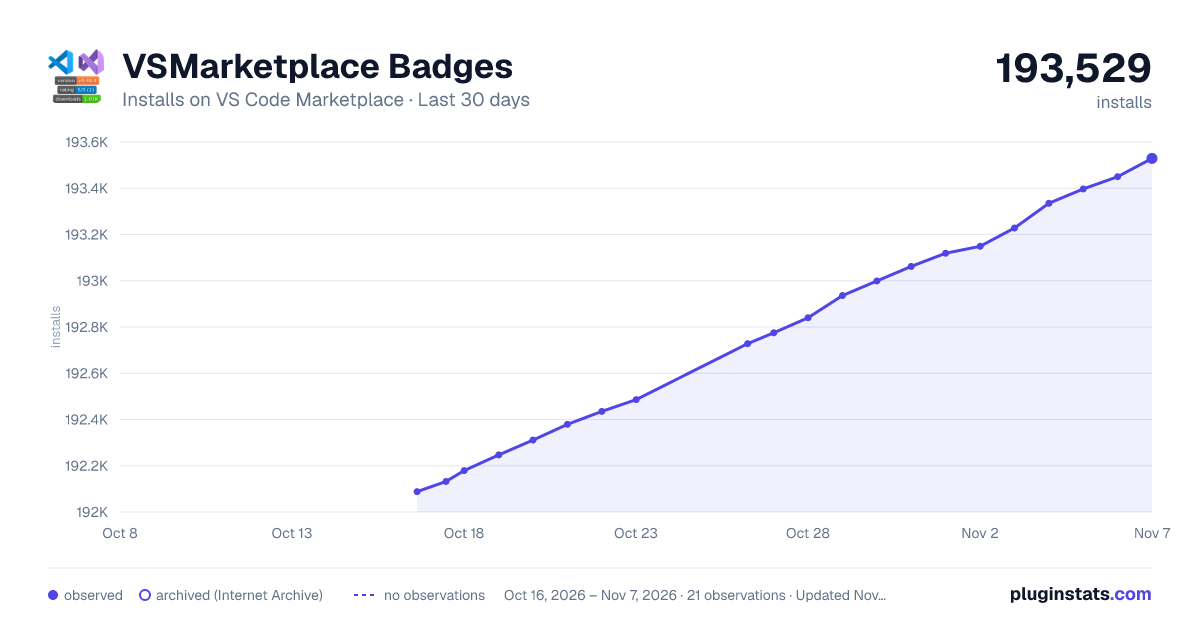
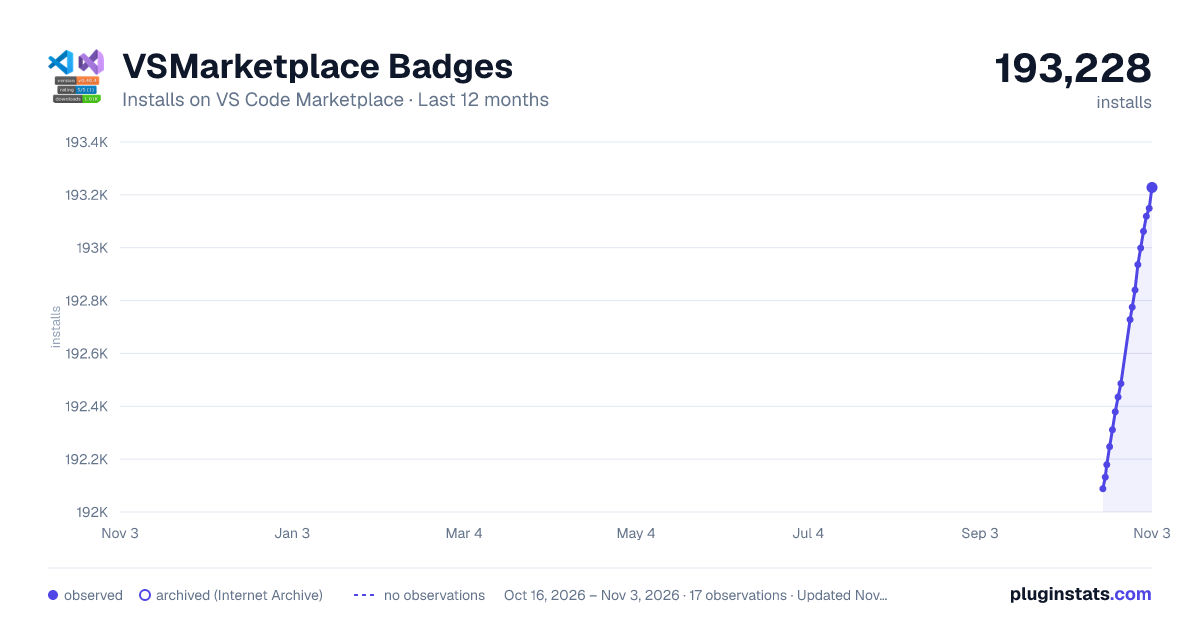
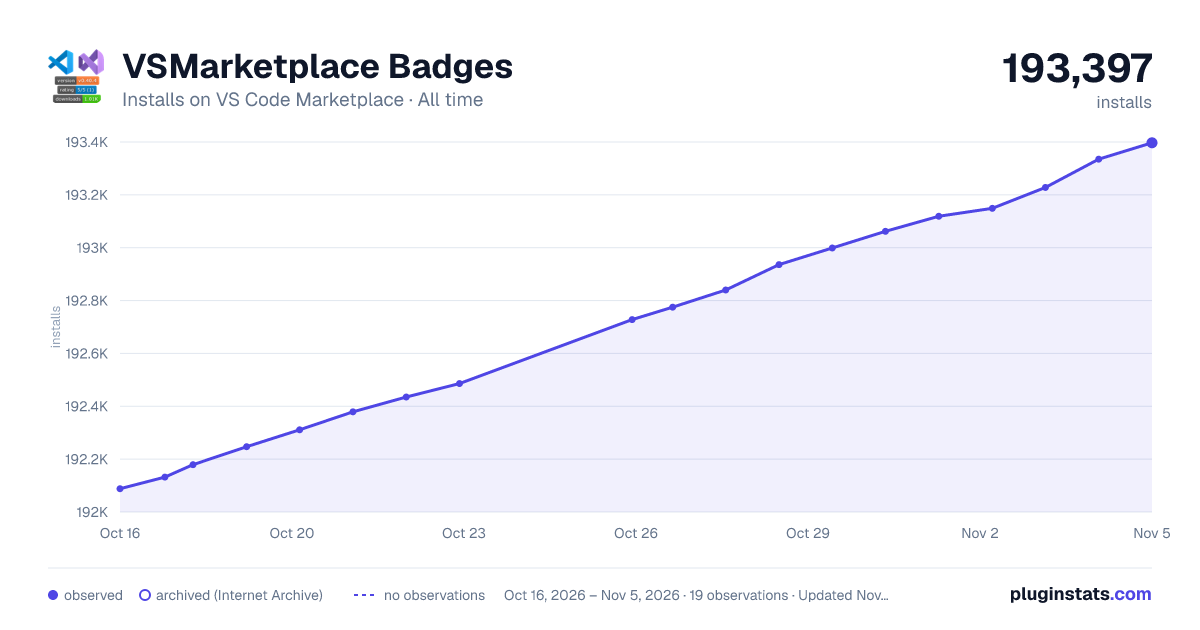

Adoption over time


7/30/90-day growth


Ranking history


Filled points are observed values; hollow points come from Internet Archive snapshots of the listing page. Dashed segments span periods with no observations — values between points are not interpolated.
Recent observations
Full history (3)Similar VS Code Marketplace Programming Languages plugins
Data source
Install counts, average rating, and rating counts come from the public Visual Studio Marketplace gallery API. Installs are cumulative and exclude updates.
Listing: https://marketplace.visualstudio.com/items?itemName=XuangeAha.vsmarketplace-badges. First seen Oct 16, 2026; last successful collection Oct 18, 2026. See the methodology.