 PluginStats
HTML CSS Support installs statistics
By ecmel · VS Code Marketplace · Programming Languages
CSS Intellisense for HTML
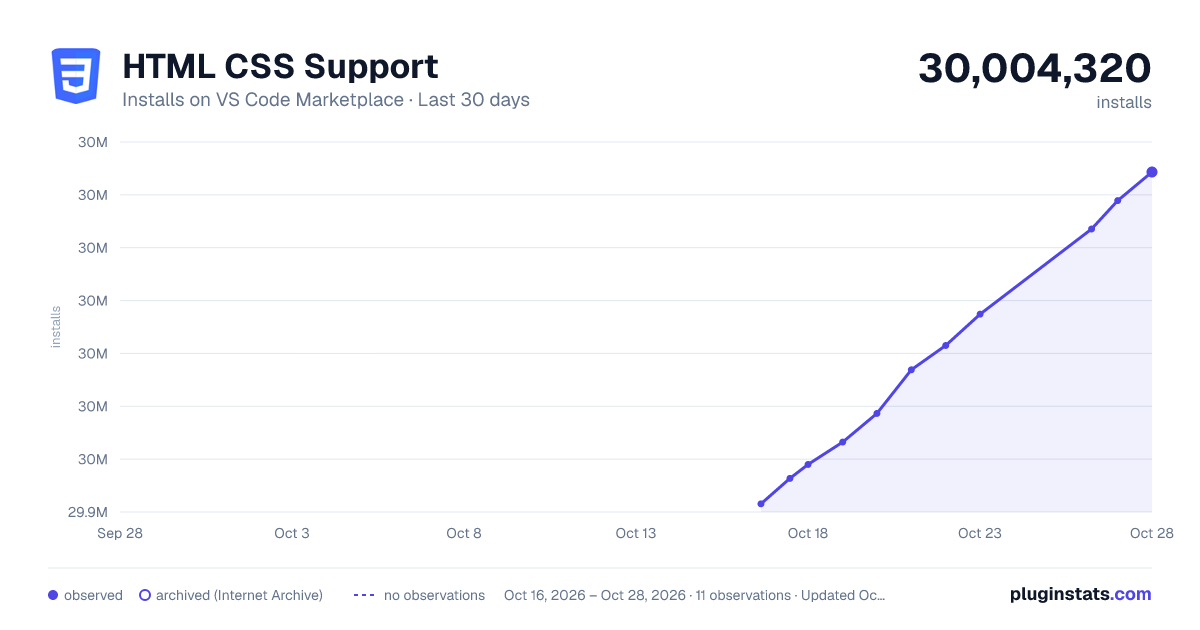
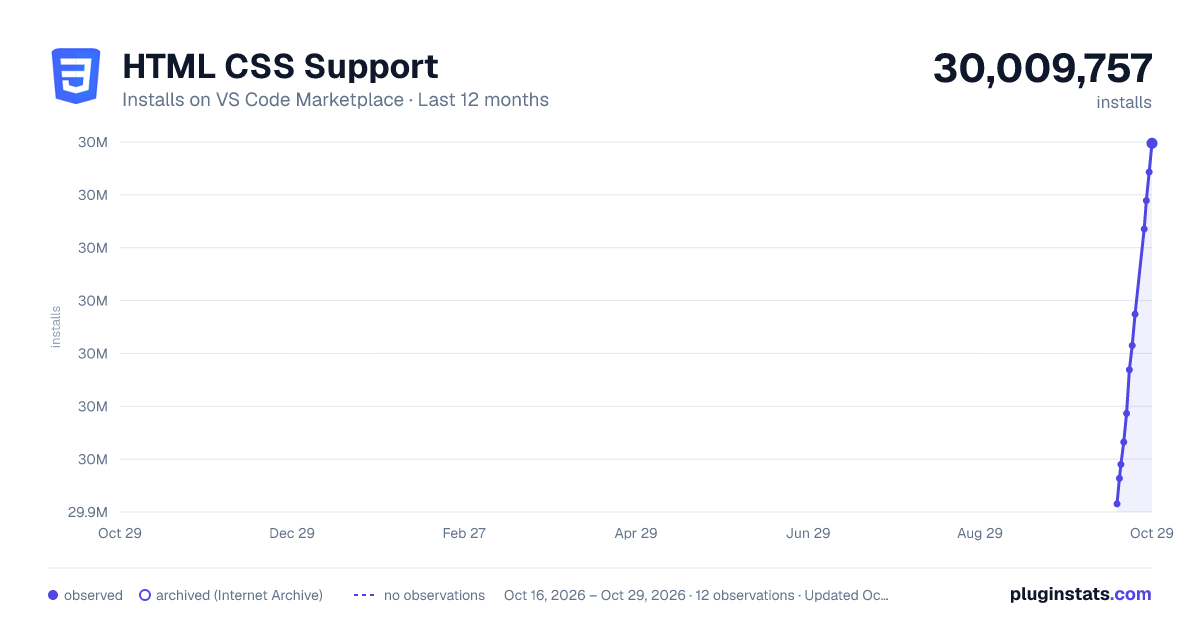
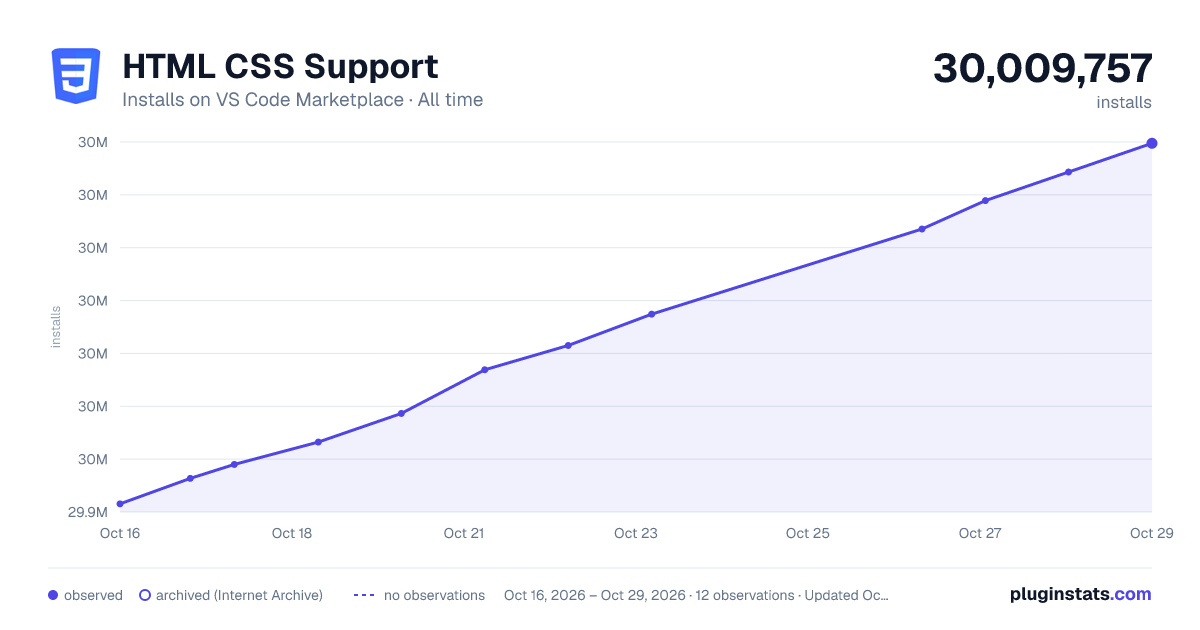
HTML CSS Support has 29,958,644 recorded installs on VS Code Marketplace, ranking #41 of 2,501 tracked listings.
Rating: 3.44 / 5 from 108 ratings
About HTML CSS Support
Visual Studio Code CSS Intellisense for HTML

HTML id and class attribute completion for Visual Studio Code.
Features
- HTML
idandclassattribute completion - Supports completion from in file defined styles
- Supports specifying remote and local style sheets
- Supports any language for completion
- Supports go to definition for selectors
- Validates class attributes on demand
Supported Languages
Supported languages can be configured with the css.enabledLanguages global setting. By default html is enabled:
{
  "css.enabledLanguages": ["html"]
}
Extension can be configured to support any language where it makes sense such as nunjucks, twig, mustache, vue, typescript etc. You should also install corresponding language extension which registers the specific language id in VS Code.
This setting is application scoped and changing the setting requires restarting VS Code.
Specifying Style Sheets
Remote and local style sheets with optional glob patterns and variable substitutions can be specified in VS Code settings per workspace folder in .vscode/settings.json and will suggest in all configured languages within that workspace folder.
Glob patterns for local style sheets can have the following syntax:
| Pattern | Matches |
|---|---|
* | zero or more characters in a path segment |
? | one character in a path segment |
** | any number of path segments, including none |
{} | group conditions like **/*.{css,scss} |
[] | a range of characters like [0-9] or negate [!0-9] |
The following variable substitutions are supported for local style sheets as well:
| Variable | Substitution |
|---|---|
${fileBasename} | Current file's basename |
${fileBasenameNoExtension} | Current file's basename with no extension |
${fileExtname} | Current file's extension |
Examples
Configuration depends on your layout of the project. The following most basic setup will suggest from all css files in project's src folder:
.vscode/settings.json
{
  "css.styleSheets": ["src/**/*.css"]
}
Bootstrap
If Bootstrap npm module is used with additional scss the following can be a starting point:
.vscode/settings.json
{
  "css.styleSheets": [
    "node_modules/bootstrap/dist/css/bootstrap.css",
    "src/**/*.scss"
  ]
}
or in case of Bootstrap CDN with additional plain css:
.vscode/settings.json
{
  "css.styleSheets": [
    "https://cdn.jsdelivr.net/npm/bootstrap@5.3.2/dist/css/bootstrap.min.css",
    "src/**/*.css"
  ]
}
All of Bootstrap's class selectors with additional user defined styles in the project will be available for completion in html files.
Lit
Enable typescript or javascript in global settings depending on your usage and restart VS Code:
{
  "css.enabledLanguages": ["html", "typescript"]
}
Component's static styles will be available for completion elsewhere in the component. If you need to use some base styles in every component you can specify as follows:
.vscode/settings.json
{
  "css.styleSheets": ["src/base-styles.ts"]
}
Variable substitution can be used to refer to a related css file. If you are working on my-component.ts and your css is in my-component-css.ts then a suitable setup can be:
.vscode/settings.json
{
  "css.styleSheets": ["**/${fileBasenameNoExtension}-css.ts"]
}
Vue
Install your favorite Vue language extension from Marketplace which registers vue language id then enable vue in global settings and restart VS Code:
{
  "css.enabledLanguages": ["html", "vue"]
}
Styles defined in component's <style> section will be available for completion in component's <template> section.
Angular
Variable substitution can be used for Angular development:
.vscode/settings.json
{
  "css.styleSheets": ["**/${fileBasenameNoExtension}.css"]
}
With this setup, styles defined in e.g. app.component.css will be available in app.component.html.
Go to Definition
Go to definition for id and class selectors for local style sheets are supported. Selecting Go to Definition from context menu (F12 or ⌘ click) on a selector will open the local style sheet which the selector is defined.
Commands
Validate class selectors
Validates all class selectors in the active editor. Auto validation can be configured in extension settings globally or per workspace.
Clear style sheets cache
Clears style sheets cache.
Sponsor
Installation
Extension can be installed from Visual Studio Code Marketplace.
Description from the VS Code Marketplace listing.
- angular
- blade
- bootstrap
- css
- django
- ejs
- html
- javascript
- lit
- lit-html
- maud
- multi-root ready
- mustache
- nunjucks
- react
- rust
- template
- twig
- typescript
- vue
README badge
Show your rank in a README or on your website. The badge updates automatically.
Charts
Images: 30d · 1y · all time · 1600×900 dark

Adoption over time
7/30/90-day growth
Ranking history
Ratings over time
Listing placement
Listing placement
Filled points are observed values; hollow points come from Internet Archive snapshots of the listing page. Dashed segments span periods with no observations — values between points are not interpolated.
Each band is one page of 20. Installs on a linear scale. Placement is projected from installs, so it can differ from the marketplace's own sort order. Hover a dot to see the listing.
Recent observations
Full history (5)Similar VS Code Marketplace Programming Languages plugins
All 20 HTML CSS Support alternativesData source
Install counts, average rating, and rating counts come from the public Visual Studio Marketplace gallery API. Installs are cumulative and exclude updates.
Listing: https://marketplace.visualstudio.com/items?itemName=ecmel.vscode-html-css. First seen Oct 16, 2026; last successful collection Oct 20, 2026. See the methodology.