 PluginStats
WebGL GLSL Editor installs statistics
By Rácz Zalán · VS Code Marketplace · Programming Languages
Language support for WebGL GLSL shaders.
WebGL GLSL Editor has 137,821 recorded installs on VS Code Marketplace.
It ranks #1952 of 2,500 tracked VS Code Marketplace listings by installs.
It is rated 5.0 out of 5 from 12 ratings.
PluginStats has 3 daily observations since Oct 16, 2026; the latest is from Oct 18, 2026.
Rating: 5.00 / 5 from 12 ratings
About WebGL GLSL Editor
WebGL GLSL Editor
This extension adds language support for GLSL ES 100 (WebGL 1 and OpenGL ES 1.00) and GLSL ES 300 (WebGL 2 and OpenGL ES 3.00). It supports all the WebGL-compatible GLSL extensions too. It supports most of the well-known VS Code language features like syntax highlight, IntelliSense and more, see the details below.
Features
Syntax highlight
The extension colorizes types, builtin types, variables, builtin variables, functions, keywords, qualifiers, operators, preprocessor directives and comments.
Diagnostic
The extension uses glslang, the Khronos Group's reference GLSL compiler to provide diagnostic information (errors and warnings). It also grays out the unused functions, types and variables. Only available in the desktop version.
Offline documentation
The extension uses docs.gl to provide the offline documentation for builtin variables and builtin functions. Only available in the desktop version.
Signature help
The extension can display a signature helper for functions and constructors (except matrix constructors).
Code completion
The extension provides types, variables, functions, constructors, keywords, qualifiers, qualifier parameters, preprocessor directives, macros, and code snippets using IntelliSense, according to the current scope and shader stage. Member variables and vector swizzles are also supported.
Formatting
The extension can format the whole source code and it can format a region of the source code. The formatting is customizable in Settings.
Syntax highlight in HTML scripts and in JavaScript/TypeScript template strings
The extension can colorize GLSL code in HTML scripts if the script's type is x-shader/x-vertex or x-shader/x-fragment.
The extension can colorize GLSL code in JavaScript/TypeScript strings if there is a /*glsl*/ comment before it.
Rename
You can rename types (and constructors), interface blocks, variables and functions.
Highlights
The extension can highlight all the occurrences of the selected type, variable function or constructor.
Hover
The extension can provide useful information or documentation summary if you hover over types, variables, functions or constructors.
Symbols
The extension can provide outline information and breadcrumbs about the types, interface blocks, variables and functions. You can also easily find them by typing a @ into the Command Palette.
Inlay hints
The extension can show function and constructor parameters in the source code with tooltips and links.
Color picker
The extension can display a color picker if you initialize or reassign a vec3 or vec4 variable whose name contains the word color or colour and the assigned expression is a vec3 or vec4 constructor and its parameters are number literals.
Code injection
The extension can inject code into the GLSL files. You can specify the code in Settings.
Show/Peek call hierarchy
The extension can visualize the functions' and constructors' incoming and outgoing calls as a graph.
Go to/Peek declarations
You can find (go to / peek) the declaration of a type, a variable, a function or a constructor.
Go to/Peek definitions
You can find (go to / peek) the definition of a type, a variable, a function or a constructor.
Go to/Peek type definitions
You can find (go to / peek) the type definition of a variable, a function or a constructor.
Go to/Find all/Peek implementations
You can find (go to / find all / peek) the implementation of a function.
Go to/Find all/Peek references
You can find (go to / find all / peek) the references of a type, a variable, a function or a constructor.
Generating preprocessed GLSL source code
You can generate preprocessed GLSL source code by running a command or pressing the button on the top-right corner of the editor. Only available in the desktop version.
Folding
You can collapse or expand code blocks.
Commands for online documentation
You can easily access several online documentations by commands.
Other features
• Indentation • Brace matching • Comment toggling • Autoclosing pairs • Surrounding pairs • Default icon for GLSL files
Configuration…
Description from the VS Code Marketplace listing.
- ES
- GLSL
- HTML
- linters
- OpenGL
- OpenGL Shading Language
- shader
- snippet
- WebGL
Where WebGL GLSL Editor sits in the listing
Each band is one page of 20. Installs on a log scale. Placement is projected from installs, so it can differ from the marketplace's own sort order. Hover a dot to see the listing.


Charts
Images: 30d · 1y · all time · 1600×900 dark
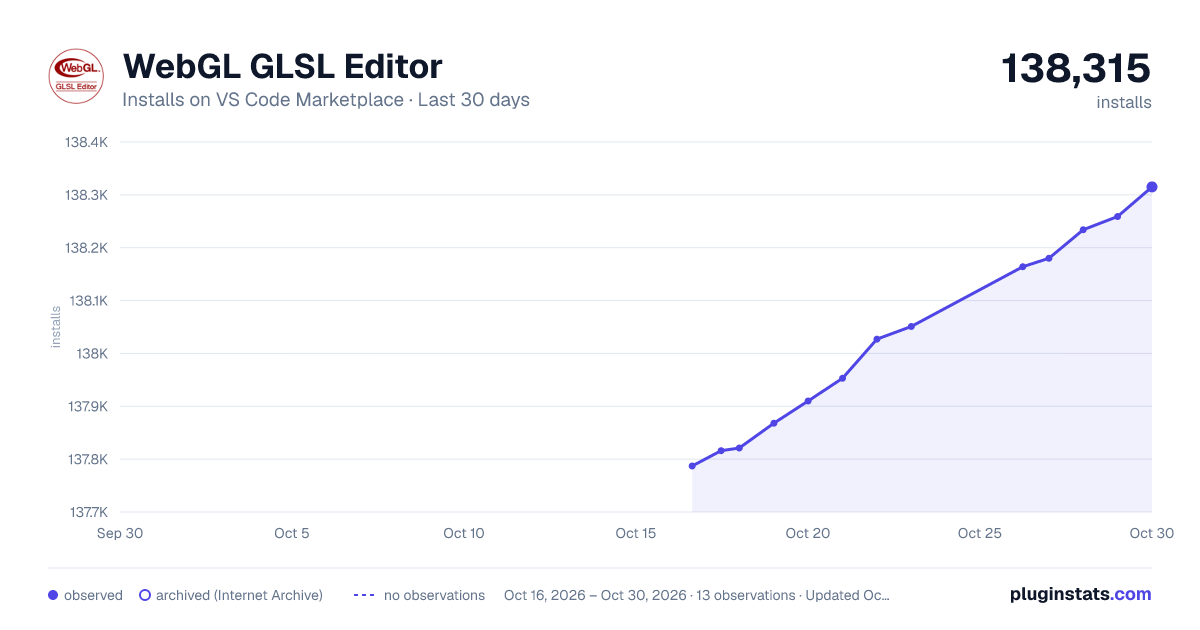
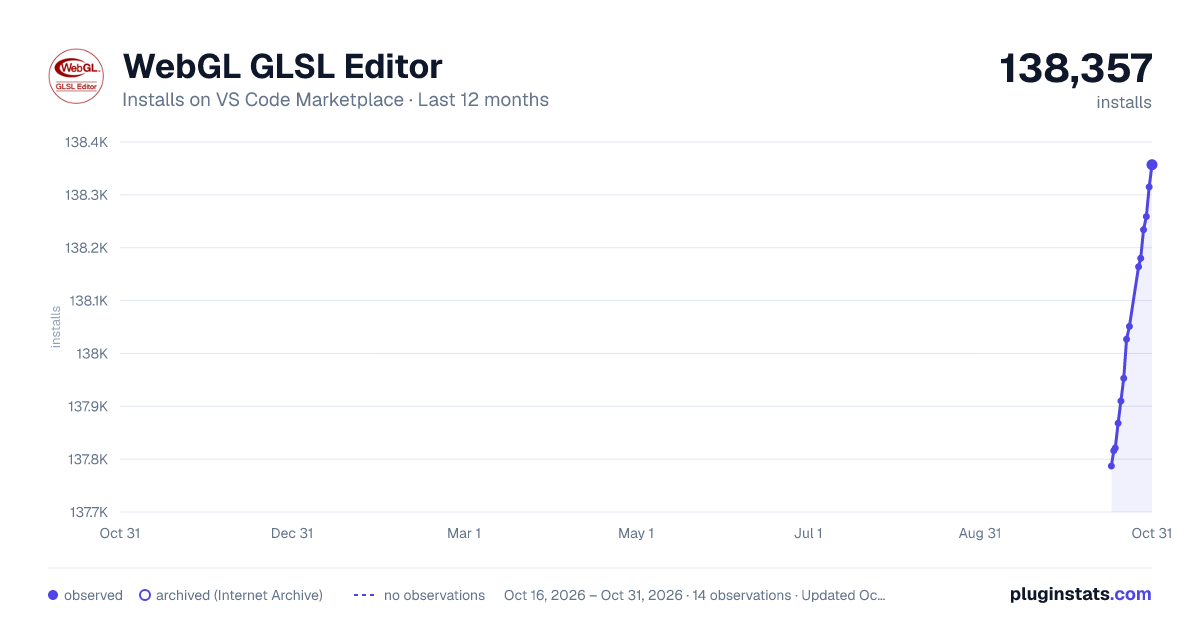
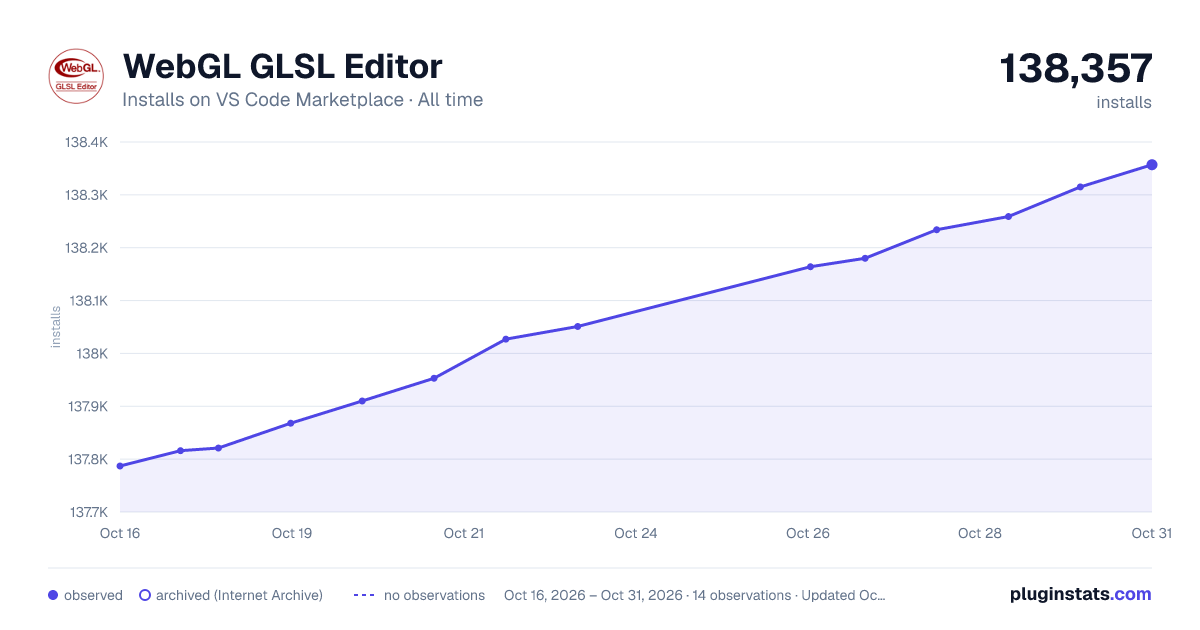

Adoption over time


7/30/90-day growth


Ranking history


Filled points are observed values; hollow points come from Internet Archive snapshots of the listing page. Dashed segments span periods with no observations — values between points are not interpolated.
Recent observations
Full history (3)Similar VS Code Marketplace Programming Languages plugins
Data source
Install counts, average rating, and rating counts come from the public Visual Studio Marketplace gallery API. Installs are cumulative and exclude updates.
Listing: https://marketplace.visualstudio.com/items?itemName=raczzalan.webgl-glsl-editor. First seen Oct 16, 2026; last successful collection Oct 18, 2026. See the methodology.