 PluginStats
Streamlit Runner installs statistics
By joshrmosier · VS Code Marketplace · Other
Run Python files with Streamlit directly from the context menu
Streamlit Runner has 112,344 recorded installs on VS Code Marketplace, ranking #2211 of 2,501 tracked listings.
Rating: 5.00 / 5 from 1 ratings
About Streamlit Runner
Streamlit Runner for VS Code
A Visual Studio Code extension that allows you to run Streamlit apps directly from the context menu. Perfect for data scientists and developers who work with Streamlit frequently.
<p align="center"> <img src="https://github.com/JoshuaMosier/vscode-streamlit-runner/raw/HEAD/example-window.png" alt="Context menu showing Run with Streamlit option"/> </p> <p align="center"> <img src="https://github.com/JoshuaMosier/vscode-streamlit-runner/raw/HEAD/example-terminal2.png" alt="Streamlit running in terminal with venv info"/> </p>Features
- Right-click any Python file and run it with Streamlit
- Automatically detects and uses the active Python environment (venv, conda, uv, pyenv, pipenv, etc.)
- Displays environment info in the terminal so you can verify the correct interpreter is in use
- Each app runs in its own terminal, allowing multiple Streamlit apps to run simultaneously
- Clean terminal output with Ctrl+C support to stop the server
Requirements
- Visual Studio Code v1.93.0 or higher
- Python
- Streamlit (
pip install streamlit) - Python extension (recommended, for automatic environment detection)
Usage
- Right-click on any Python file in the VS Code explorer
- Select "Run with Streamlit" from the context menu
- The app will start in a new terminal window
The extension automatically uses whichever Python interpreter is selected in VS Code's status bar. If you're using a virtual environment, just make sure it's selected as the active interpreter.
Extension Settings
This extension does not add any VS Code settings.
Known Issues
None reported yet.
Release Notes
0.1.0
- Added Python environment detection (venv, conda, uv, pyenv, pipenv, etc.)
- Environment info banner displayed in terminal
- Fixed race condition with VS Code Python extension auto-activation
0.0.1
Initial release of Streamlit Runner
License
MIT
Description from the VS Code Marketplace listing.
- dashboard
- data science
- python
- streamlit
- venv
- web app
README badge
Show your rank in a README or on your website. The badge updates automatically.
Charts
Images: 30d · 1y · all time · 1600×900 dark
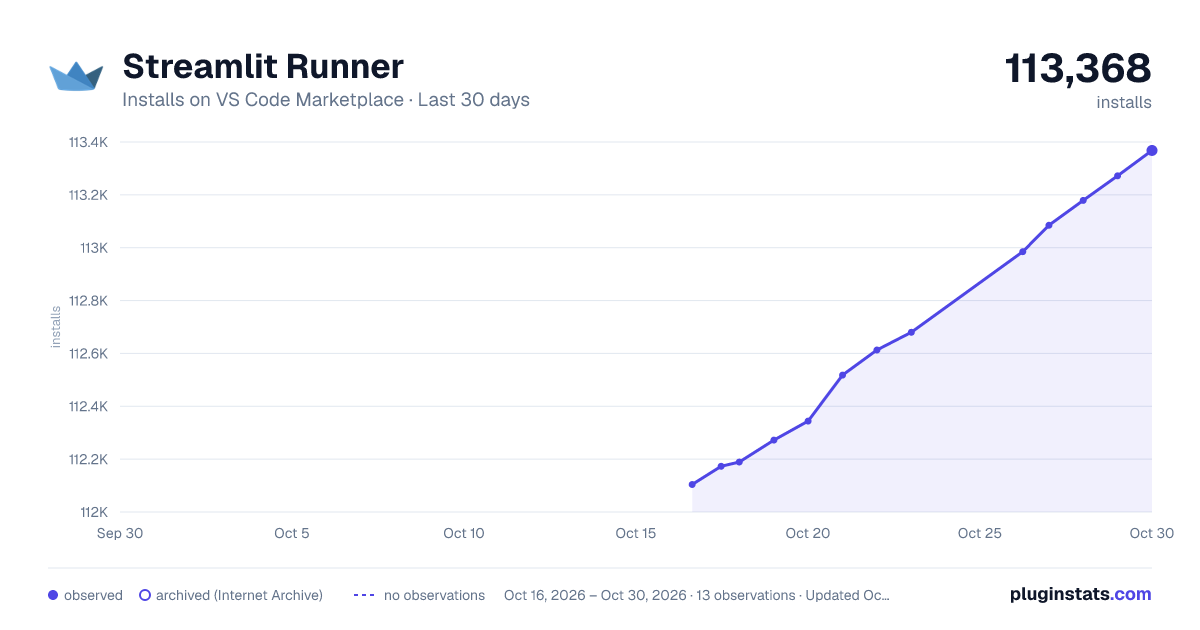
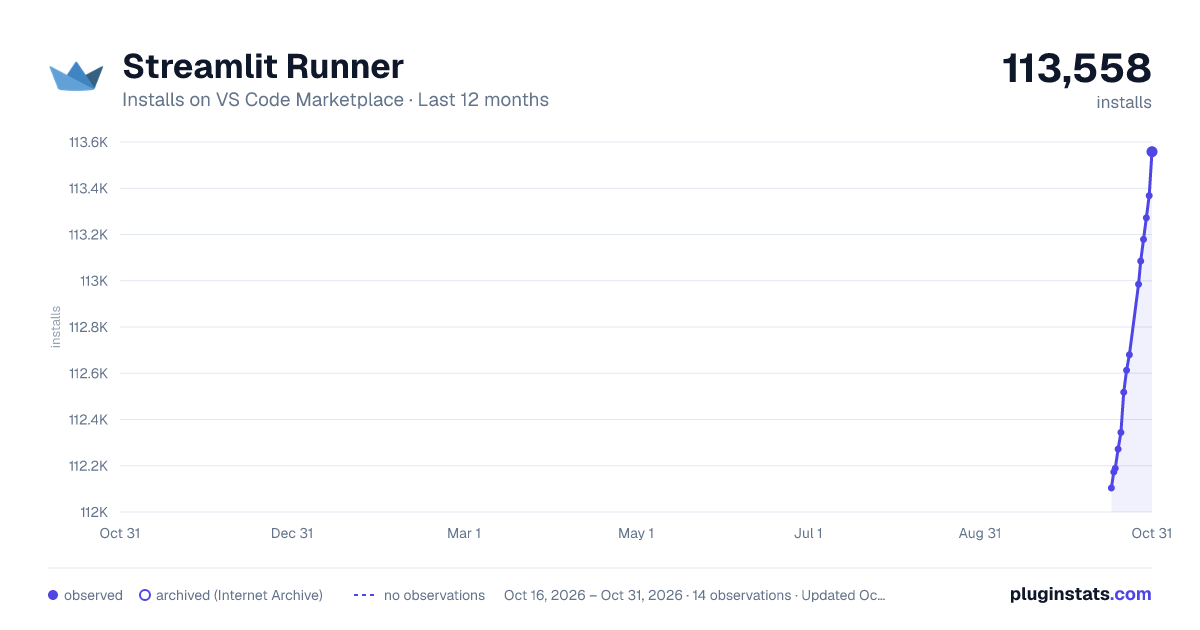
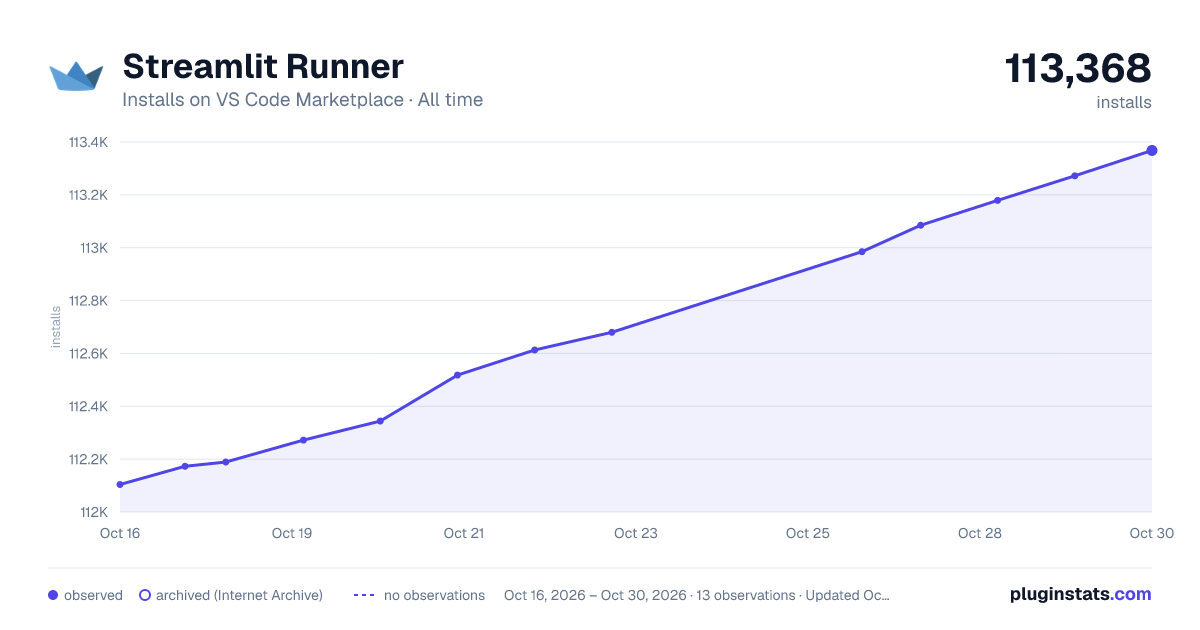

Adoption over time
7/30/90-day growth
Ranking history
Ratings over time
Listing placement
Listing placement
Filled points are observed values; hollow points come from Internet Archive snapshots of the listing page. Dashed segments span periods with no observations — values between points are not interpolated.
Each band is one page of 20. Installs on a linear scale. Placement is projected from installs, so it can differ from the marketplace's own sort order. Hover a dot to see the listing.
Recent observations
Full history (5)Similar VS Code Marketplace Other plugins
All 20 Streamlit Runner alternativesData source
Install counts, average rating, and rating counts come from the public Visual Studio Marketplace gallery API. Installs are cumulative and exclude updates.
Listing: https://marketplace.visualstudio.com/items?itemName=joshrmosier.streamlit-runner. First seen Oct 16, 2026; last successful collection Oct 20, 2026. See the methodology.