 PluginStats
Zowe Explorer installs statistics
By Zowe · VS Code Marketplace · Other
VS Code extension, powered by Zowe CLI, that streamlines interaction with mainframe Data Sets, USS files, and Jobs
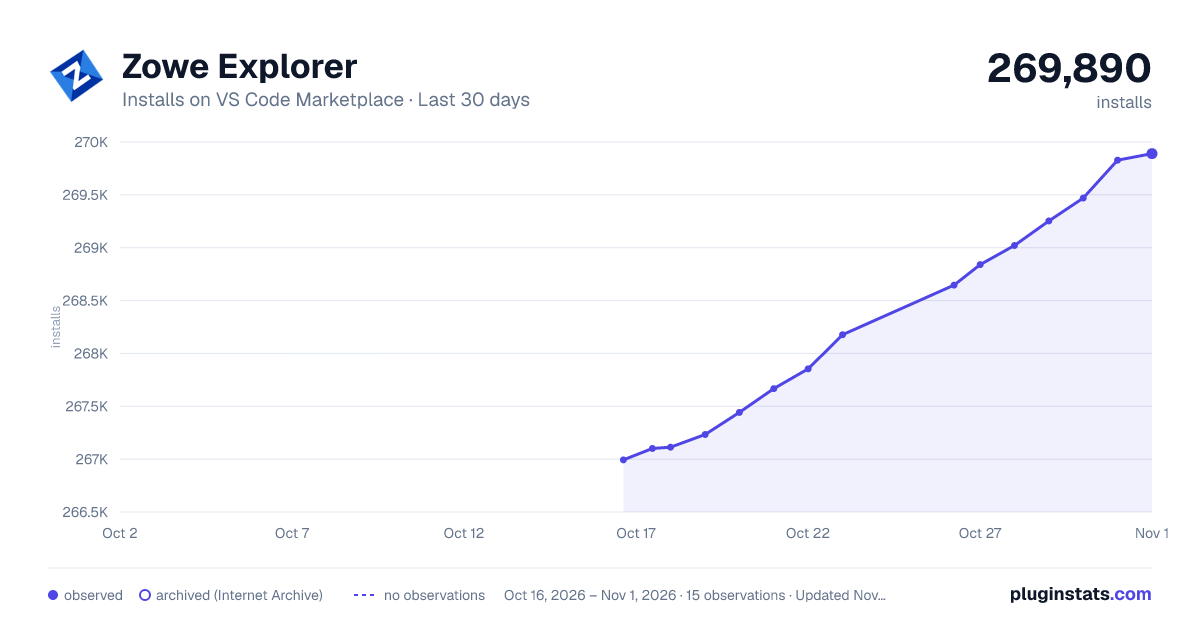
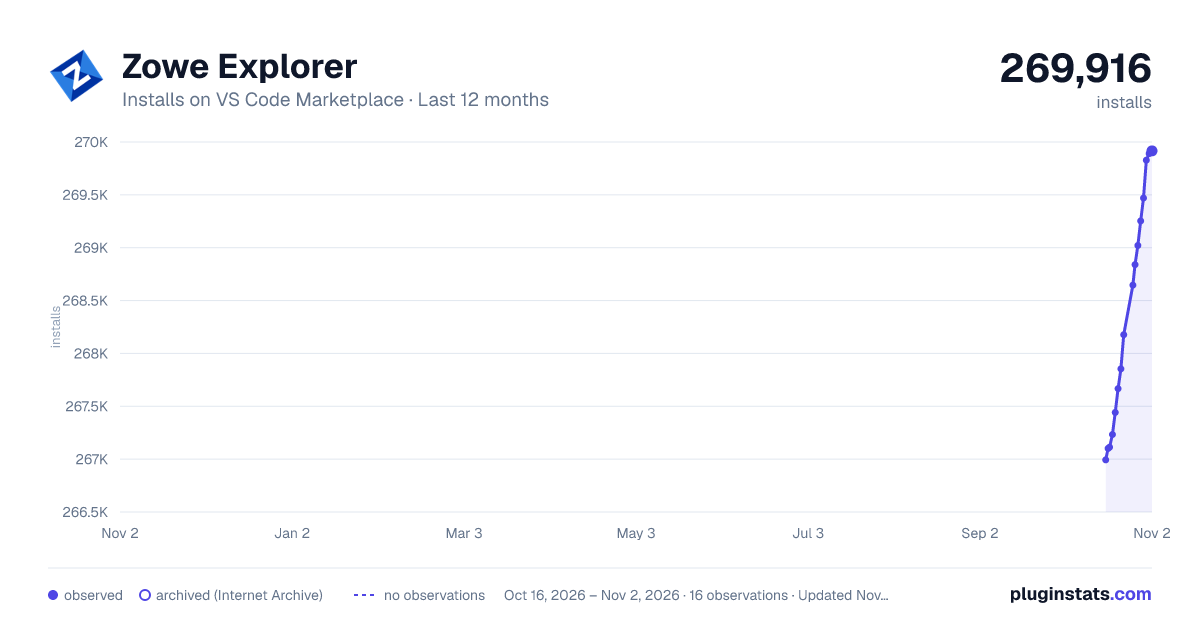
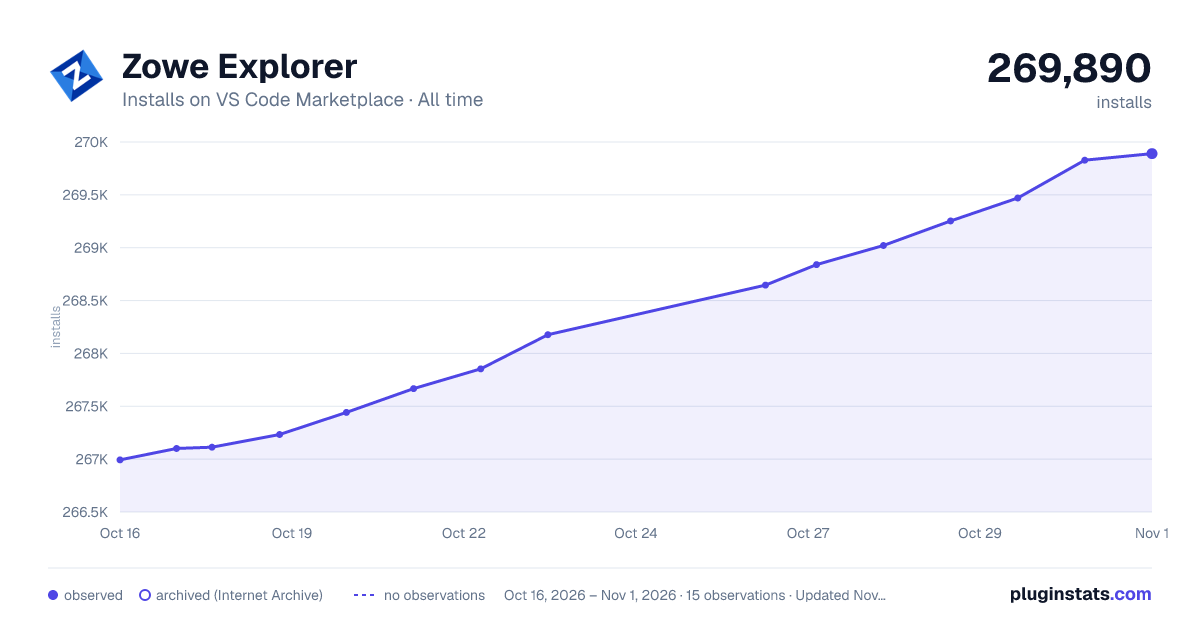
Zowe Explorer has 267,113 recorded installs on VS Code Marketplace.
It ranks #1244 of 2,500 tracked VS Code Marketplace listings by installs.
It is rated 5.0 out of 5 from 6 ratings.
PluginStats has 3 daily observations since Oct 16, 2026; the latest is from Oct 18, 2026.
Rating: 5.00 / 5 from 6 ratings
About Zowe Explorer
Zowe Explorer for Visual Studio Code
All previous versions of Zowe Explorer for Visual Studio Code™ can be downloaded from Zowe Explorer GitHub Releases.
Zowe Explorer for VS Code provides access to mainframe resources in Visual Studio Code. Zowe Explorer provides a modern, familiar, user-friendly interface that enables mainframe developers and system programmers to:
• Manage data sets and USS files on a z/OS mainframe with browse, create, modify, rename, copy, and upload functionality • Submit JCL and view job output • Issue TSO, UNIX, and MVS console commands from an integrated VS Code terminal • Apply other VS Code extensions for things like syntax highlighting, debugging, and IntelliSense to improve the developer experience
Share an idea or open an issue in our Git repository to help improve Zowe Explorer or report an issue.
Other ways to connect
• Join the #zowe-explorer-vscode channel on Slack to stay in touch with the Zowe community. • To translate Zowe Explorer into your language, join our POEditor project. • For the complete Zowe Explorer documentation, see Zowe Docs.
Addressing system requirements
Before you use Zowe Explorer, ensure that you meet the following prerequisites:
Client side requirements
Operating systems
• macOS: Only Mac operating system versions supported by Apple • Unix-like: • CentOS 8+ • RHEL 8+ • Ubuntu 20.04+ • Windows: Only Windows operating system versions supported by Microsoft
Integrated development environments
• Red Hat CodeReady Workspaces
Note: Secure credentials are not supported in Red Hat CodeReady Workspaces as the keyring is not unlocked by default. However, you can use the Kubernetes Secrets plug-in for Zowe CLI or Zowe® Explorer for Kubernetes® Secrets as an alternative, or you can create your own Custom Credential Managers in Zowe Explorer and Zowe CLI.
• VS Code 1.90.0+
Note: Only VS Code versions that bundle actively maintained versions of Node.js are supported.
Server side requirements
• IBM z/OSMF is configured and running. • See z/OSMF REST services for Zowe clients for a list of services that need configuration. • If using IBM CICS or IBM z/OS FTP: Applicable plug-in services are configured and running on the mainframe. • Plug-ins communicate with various mainframe services. The services must be configured and running on the mainframe before issuing plug-in commands. - See Zowe® Explorer for IBM® CICS® Transaction Server system requirements. - See Zowe® Explorer for IBM® z/OS® FTP system requirements.
Getting started
Use various services to communicate with system resources and extract system data on the mainframe:
• z/OSMF • See z/OSMF documentation for more information. • SSH • This connection option is integrated out-of-the-box, powered by Zowe Remote SSH. • See SSH documentation for more information. • FTP • This connection is available with the Zowe Explorer FTP Extension. • See FTP documentation for more information. • There are multiple extensions that offer additional protocols and functionality. See the Explorer for Visual Studio Code Zowe V3 section in the Zowe V2 and V3 Conformant Landscape for a complete list of conformant extensions.
Customizing extension settings
• Configure Zowe Explorer by changing the extension settings. For more information, see Configuring Zowe Explorer.
Confirming your team configuration
Team configuration stores connection information to access the mainframe. Check that you have your team configuration in place.
• Your team configuration is in place when: • Selecting the + icon in the headers of the DATA SETS, UNIX SYSTEM SERVICES, or JOBS tree views presents options in the Quick Pick to edit your configuration file or, if available, use an existing profile. • You do not have team configuration when: • A pop-up message displays advising that client configurations were not found. • A Search icon does not display in the headers of the DATA SETS, UNIX SYSTEM SERVICES, or JOBS tree views. Select the + icon to create team configuration.
If you are missing your team configuration files, zowe.config.json and zowe.schema.json, work with your administrator to confirm the connection information needed to finalize the configuration.
Creating a team configuration file
A team configuration file stores connection information to mainframe services in _profiles_, making team configuration easy to maintain and share with others in your organization.
Team configuration should be created by an administrator or team lead who understands what connection information is needed and can efficiently manage it. A user can also set up their team configuration when they understand their team's requirements for use and the options available to ensure these are met.
If you do not have a team configuration file, create a new one in Visual Studio Code:
1. Open Zowe Explorer. 2. In the pop-up message that prompts you to create a new configuration file, click Create New. 3. In the Quick Pick, select the type of configuration file to create, a global or project file. 4. In the Editor tab, fill in the required connection information.
Refer to Zowe Docs for documentation on understanding and implementing team configuration:
• Team configuration overview • Creating Zowe Explorer profiles
Note: Team configuration can apply across three core components of the Zowe project: Zowe Explorer for VS Code, Zowe Explorer for IntelliJ IDEA, and Zowe CLI.
Using profiles for the first time
The first time a team configuration profile is used, you are prompted for a user name and password for the profile's connection.
The term _password_ is used loosely to represent all supported authentication secrets, such as passphrases, passtickets, Multifactor Authentication (MFA) tokens, etc.
Updating securely stored credentials
Secure fields in the team configuration file are handled by the Zowe Imperative dependency.
To update securely stored user names and passwords in Zowe Explorer:…
Description from the VS Code Marketplace listing.
- dataset
- explorer
- JES
- jsonc
- keybindings
- mainframe
- MVS
- USS
- z/OS
- Zowe
Where Zowe Explorer sits in the listing
Each band is one page of 20. Installs on a log scale. Placement is projected from installs, so it can differ from the marketplace's own sort order. Hover a dot to see the listing.


Charts
Images: 30d · 1y · all time · 1600×900 dark

Adoption over time


7/30/90-day growth


Ranking history


Filled points are observed values; hollow points come from Internet Archive snapshots of the listing page. Dashed segments span periods with no observations — values between points are not interpolated.
Recent observations
Full history (3)Similar VS Code Marketplace Other plugins
Data source
Install counts, average rating, and rating counts come from the public Visual Studio Marketplace gallery API. Installs are cumulative and exclude updates.
Listing: https://marketplace.visualstudio.com/items?itemName=Zowe.vscode-extension-for-zowe. First seen Oct 16, 2026; last successful collection Oct 18, 2026. See the methodology.