 PluginStats
Pubspec Assist installs statistics
By Jeroen Meijer · VS Code Marketplace · Other
Easily add and update dependencies to your Dart and Flutter project.
Pubspec Assist has 886,783 recorded installs on VS Code Marketplace.
It ranks #583 of 2,500 tracked VS Code Marketplace listings by installs.
It is rated 4.9 out of 5 from 15 ratings.
PluginStats has 3 daily observations since Oct 16, 2026; the latest is from Oct 18, 2026.
Rating: 4.93 / 5 from 15 ratings
About Pubspec Assist
Pubspec Assist
Easily add dependencies to your Dart / Flutter project.
Pubspec Assist is a Visual Studio Code extension that allows you to easily add dependencies to your Dart and Flutter project's pubspec.yaml, all without leaving your editor.
Usage
Simply open the Command Palette (by default, Ctrl+Shift+P on Windows, ⌘+Shift+P on Mac) and search for "Pubspec Assist".
Then, choose any of the available options (see the video above).
Pro-tip: You can search for multiple packages at a time by separating every package name with a comma (bloc, cloud_firestore, provider).
Download
Download the latest version here.
Features
Get the latest version for your packages.
Pubspec Assist will get you the latest version of whatever package you are looking for, puts it in your pubspec.yaml and formats the file automatically. If you already have the package in your pubspec.yaml, Pubspec Assist automatically updates it to the latest version for you. Oh, and it also supports dev_dependencies!
Never leave VS Code.
Forget going to the pub.dev to search for your packages and copy the dependency text. You can look for and import packages directly from VS Code without ever switching windows.
Smart (Fuzzy) search.
Pubspec Assist is smart about finding what you're trying to search for. It gets you the most likely package you want and will give you a selection to choose from otherwise and sorts them by relevance.
Automatically sort dependencies.
Pubspec Assist automatically sorts your dependencies after adding a new package. This makes it easy to manage packages from multiple sources, such as local packages, ones hosted on Git, somewhere else or regular packages from pub.dev.
Already have your dependencies set up? Just use the sort command to instantly sort your existing dependencies.
Compatible with multiple projects.
Pubspec Assist will add your new dependencies to the pubspec.yaml that's open in your editor. Don't have your pubspec.yaml file opened? No problem - the package will be added to the pubspec.yaml in the root of your workspace.
Requirements
• Visual Studio Code • An internet connection • A sense of relief after installation.
Roadmap
Some features that are planned for the future, in order of expected implementation.
• Command for updating all packages. • Auto-complete while searching.
Bugs and feature requests
If you have any bugs or feature requests to report, please check out the issues on the GitHub repository or create a new one.
Contributing
• Branch from main using conventional names: feat/…, fix/…, chore/…. • Use conventional commit messages and PR titles (feat:, fix:, chore:, ci:, etc.). • Prepend changelog bullets under ## Upcoming in CHANGELOG.md on every PR (newest at top). Nested sub-bullets are fine. • Run npm run lint and npm test before pushing. • Open a PR to main; squash-merge after Lint, Test, Changelog updated, and Validate PR Title pass.
See CLAUDE.md for the full runbook.
Release
Releases are cut via labeled release PRs, not manual version bumps on main:
This opens chore/release-X.Y.Z with the release label. Squash-merge after CI passes to publish to the VS Code Marketplace, create a GitHub release, and tag main.
First-time setup requires the release label and VSCE_PAT in GitHub Actions (see CLAUDE.md). Open VSX updates are handled by Eclipse auto-publish from the Marketplace.
Description from the VS Code Marketplace listing.
- dart
- dependency
- flutter
- package
- pubspec assist
- yaml
Where Pubspec Assist sits in the listing
Each band is one page of 20. Installs on a log scale. Placement is projected from installs, so it can differ from the marketplace's own sort order. Hover a dot to see the listing.


Charts
Images: 30d · 1y · all time · 1600×900 dark
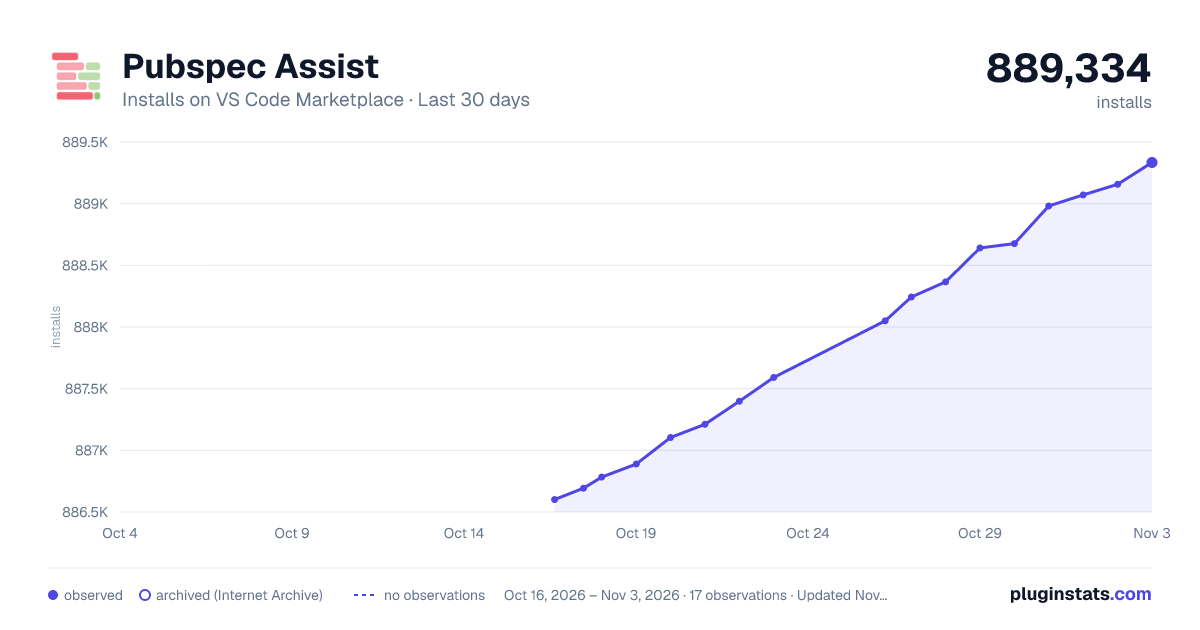
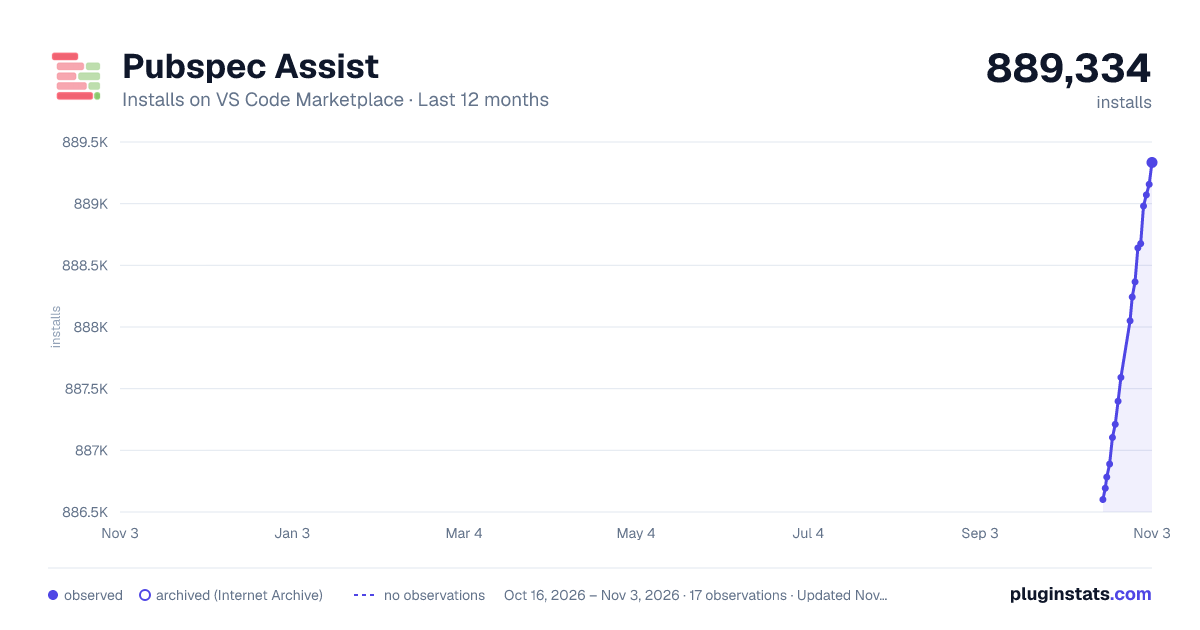
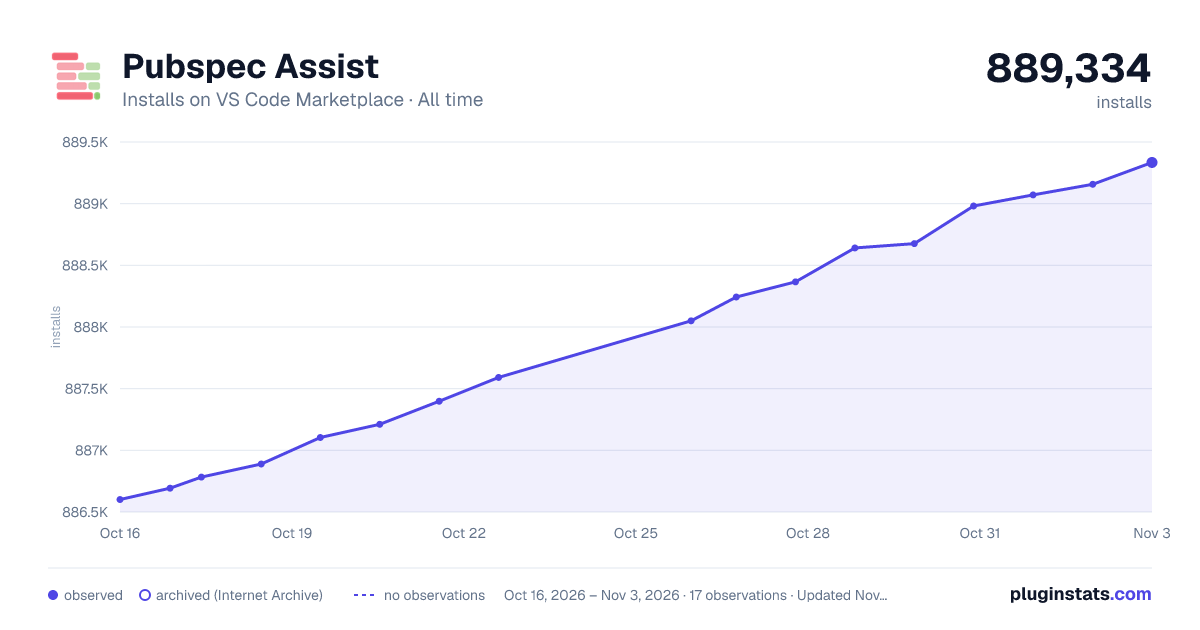

Adoption over time


7/30/90-day growth


Ranking history


Filled points are observed values; hollow points come from Internet Archive snapshots of the listing page. Dashed segments span periods with no observations — values between points are not interpolated.
Recent observations
Full history (3)Similar VS Code Marketplace Other plugins
Data source
Install counts, average rating, and rating counts come from the public Visual Studio Marketplace gallery API. Installs are cumulative and exclude updates.
Listing: https://marketplace.visualstudio.com/items?itemName=jeroen-meijer.pubspec-assist. First seen Oct 16, 2026; last successful collection Oct 18, 2026. See the methodology.