 PluginStats
vscode-openai installs statistics
By Andrew Butson · VS Code Marketplace · Programming Languages
vscode-openai seamlessly incorporates OpenAI features into VSCode, providing integration with SCM, Code Editor and Chat.
vscode-openai has 126,926 recorded installs on VS Code Marketplace.
It ranks #2061 of 2,500 tracked VS Code Marketplace listings by installs.
It is rated 4.4 out of 5 from 15 ratings.
PluginStats has 3 daily observations since Oct 16, 2026; the latest is from Oct 18, 2026.
Rating: 4.40 / 5 from 15 ratings
About vscode-openai
vscode-openai
The vscode-openai extension is a powerful and versatile tool designed to integrate OpenAI features seamlessly into the vscode editor. By leveraging this extension, you can obtain instant answers to your questions without the need to switch between multiple applications, allowing you to maintain focus on your coding environment.
This extension provides support for both a sponsored (free) openai instance exclusive to extension users and Bring-Your-Own-Key (BYOK) options for vanilla OpenAI and Azure-OpenAI. The intuitive quick-pick menu system enables rapid configuration of service providers, while also offering the flexibility to customize settings as needed. For detailed guidance on configuring service providers, please refer to the Configuring Service Providers section.
In case you encounter difficulties connecting to your own OpenAI service, the Detecting Issues segment offers troubleshooting tips and insights to help resolve any configuration issues. Experience an enhanced coding experience with the vscode-openai extension – your go-to solution for seamless interaction with OpenAI services.
Setup
The Quick Pick feature of the vscode-openai extension is a convenient and efficient configuration for service providers. With options to choose from sponsored, native, or Azure-OpenAI instances, you can tailor your selection based on your specific needs. This feature not only saves time but also offers step-by-step guidance and customized settings to ensure a smooth setup experience.
Once configured, you can effortlessly utilize OpenAI features within VSCode without any interruptions to your workflow.
Note: To activate the setup, you have two options: either use the command "vscode-openai.configuration.show.quickpick" or access it through the vscode-openai StatusBar located at the bottom left corner of VSCode.
Conversations
The vscode-openai conversation feature have been meticulously crafted to enhance your coding experience by providing rapid and accurate answers to your programming questions. Whether you require assistance with syntax, debugging, or wish to delve deeper into a specific topic, the extension is readily available to support you. By delivering precise and timely responses, we ensure that you can maintain focus on your work without any disruptions. Download our extension today and discover the convenience of having an intelligent chatbot at your fingertips while coding.
Persona
The vscode-openai persona conversation feature offers a customized and interactive dialogue with an expert, designed to address your specific programming needs. This powerful functionality enables you to quickly access valuable insights and engage in carefully curated conversations that cater to your unique requirements.
By leveraging the expertise of our AI-driven chatbot, you can efficiently resolve coding challenges, explore new concepts, and receive guidance on best practices – all within the familiar environment of Visual Studio Code. Experience the benefits of having immediate access to a knowledgeable conversation partner, empowering you to enhance your skills and streamline your development process.
Source Code
When vscode-openai provides code examples you can copy directly into the clipboard or send the results to a new (source code) documents.
Source Control
The vscode-openai extension has a powerful feature that allows it to automatically generate comments by analyzing source code changes. This feature saves developers time and effort by automating the process of writing comments for their code.
When you make changes to your code, the vs code-open extension analyzes those changes and generates comments based on the context of the change. For example, if you add a new function to your code, the extension will create a comment describing what it does and how it works.
This feature is handy for developers working on large projects or needing to make frequent changes to their code. By automating the process of writing comments, developers can focus on writing high-quality code without worrying about documenting every code change.
VSCode Editor
Provides quick access to useful features whilst working with source code and design documents. Each prompts can be customizable and works with any models.
• Bug Bounty: vscode-openai's bug-finding feature analyzes code, highlights potential bugs, and helps proactively identify and correct errors for improved code quality and reliability. • Optimize: vscode-openai suggests specific optimizations to enhance code performance, such as streamlining loops or applying better algorithms, resulting in more efficient software and better user experiences. • Explain: vscode-openai explains coding concepts in plain language, making it easier for developers to understand and improve their coding skills. • Comments: vscode-openai allows adding comments to methods, improving code readability and maintainability by providing context and explanations. • Design Patterns: vscode-openai analyzes code structure and behavior to suggest suitable design patterns, helping developers write more robust, scalable, and maintainable applications.
Custom Source Integration
This new feature for vscode-openai provides a powerful addition allows users to load their own sources to enhance the conversation experience and provide tailored assistance based on the latest standards, library documentation, or specialist subjects.
To activate this feature, you can register or re-register your OpenAI service provider. This will enable you to choose the suitable model for embedding. However, please note that due to rate limiting, this feature is exclusively available for Azure and Native OpenAI services.
How It Works:…
Description from the VS Code Marketplace listing.
- ai
- azure
- azureopenai
- azure-openai
- chatgpt
- codex
- copilot
- gpt
- gpt3
- gpt4
- openai
- testing
- vscode-openai-log
Where vscode-openai sits in the listing
Each band is one page of 20. Installs on a log scale. Placement is projected from installs, so it can differ from the marketplace's own sort order. Hover a dot to see the listing.


Charts
Images: 30d · 1y · all time · 1600×900 dark
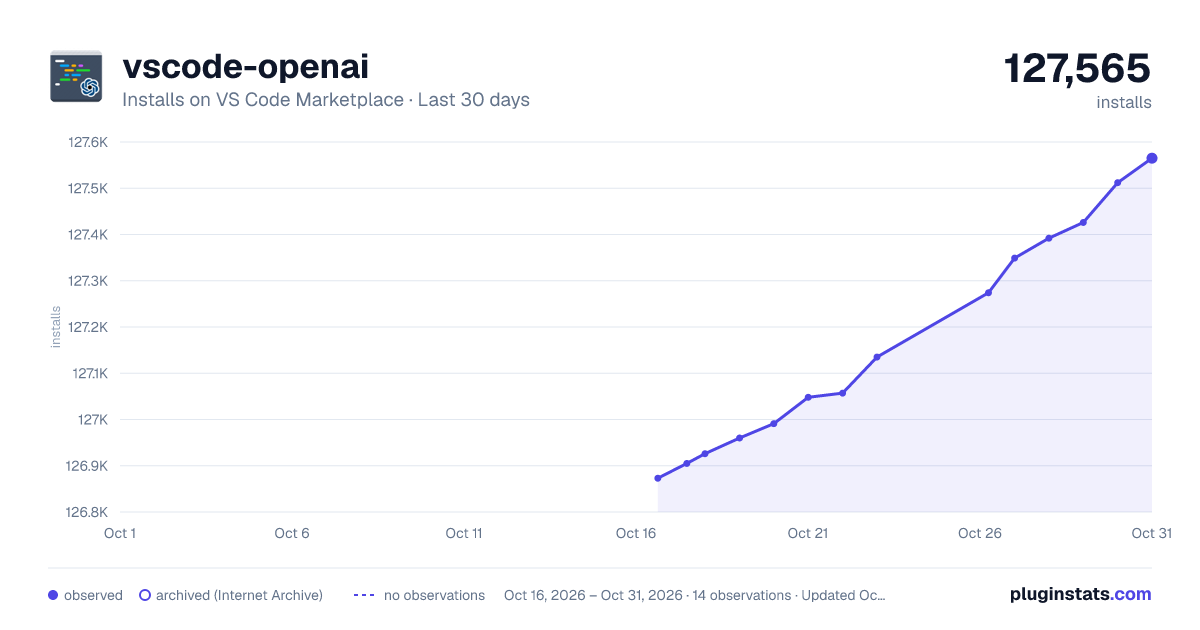
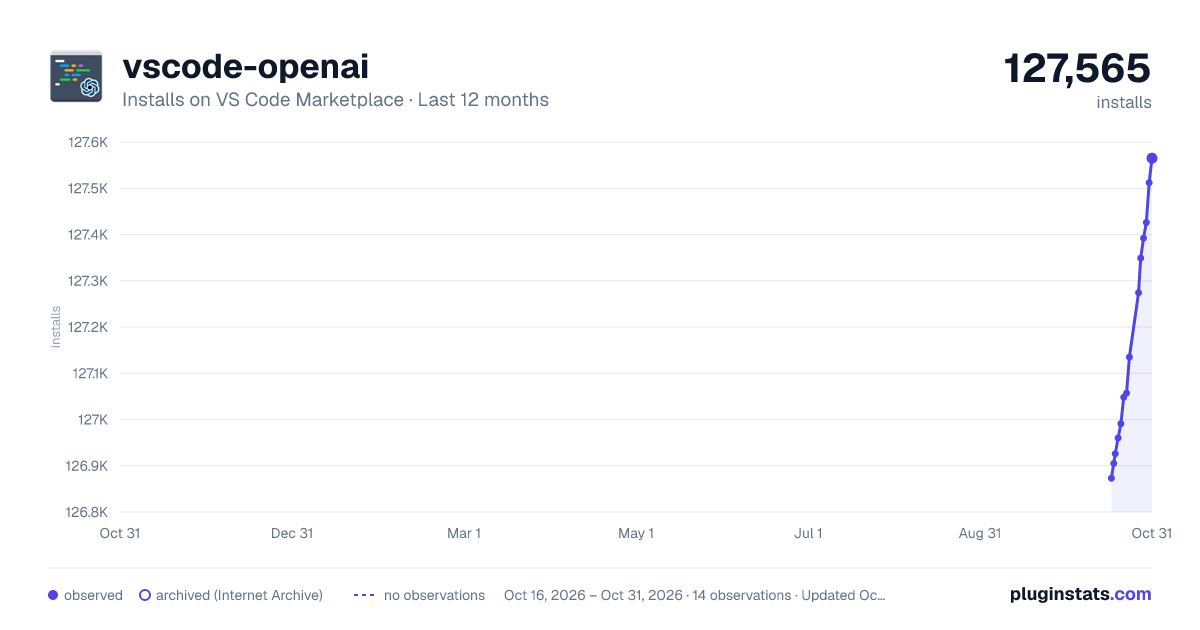
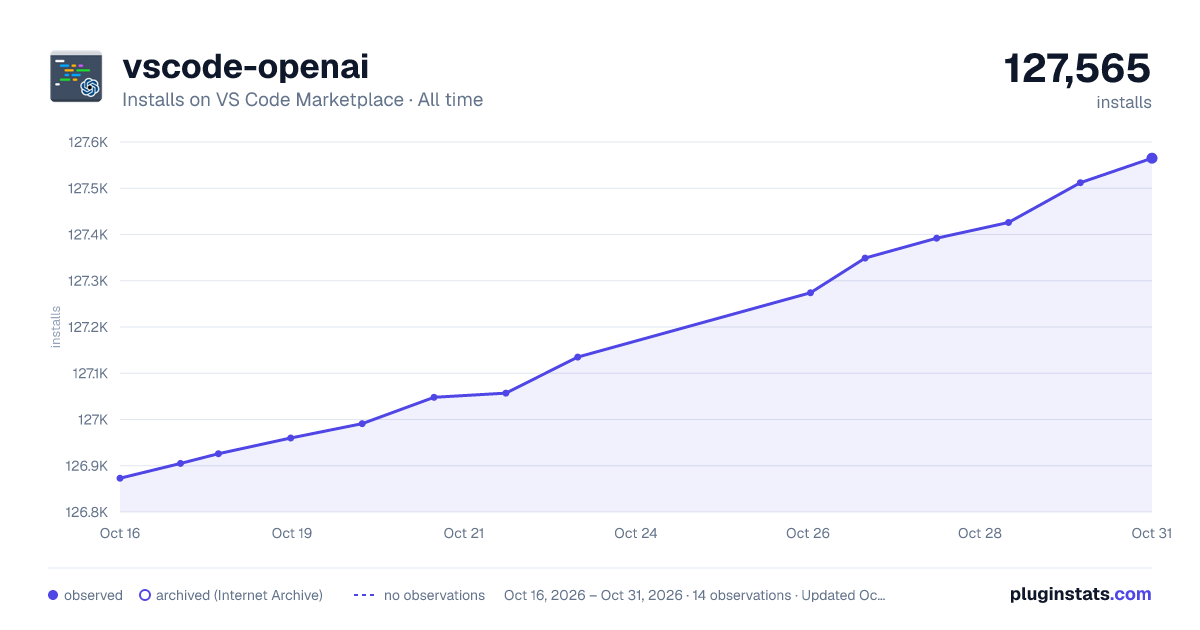

Adoption over time


7/30/90-day growth


Ranking history


Filled points are observed values; hollow points come from Internet Archive snapshots of the listing page. Dashed segments span periods with no observations — values between points are not interpolated.
Recent observations
Full history (3)Similar VS Code Marketplace Programming Languages plugins
Data source
Install counts, average rating, and rating counts come from the public Visual Studio Marketplace gallery API. Installs are cumulative and exclude updates.
Listing: https://marketplace.visualstudio.com/items?itemName=AndrewButson.vscode-openai. First seen Oct 16, 2026; last successful collection Oct 18, 2026. See the methodology.