 PluginStats
Peacock installs statistics
By John Papa (5 listings) · VS Code Marketplace · Other
Subtly change the workspace color of your workspace. Ideal when you have multiple VS Code instances and you want to quickly identify which is which.
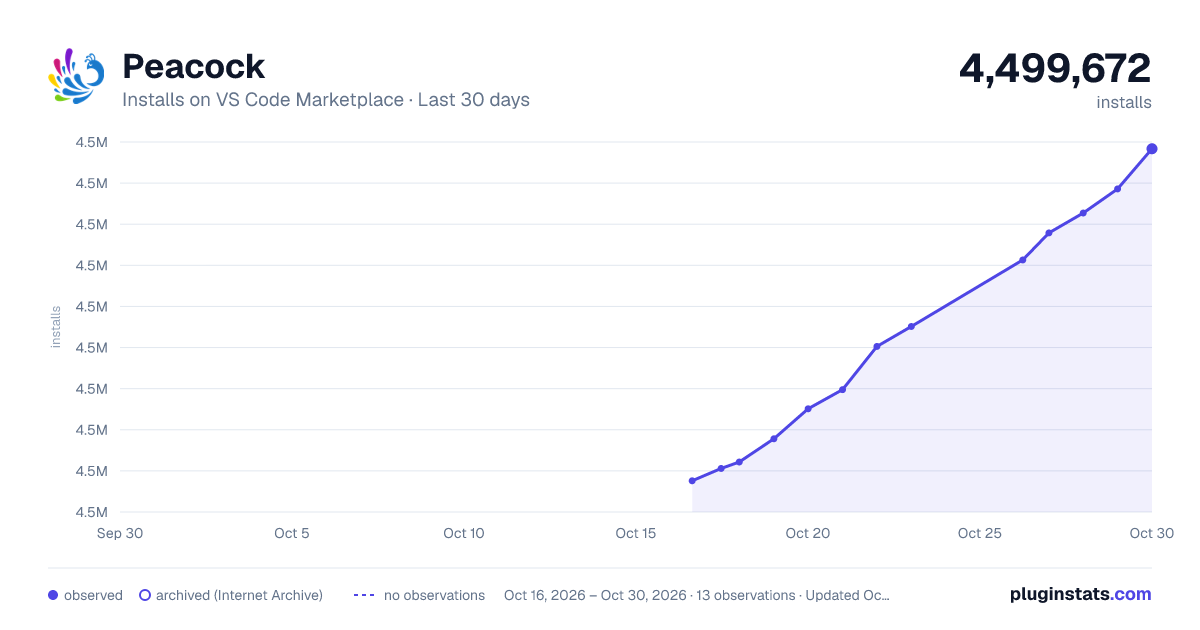
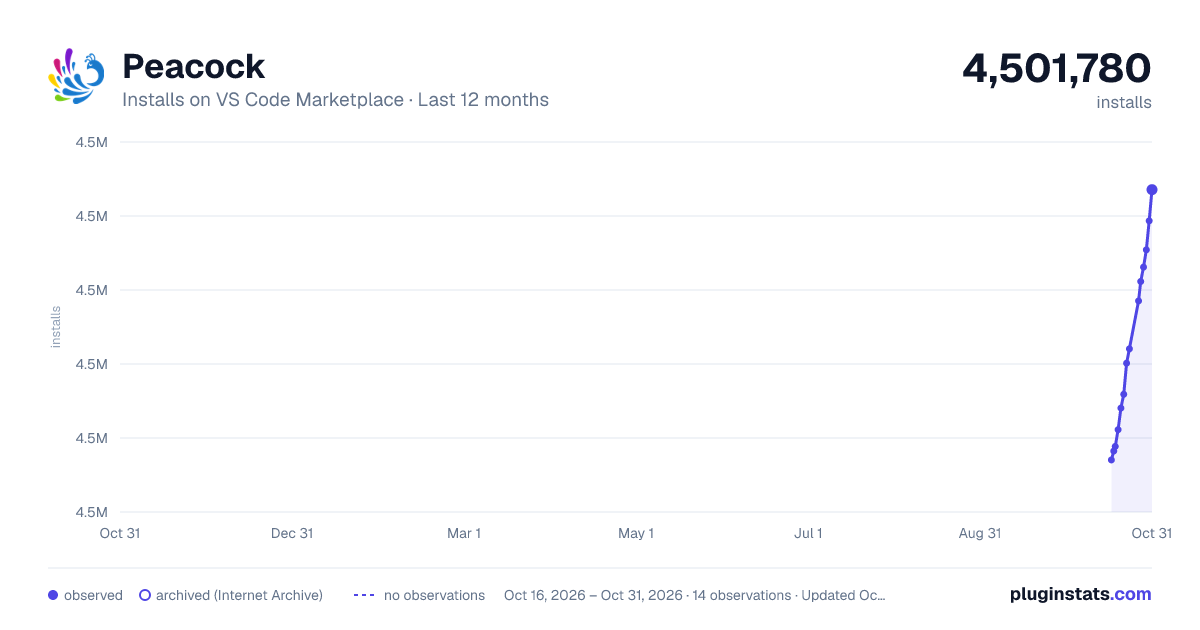
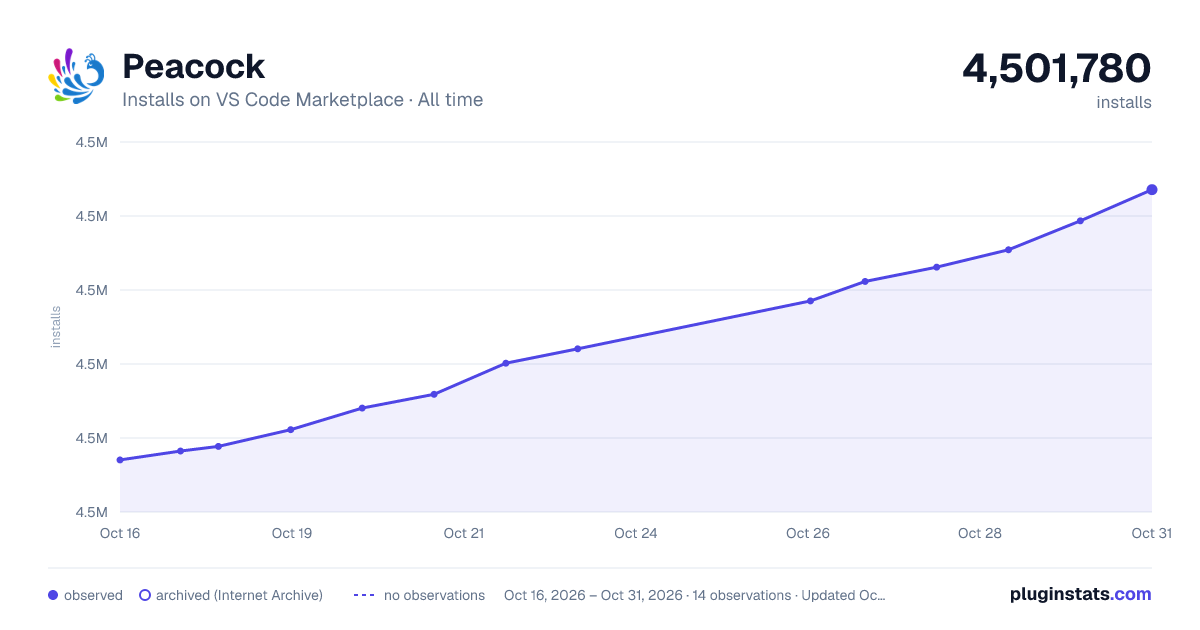
Peacock has 4,484,432 recorded installs on VS Code Marketplace.
It ranks #191 of 2,500 tracked VS Code Marketplace listings by installs.
It is rated 4.6 out of 5 from 179 ratings.
PluginStats has 3 daily observations since Oct 16, 2026; the latest is from Oct 18, 2026.
Rating: 4.59 / 5 from 179 ratings
About Peacock
Peacock for Visual Studio Code
Subtly change the color of your Visual Studio Code workspace. Ideal when you have multiple VS Code instances, use VS Live Share, or use VS Code's Remote features, and you want to quickly identify your editor.
Read the extensive documentation here which includes a guide on how to use Peacock and a changelog
Install
1. Open Extensions sideBar panel in Visual Studio Code and choose the menu options for View → Extensions 1. Search for Peacock 1. Click Install 1. Click Reload, if required
Documentation
Read the extensive documentation here which includes a guide on how to use Peacock and a changelog
Quick Usage
Let's see Peacock in action!
1. Create/Open a VSCode Workspace (Peacock only works in a Workspace) 1. Press F1 to open the command palette 1. Type Peacock 1. Choose Peacock: Change to a favorite color 1. Choose one of the pre-defined colors and see how it changes your editor
Now enjoy exploring the rest of the features explained in the docs!
Works with Modern UI
Peacock works whether you're on VS Code's classic UI or the new Modern UI — same colors, same experience.
| Classic UI | Modern UI |
| | |
Resources
• Peacock docs on GitHub Pages • Peacock on the VS Code Marketplace • CI workflow (GitHub Actions) • Docs workflow (GitHub Actions) • MIT License • Get VS Code • Create your first VS Code extension • VS Code Extension API • Learn how to add WebPack bundles to your favorite extensions
Credits
Inspiration comes in many forms. These folks and teams have contributed either through ideas, issues, pull requests, or guidance. Thank you!
• The VS Code team and their incredibly helpful guide for creating extensions • Here are some great examples for extensions from the VS Code team
Code of Conduct
Code of Conduct.
Contributing
The fastest way to contribute is with Copilot CLI — it knows this repo's conventions automatically:
Or contribute manually — see CONTRIBUTING.md for the full guide:
1. Fork this repo and create a branch 2. npm install → make your changes → npm test 3. Open a PR
See AGENTS.md for the full project guide including architecture, patterns, and how to add commands/settings.
Problems or Suggestions
Open an issue here
workbench.experimental.modernUI compatibility was fixed upstream in VS Code and Peacock colors now apply normally with it enabled. See #652 for history.
Contributors
Contribution guidelines are located here
Thanks goes to these wonderful people (emoji key):
James Newell ⚠️ Julian 🤔 Oleg Solomka 💻 ⚠️ Joseph Rex 🎨 Sam Julien 🤔 Shayne Boyer 💻 Burke Holland 🤔
Jonathan Carter 💻 Ricardo Souza 💻 Kushal Pandya 💻 Erich Gamma ⚠️ Christian Nwamba 🤔 Matt Bierner 💻 Raymond Camden 🤔
Aaron Powell 🤔 tanhakabir 💻 Nate Drake 💻 Prateek Verma 💻
This project follows the all-contributors specification. Contributions of any kind welcome!
Description from the VS Code Marketplace listing.
- Colors
- Fun
- keybindings
- Theme
Where Peacock sits in the listing
Each band is one page of 20. Installs on a log scale. Placement is projected from installs, so it can differ from the marketplace's own sort order. Hover a dot to see the listing.


Charts
Images: 30d · 1y · all time · 1600×900 dark

Adoption over time


7/30/90-day growth


Filled points are observed values; hollow points come from Internet Archive snapshots of the listing page. Dashed segments span periods with no observations — values between points are not interpolated.
Recent observations
Full history (3)Similar VS Code Marketplace Other plugins
Data source
Install counts, average rating, and rating counts come from the public Visual Studio Marketplace gallery API. Installs are cumulative and exclude updates.
Listing: https://marketplace.visualstudio.com/items?itemName=johnpapa.vscode-peacock. First seen Oct 16, 2026; last successful collection Oct 18, 2026. See the methodology.