 PluginStats
GraphQL: Language Feature Support installs statistics
By GraphQL Foundation (3 listings) · VS Code Marketplace · Programming Languages
GraphQL LSP extension that adds autocompletion, validation, go to definition, hover, outline and more.
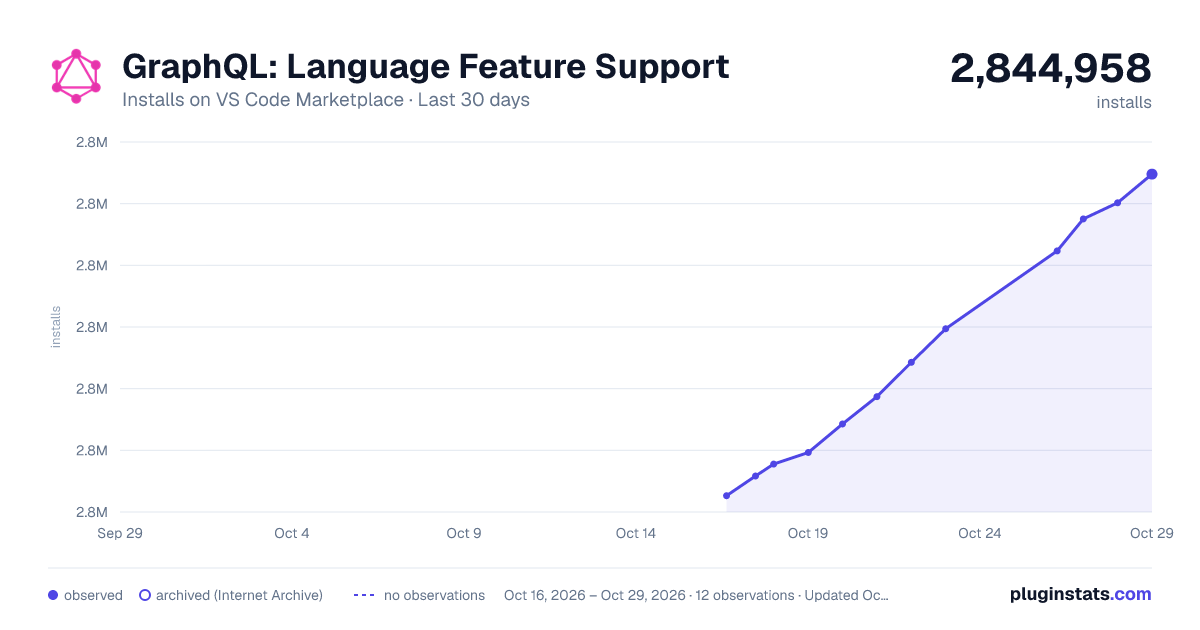
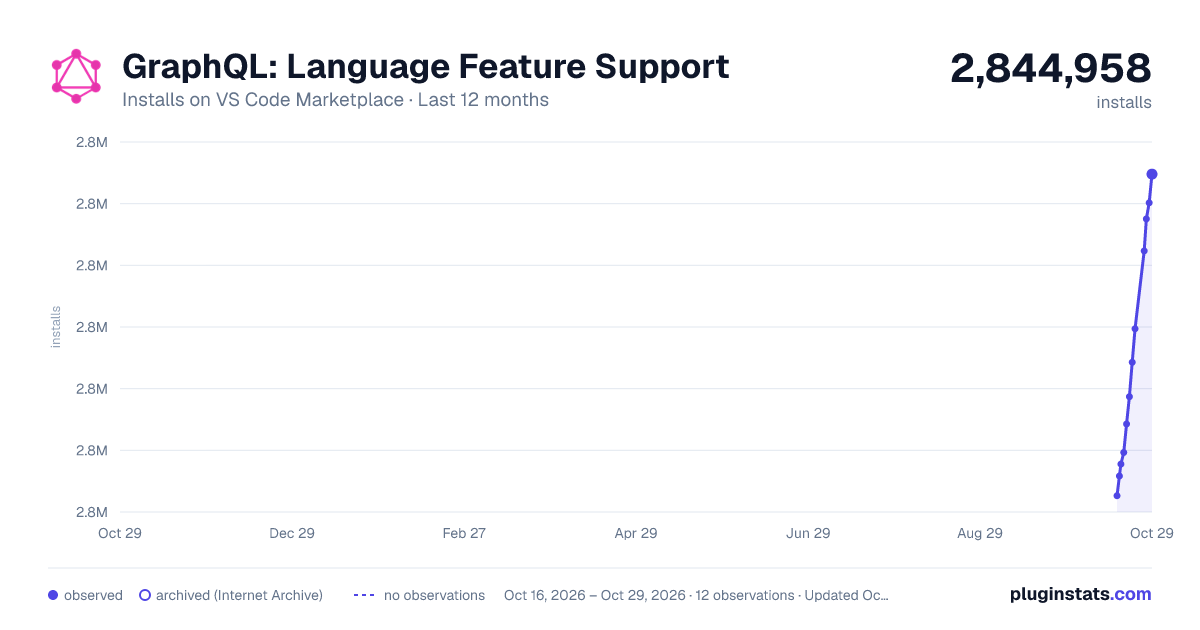
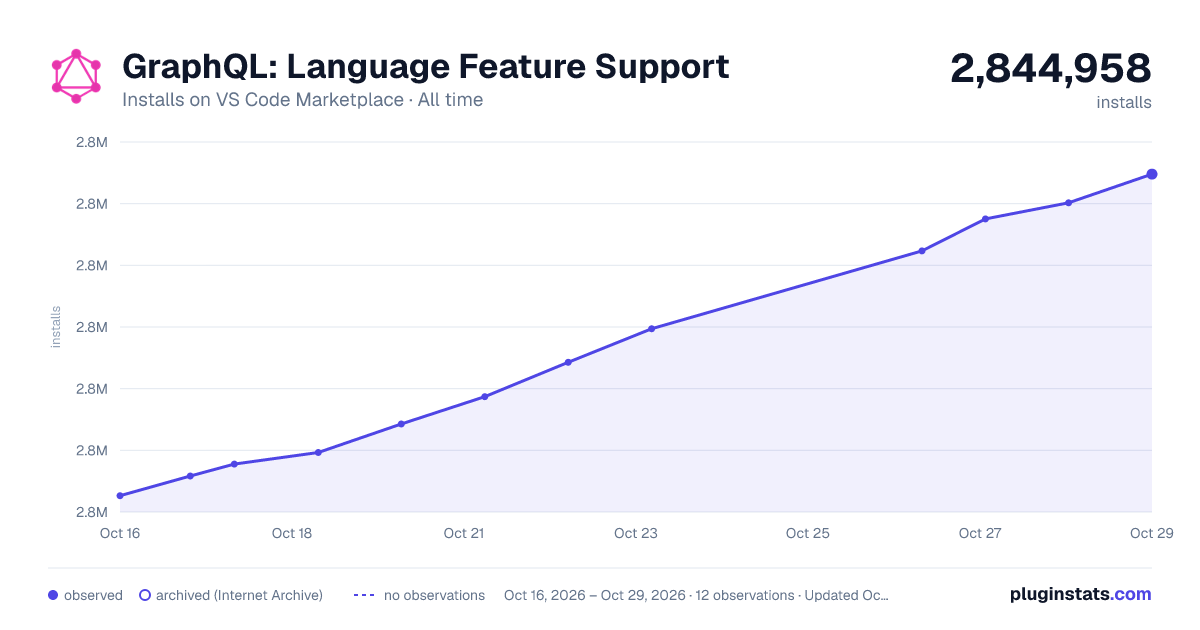
GraphQL: Language Feature Support has 2,835,554 recorded installs on VS Code Marketplace.
It ranks #259 of 2,500 tracked VS Code Marketplace listings by installs.
It is rated 3.2 out of 5 from 45 ratings.
PluginStats has 3 daily observations since Oct 16, 2026; the latest is from Oct 18, 2026.
Rating: 3.22 / 5 from 45 ratings
About GraphQL: Language Feature Support
Changelog | Discord Channel | LSP Server Docs
GraphQL extension for VSCode built with the aim to tightly integrate the GraphQL Ecosystem with VSCode for an awesome developer experience.
.graphql, .gql file extension support and gql/graphql tagged template literal support for tsx, jsx, ts, js
• syntax highlighting (provided by vscode-graphql-syntax) • autocomplete suggestions • validation against schema • snippets (interface, type, input, enum, union) • hover support • go to definition support (input, enum, type) • outline support
Getting Started
This extension requires a graphql-config file.
To support language features like completion and "go-to definition" across multiple files, please include documents in the graphql-config file default or per-project
Simplest Config Example
package.json:
same for .json, .toml, etc
Additional Features
• Loads the LSP server upon detecting a graphql-config file at root level or in a parent level directory, or a package.json file with graphql config • Loads .graphql, .gql files, and detects gql, graphql tags and /** GraphQL */ and #graphql comments in js, ts, jsx, tsx, vue files • pre-load schema and fragment definitions • Support graphql-config files with one or multiple projects (multi-root workspaces are not yet supported) • the language service re-starts on saved changes to vscode settings and/or graphql config!
Configuration
| Parameter | Default | Description |
| graphql-config.load.baseDir | workspace root or process.cwd() | the path where graphql config looks for config files | | graphql-config.load.filepath | null | exact filepath of the config file. | | graphql-config.load.configName | graphql | config name prefix instead of graphql | | graphql-config.load.legacy | true | backwards compatibility with graphql-config@2 | | graphql-config.dotEnvPath | null | backwards compatibility with graphql-config@2 | | vscode-graphql.cacheSchemaFileForLookup | true if schema contains non-SDL files or URLs | generate an SDL file based on your graphql-config schema configuration for definition lookup and other features. enabled by default when your schema config are URLs or introspection JSON, or if you have any non-local SDL files in schema | | vscode-graphql.schemaCacheTTL | 30000 | an integer value in milliseconds for the desired minimum cache lifetime for all schemas, which also causes the generated file to be re-written. set to 30s by default. effectively a "lazy" form of polling. if you are developing a schema alongside client queries, you may want to decrease this | | vscode-graphql.debug | false | show more verbose log output in the output channel |
Advanced Example
Multi-project can be used for both local files, URL defined schema, or both
Notice that documents key supports glob pattern and hence ["**/*.graphql"] is also valid.
Frequently Asked Questions
The extension fails with errors about duplicate types
Your object types must be unique per project (as they must be unique per schema), and your fragment names must also be unique per project.
The extension fails with errors about missing scalars, directives, etc
Make sure that your schema pointers refer to a complete schema!
In JSX and TSX files I see completion items I don't need
The way vscode lets you filter these out is on the user end
So you'll need to add something like this to your global vscode settings:
My graphql config file is not at the root
Good news, we have configs for this now!
You can search a folder for any of the matching config file names listed above:
Or a specific filepath:
Or a different configName that allows different formats:
which would search for ./config/.acmerc, .config/.acmerc.js, .config/acme.config.json, etc matching the config paths above
If you have multiple projects, you need to define one top-level config that defines all project configs using projects
How do I enable language features for an embedded graphql string?
Please refer to the vscode-graphql-syntax reference files (js,ts,svelte,vue) to learn our template tag, comment and other graphql delimiter patterns for the file types that the language server supports. The syntax highlighter currently supports more languages than the language server. If you notice any places where one or the other doesn't work, please report it!
Known Issues
• the locally generated schema file for definition lookup currently does not re-generate on schema changes. this will be fixed soon. • multi-root workspaces support will be added soon as well. • some graphql-config options aren't always honored, this will also be fixed soon
Attribution
Thanks to apollo for their graphql-vscode grammars! We have borrowed from these on several occasions. If you are looking for the most replete set of vscode grammars for writing your own extension, look no further!
Development
This plugin uses the GraphQL language server
1. Clone the repository - https://github.com/graphql/graphiql 1. yarn 1. Run "VSCode Extension" launcher in vscode 1. This will open another VSCode instance with extension enabled 1. Open a project with a graphql config file - ":electric_plug: graphql" in VSCode status bar indicates that the extension is in use 1. Logs for GraphQL language service will appear in output section under GraphQL Language Service
Contributing back to this project
This repository is managed by EasyCLA. Project participants must sign the free (GraphQL Specification Membership agreement) before making a contribution. You only need to do this one time, and it can be signed by individual contributors or their employers.
To initiate the signature process please open a PR against this repo. The EasyCLA bot will block the merge if we still need a membership agreement from you.
You can find detailed information here. If you have issues, please email operations@graphql.org.…
Description from the VS Code Marketplace listing.
- graph
- graphql
- lsp
Where GraphQL: Language Feature Support sits in the listing
Each band is one page of 20. Installs on a log scale. Placement is projected from installs, so it can differ from the marketplace's own sort order. Hover a dot to see the listing.


Charts
Images: 30d · 1y · all time · 1600×900 dark

Adoption over time


7/30/90-day growth


Ranking history


Filled points are observed values; hollow points come from Internet Archive snapshots of the listing page. Dashed segments span periods with no observations — values between points are not interpolated.
Recent observations
Full history (3)Similar VS Code Marketplace Programming Languages plugins
Data source
Install counts, average rating, and rating counts come from the public Visual Studio Marketplace gallery API. Installs are cumulative and exclude updates.
Listing: https://marketplace.visualstudio.com/items?itemName=GraphQL.vscode-graphql. First seen Oct 16, 2026; last successful collection Oct 18, 2026. See the methodology.