 PluginStats
SmoothType installs statistics
By spikespaz · VS Code Marketplace · Themes
Extension to modify Visual Studio Code to allow for a smooth cursor animation while typing.
SmoothType has 144,150 recorded installs on VS Code Marketplace, ranking #1903 of 2,502 tracked listings.
Rating: 3.67 / 5 from 18 ratings
About SmoothType
SmoothType for Visual Studio Code
This extension adds a smooth typing animation, similar to MS Office and the Windows 10 Mail app.


Get it from the Visual Studio Marketplace.
Note: Please scroll down and read the section labeled Important.
Preview

Commands
SmoothType: Enable AnimationSmoothType: Disable AnimationSmoothType: Reload Animation
Configuration
{
  // Duration in milliseconds for the cursor to travel from one character position (or line) to the next.
  "smoothtype.duration": 80,
  // Ask before restarting after a command is successfully run.
  "smoothtype.autoReload": false
}
After changing smoothtype.duration, you must run SmoothType: Enable Animation.
Important
Because Visual Studio Code does not have an API for modifying the editor CSS, this extension modifies the core index file that is loaded by the Electron browser. After enabling Smooth Typing, the editor may complain that it is corrupt, and ask you to reinstall. This is perfectly normal, and perfectly safe. Just click the cog on the top of the notification and elect to not be shown this message again.
The editor may also append [Unsupported] to the end of the window title. This is also fine.
If you would like to remove [Unsupported] from the title bar, I would recommend Jürg Lehni's Fix VSCode Checksums extension.
In the future I may implement the same functionality as that extension into SmoothType itself.
If you're on Linux where it is problematic to run VS Code as superuser, I have forked the extension to fix this issue. My pull request remains unmerged, but the functionality is improved.
It isn't on the Marketplace, but to use this extension just run the following commands.
$ cd ~
$ git clone https://github.com/spikespaz-forks/vscode-fix-checksums
$ cd vscode-fix-checksums/
$ npm install
$ npm install -g vsce
$ vsce package
$ code --install-extension vscode-fix-checksums-1.1.0.vsix
The last command may have a different filename, but there will be only one VSIX package in the directory.
After running those commands, run Reload Window and Fix Checksums: Apply in VS Code.
After every update, the extension must either be reloaded or enabled again.
You also have to restart Visual Studio Code after every reload or change.
Donations
If you would like to show appreciation for my work, I would gladly accept a small donation!
I will accept donations through PayPal.Me, Buy Me a Coffee, or Patreon.



Description from the VS Code Marketplace listing.
- caret
- cursor
- smooth
- theme
- type
README badge
Show your rank in a README or on your website. The badge updates automatically.
Charts
Images: 30d · 1y · all time · 1600×900 dark
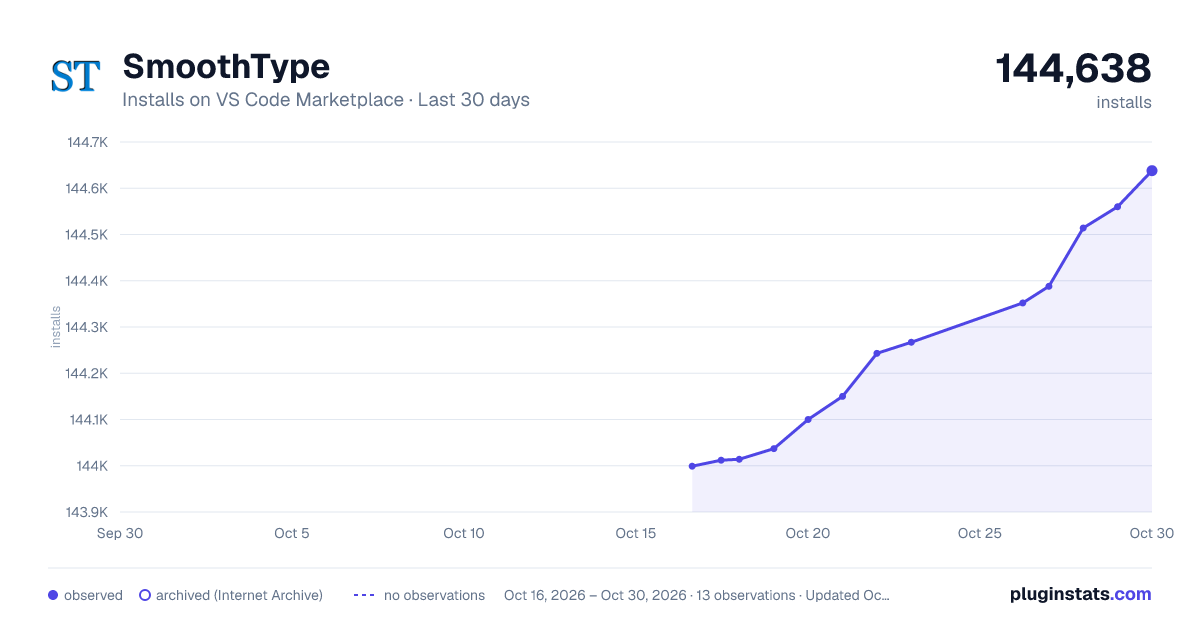
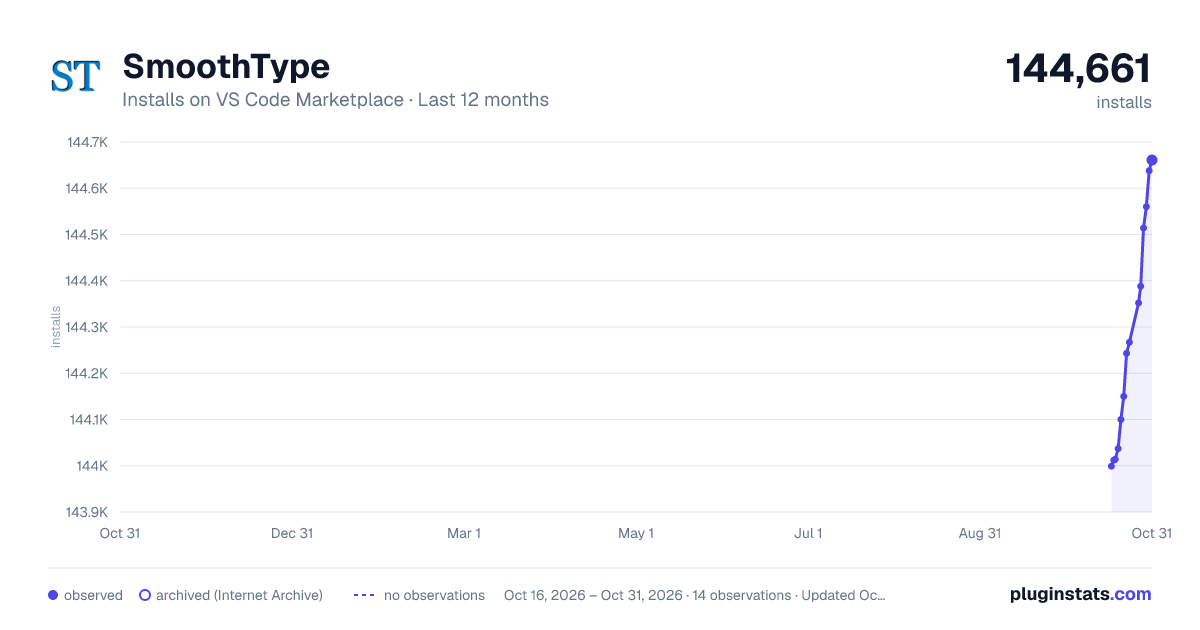


Adoption over time
7/30/90-day growth
Ranking history
Ratings over time
Listing placement
Listing placement
Filled points are observed values; hollow points come from Internet Archive snapshots of the listing page. Dashed segments span periods with no observations — values between points are not interpolated.
Each band is one page of 20. Installs on a linear scale. Placement is projected from installs, so it can differ from the marketplace's own sort order. Hover a dot to see the listing.
Recent observations
Full history (6)Similar VS Code Marketplace Themes plugins
All 20 SmoothType alternativesData source
Install counts, average rating, and rating counts come from the public Visual Studio Marketplace gallery API. Installs are cumulative and exclude updates.
Listing: https://marketplace.visualstudio.com/items?itemName=spikespaz.vscode-smoothtype. First seen Oct 16, 2026; last successful collection Oct 21, 2026. See the methodology.