 PluginStats
Apollo GraphQL installs statistics
By Apollo GraphQL (6 listings) · VS Code Marketplace · Programming Languages
Rich editor support for GraphQL client and server development that seamlessly integrates with the Apollo platform
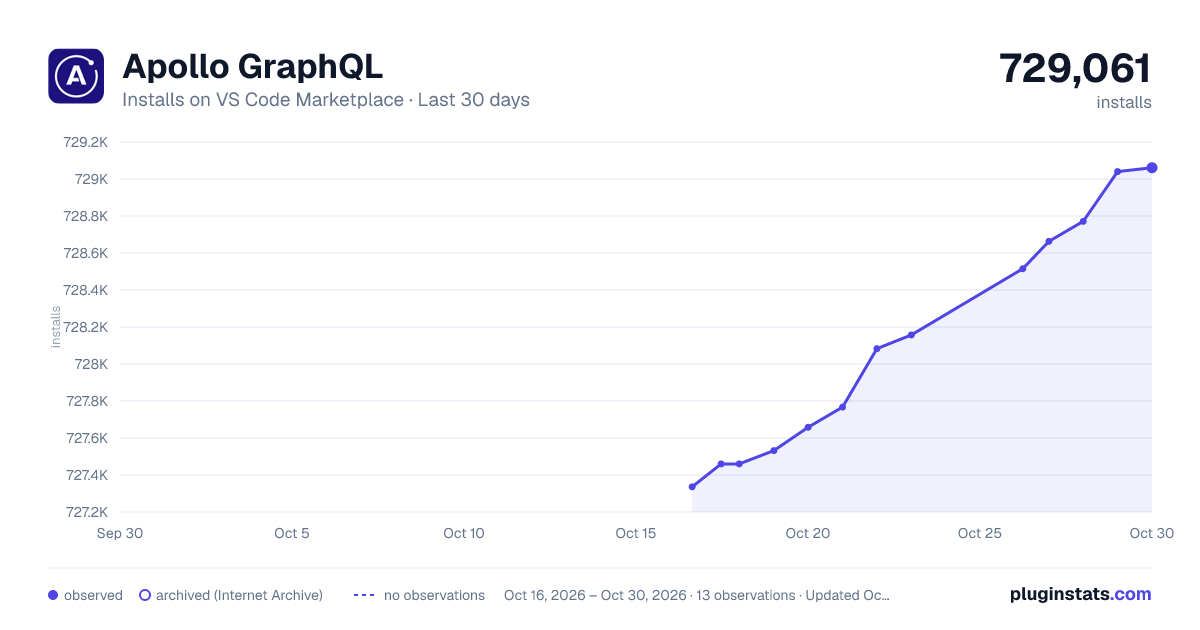
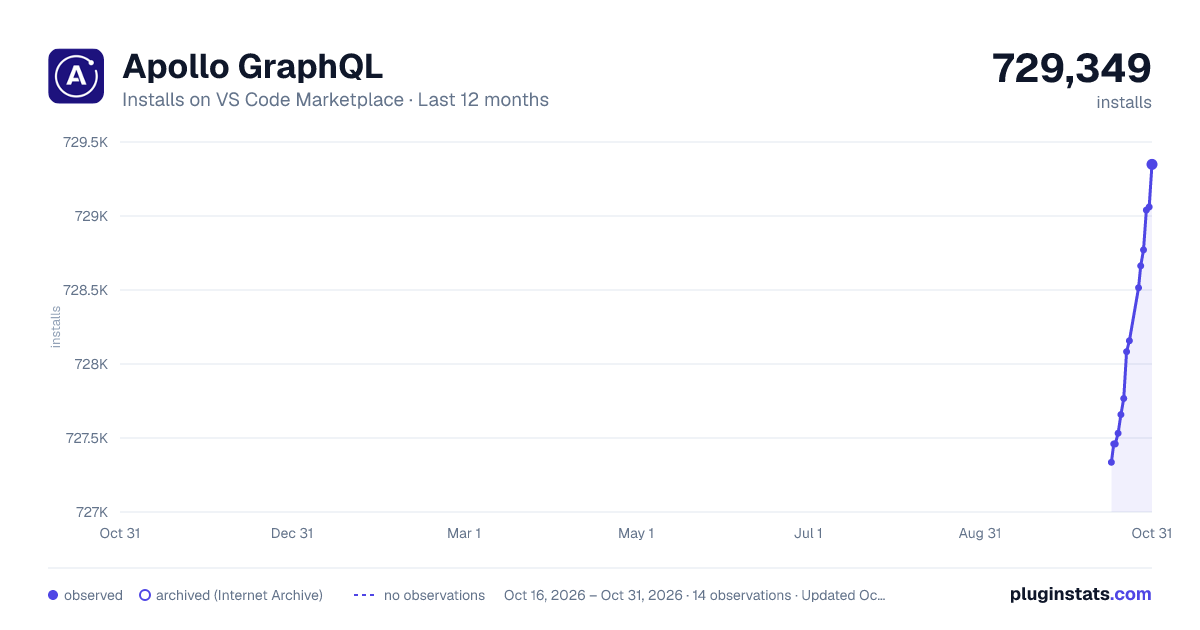
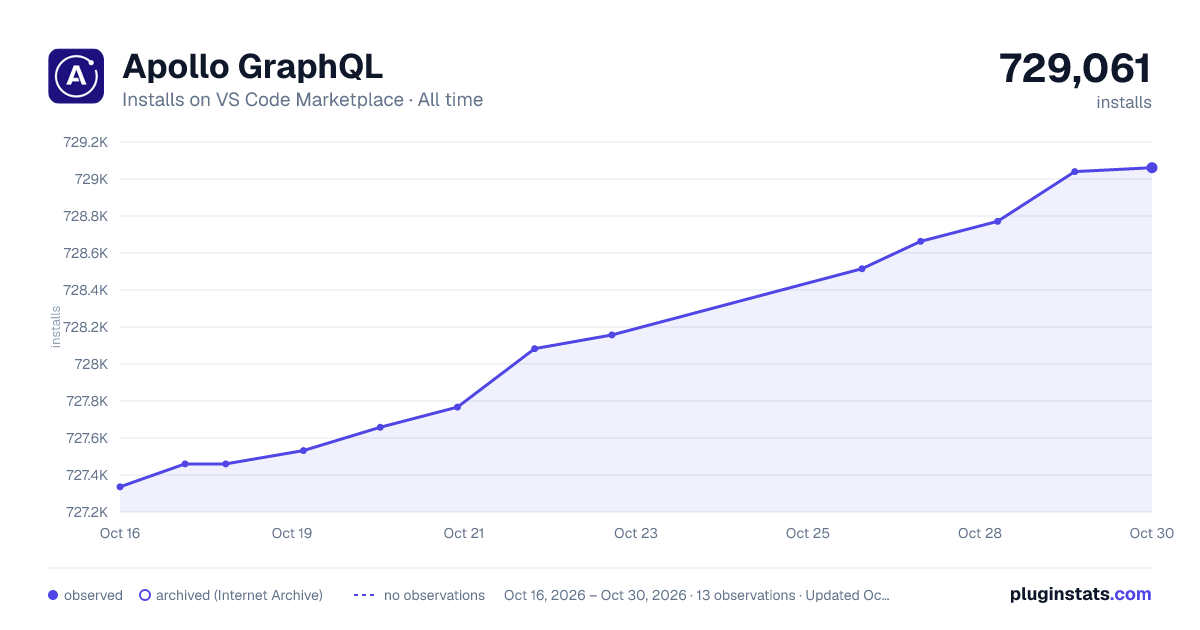
Apollo GraphQL has 727,460 recorded installs on VS Code Marketplace.
It ranks #671 of 2,500 tracked VS Code Marketplace listings by installs.
It is rated 2.5 out of 5 from 60 ratings.
PluginStats has 3 daily observations since Oct 16, 2026; the latest is from Oct 18, 2026.
Rating: 2.47 / 5 from 60 ratings
About Apollo GraphQL
Apollo GraphQL for VS Code
Thanks to its strongly typed schema and query language, GraphQL has the potential to create incredible developer experiences. The Apollo platform brings these possibilities to life by enhancing your editor with rich metadata from your graph API.
The Apollo GraphQL extension for VS Code brings an all-in-one tooling experience for developing apps with Apollo.
The extension provides:
• Syntax highlighting for GraphQL files and gql templates in JavaScript • Real-time feedback, including intelligent autocomplete for fields, arguments, types, and variables as you write queries • Client-side and remote schema management, including client-only schemas • Inline performance information and supergraph editing tool • Streamlined project navigation with jump-to and peek-at definitions • Switch graph variants to work with schemas running on different environments • (Experimental) Apollo Client DevTools in your IDE
Starting with version 2.3.3, the extension also works with Apollo Connectors. Learn more.
Getting started
The VS Code extension must be linked to a published or local schema via a configuration file.
Configuration
The VS Code extension requires a apollo.config.json configuration file at the root of the project. Alternatively, you can create a yaml, cjs, mjs, or ts file with the same configuration.
Select one of the options below to define the contents of this configuration file.
Configure extension for client development with schemas published to Apollo GraphOS
Expand for instructions.
To get all the benefits of the VS Code experience, it's best to link the schema being developed before installing the extension. The best way to do that is by publishing a schema to the GraphOS schema registry.
After that's done, edit the apollo.config.json file to look like this:
The service name is the name of the graph you've created in GraphOS Studio.
See additional configuration options.
To authenticate with GraphOS Studio to pull down your schema, create an .env file in the same directory as the apollo.config.json file. The .env file should be untracked—that is, don't commit it to Git.
Then, go to your User Settings page in GraphOS Studio to create a new personal API key.
It's best practice to create a new API key for each team member. API keys should also be named so they're easy to find and revoke if needed.
After you've created your API key, add the following line to the .env file:
Afterward, reload VS Code. The Apollo integration will connect to GraphOS Studio to provide autocomplete, validation, and more.
Configure extension for supergraph schema development
Expand for instructions.
The extension can integrate with the Rover CLI to help you design supergraph schemas with additional support for Apollo Federation.
Ensure you've installed and configured the latest Rover release.
Next edit your apollo.config.json to look like this:
Since all these options are optional, you can specify only the rover key to indicate you're using Rover for schema development rather than client development:
Afterward, reload VS Code. The Apollo extension will start using Rover to help you build your supergraph.
Configure extension for client development with introspection from a locally running service
Expand for instructions.
To experiment with designs under active development, you can link the editor to a locally running version of a schema. Link the apollo.config.json file to a local service definition like so:
Linking to local schemas won't provide all extension features, such as switching graph variants and performance metrics.
Configure extension for client development with local schema files
Expand for instructions.
You might not always have a running server to link to, so the extension also supports linking to a local schema file. This is useful for working on a schema in isolation or for testing out new features. To link to a local schema file, add the following to the apollo.config.json file:
Bonus: Adding client-only schemas
Expand for instructions.
One of the best features of the VS Code extension is the automatic merging of remote and local schemas when using integrated state management with Apollo Client. This happens automatically whenever schema definitions are found within a client project. By default, the VS Code extension will look for all JavaScript, TypeScript, and GraphQL files under ./src to find both the operations and schema definitions for building a complete schema for the application.
Client-side schema definitions can be spread throughout the client app project and will be merged to create one single schema. You can set the default behavior by adding specifications to the apollo.config.json:
Get the extension
Once you have a config set up and a schema published, install the Apollo GraphQL extension, then try opening a file containing a GraphQL operation.
After opening a file, click the status bar icon to open the output window and see stats about the project associated with that file. This is helpful for confirming that the project is set up properly.
Features
Apollo for VS Code offers a range of useful features for working on GraphQL projects.
Intelligent autocomplete
Once configured, VS Code has full knowledge of the schema clients are running operations against, including client-only schemas (for things like local state mutations). Because of this, it have the ability to autocomplete fields and arguments as you type.
Inline errors and warnings
VS Code can use local or published schemas to validate operations before running them. Syntax errors, invalid fields or arguments, and even deprecated fields instantly appear as errors or warnings in your editor, ensuring your entire team is working with the most up-to-date production schemas.
Inline field type information…
Description from the VS Code Marketplace listing.
- [Apollo Connectors Mapping Syntax]
- apollo.connectors.mapping
- graphql
- json
- jsonc
Where Apollo GraphQL sits in the listing
Each band is one page of 20. Installs on a log scale. Placement is projected from installs, so it can differ from the marketplace's own sort order. Hover a dot to see the listing.


Charts
Images: 30d · 1y · all time · 1600×900 dark

Adoption over time


7/30/90-day growth


Ranking history


Filled points are observed values; hollow points come from Internet Archive snapshots of the listing page. Dashed segments span periods with no observations — values between points are not interpolated.
Recent observations
Full history (3)Similar VS Code Marketplace Programming Languages plugins
Data source
Install counts, average rating, and rating counts come from the public Visual Studio Marketplace gallery API. Installs are cumulative and exclude updates.
Listing: https://marketplace.visualstudio.com/items?itemName=apollographql.vscode-apollo. First seen Oct 16, 2026; last successful collection Oct 18, 2026. See the methodology.