 PluginStats
Highlight Matching Tag installs statistics
By vincaslt · VS Code Marketplace · Other
Highlights matching closing and opening tags
Highlight Matching Tag has 3,488,831 recorded installs on VS Code Marketplace, ranking #229 of 2,502 tracked listings.
Rating: 3.80 / 5 from 108 ratings
About Highlight Matching Tag
VSCode Highlight Matching Tag
GitHub repository: https://github.com/vincaslt/vscode-highlight-matching-tag
This extension highlights matching opening and/or closing tags. Optionally it also shows path to tag in the status bar. Even though VSCode has some basic tag matching, it's just that - basic. This extension will try to match tags anywhere: from tag attributes, inside of strings, any files, while also providing extensive styling options to customize how tags are highlighted.
Officially supported markup: HTML and JSX. Other flavors (XML, Vue, Angular, PHP) should work, but there are no guarantees. Feel free to report the issues on them anyway.
Features
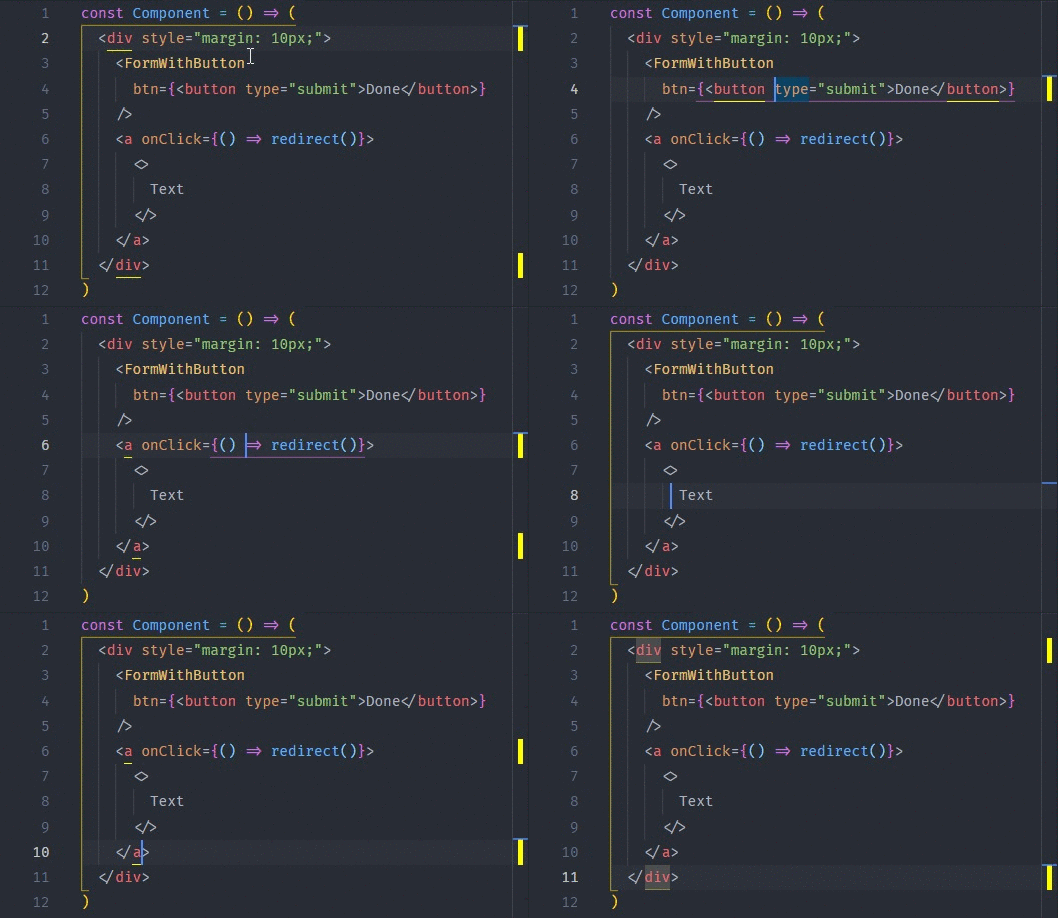
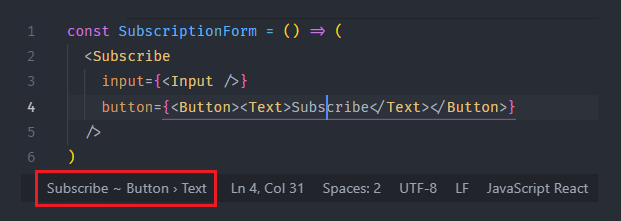
Extension Settings
You can override any default settings with your own values. The plugin supports workspace settings as well as global user settings.
| Variable | Default | Description |
|---|---|---|
highlight-matching-tag.enabled | true | Enables/disables the highlighting and status bar |
highlight-matching-tag.showPath | true | Enables/disables showing path to tag in status bar (e.g. div > p > a) |
highlight-matching-tag.showRuler | true | Enables/disables showing highlighted tag pair in ruler section |
highlight-matching-tag.highlightSelfClosing | false | Should self-closing tags be highlighted too (can be useful for multiline self-closing tags) |
highlight-matching-tag.highlightFromContent | false | Whether to highlight matching tag from inside the tag content |
highlight-matching-tag.highlightFromName | true | Whether to highlight matching tag from the tag name |
highlight-matching-tag.highlightFromAttributes | true | Whether to highlight matching tag from the tag attributes |
highlight-matching-tag.noDefaultEmptyElements | false | Don't use default HTML empty elements |
highlight-matching-tag.customEmptyElements | null | Custom empty elements in addition to the default HTML empty elements |
highlight-matching-tag.styles | { opening: { name: { underline: 'yellow' } } } | Custom styling configuration, see Styling Options |
Styling Options
By default, the tag pair's names are underlined with a yellow line. The setting looks like this:
"highlight-matching-tag.styles": {
  "opening": {
    "name": {
      "underline": "yellow"
    }
  }
}
Custom styling
Version 0.8.0 of this extension introduces new styling options, but old custom settings can be automatically migrated after update.
Now you can change highlighting styles by providing your own style in User Settings (JSON) as highlight-matching-tag.styles. The setting accepts an object with two fields:
- opening: Style - opening tag styles when highlighting (or both, if closing style is not provided)
- closing: Style - closing tag styles, optional
- inner: Decoration - styles of text between opening and closing tags, optional
Style objects can have any combination of fields defining styles for parts of the tag:
- name: Decoration - decoration for name part of tag
- left: Decoration - decoration for left side of tag (character <)
- right: Decoration - decoration for right side of tag (character >)
- full: Decoration - decoration for the whole tag (including < and >)
Decoration objects define tag's style with optional fields:…
Description from the VS Code Marketplace listing.
- multi-root ready
- underline
README badge
Show your rank in a README or on your website. The badge updates automatically.
Charts
Images: 30d · 1y · all time · 1600×900 dark
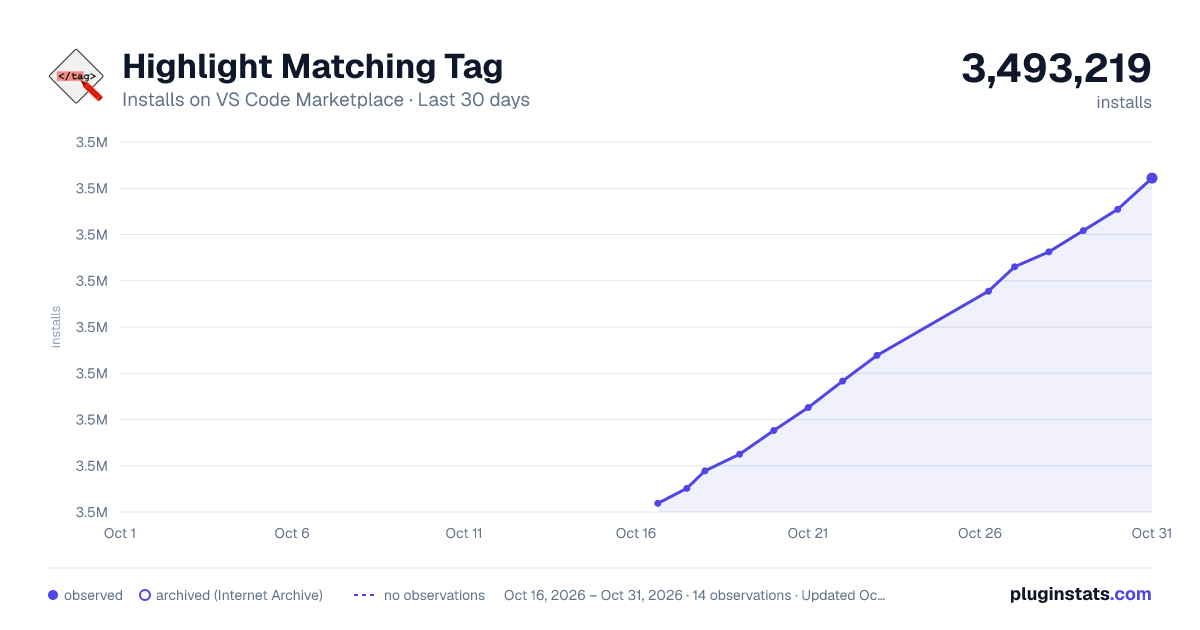
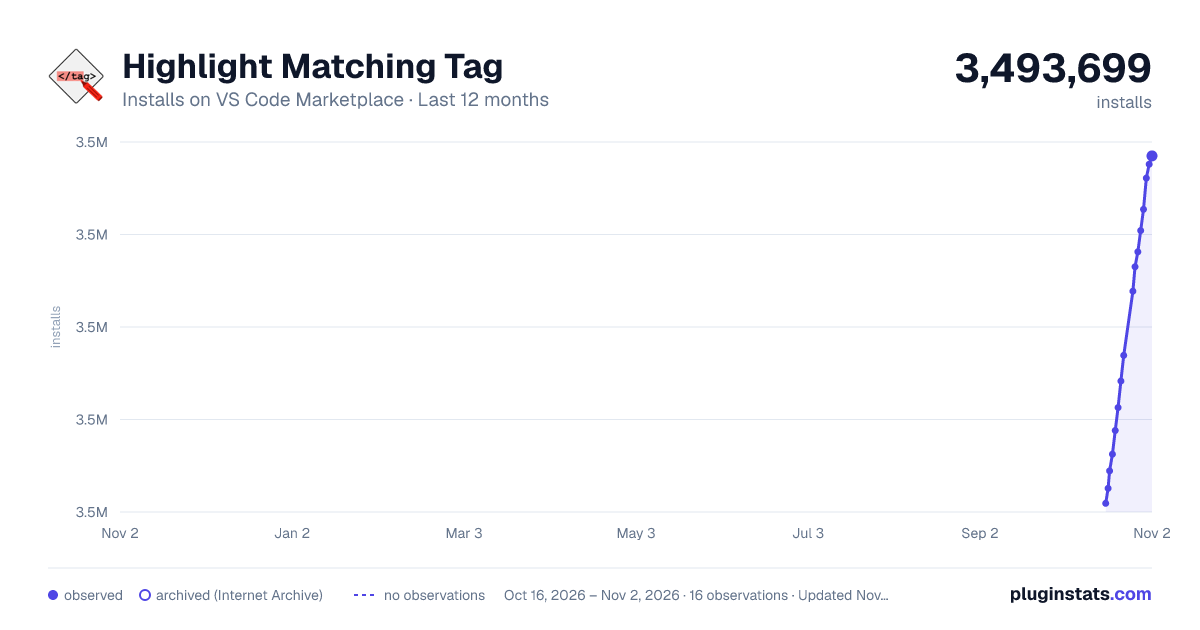
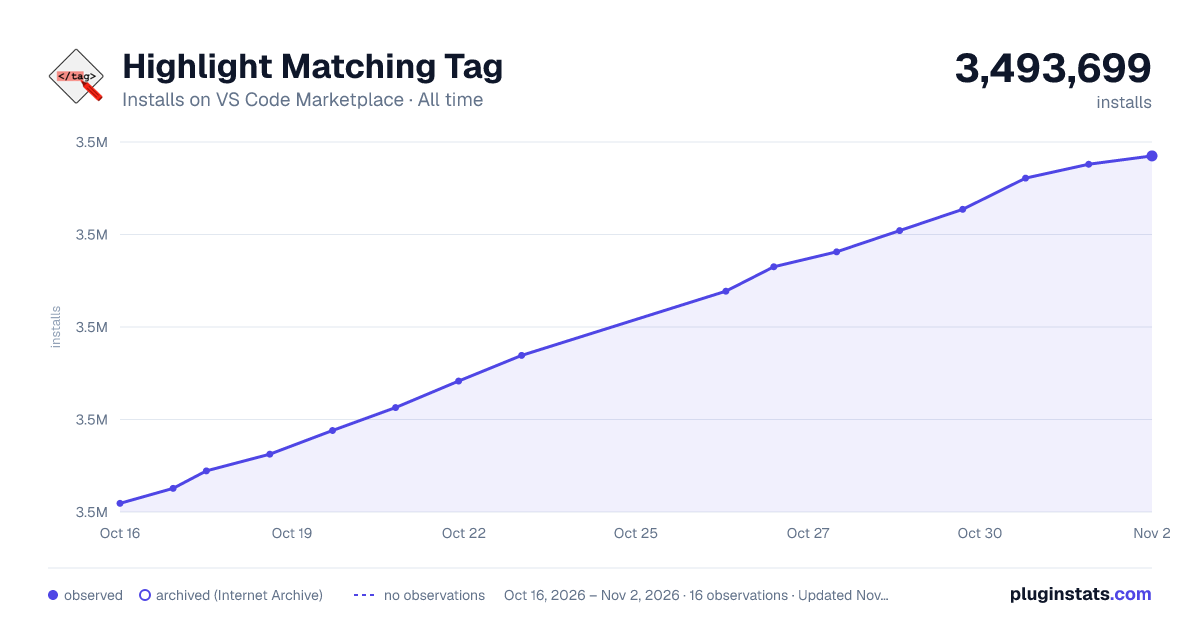

Adoption over time
7/30/90-day growth
Ranking history
Ratings over time
Listing placement
Listing placement
Filled points are observed values; hollow points come from Internet Archive snapshots of the listing page. Dashed segments span periods with no observations — values between points are not interpolated.
Each band is one page of 20. Installs on a linear scale. Placement is projected from installs, so it can differ from the marketplace's own sort order. Hover a dot to see the listing.
Recent observations
Full history (7)Similar VS Code Marketplace Other plugins
All 20 Highlight Matching Tag alternativesData source
Install counts, average rating, and rating counts come from the public Visual Studio Marketplace gallery API. Installs are cumulative and exclude updates.
Listing: https://marketplace.visualstudio.com/items?itemName=vincaslt.highlight-matching-tag. First seen Oct 16, 2026; last successful collection Oct 22, 2026. See the methodology.