 PluginStats
Azure Data Lake Tools installs statistics
By Microsoft (224 listings) · VS Code Marketplace · Programming Languages
ADL - USQL Language Support
Azure Data Lake Tools has 312,218 recorded installs on VS Code Marketplace.
It ranks #1124 of 2,501 tracked VS Code Marketplace listings by installs.
It is rated 2.3 out of 5 from 3 ratings.
PluginStats has 4 daily observations since Oct 16, 2026; the latest is from Oct 19, 2026.
Rating: 2.33 / 5 from 3 ratings
About Azure Data Lake Tools
Microsoft Azure Data Lake Tools for Visual Studio Code
Azure Data Lake Tools for VSCode - an extension for developing U-SQL projects against Microsoft Azure Data Lake!
This extension provides you a cross-platform, light-weight, keyboard-focused authoring experience for U-SQL while maintaining a rich set of development functions.
New features:
• Auto Create extract script - • Add 'Create Extract Script' menu item for .txt, .csv and .tsv files in AZURE DATALAKE Explorer • Add command 'ADL: Create EXTRACT Script' for ADL and blob storage files.
Primary features:
• Integrate with VSCode Azure Account for Azue sign in integration and enable multi-tenant Azure scenario. • Set default ADL context for current working folder through command 'ADL: Set Default Context'. • Exclude system generated files and folders from github respository through command 'ADL: Set Git Ignore'. • Built-in U-SQL language service - including Syntax Highlighting, IntelliSense, Auto Format, Go To Definition, Find All References, Error Markers, Code Snippet, etc. • Include U-SQL sample package for quick start. • Support U-SQL scripting and assembly registration. • Support U-SQL code behind programming with C#, Python and R. • Support U-SQL local run & local debug in windows. • Enable U-SQL Azure Data Lake Analytics job submission with job execution and job status Monitoring. • Azuer Data Lake Job Management - • Display job summary and data information for running job monitoring. • View job and data details for an historical job through command 'ADL: Show job'. • Enable job resubmission for an old job. • View job U-SQL script for a submitted job. • Azuer Data Lake Analytics Integration - • U-SQL metadata navigation for objects such as databases, schemas, table, Index and other metadata objects through explorer or commands. • U-SQL metadata objects creation and deletion through VSCode Data Lake Explorer. • Show ADLA historical jobs. • Azure Data Lake Storage Integration - • ADLS folder and file exploration, file preview, file download and file/folder upload through commands. • ADLS folder and file exploration, file preview, file download, file/folder delete and file/folder upload through VSCode Data Lake Explorer. • Azure Blob Storage Integration - • Blob Storage folder and file exploration, file preview, file download, file/folder delete and file upload through VSCode Data Lake Explorer.
Runtime prerequisites for macOS and Linux:
• .NET Core 2.0 • Mono 5.2.X
Offline Installation
Azure Data Lake extension will download and install required dependencies during activation. For machines with no Internet access, you can install the extension and dependencies by choosing the Install from VSIX... option in the Extension view and installing a bundled release from the releases page. Each operating system has a .vsix file with the required service included. Pick the file for your OS, download and install to get started.
Quick Start
Azure Data Lake Tools for VSCode will only be activated when you either create a new U-SQL File or open an existing U-SQL file. You can activate Azure Data Lake Tools for VSCode via creating a new U-SQL File or opening an existing U-SQL file with extension of .usql. You can also press F1, type 'Change Language Mode', and then choose USQL (usql) to enable the ADL Extension.
• How to login into Azure(ADL: Login) • How to use Data Lake Explorer to manage ADLA metadata • How to use Data Lake Explorer to manage ADLS resources • How to use Data Lake Explorer to manage blob storage resources • How to open U-SQL sample script (ADL: Open Sample Script) • How to open a U-SQL working folder • How to preview an ADLS file through right clicking on a path string
Local Run for Windows – Allow you to perform local run to test your local data, validate your script locally before publishing your production ready code to ADLA.
• Use command ADL: Start Local Run Service to start local run service. The cmd console shows up. For first time users, enter 3 and set up your data root. • Use command ADL: Submit Job to submit your job to your local account. • After job submission, you can view the submission details by clicking jobUrl in the output window or view the job submission status from the CMD console.
Local Debug for Windows - Enable you to debug your C# code behind, step through the code, validate your script locally before submitting to ADLA.
• Prerequisites: Follow the reminders to install .NET Core 2.0 and C# for Visual Studio Code. • Use command ADL: Start Local Run Service to start local run service, set a breakpoint in your code behind, then click command ADL: Local Debug to start local debug service. You can debug through the debug console and view parameter, variable and call stack information. • How to submit a U-SQL job locally • Video: Azure Data Lake Tools for Visual Studio Code • User Manual: Use the Azure Data Lake Tools for Visual Studio Code
Azure Data Lake Commands
• Press F1 or Ctrl+Shift+P to open Visual Studio Code Command Palette • Enter ADL: to list the customized commands, which begin with "ADL:" prefix.
Customized commands:
• ADL: Generate Code Behind – Create a code-behind file with the same name as the U-SQL file for authoring C# extensions • ADL: Open Sample Script – Open and view a U-SQL Sample script • ADL: Register Assembly – Register custom code assembly into the ADLA metadata store • ADL: Set Script Parameters – Set up ADLA account and job execution parameters (e.g. parallelism, runtime, etc.) • ADL: Compile Script – Submit U-SQL file and code behind (if any) to ADLA for compilation • ADL: Submit Job – Submit U-SQL job to ADLA for execution • ADL: Start Local Run Service – Open U-SQL Local Run Service in Windows. • ADL: Show Job – Display historical jobs
Azure Data Lake Metadata Navigation to view different objects:…
Description from the VS Code Marketplace listing.
- Azure
- Azure Data Lake
- Azure Data Lake Analytics
- Azure Data Lake Store
- dll
- keybindings
- snippet
- usql
- U-SQL
Where Azure Data Lake Tools sits in the listing
Each band is one page of 20. Installs on a log scale. Placement is projected from installs, so it can differ from the marketplace's own sort order. Hover a dot to see the listing.


Charts
Images: 30d · 1y · all time · 1600×900 dark
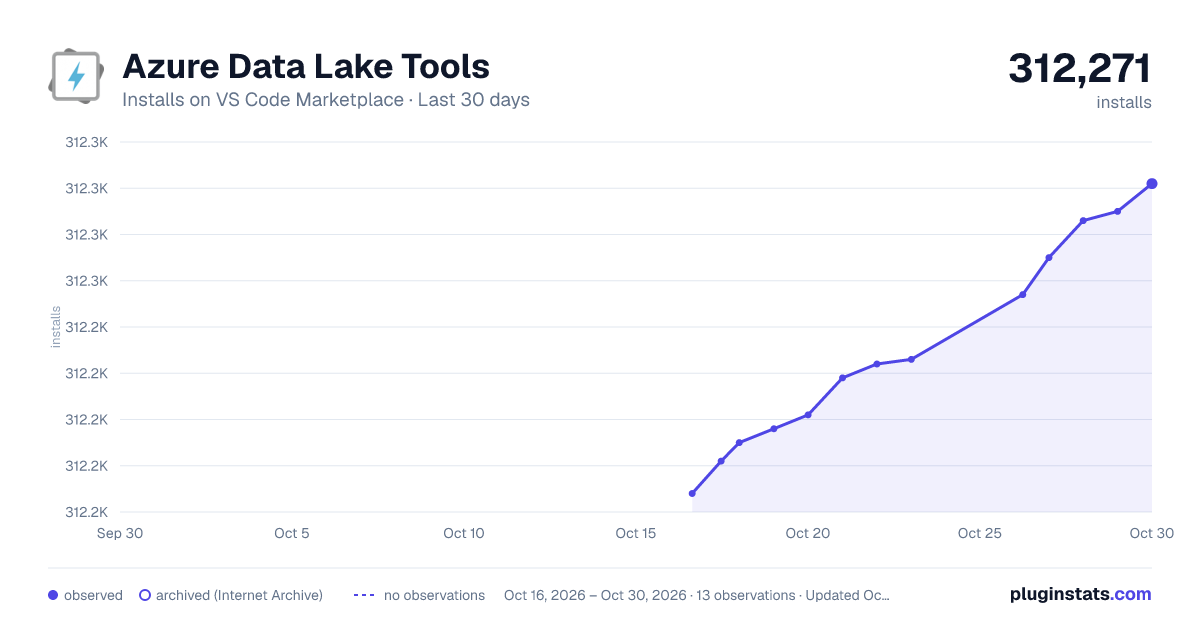
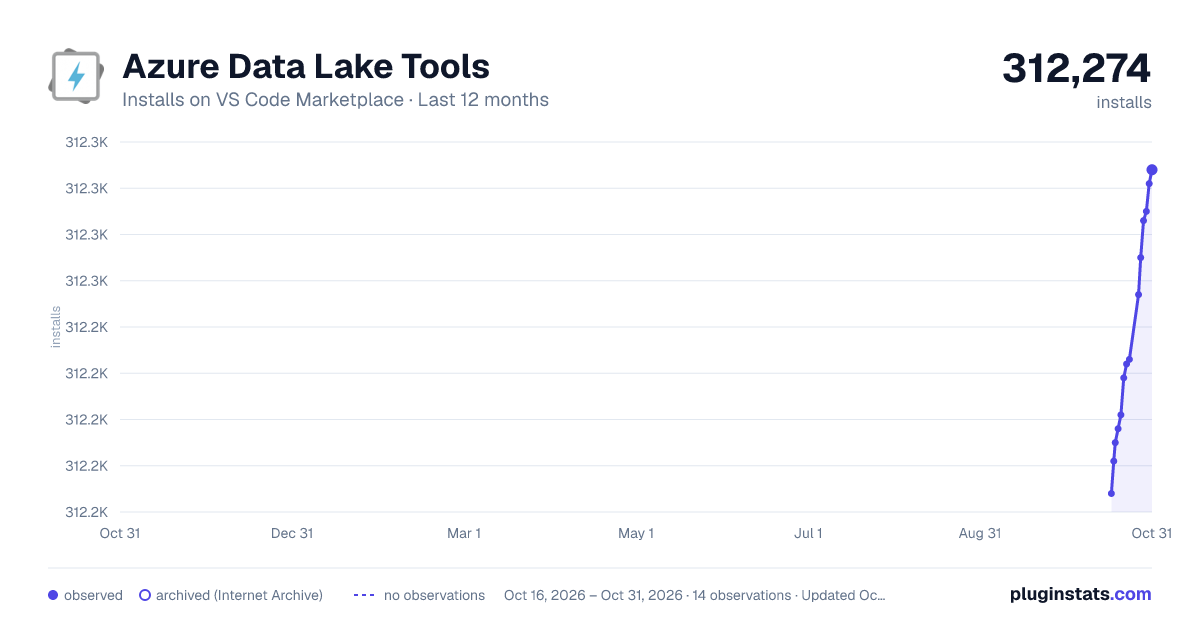
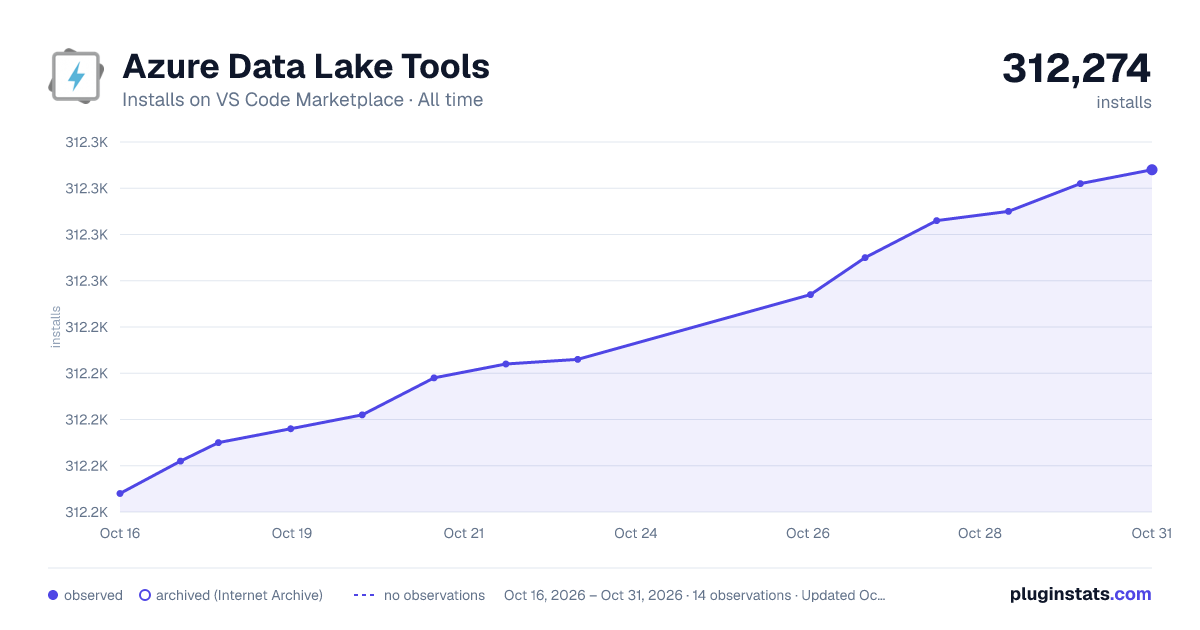

Adoption over time


7/30/90-day growth


Ranking history


Filled points are observed values; hollow points come from Internet Archive snapshots of the listing page. Dashed segments span periods with no observations — values between points are not interpolated.
Recent observations
Full history (4)Similar VS Code Marketplace Programming Languages plugins
Data source
Install counts, average rating, and rating counts come from the public Visual Studio Marketplace gallery API. Installs are cumulative and exclude updates.
Listing: https://marketplace.visualstudio.com/items?itemName=usqlextpublisher.usql-vscode-ext. First seen Oct 16, 2026; last successful collection Oct 19, 2026. See the methodology.