 PluginStats
ES7 JavaScript/Node/Mongoose/MongoDB-Mysql snippets installs statistics
By abrahamwilliam007 · VS Code Marketplace · Snippets
Simple extension for Node, javascript, Mocha, Mysql, Mongodb, Mocha and mongoose
ES7 JavaScript/Node/Mongoose/MongoDB-Mysql snippets has 122,862 recorded installs on VS Code Marketplace, ranking #2106 of 2,501 tracked listings.
Rating: 5.00 / 5 from 2 ratings
About ES7 JavaScript/Node/Mongoose/MongoDB-Mysql snippets
ES7 JavaScript/Node/Mongoose/MongoDB-Mysql snippets
This extension provides you JavaScript and Node/MongoDb/Mongoose-Mysql snippets in ES7 with Babel plugin features for VS Code.
Search command
Please Reload plugin after installation in VScode
You can search through snippets with nodejssnippetsearch command which can be run with CMD + Shift + P or Please enter the characters like cc or below listed Basic methods prefixes .
Here is direct link to marketplace ES7 JavaScript/Node/Mongoose/MongoDB-Mysql snippets
Supported languages (file extensions)
- JavaScript (.js)
- JavaScript React (.jsx)
Snippets info
Every space inside { } and ( ) means that this is pushed into next line :)
$ represent each step after tab
Basic Methods
| Prefix | Method |
|---|---|
cc→ | Creates javascript class' |
set→ | Creates a set from the implementation of bucket-Please install npm install buckets-js |
linkedlist→ | Creates a LinkedList from the implementation of bucket-Please install npm install buckets-js |
dic→ | Creates a Dictionary from the implementation of bucket-Please install npm install buckets-js |
mdic→ | Creates a MultiDictionary from the implementation of bucket-Please install npm install buckets-js |
bst→ | Creates a BSTree from the implementation of bucket-Please install npm install buckets-js |
stack→ | Creates a Stack from the implementation of bucket-Please install npm install buckets-js |
queue→ | Creates a Queue from the implementation of bucket-Please install npm install buckets-js |
bag→ | Creates a bag from the implementation of bucket-Please install npm install buckets-js |
heap→ | Creates a Heap-(min/max) from the implementation of bucket-Please install npm install buckets-js |
pq→ | Creates a PriorityQueue from the implementation of bucket-Please install npm install buckets-js |
mysqldb→ | Creates a Mysql Database sample implementation |
mongodb→ | Creates a MongoDb Database sample implementation |
mongoose→ | Creates a Moongose Database sample implementation |
mongoose-model→ | Creates a Moongose Model sample implementation |
func→ | Creates a function |
arfunc→ | Creates an arrow function |
cc
class Hero {
   constructor(name, level) {
       this.name = name;
       this.level = level;
   }
}
Heap
var bucket=buckets.Heap(compareFunction);
bucket.add(1);

//Min heap
function compare(a, b) {
 if (a is less than b by some ordering criterion) {
    return -1;
 } if (a is greater than b by the ordering criterion) {
    return 1;
 }
 // a must be equal to b
 return 0;
}

//max heap
function reverseCompare(a, b) {
 if (a is less than b by some ordering criterion) {
    return 1;
 } if (a is greater than b by the ordering criterion) {
    return -1;
 }
 // a must be equal to b
 return 0;
}
linkedlist
buckets.LinkedList()
Creates an empty Linked List.

var petsAreEqualByName = function(pet1, pet2) {
   return pet1.name === pet2.name;
  }
function
function functionName(){

    return;
}
arrow function
() =>{

}
mocha
var assert = require('assert');
describe('Array', function() {
  describe('#indexOf()', function() {
    it('should return -1 when the value is not present', function() {
      assert.equal([1, 2, 3].indexOf(4), -1);
    });
  });
});
mysqldb
var mysql = require('mysql');

var con = mysql.createConnection({
  host: "localhost",
  user: "myusername",
  password: "mypassword"
});

con.connect(function(err) {
  if (err) throw err;
  console.log("Connected!");
});
mongodb
var MongoClient = require('mongodb').MongoClient;
var url = 'mongodb://localhost/EmployeeDB';

MongoClient.connect(url, function(err, db) {

    var cursor = db.collection('Employee').find();

    cursor.each(function(err, doc) {

        console.log(doc);

    });
});
mongoose
  //Import the mongoose module
var mongoose = require('mongoose');

//Set up default mongoose connection
var mongoDB = 'mongodb://127.0.0.1/my_database';
mongoose.connect(mongoDB, { useNewUrlParser: true });

//Get the default connection
var db = mongoose.connection;

//Bind connection to error event (to get notification of connection errors)
db.on('error', console.error.bind(console, 'MongoDB connection error:'));
mongoose-model
 // Define schema
var Schema = mongoose.Schema;

var SomeModelSchema = new Schema({
  a_string: String,
  a_date: Date
});

// Compile model from schema
var SomeModel = mongoose.model('SomeModel', SomeModelSchema );
Description from the VS Code Marketplace listing.
- javascript
- keybindings
- node
- snippet
- snippets
- typescript
README badge
Show your rank in a README or on your website. The badge updates automatically.
Charts
Images: 30d · 1y · all time · 1600×900 dark
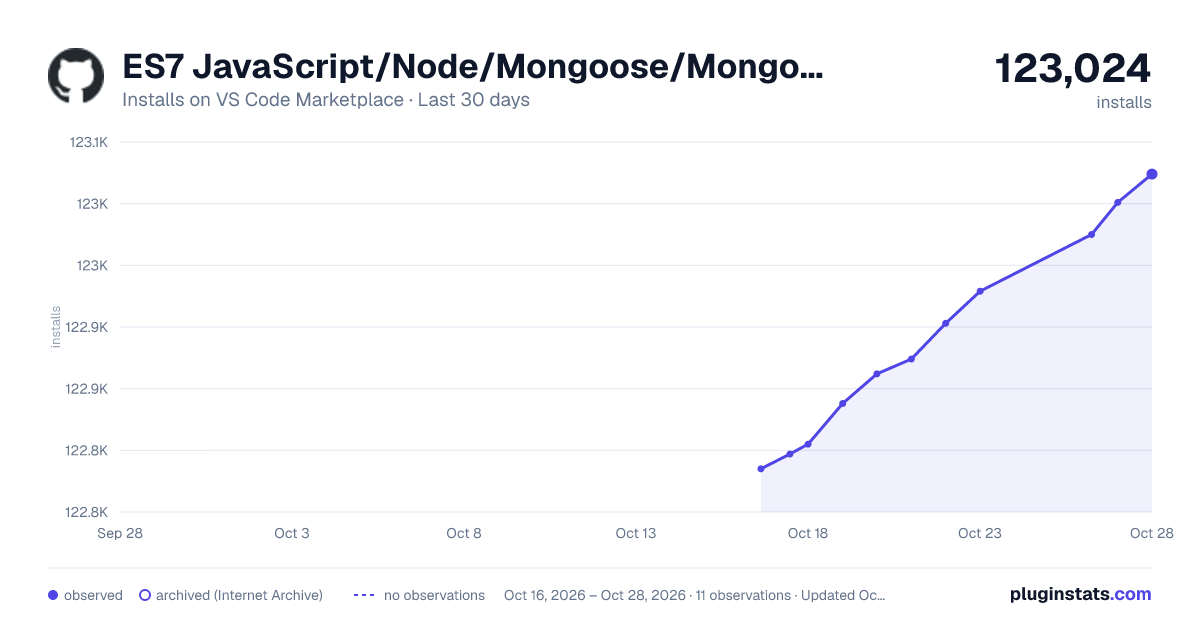
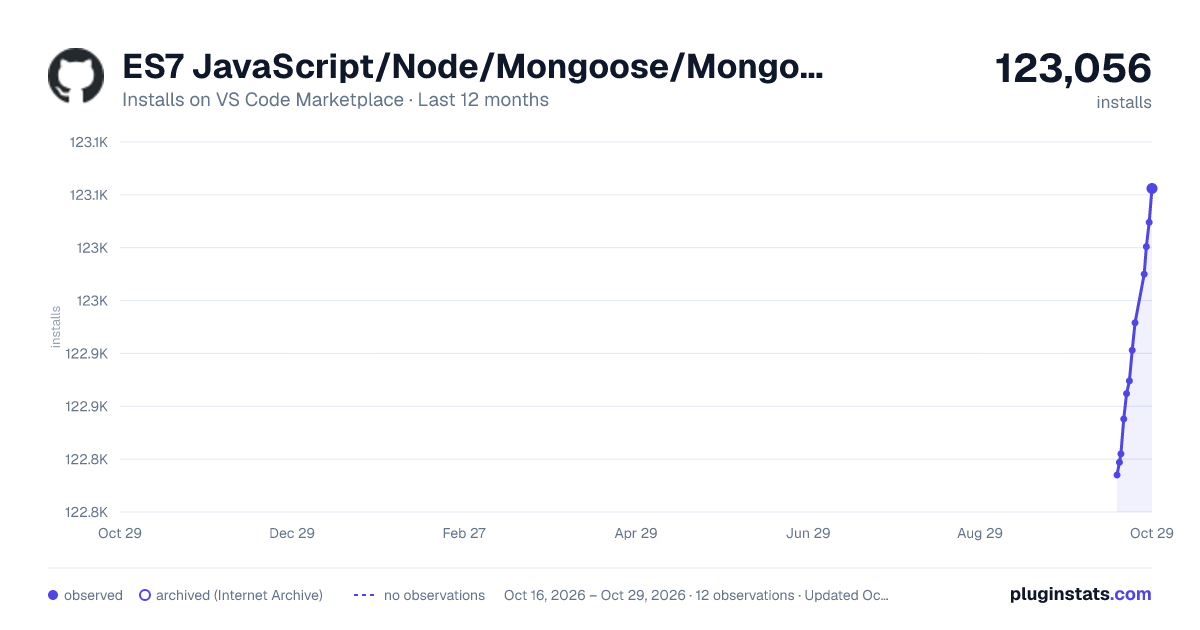
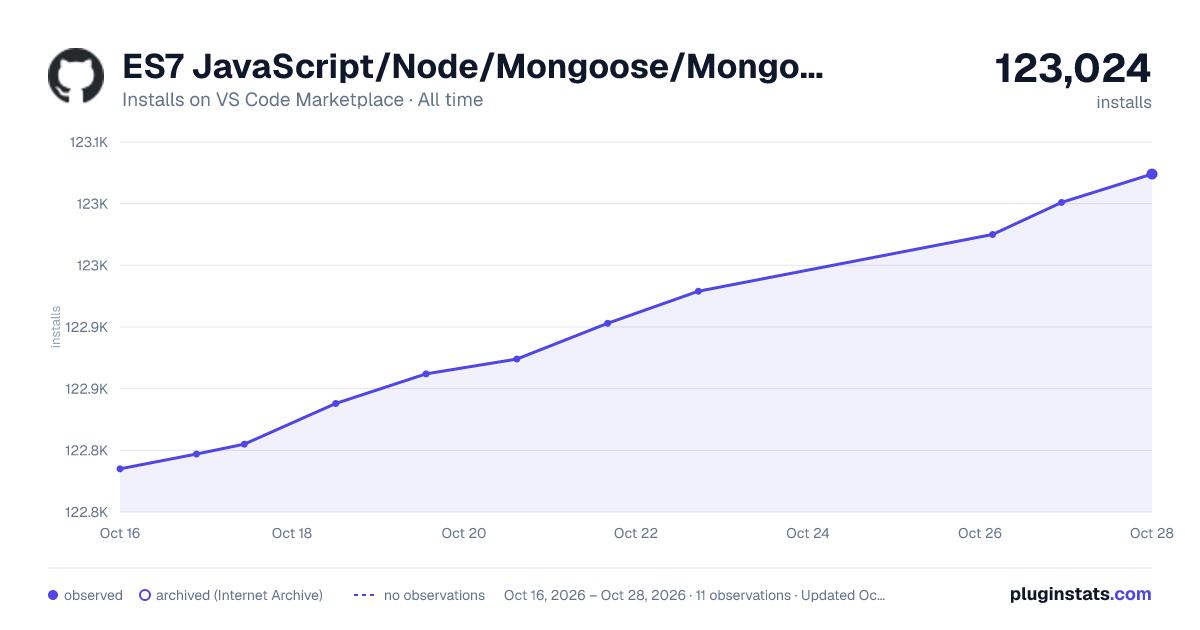

Adoption over time
7/30/90-day growth
Ranking history
Ratings over time
Listing placement
Listing placement
Filled points are observed values; hollow points come from Internet Archive snapshots of the listing page. Dashed segments span periods with no observations — values between points are not interpolated.
Each band is one page of 20. Installs on a linear scale. Placement is projected from installs, so it can differ from the marketplace's own sort order. Hover a dot to see the listing.
Recent observations
Full history (5)Similar VS Code Marketplace Snippets plugins
All 20 ES7 JavaScript/Node/Mongoose/MongoDB-Mysql snippets alternativesData source
Install counts, average rating, and rating counts come from the public Visual Studio Marketplace gallery API. Installs are cumulative and exclude updates.
Listing: https://marketplace.visualstudio.com/items?itemName=abrahamwilliam007.es7-javascript-class-snippets. First seen Oct 16, 2026; last successful collection Oct 20, 2026. See the methodology.