 PluginStats
change-case installs statistics
By wmaurer (2 listings) · VS Code Marketplace · Other
Quickly change the case (camelCase, CONSTANT_CASE, snake_case, etc) of the current selection or current word
change-case has 1,825,413 recorded installs on VS Code Marketplace.
It ranks #369 of 2,500 tracked VS Code Marketplace listings by installs.
It is rated 4.7 out of 5 from 62 ratings.
PluginStats has 3 daily observations since Oct 16, 2026; the latest is from Oct 18, 2026.
Rating: 4.65 / 5 from 62 ratings
About change-case
Change Case Extension for Visual Studio Code
A wrapper around change-case for Visual Studio Code. Quickly change the case of the current selection or current word.
With one cursor, or one selection on one line, the Change Case: Commands quick pick shows a preview of each option:
change-case also works with multiple cursors:
_Note:_ Please read the documentation on how to use multiple cursors in Visual Studio Code.
Install
Install it from the Visual Studio Marketplace. Or, in VS Code 1.90 or later, launch Quick Open (Ctrl/Cmd+P), paste the following command, and press enter.
How it works
• With a selection, the command converts the selected text. A selection over several lines is converted one line at a time, and the line breaks and the indentation stay as they are. • With a cursor and no selection, the command converts the word at the cursor, and then selects it. A word here can contain -, _, / and $, so some-value converts as one word. • With several cursors or selections, the command converts each one, and one undo reverts them all.
You can run the commands in three ways:
• In the Command Palette (Ctrl/Cmd+Shift+P), type Change Case. The commands are listed when a text editor or a notebook cell is active. • Right-click in the editor and open the Change Case submenu. • Press a keyboard shortcut that you set. See Keyboard shortcuts.
Commands
In the Command Palette, each command is listed as Change Case: .
• extension.changeCase.commands: List all Change Case commands, with a preview of each conversion when there is one cursor or one selection on one line • extension.changeCase.copy: Copy the current word or selection to the clipboard in another case, and leave the document as it is. With several cursors, the texts are copied on separate lines. • extension.changeCase.rename: Rename the symbol at the cursor in another case. See Rename a symbol. • extension.changeCase.cycle: Convert the current word or selection to the next case in the changeCase.cycle setting. See Cycle through cases. • extension.changeCase.camel: Convert to a string with the separators denoted by having the next letter capitalised • extension.changeCase.constant: Convert to an upper case, underscore separated string (screaming snake case) • extension.changeCase.dot: Convert to a lower case, period separated string • extension.changeCase.kebab: Convert to a lower case, dash separated string (alias for param case) • extension.changeCase.lower: Convert to a string in lower case • extension.changeCase.lowerFirst: Convert to a string with the first character lower cased • extension.changeCase.no: Convert the string without any casing (lower case, space separated) • extension.changeCase.param: Convert to a lower case, dash separated string • extension.changeCase.pascal: Convert to a string denoted in the same fashion as camelCase, but with the first letter also capitalised • extension.changeCase.pascalSnake: Convert to an underscore separated string with the first letter of every word capitalised, for example Foo_Bar • extension.changeCase.path: Convert to a lower case, slash separated string • extension.changeCase.proseSentence: Capitalise the first letter of every sentence, and keep all other characters • extension.changeCase.proseTitle: Capitalise the words of an English title, but not small words such as a, of and the. Punctuation is kept. • extension.changeCase.sentence: Convert to a lower case, space separated string • extension.changeCase.snake: Convert to a lower case, underscore separated string • extension.changeCase.sponge: Convert to a string with a random case for every character • extension.changeCase.swap: Convert to a string with every character case reversed • extension.changeCase.title: Convert to a space separated string with the first character of every word upper cased • extension.changeCase.upper: Convert to a string in upper case • extension.changeCase.upperFirst: Convert to a string with the first character upper cased
title, sentence and no come from change-case, which removes punctuation. proseTitle and proseSentence come from title-case, which keeps it. They only change letters to upper case, so a word in capitals stays as it is. To change text such as THE END, run lower first. All commands convert one line at a time, so proseSentence also capitalises the first word of each line.
Rename a symbol
The other commands only change the text in the editor. Change Case: Rename Symbol As... asks for a case, and then renames the symbol at the cursor, as F2 does. The language updates every reference to the symbol, also in other files, and the files are saved as after F2. It works in every language that supports F2 rename.
Cycle through cases
Change Case: Cycle converts the current word or selection to the next case in the changeCase.cycle setting. By default, the cases are camel, snake, constant, pascal and kebab, so fooBar becomes foo_bar, then FOO_BAR, FooBar, foo-bar and fooBar again. Cases that give the same text are skipped, so foo goes to FOO, then Foo. Each step converts the text as it was before the first press, so you can always get back to it, also for a name such as i18n that constant case changes for good. The cycle starts again when you move the cursor or edit the text. Bind the command to a key, and press the key until you have the case you want.
Keyboard shortcuts
The extension adds no shortcuts. To add one, run Preferences: Open Keyboard Shortcuts (JSON) and add an entry such as:
extension.changeCase.commands, extension.changeCase.copy and extension.changeCase.rename take the name of a command as an optional argument, as in the copy and rename entries. Without it, they open the quick pick.
Settings
You can set each of these per language, for example "[properties]": { "changeCase.includeDotInCurrentWord": true }.…
Description from the VS Code Marketplace listing.
Where change-case sits in the listing
Each band is one page of 20. Installs on a log scale. Placement is projected from installs, so it can differ from the marketplace's own sort order. Hover a dot to see the listing.


Charts
Images: 30d · 1y · all time · 1600×900 dark

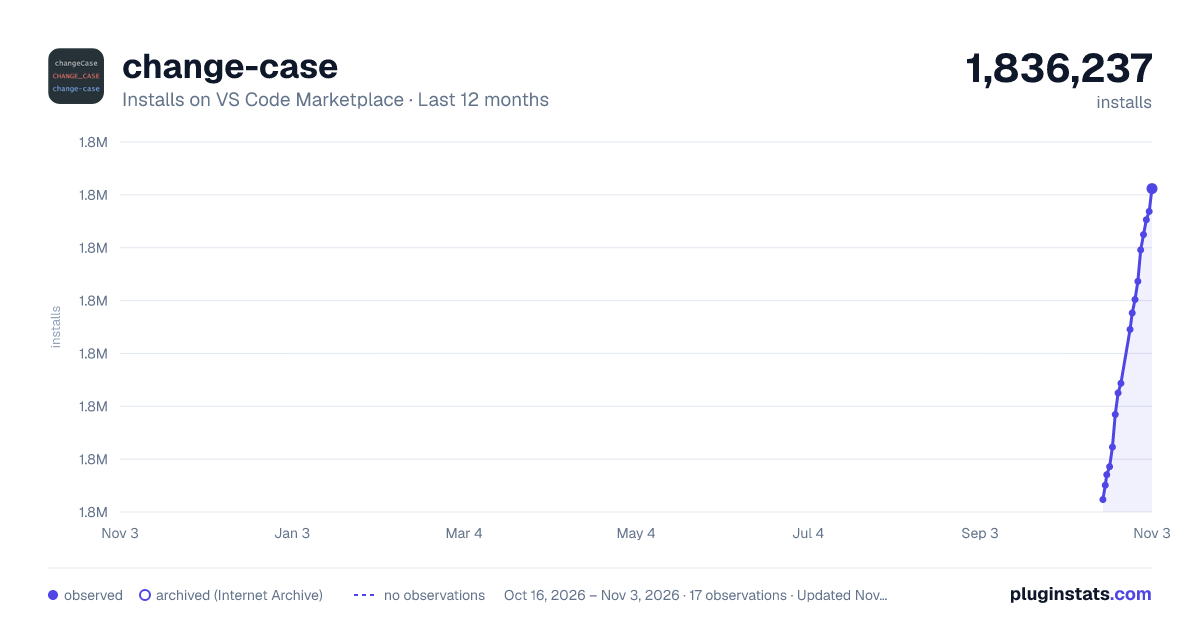


Adoption over time


7/30/90-day growth


Ranking history


Filled points are observed values; hollow points come from Internet Archive snapshots of the listing page. Dashed segments span periods with no observations — values between points are not interpolated.
Recent observations
Full history (3)Similar VS Code Marketplace Other plugins
Data source
Install counts, average rating, and rating counts come from the public Visual Studio Marketplace gallery API. Installs are cumulative and exclude updates.
Listing: https://marketplace.visualstudio.com/items?itemName=wmaurer.change-case. First seen Oct 16, 2026; last successful collection Oct 18, 2026. See the methodology.