 PluginStats
Thief-Book installs statistics
By Thief-Book · VS Code Marketplace · Other
摸鱼看书神器 & Looking book tools
Thief-Book has 172,259 recorded installs on VS Code Marketplace.
It ranks #1690 of 2,500 tracked VS Code Marketplace listings by installs.
It is rated 4.7 out of 5 from 15 ratings.
PluginStats has 3 daily observations since Oct 16, 2026; the latest is from Oct 18, 2026.
Rating: 4.67 / 5 from 15 ratings
About Thief-Book
Thief Book
一个摸鱼看书神器
安装
• https://marketplace.visualstudio.com/items?itemName=C-TEAM.thief-book
默认配置
需要填写 TXT小说 路径才可以使用此插件
• 当前页数:1 • 每页长度:50 • 是否为英文:false 如果是英文小说,请勾选 • 换行分隔符号:一个空格 • TXT绝对路径:空
路径格式
• Mac or Linux : /opt/test/name.txt • Win : C:\\\Users\\\Administrator\\\Desktop\\\name.txt or C:/Users/Administrator/Desktop/name.txt
快捷键
没有设置TXT小说的本地绝对路径,会报错,会提示设置路径
MAC
Cmd+M 老板键 。 随机显示不同语言的 Hello World ,随时可用
Cmd+, 上一页 。 文本聚焦(编辑代码)的时候,才可以使用
Cmd+. 下一页 。 文本聚焦(编辑代码)的时候,才可以使用
Cmd+; 跳转 。 文本聚焦(编辑代码)的时候,需要设置跳转页面,才可以使用
WIN
Ctrl+M 老板键 。 随机显示不同语言的 Hello World ,随时可用
Ctrl+Alt+, 上一页 。 文本聚焦(编辑代码)的时候,才可以使用
Ctrl+Alt+. 下一页 。 文本聚焦(编辑代码)的时候,才可以使用
Ctrl+Alt+; 跳转 。 文本聚焦(编辑代码)的时候,需要设置跳转页面,才可以使用
A fishing and reading magic weapon
Install
• https://marketplace.visualstudio.com/items?itemName=C-TEAM.thief-book
Default configuration
You need to fill in the TXT novel path to use this plug-in
• Current Page: 1 • Length per page: 50 • Is English:false If it's an English novel, please check it out. • Line Break Separation Symbol:A space • TXT Absolute Path: null
Path format
• Mac or Linux : /opt/test/name.txt • Win : C:\\\Users\\\Administrator\\\Desktop\\\name.txt or C:/Users/Administrator/Desktop/name.txt
Shortcut keys
If there is no absolute local path for TXT fiction, errors will be reported and paths will be prompted.
MAC
Cmd+M Boss key. randomly displays Hello World in different languages , Available at any time
Cmd+, Previous page. When text is focused (editing code) , Only then can it be used
Cmd+. Next page . When text is focused (editing code) , Only then can it be used
Cmd+; Jump page . When focusing on text (editing code), jump pages need to be set before you can use them
WIN
Ctrl+M Boss key. randomly displays Hello World in different languages , Available at any time
Ctrl+Alt+, Previous page. When text is focused (editing code) , Only then can it be used
Ctrl+Alt+. Next page . When text is focused (editing code) , Only then can it be used
Ctrl+Alt+; Jump page . When focusing on text (editing code), jump pages need to be set before you can use them
Enjoy!
Description from the VS Code Marketplace listing.
- book
- keybindings
- txt
- 小说
- 摸鱼
- 神器
Where Thief-Book sits in the listing
Each band is one page of 20. Installs on a log scale. Placement is projected from installs, so it can differ from the marketplace's own sort order. Hover a dot to see the listing.


Charts
Images: 30d · 1y · all time · 1600×900 dark
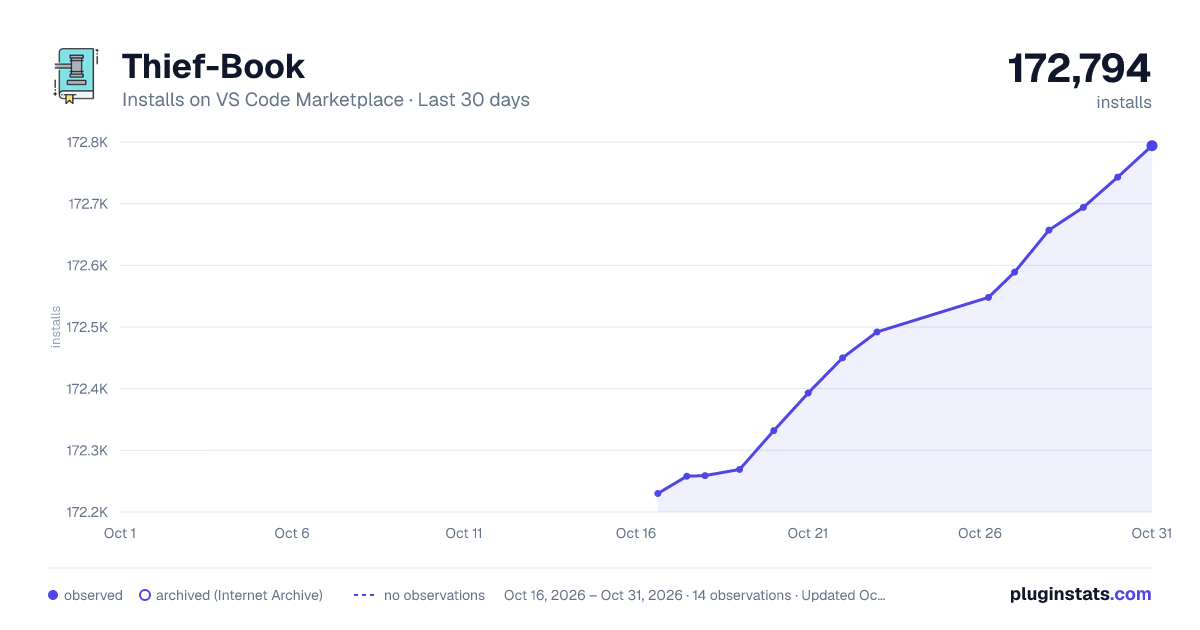
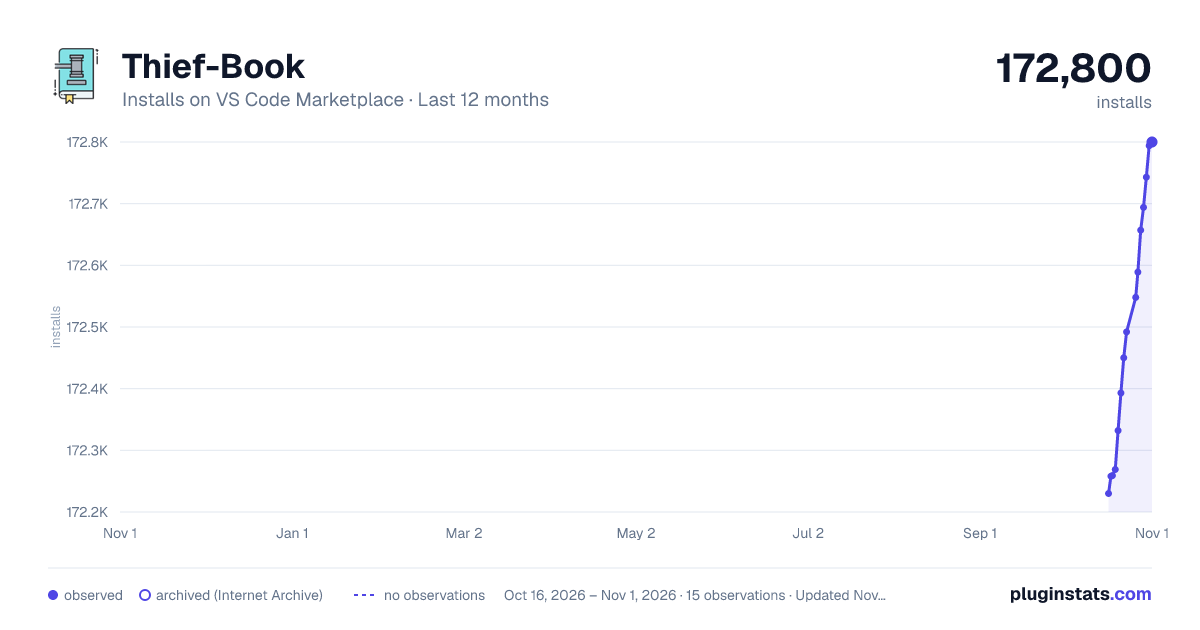
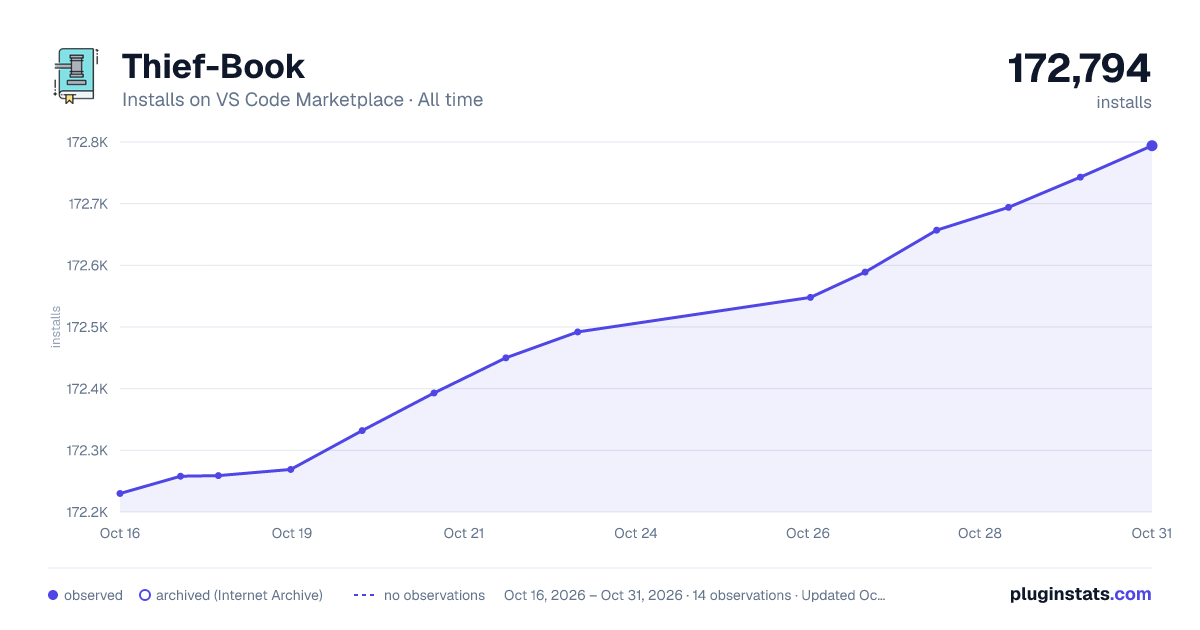

Adoption over time


7/30/90-day growth


Ranking history


Filled points are observed values; hollow points come from Internet Archive snapshots of the listing page. Dashed segments span periods with no observations — values between points are not interpolated.
Recent observations
Full history (3)Similar VS Code Marketplace Other plugins
Data source
Install counts, average rating, and rating counts come from the public Visual Studio Marketplace gallery API. Installs are cumulative and exclude updates.
Listing: https://marketplace.visualstudio.com/items?itemName=C-TEAM.thief-book. First seen Oct 16, 2026; last successful collection Oct 18, 2026. See the methodology.