 PluginStats
Database Client installs statistics
By Database Client (11 listings) · VS Code Marketplace · Programming Languages
Database Management for MariaDB/SQLite, supports executing SQL.
Database Client has 1,338,376 recorded installs on VS Code Marketplace, ranking #453 of 2,501 tracked listings.
Rating: 4.09 / 5 from 142 ratings
About Database Client
Database Client
All-in-one database management extension for Visual Studio Code. Connect to SQL and NoSQL databases, browse and edit data, run queries with IntelliSense, manage SSH servers, Docker, and remote files — without leaving the editor.
Website: database-client.com · Docs: https://database-client.com/docs
Telemetry
The extension collects anonymous usage data to help improve the product. Read the Privacy Policy for details.
Telemetry follows VS Code's telemetry settings. You can also disable it independently:
Getting Started
Connect
- Open the Database panel in the sidebar. 2. Click the + button. 3. Select a service type, fill in the connection details, and click Connect.
Connections support SSH tunnel, SSL/TLS, SOCKS proxy, and HTTP auth where applicable.
Browse Tables
- Click a table to open the table view. 2. Click the button beside a table to open it in a new tab. 3. Edit data directly in the grid.
Use the search box next to Tables to filter objects in the explorer.
Execute SQL
Click Open Query on a connection to open a SQL editor bound to that database.
The editor provides:
• SQL IntelliSense and auto-completion • Snippets: sel, del, ins, upd, joi, etc. • Run current/selected SQL — Ctrl+Enter / Cmd+Enter • Run all SQL — Ctrl+Shift+Enter / Cmd+Shift+Enter • Run in new panel — Ctrl+Alt+Enter / Cmd+Ctrl+Enter
Cache
Database metadata is cached for performance. If the schema changes externally, click the Refresh button on the connection to update.
Backup & Import
Right-click any database or table node to access Export and Import options.
For MySQL and PostgreSQL, adding mysqldump or pg_dump to your PATH enables native backup tools.
SSH & Port Forwarding
Connect to an SSH server to access the terminal, browse remote files, and set up port forwarding for tunneling database connections.
Mock Data
Generate test data from table templates or mock.json files. Press Ctrl+Enter / Cmd+Enter in a mock file to run.
Query History
Click the history button in the SQL editor toolbar to view recently executed queries.
Settings
Open VS Code Settings and search for database-client to configure SQL behavior, result layout, telemetry, and more.
Common options:
| Setting | Description |
| database-client.defaultSelectLimit | Default row limit for SELECT queries | | database-client.confirmWhenUpdateWithoutWhere | Warn before UPDATE/DELETE without WHERE | | database-client.autoPagingSQL | Auto-paginate large result sets | | database-client.enableSQLVariable | Enable${variable} substitution in SQL | | database-client.splitEditorWhenQuery | Open results in a split editor |
Development
Prerequisites
• Node.js 20+ • Yarn
Build
Press F5 in VS Code to launch the Extension Development Host.
Package
Credits
• ssh2 — SSH client • sql-formatter — SQL formatting • Client libraries: • @cweijan/mysql2 — MySQL • pg — PostgreSQL • tedious — SQL Server • ioredis — Redis • mongodb — MongoDB • kafkajs — Kafka • neo4j-driver — Neo4j • snowflake-sdk — Snowflake • vscode-sqlite — SQLite client code reference
Description from the VS Code Marketplace listing.
- athena
- azure
- bigquery
- cassandra
- chat-participant
- clickhouse
- cockroach
- cockroachdb
- cql
- cypher
- Database
- DatabaseClientLog
- Databricks
- datagrip
- db
- db2
- dbclient-log
- dbclient-mq-consumer
- dbeaver
- dmdb
README badge
Show your rank in a README or on your website. The badge updates automatically.
Charts
Images: 30d · 1y · all time · 1600×900 dark
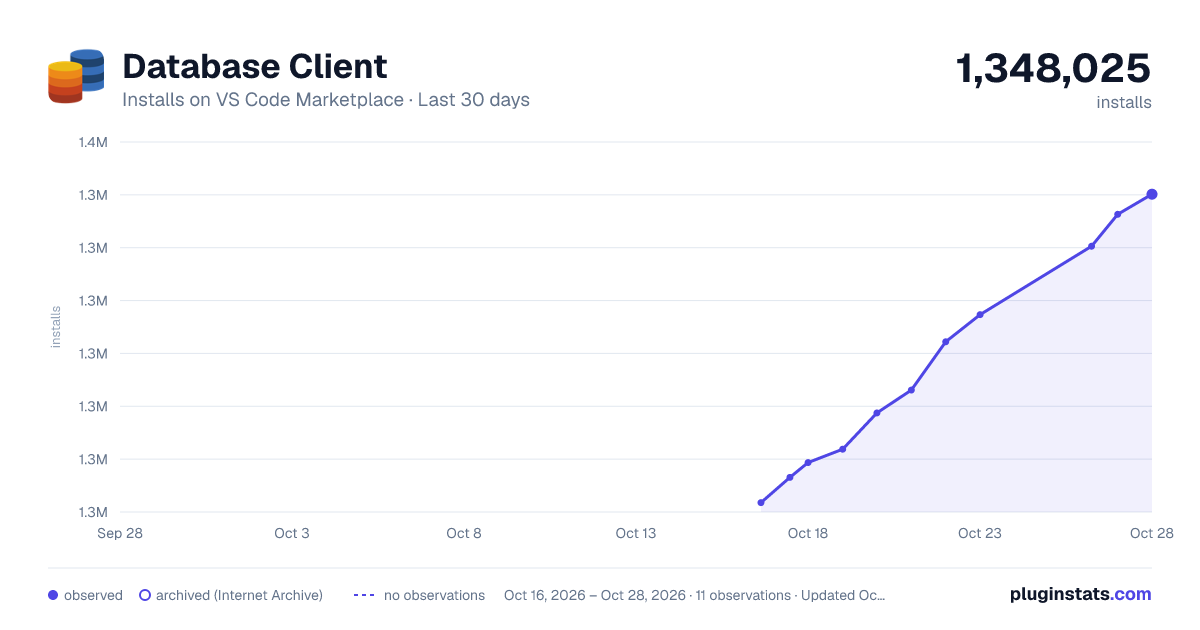
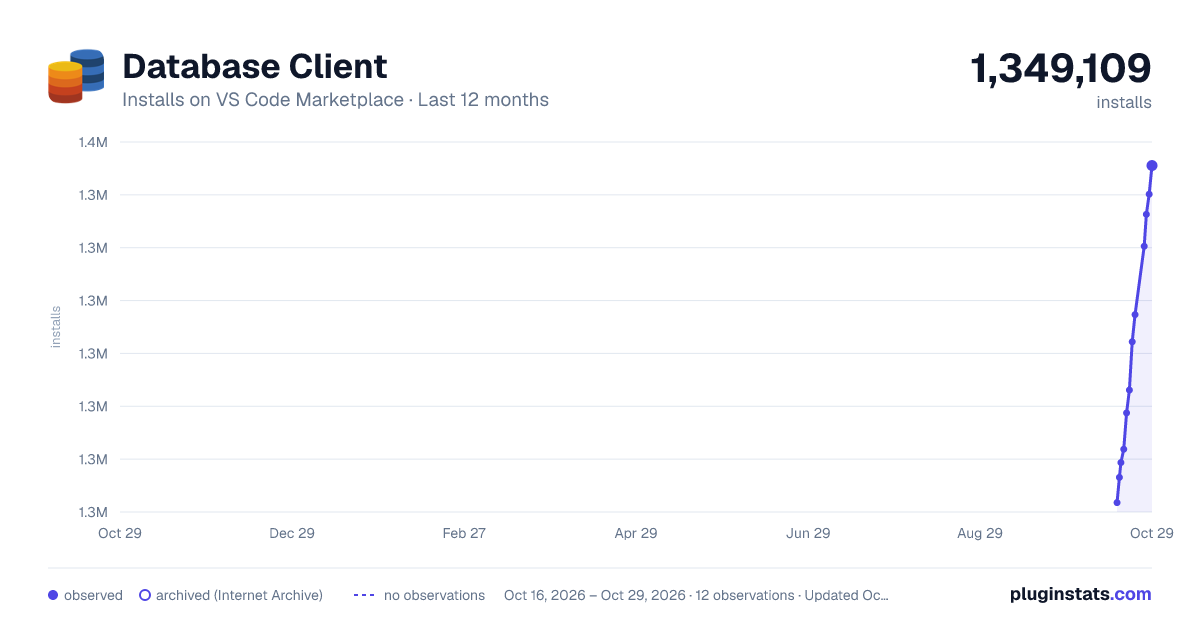
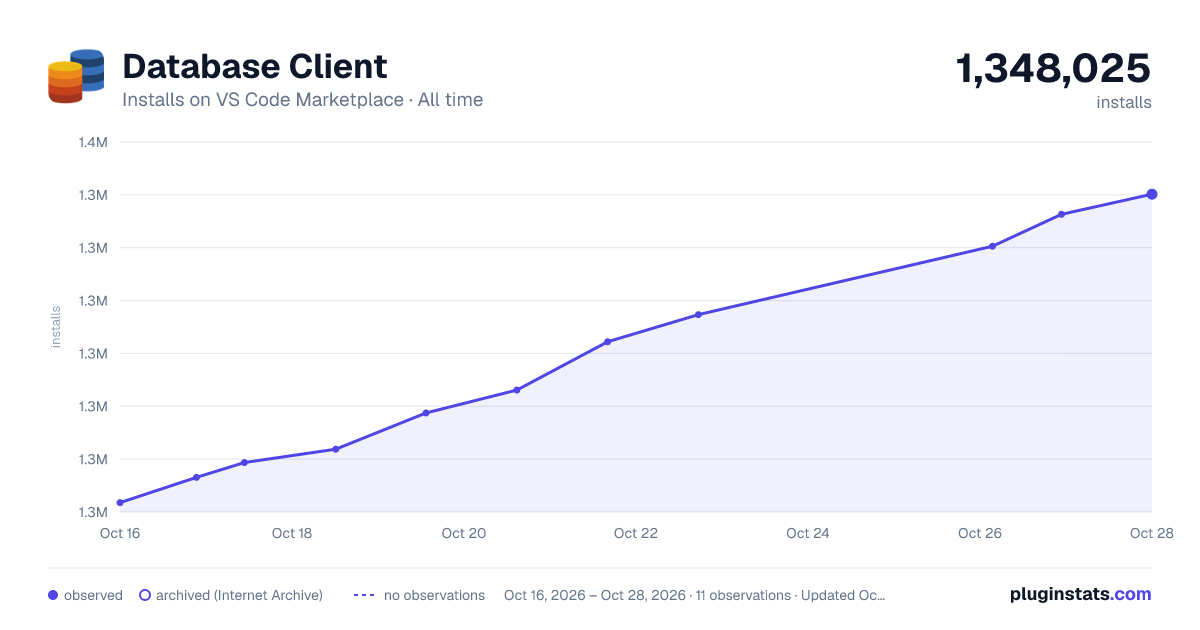

Adoption over time
7/30/90-day growth
Ranking history
Ratings over time
Listing placement
Listing placement
Listing placement
Filled points are observed values; hollow points come from Internet Archive snapshots of the listing page. Dashed segments span periods with no observations — values between points are not interpolated.
Each band is one page of 20. Installs on a linear scale. Placement is projected from installs, so it can differ from the marketplace's own sort order. Hover a dot to see the listing.
Recent observations
Full history (4)Similar VS Code Marketplace Programming Languages plugins
All 20 Database Client alternativesData source
Install counts, average rating, and rating counts come from the public Visual Studio Marketplace gallery API. Installs are cumulative and exclude updates.
Listing: https://marketplace.visualstudio.com/items?itemName=cweijan.vscode-database-client2. First seen Oct 16, 2026; last successful collection Oct 19, 2026. See the methodology.