 PluginStats
MetaGo installs statistics
By metaseed (3 listings) · VS Code Marketplace · Other
vscode cursor move and select; jump, navigation, goto, acejump
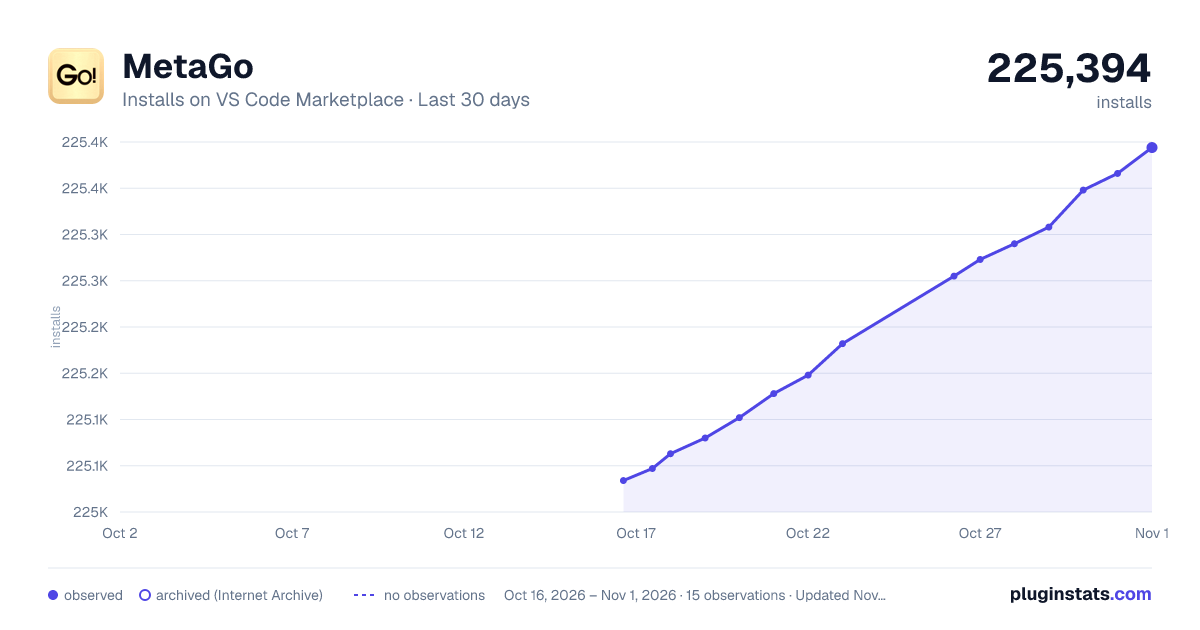
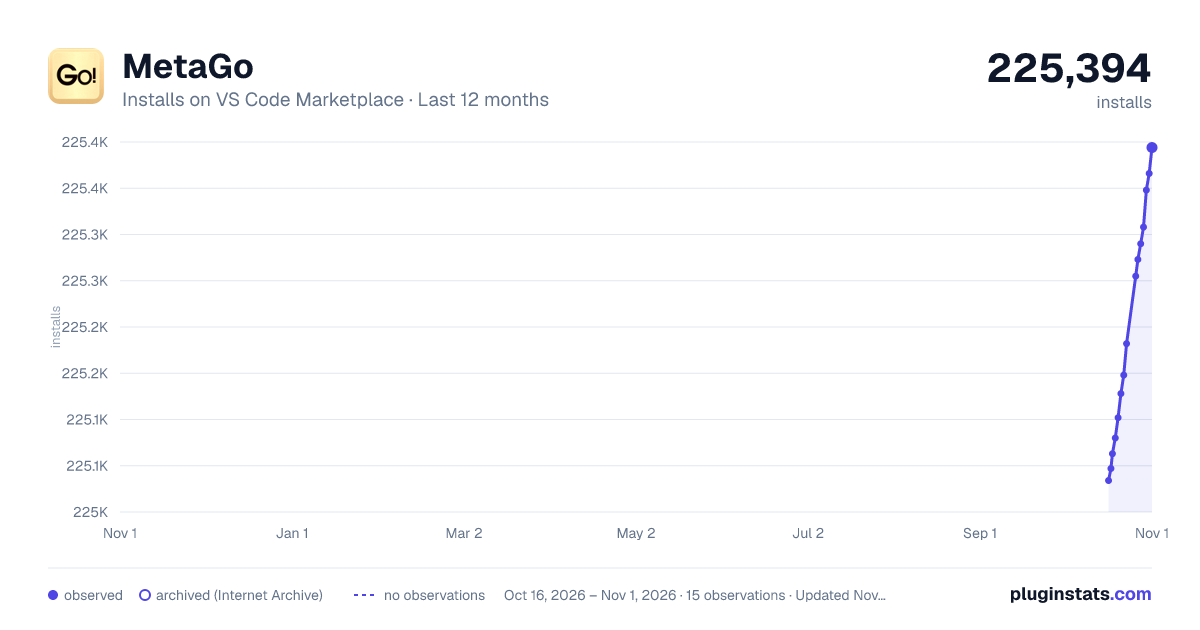
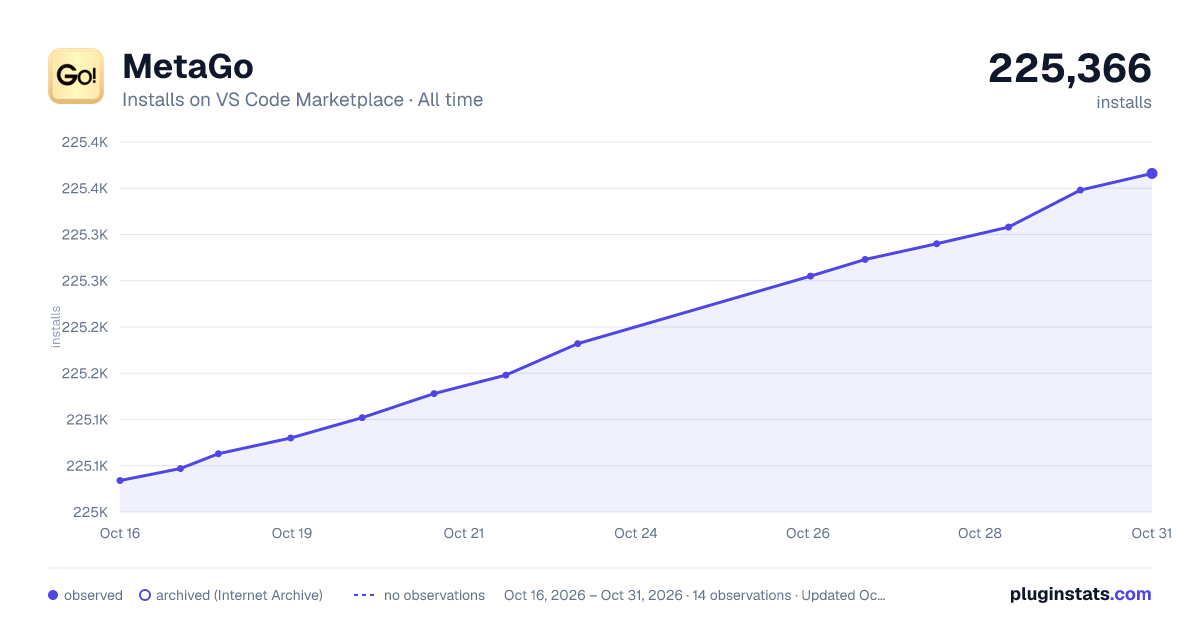
MetaGo has 225,102 recorded installs on VS Code Marketplace, ranking #1394 of 2,501 tracked listings.
Rating: 4.76 / 5 from 21 ratings
About MetaGo
First of all, Metago is a tool made for myself, it comes from the voice in my heart💖as a programmer. Metago tries its best to be the coolest😎 keyboard(mouseless) focused navigation tool in vscode. Metago tries to make your keyboard⌨ to you as meaningful as a kitchen knife to a master chef👩🍳.
<br> Metago as a free tool, currently is maintained and developed by me in my spare time🌙⏳, if you think has ever saved you time, boosted your efficiency, or even indispensable like some of our users, please support me 😊Give me a github⭐, or even sponsor me at github🍻
quotes from users:
This boosts my performance so much since It’s a trouble for me to use VIM (I’m leftie :( )
probably the best tool for keyboard driven navigation bar none (better than vim), includes bookmarks
MetaGo is a way to move your cursor to a position quickly and without using your mouse/trackpad.
Oh, man.. I have a feeling that after that I'm going to feel crippled without it. This is fantastic.
and MORE from you...
Features Summary
MetaGo provides fast cursor movement/selection/delete for keyboard focused users:
metaJump
<b>metaJump</b> is one part of the tool set <i>MetaGo</i>, with the goal to do cursor moving/selecting/deleting by showing decorators on possible target-locations. (detail document of MetaJump)

metaSelection
lines selection
vsCode's default select current line command(Ctrl+l) selects current line and puts the cursor at the next line's start position.
we create our own to extend/shrink the selection of the current line:
- <kbd>Ctrl</kbd>+<kbd>l</kbd> to select current line if no selection at cursor, or extend/shrink selections by one line below if there is selection before/after the cursor.
- <kbd>Ctrl</kbd>+<kbd>o</kbd> to extend/shrink selection by one line above if there is selection after/before the cursor.
extend/shrink selections work at the selection's active end(where cursor flashing), if you want to extend/shrink at the selection's anchor end, use <kbd>Alt</kbd>+<kbd>a</kbd> to alternate selection's anchor with active at first.
note: <kbd>Ctrl</kbd>+<kbd>o</kbd> triggers open file by default, and it triggers extend line selection above only when there is selection in active editor.…
Description from the VS Code Marketplace listing.
- acejump
- bookmark
- break line to above
- center
- change pair
- cursor
- EasyMotion
- focus screen
- goto
- html tag pair
- jump
- jumpy
- keybindings
- keyboard
- line selection
- metaGo
- metaWord
- navigation
- screen
- select pair
README badge
Show your rank in a README or on your website. The badge updates automatically.
Charts
Images: 30d · 1y · all time · 1600×900 dark

Adoption over time
7/30/90-day growth
Ranking history
Ratings over time
Listing placement
Listing placement
Filled points are observed values; hollow points come from Internet Archive snapshots of the listing page. Dashed segments span periods with no observations — values between points are not interpolated.
Each band is one page of 20. Installs on a linear scale. Placement is projected from installs, so it can differ from the marketplace's own sort order. Hover a dot to see the listing.
Recent observations
Full history (5)Similar VS Code Marketplace Other plugins
All 20 MetaGo alternativesData source
Install counts, average rating, and rating counts come from the public Visual Studio Marketplace gallery API. Installs are cumulative and exclude updates.
Listing: https://marketplace.visualstudio.com/items?itemName=metaseed.metago. First seen Oct 16, 2026; last successful collection Oct 20, 2026. See the methodology.