 PluginStats
Android WebView Debugging installs statistics
By Michael Potthoff · VS Code Marketplace · Debuggers
Debug your JavaScript code running in WebViews on any Android device from VS Code.
Android WebView Debugging has 93,814 recorded installs on VS Code Marketplace.
It ranks #2463 of 2,500 tracked VS Code Marketplace listings by installs.
It is rated 5.0 out of 5 from 6 ratings.
PluginStats has 3 daily observations since Oct 16, 2026; the latest is from Oct 18, 2026.
Rating: 5.00 / 5 from 6 ratings
About Android WebView Debugging
VS Code - Android WebView Debugging
Debug your JavaScript code running in WebViews on any Android device from VS Code.
A VS Code extension to debug your JavaScript code in the Google Chrome browser or other WebView targets on Android devices, that support the Chrome DevTools Protocol.
Requirements
vscode-js-debug
This extension uses the vscode-js-debug extension under the hood.
Using the debugger
When your launch config is set up, you can debug your project. Pick a launch config from the dropdown on the Debug pane in Code. Press the play button or F5 to start.
Configuration
Right now the extension only supports attaching to an already running Google Chrome or WebView instance. This can be configured in the .vscode/launch.json file in the root directory of your project.
In case you want to use the old Debugger for Chrome extension you can set debug.javascript.usePreview to false.
All configuration options of the pwa-chrome: attach configuration of the vscode-js-debug extension are supported.
You can optionally specify a port to use for the debugging connection or let the extension automatically choose an unsued one.
It is possible to specify the device and/or the application to attach to. If multiple possible instances are found the extension will ask you to choose one.
An example launch.json file:
All contributed configuration fields
• device: The serial of the device to use. It can be found using adb devices. • application: The package name of the application to connect to. For example com.android.chrome. • connectTimeout: The time the extension will wait for the webview to be ready in milliseconds.
Extension Settings
This extension contributes the following settings:
• android-webview-debug.adbPath: Specifies the path to the ADB executable. • android-webview-debug.adbArgs: Specifies extra arguments for the ADB executable. For example ["-H", "1.2.3.4"]
Troubleshooting
Failed to locate ADB executable.
The ADB executable was not found. Usually it should be on the PATH environment variable. You can also specify it manually using the android-webview-debug.adbPath configuration parameter.
No WebViews found
Ensure that the device is connected and that the Android application is a debug build or WebView debugging is enabled. You can always find the available WebViews by visiting chrome://inspect/#devices in Google Chrome.
No devices found
Ensure that USB Debugging is enabled on your Android device and that ADB can find it. You can find a list of connected devices using the command adb devices.
Description from the VS Code Marketplace listing.
- android
- chrome
- debug
- debuggers
- debugging
- javascript
- multi-root ready
- webview
Where Android WebView Debugging sits in the listing
Each band is one page of 20. Installs on a log scale. Placement is projected from installs, so it can differ from the marketplace's own sort order. Hover a dot to see the listing.


Charts
Images: 30d · 1y · all time · 1600×900 dark
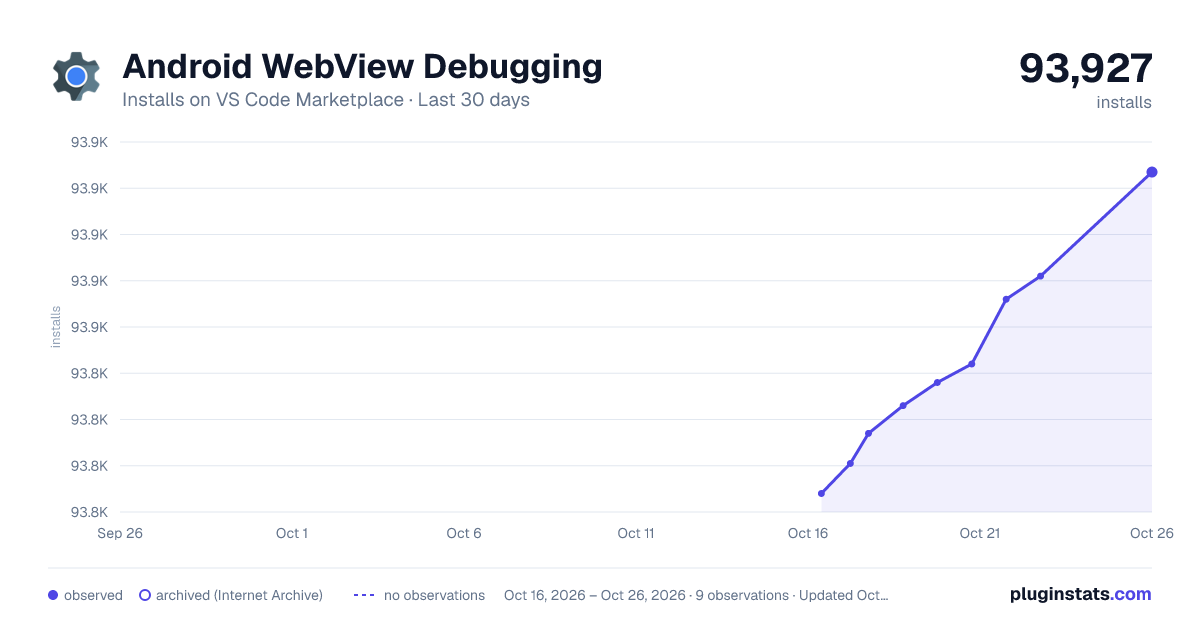
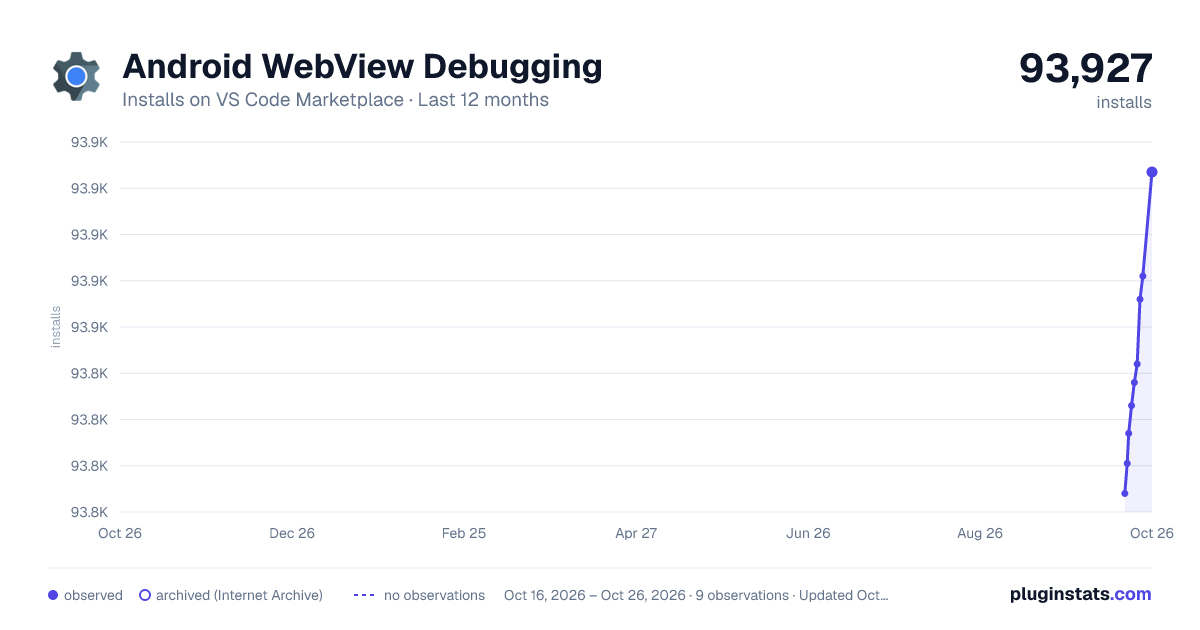
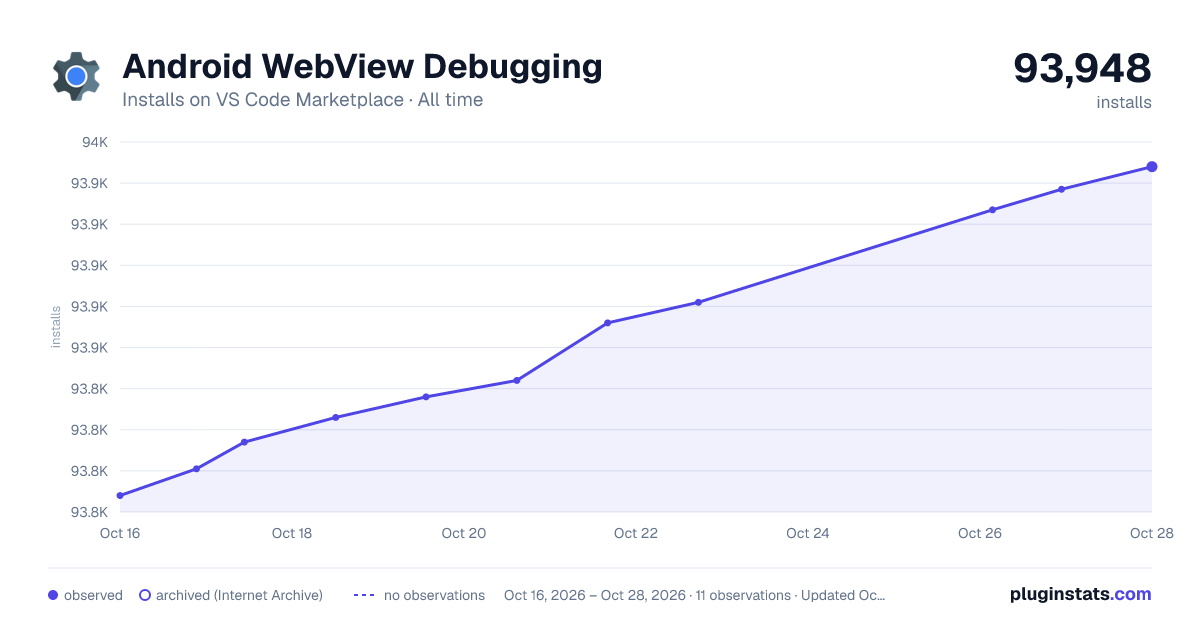

Adoption over time


7/30/90-day growth


Ranking history


Filled points are observed values; hollow points come from Internet Archive snapshots of the listing page. Dashed segments span periods with no observations — values between points are not interpolated.
Recent observations
Full history (3)Similar VS Code Marketplace Debuggers plugins
Data source
Install counts, average rating, and rating counts come from the public Visual Studio Marketplace gallery API. Installs are cumulative and exclude updates.
Listing: https://marketplace.visualstudio.com/items?itemName=mpotthoff.vscode-android-webview-debug. First seen Oct 16, 2026; last successful collection Oct 18, 2026. See the methodology.