 PluginStats
Redocly OpenAPI installs statistics
By Redocly (2 listings) · VS Code Marketplace · Programming Languages
Redocly OpenAPI has 91,840 recorded installs on VS Code Marketplace.
It ranks #2487 of 2,501 tracked VS Code Marketplace listings by installs.
It is rated 4.5 out of 5 from 13 ratings.
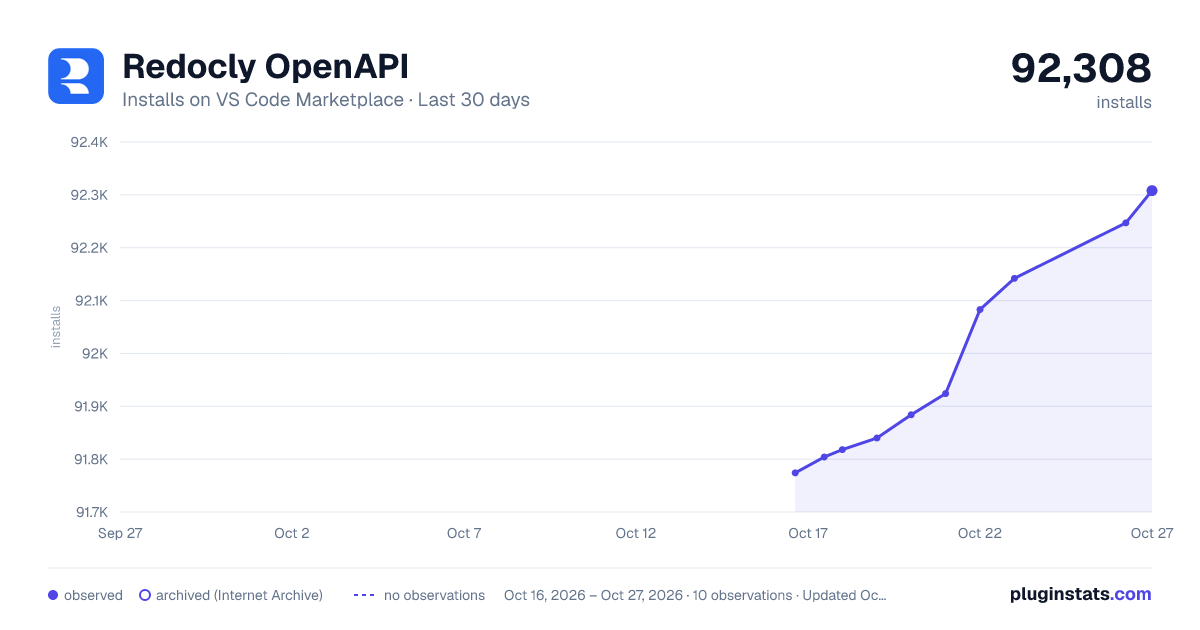
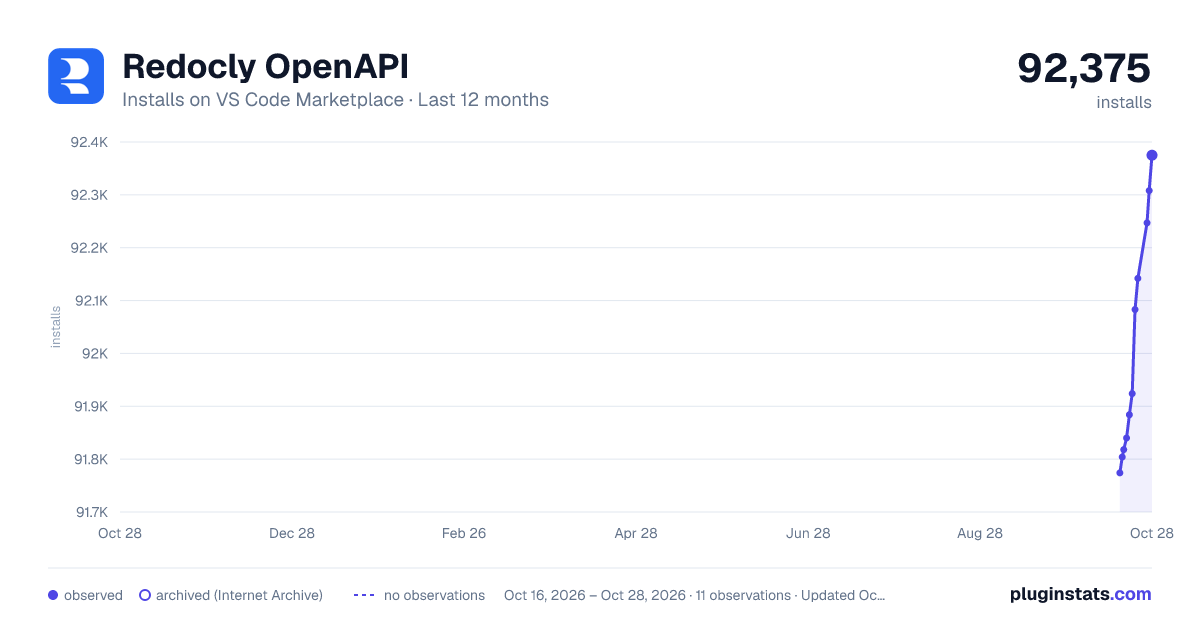
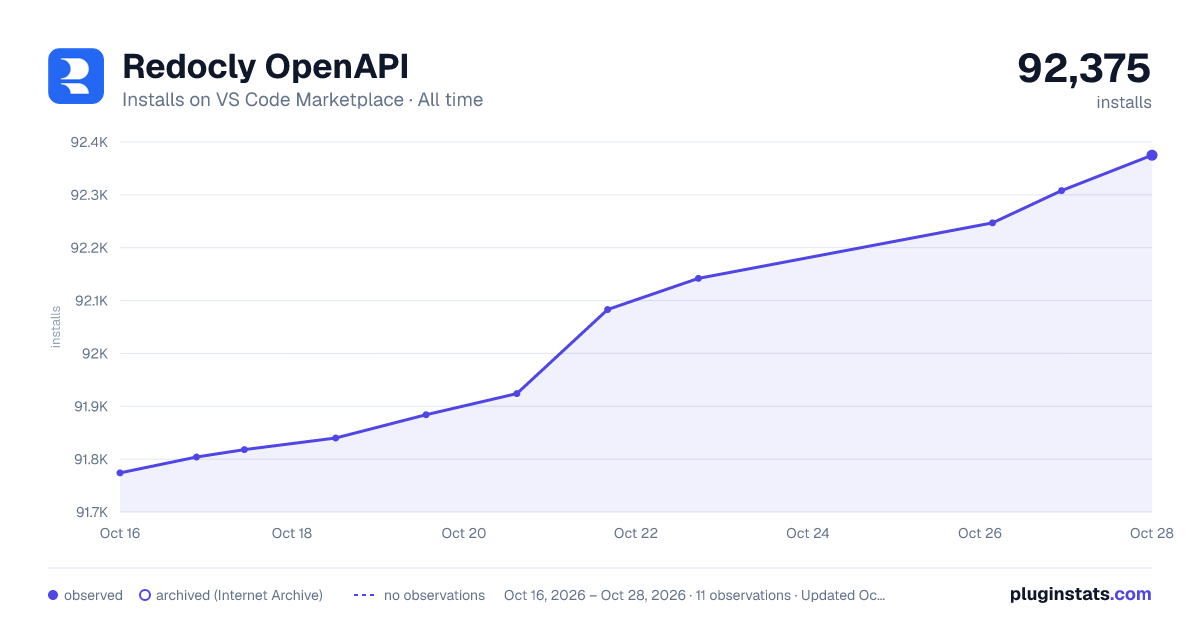
PluginStats has 4 daily observations since Oct 16, 2026; the latest is from Oct 19, 2026.
Rating: 4.46 / 5 from 13 ratings
About Redocly OpenAPI
Redocly OpenAPI
Redocly OpenAPI is a Visual Studio Code extension that helps you write, validate, and maintain your OpenAPI documents. It warns about errors in OpenAPI descriptions and lets you quickly access referenced schemas or open the files that contain them. The extension works with OpenAPI 2.0 and 3.0 descriptions, and has basic support for OpenAPI 3.1, and provides partial support for OpenAPI 3.2 (preview is coming soon), AsyncAPI 2.0 and 3.0, and Arazzo 1.0.
Feature highlights:
• Validate your OpenAPI, AsyncAPI, and Arazzo descriptions • Quickly preview and access referenced schemas • Work with multi-file descriptions • Preview API documentation side-by-side with your OpenAPI description • Access context-aware help about OpenAPI, AsyncAPI, and Arazzo features • Edit API descriptions through interactive forms (supported partially)
**Found an issue or have an idea for improving the extension? Let us know!**
Before you start
• If you provide a redocly.yaml configuration file, it must be located in the root directory of your workspace. If you don't have a custom configuration, the extension will use the recommended ruleset. See the Configuration section for setup instructions. • Note that the extension only works with YAML files. Validation for JSON files is supported starting with version 0.2.0 of the extension.
Limitations
Be aware that the extension may be affected by some limitations of the VS Code editor.
So far, we have identified these limitations:
• Special characters /, $ and # do not trigger VS Code suggestions • VS Code doesn't suggest values while inside a snippet
Installation
To install the extension in VS Code:
1. Press [Ctrl+Shift+X] or [⇧⌘X] to open the _Extensions_ tab.
2. Type Redocly OpenAPI to search for the extension in Marketplace.
3. Find the extension in the list and select Install.
4. When the installation is complete, select Enable to activate the extension in your workspace.
Configuration
To use the extension, we recommend you create a configuration file called redocly.yaml and place it in the root directory of your workspace. If the extension detects that this file doesn't exist, it will prompt you to create it automatically for the current workspace.
Here's an example of what your directory structure could look like:
The redocly.yaml configuration file defines the criteria for validating OpenAPI descriptions.
Add the following example contents to the file and save the changes:
This will let you start working with the extension. You can modify the file at any point to control the behavior of the extension. When modifying the redocly.yaml file, you must save it to disk for your changes to apply.
To learn more about built-in rules you can use, refer to the Redocly OpenAPI CLI documentation. The linting guide provides more information on how to configure the linter.
Note that you can add multiple paths to OpenAPI files under apis, each in its own line with a custom, unique name as the key. Files listed in this section will be automatically validated by the extension when you open them in VS Code. Changes made to apis are dynamically reflected in the preview panel.
Usage
The Redocly OpenAPI VS Code extension helps you create and update OpenAPI documents.
To start using it, either create a new OpenAPI description or open an existing one in your VS Code.
If this is your first time working with OpenAPI descriptions, you can use our default template to get started. Create an empty YAML file and open the _Cursor context_ panel. In the panel, select Add template. Now you have a fully functional OpenAPI description you can use with the extension.
Important: If the action buttons are not visible in your editor, ensure that the workbench.editor.editorActionsLocation setting in VS Code is not set to hidden. This setting controls the visibility of editor action buttons that provide quick access to extension features.
OpenAPI structure autocompletion
To use the extension for OpenAPI authoring, create a new, empty YAML file. As you start typing openapi at the top of the file, the extension will automatically offer suggestions for OpenAPI description elements according to the specification.
Select a suggestion from the list. The extension will automatically generate the fields supported by the selected OpenAPI section. You can then add your values for each of the fields.
Configuration file autocompletion
The extension also offers suggestions in the redocly.yaml configuration file. Under rules, it suggests built-in rule names, their severity values (error, warn, off), and a scaffold for a configurable rule. Under extends, it suggests the built-in rulesets (minimal, recommended, recommended-strict, spec, all) and rulesets from your plugins.
Value autocompletion
The extension supports value autocompletion for references ($ref fields). To use this feature, your OpenAPI document must have components with a proper type defined. For example, the extension will only suggest values for $ref inside requestBody if you have components defined in requestBodies. Similarly, it will only suggest values from schemas for $ref fields inside schema.
Also, the extension supports autocompletion of paths to your $ref files.
Autocompletion for example and default fields will suggest values you have previously defined in enum on the same level.
The extension will also show suggested values for all other fields that have a predefined set of values according to the OpenAPI and other specifications (like required, which has boolean type; or type, which must be one of array | object | number) and that are supported by Redocly CLI.
Dynamic API validation
The extension continuously validates the API description you're working on. Depending on the rules you've added to your redocly.yaml file, the extension will warn you about the following issues:…
Description from the VS Code Marketplace listing.
- api
- json
- openapi
- redoc
- redocly
- swagger
- yaml
Where Redocly OpenAPI sits in the listing
Each band is one page of 20. Installs on a log scale. Placement is projected from installs, so it can differ from the marketplace's own sort order. Hover a dot to see the listing.


Charts
Images: 30d · 1y · all time · 1600×900 dark

Adoption over time


7/30/90-day growth


Ranking history


Filled points are observed values; hollow points come from Internet Archive snapshots of the listing page. Dashed segments span periods with no observations — values between points are not interpolated.
Recent observations
Full history (4)Similar VS Code Marketplace Programming Languages plugins
Data source
Install counts, average rating, and rating counts come from the public Visual Studio Marketplace gallery API. Installs are cumulative and exclude updates.
Listing: https://marketplace.visualstudio.com/items?itemName=Redocly.openapi-vs-code. First seen Oct 16, 2026; last successful collection Oct 19, 2026. See the methodology.